
ROBOTIME LC901C
ROBOTIME 3D Wooden Cuckoo Clock Puzzle Instruction Manual
Model: LC901C
1. Introduction
Thank you for choosing the ROBOTIME LC901C 3D Wooden Cuckoo Clock Puzzle. This kit provides a rewarding building experience, culminating in a functional cuckoo clock with intricate details and a charming cuckoo sound. This manual will guide you through the assembly process, operation, and care of your new wooden model.

Figure 1.1: The ROBOTIME LC901C 3D Wooden Cuckoo Clock, fully assembled, alongside its product packaging.
2. Safety Information
Please read all safety warnings before beginning assembly. This product contains small parts and is not suitable for children under 3 years old due to choking hazards. Keep all components away from young children.
- Choking Hazard: Small parts. Not for children under 3 years.
- Sharp Edges: Handle wooden pieces carefully to avoid splinters or cuts.
- Battery Safety: Use only specified batteries (3 x AAA, not included). Do not mix old and new batteries. Insert batteries with correct polarity.
- Electrical Components: Ensure all electrical connections are secure and dry. Do not expose to water.
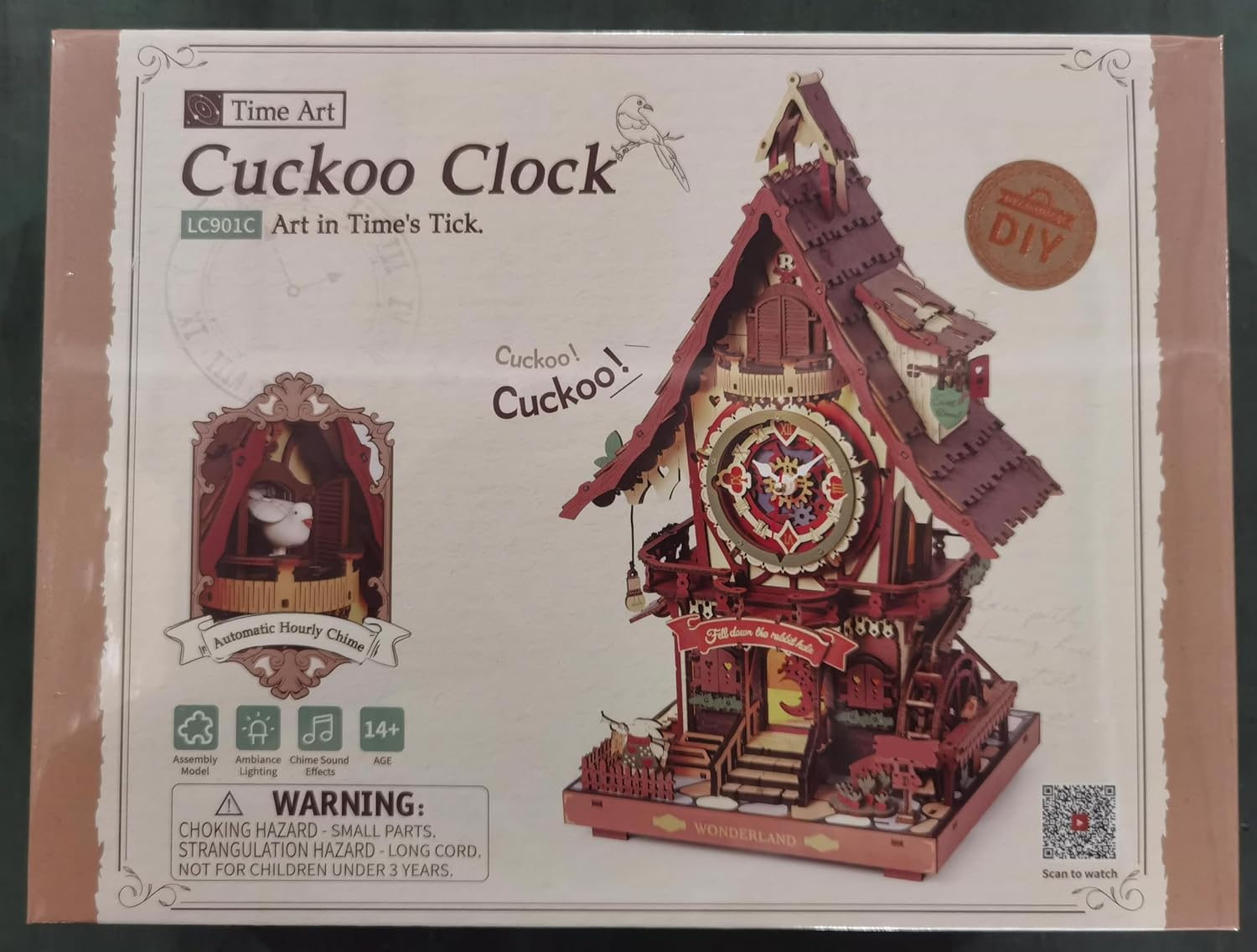
Figure 2.1: Product packaging displaying important safety warnings and product information.
3. Components Overview
Your ROBOTIME Cuckoo Clock kit includes 435 laser-cut wooden pieces, along with the necessary mechanical and electrical components to create a fully functional clock. No glue is required for assembly.
- Pre-cut Wooden Sheets (435 pieces)
- Clock Mechanism
- Cuckoo Bird Module
- LED Light Module
- USB Type-C Power Cable (not included, but compatible)
- Instruction Manual

Figure 3.1: All components of the puzzle kit, including laser-cut wooden sheets and the instruction booklet.
4. Assembly Instructions
The estimated assembly time for this model is approximately 8 hours, suitable for ages 14 and up. Follow the detailed pictorial instructions provided in your kit. Each wooden piece is precisely laser-cut for easy pop-out and interlocking assembly.
4.1. Preparation
- Unpack all components and verify against the parts list in the instruction manual.
- Prepare a clean, well-lit workspace.
- Familiarize yourself with the instruction manual's symbols and numbering system.
4.2. Step-by-Step Assembly
- Carefully detach each wooden piece from its sheet. Use a small tool if necessary to avoid breakage.
- Follow the numerical sequence in the instruction manual. Each step clearly indicates which pieces to use and how they interlock.
- Pay close attention to the orientation of pieces, especially for gears and structural elements.
- When installing the clock mechanism and cuckoo module, ensure wires are routed correctly and connections are secure.
- Install the LED light module as instructed to enable the internal illumination.
- Once all wooden pieces are assembled, ensure all moving parts (pendulum, cuckoo) can move freely.

Figure 4.1: Close-up of the assembly process, highlighting the precision of the laser-cut components.
5. Operation
Your ROBOTIME Cuckoo Clock is designed to be a fully functional timepiece with interactive features.
5.1. Powering the Clock
The clock can be powered by either 3 x AAA batteries (not included) or a USB Type-C cable (not included) connected to a power source.
- Battery Installation: Locate the hidden battery box (refer to Figure 5.1). Insert 3 AAA batteries, ensuring correct polarity.
- USB Type-C Connection: Plug a USB Type-C cable into the designated port (refer to Figure 5.1) and connect to a 5V power adapter.
5.2. Setting the Time
Adjust the clock hands manually to set the correct time. The Roman dial provides clear time indication.
5.3. Cuckoo Sound and Light Features
The clock features an hourly cuckoo chime and warm internal lighting.
- Cuckoo Chime: The cuckoo bird will emerge and chirp hourly. There is a hidden switch to control this function.
- Activating Chime: Long press the hidden switch (located on the front step) until the light flashes twice to start the chime function.
- Deactivating Chime: Long press the hidden switch until the light flashes four times to turn off the chime function.
- Manual Chime: Tap the hidden switch once to make the cuckoo chime immediately.
- Internal Lights: Pull the vintage-style cord to activate the warm lights illuminating the clock's interior.

Figure 5.1: Demonstrating the cuckoo time-telling function and control buttons.

Figure 5.2: Detailed views of key features including the hidden battery box.

Figure 5.3: The cuckoo clock with its internal warm lights activated.
6. Maintenance
To ensure the longevity and appearance of your ROBOTIME Cuckoo Clock, follow these maintenance guidelines:
- Cleaning: Gently wipe the wooden surfaces with a dry, soft cloth to remove dust. Avoid using wet cloths or harsh cleaning agents.
- Placement: Place the clock in a dry environment, away from direct sunlight, extreme temperatures, and high humidity, which can damage the wood.
- Handling: Handle the assembled clock with care, especially delicate parts like the pendulum and cuckoo mechanism.
- Battery Replacement: Replace batteries when the clock's functions (timekeeping, cuckoo, lights) become weak or stop working.
7. Troubleshooting
If you encounter any issues with your ROBOTIME Cuckoo Clock, refer to the table below for common problems and solutions.
| Problem | Possible Cause | Solution |
|---|---|---|
| Clock does not keep time or stops. | Low batteries; incorrect battery installation; mechanism obstruction. | Replace batteries; check battery polarity; ensure no wooden pieces are obstructing the clock mechanism. |
| Cuckoo bird does not emerge or chime. | Chime function deactivated; obstruction in cuckoo path; low batteries. | Activate chime function (long press switch); check for obstructions; replace batteries. |
| Lights do not turn on. | Low batteries; loose connection; light module not installed correctly. | Replace batteries; check all wire connections to the light module; ensure module is correctly seated. |
| Pieces do not fit together. | Incorrect piece orientation; burrs on edges. | Refer to the instruction manual for correct orientation; gently sand or trim any burrs if necessary. |
For more detailed assembly guidance, refer to the QR code provided in your kit, which links to helpful video tutorials.
8. Specifications
| Feature | Detail |
|---|---|
| Model Number | LC901C |
| Dimensions (L x W x H) | 21.2 x 17 x 34 cm |
| Weight | 770 g |
| Number of Pieces | 435 |
| Assembly Time | Approx. 8 hours |
| Recommended Age | 14 years and up |
| Material | Wood (MDF board, plywood) |
| Power Source | 3 x AAA Batteries (not included) or USB Type-C (cable not included) |
| Features | Working clock, hourly cuckoo chime, internal LED lights, swinging pendulum |

Figure 8.1: Dimensions of the assembled ROBOTIME LC901C Cuckoo Clock.
9. Support
For any questions, missing parts, or further assistance, please contact ROBOTIME customer service. Information regarding replacement parts can be found in your product packaging or by contacting the manufacturer directly.
Ask a question about this manual
Ask about setup, troubleshooting, compatibility, parts, safety, or missing instructions. Manuals+ will review the question and use this page’s manual context to help answer it.