
1. Product Overview
The Fempoin T10 Pro Smartwatch is a versatile wearable device designed for daily use, fitness tracking, and communication. It features a vibrant 1.43-inch AMOLED display, Bluetooth calling capabilities, comprehensive health monitoring, and a wide range of sport modes.

Image: Fempoin T10 Pro Smartwatch, showcasing its round display and sleek design.
2. What's in the Box
Please check the package contents upon unboxing:
- 1 x Fempoin T10 Pro Smartwatch
- 1 x Instruction Manual
- 1 x Watch Strap
3. Setup
3.1 Charging the Smartwatch
Before first use, fully charge your smartwatch. The device features a 300 mAh battery and typically requires approximately 2 hours for a full charge. Use the provided charging cable and connect it to a standard USB power adapter (not included).
3.2 App Installation and Device Pairing
To unlock the full functionality of your Fempoin T10 Pro Smartwatch, you need to install the 'FitCloudPro' application on your smartphone and pair the devices via Bluetooth.
- Download the App: Search for 'FitCloudPro' in your smartphone's app store (Google Play Store for Android or Apple App Store for iOS) and install it.
- Enable Bluetooth: Ensure Bluetooth is enabled on your smartphone.
- Open the App: Launch the 'FitCloudPro' app and follow the on-screen instructions to create an account or log in.
- Add Device: Within the app, navigate to the device management section (usually indicated by a device icon or 'Add Device'). The app will search for available devices.
- Select and Pair: Select 'T10 Pro' from the list of found devices. Confirm the pairing request on both your smartwatch and smartphone. The smartwatch uses Bluetooth 5.3 for a stable connection.
4. Operating Instructions
4.1 Basic Navigation
The Fempoin T10 Pro Smartwatch features a 1.43-inch AMOLED full touch display for intuitive interaction.
- Swipe Up/Down: Navigate through menus and notifications.
- Swipe Left/Right: Access quick functions or widgets.
- Tap: Select an item or confirm an action.
- Press Side Button: Return to the home screen or power on/off (long press).

Image: The smartwatch display showing a custom watch face, highlighting the 1.43-inch AMOLED HD touch screen.
4.2 Making and Receiving Calls
Once connected to your phone via Bluetooth, the smartwatch allows you to manage calls directly from your wrist.
- Receive Calls: When a call comes in, the watch will display the caller ID. Tap the green icon to answer or the red icon to reject.
- Make Calls: Access the dial pad or contact list on your smartwatch to initiate a call.
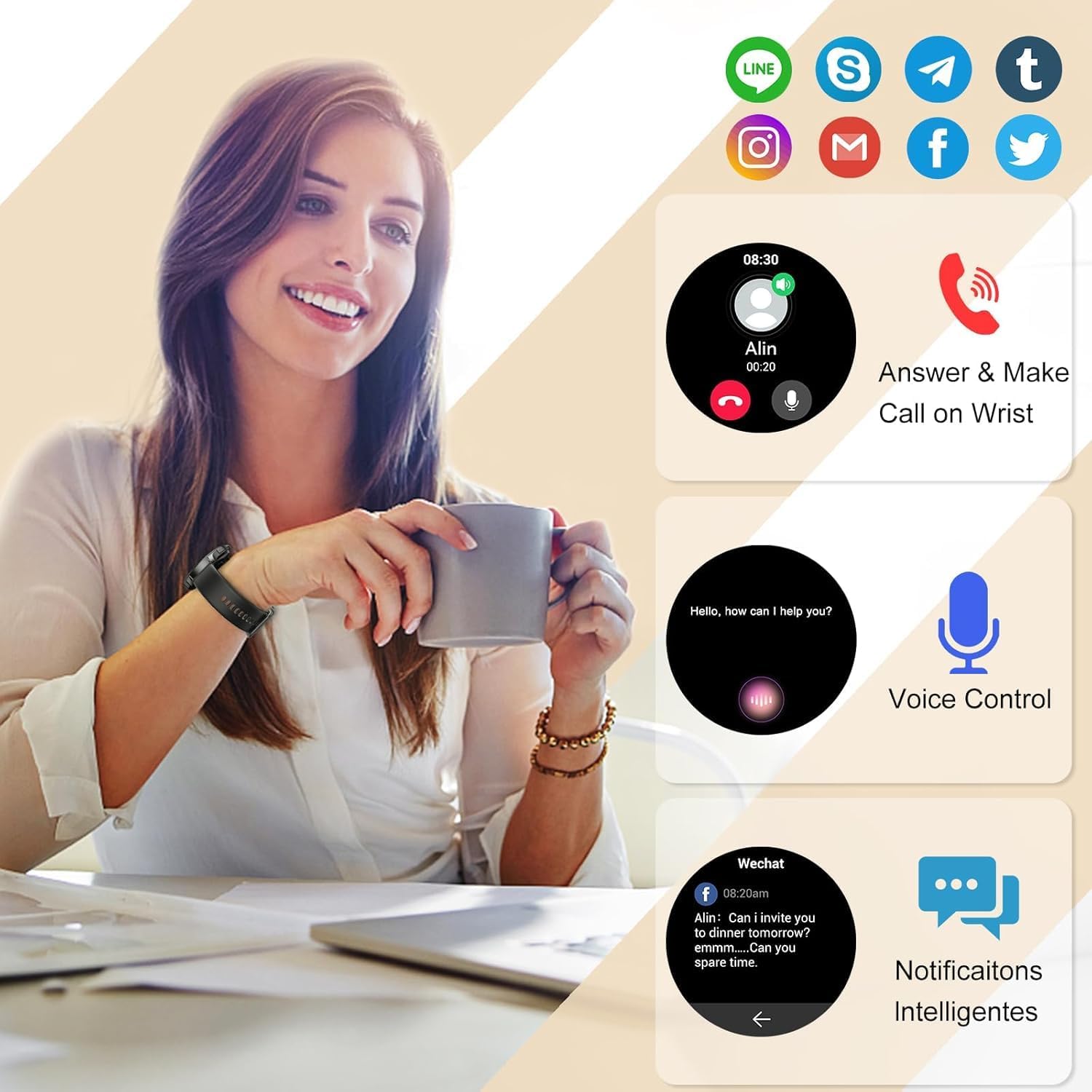
Image: A user interacting with the smartwatch to answer a call, demonstrating the call and notification features.
4.3 Notifications
The smartwatch receives real-time notifications from various applications (e.g., WhatsApp, Facebook, Instagram, Twitter) when connected to your smartphone. You will not miss important messages or calls.

Image: A visual representation of the smartwatch receiving and displaying information reminders.
4.4 Health Monitoring
The Fempoin T10 Pro is equipped with powerful PPG optical sensors to monitor your health throughout the day.
- Heart Rate Monitoring: Automatically tracks your heart rate. View real-time data on the watch or detailed trends in the 'FitCloudPro' app.
- SpO2 Monitoring: Measures your blood oxygen saturation levels.
- Sleep Monitoring: Automatically records your sleep patterns, including deep sleep, light sleep, and wakefulness. Analyze your sleep quality in the 'FitCloudPro' app to understand and improve your sleep habits.
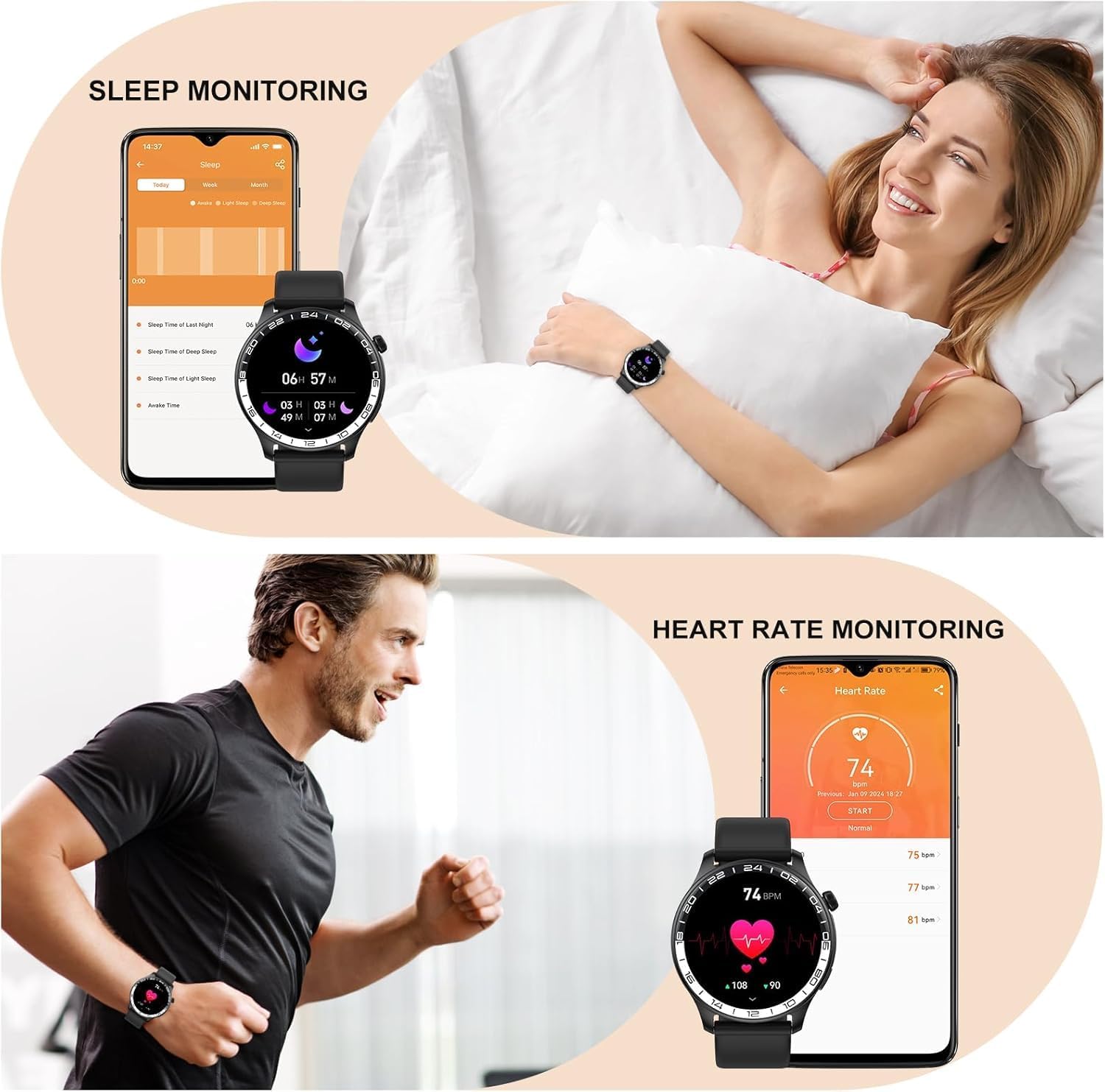
Image: Screenshots showing sleep monitoring data and heart rate monitoring in the companion app, with the smartwatch on a user's wrist.
4.5 Sport Modes and Activity Tracking
The fitness tracker offers over 100 sport modes available through the 'FitCloudPro' app, including walking, running, yoga, football, basketball, cycling, and more. It accurately tracks calories burned, steps taken, and distance traveled throughout the day.
- Select a Sport Mode: On your smartwatch, navigate to the sport modes menu and select your desired activity.
- Start/Stop Tracking: Follow the on-screen prompts to start and stop your workout.
- Review Data: View your workout summary on the watch or detailed statistics in the 'FitCloudPro' app.

Image: A collage depicting various sports activities, illustrating the smartwatch's support for over 100 sport modes.
4.6 Customizing Watch Faces
Personalize your smartwatch with over 100 different watch faces available in the 'FitCloudPro' app. You can also upload your own photos to create a unique custom watch face.

Image: The smartwatch surrounded by different customizable watch face designs.
4.7 Other Functions
The Fempoin T10 Pro Smartwatch includes several useful daily functions:
- Alarm Clock
- Women's Health Tracking
- Music Control
- Calculator
- Stopwatch
- Timer
- Sedentary Reminder
- Find My Phone/Watch
- Weather Forecast

Image: The smartwatch display showing icons for various functions such as music player, pedometer, and sedentary reminder.
5. Maintenance
5.1 Water Resistance
The smartwatch is IP68 waterproof, meaning it is resistant to dust and can withstand immersion in water up to 1.5 meters for up to 30 minutes. It is suitable for daily waterproofing needs such as hand washing, rain, or accidental splashes. Note: It is not recommended for hot showers, saunas, diving, or prolonged immersion in water, as steam and hot water can compromise the seal.
5.2 Cleaning
Regularly clean your smartwatch and strap to prevent skin irritation and maintain optimal performance. Use a soft, damp cloth to wipe the screen and body. For the strap, follow the manufacturer's cleaning recommendations based on the material.
5.3 Battery Care
The 300 mAh battery provides 7 to 10 days of typical use and up to 30 days of standby time. To prolong battery life:
- Avoid extreme temperatures.
- Charge the device fully before first use.
- Do not let the battery drain completely frequently.

Image: The smartwatch with a visual representation of its 300 mAh long battery life.
6. Troubleshooting
If you encounter issues with your Fempoin T10 Pro Smartwatch, try the following steps:
- Device Not Turning On: Ensure the watch is fully charged. Connect it to the charger for at least 10 minutes.
- Cannot Pair with Phone: Make sure Bluetooth is enabled on your phone and the watch. Restart both devices and try pairing again through the 'FitCloudPro' app.
- Notifications Not Received: Check app notification permissions on your phone and within the 'FitCloudPro' app settings. Ensure the watch is connected via Bluetooth.
- Inaccurate Health Data: Ensure the watch is worn snugly on your wrist, not too tight or too loose. Clean the sensor on the back of the watch.
- Screen Unresponsive: Try restarting the smartwatch by long-pressing the side button. If unresponsive, allow the battery to drain completely and then recharge.
7. Specifications
| Feature | Specification |
|---|---|
| Brand | Fempoin |
| Model | T10 Pro |
| Product Dimensions | 4 x 3 x 5 cm; 110 g |
| Batteries | 1 Lithium Polymer battery required (included) |
| Operating System | Wear OS |
| Display Resolution | 466 x 466 pixels |
| Compatible Devices | Smartphone |
| Special Features | Bluetooth Calls, 100+ Sport Modes, IP68 Waterproof, Heart Rate Measurement, Long Battery Life, Multifunction |
| Screen Size | 1.43 Inches |
| Display Type | AMOLED |
| Average Battery Life | 8.5 Days (typical use) |
| Battery Capacity | 300 mAh |
| Battery Composition | Lithium Polymer |
| Wireless Connectivity Type | Bluetooth |
| Connector Type | Bluetooth |
| Human Interface Input | Touchscreen |
| GPS | No GPS |
| Shape | Round |
8. Warranty and Support
For warranty information or technical support, please refer to the warranty card included with your product or contact Fempoin customer service directly. Contact details can typically be found on the official Fempoin website or within the 'FitCloudPro' application.