
Introduction
Thank you for choosing the MERACH CV30 Compact and Silent Vibration Platform. This manual provides essential information for the safe and effective use of your new fitness equipment. Please read it thoroughly before operation and retain it for future reference.
The MERACH CV30 is designed to provide high-frequency vibrations that stimulate muscles, aid in calorie burning, and promote relaxation. Its compact design and quiet operation make it suitable for various home and office environments.
What's in the Box
Upon unpacking, please ensure all components are present and in good condition:
- MERACH CV30 Vibration Platform (1 unit)
- Remote Control (1 unit)
- AAA Batteries (2 units, pre-installed or included separately for remote control)
- Power Cable (1 unit)
- User Manual (this document)
Setup
- Unpacking: Carefully remove the vibration platform and all accessories from the packaging.
- Placement: Place the platform on a flat, stable, and non-slip surface. Ensure there is adequate space around the unit for safe operation. The four anti-slip suction cups on the base provide stability.
- Power Connection: Connect the power cable to the platform's power input and then plug it into a standard electrical outlet.
- Remote Control Batteries: If not pre-installed, open the battery compartment on the remote control and insert the 2 AAA batteries, observing correct polarity.
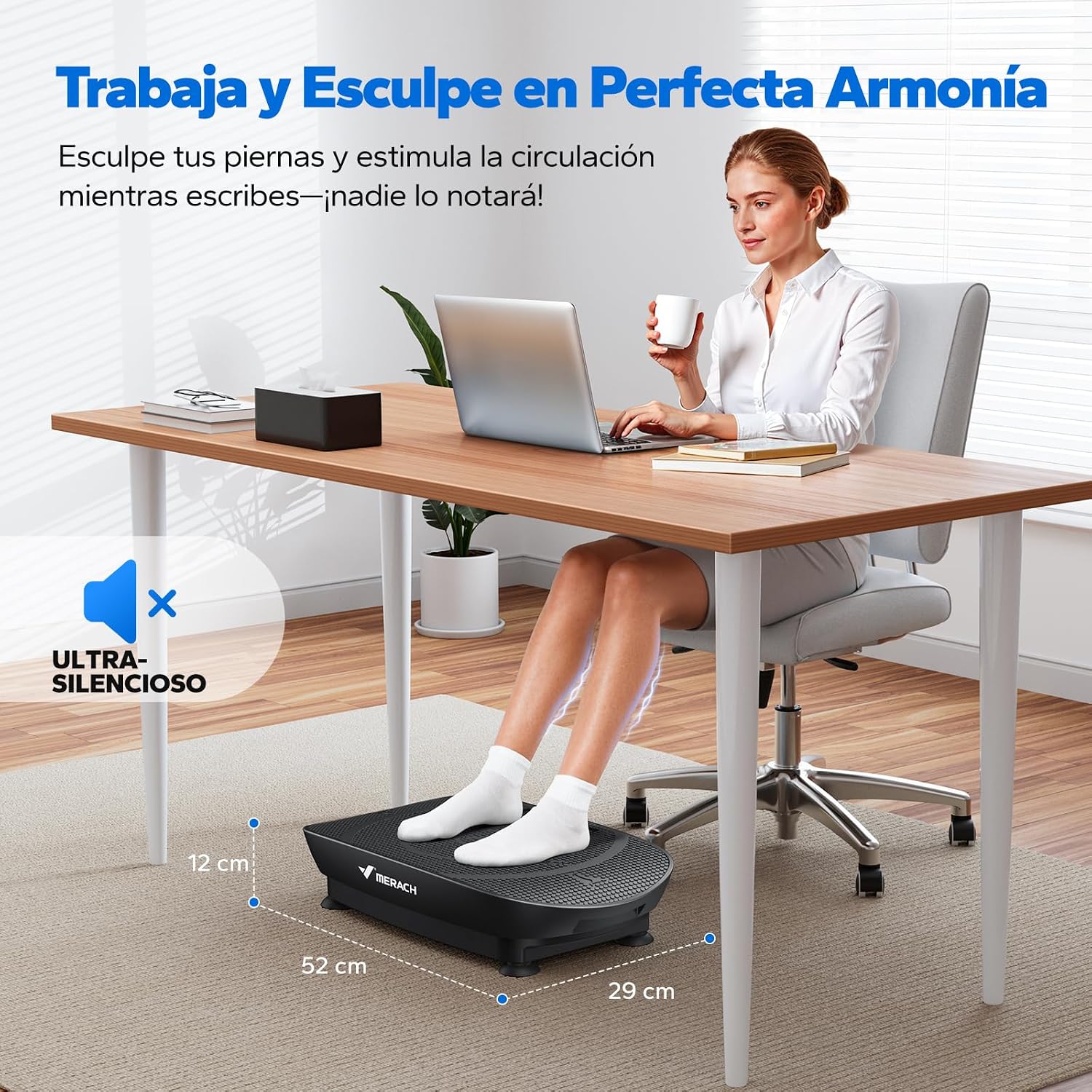
Image: The MERACH CV30 Vibration Platform shown in use under a desk, highlighting its compact dimensions (52 cm length, 29 cm width, 12 cm height). This illustrates suitable placement for quiet, discreet use.
Operating Instructions
Powering On/Off
- To power on, press the power button on the side of the platform or on the remote control. The LED display will illuminate.
- To power off, press the power button again.
Using the Remote Control
The remote control allows for convenient adjustment of settings during your session.
- Power Button: Turns the unit on or off.
- Mode Button: Switches between manual and automatic modes.
- Speed +/- Buttons: Adjusts the vibration intensity (10 levels available).
- Time +/- Buttons: Adjusts the exercise duration.

Image: A hand holding the remote control, pointing it towards the MERACH CV30 Vibration Platform, demonstrating its wireless operation.
Modes and Speed Adjustment
The MERACH CV30 offers multiple exercise modes and 10 speed levels for a customized workout.
- Manual Mode: Allows you to manually select your desired speed level and duration.
- Automatic Modes: Pre-programmed routines that vary speed and intensity for different exercise goals.
- Start with lower speed levels (1-3) for walking simulation, progress to medium (4-6) for jogging, and higher levels (7-10) for sprinting simulation.

Image: A person's feet on the MERACH CV30 Vibration Platform, illustrating the different intensity zones for walking, jogging, and sprinting, corresponding to 10 vibration modes.
Recommended Exercise Positions
Vary your body position on the platform to target different muscle groups. The silicone surface provides comfort and reduces joint impact.
- Standing Position: For leg and gluteal muscle engagement.
- Prone Position: For arm and upper body exercises (e.g., planks with hands on platform).
- Supine Position: For core and lower body exercises (e.g., glute bridges with feet on platform).

Image: Three different exercise positions demonstrated on the MERACH CV30 Vibration Platform: prone for arm training, standing for leg training, and supine for leg and gluteal training.
Maintenance
- Cleaning: Wipe the platform with a soft, damp cloth after each use. Do not use abrasive cleaners or solvents. Ensure the unit is unplugged before cleaning.
- Storage: Store the platform in a cool, dry place away from direct sunlight and moisture. Its compact size allows for storage under a desk or sofa.
- Inspection: Periodically check the power cable for any signs of damage. If damaged, discontinue use and contact customer support.
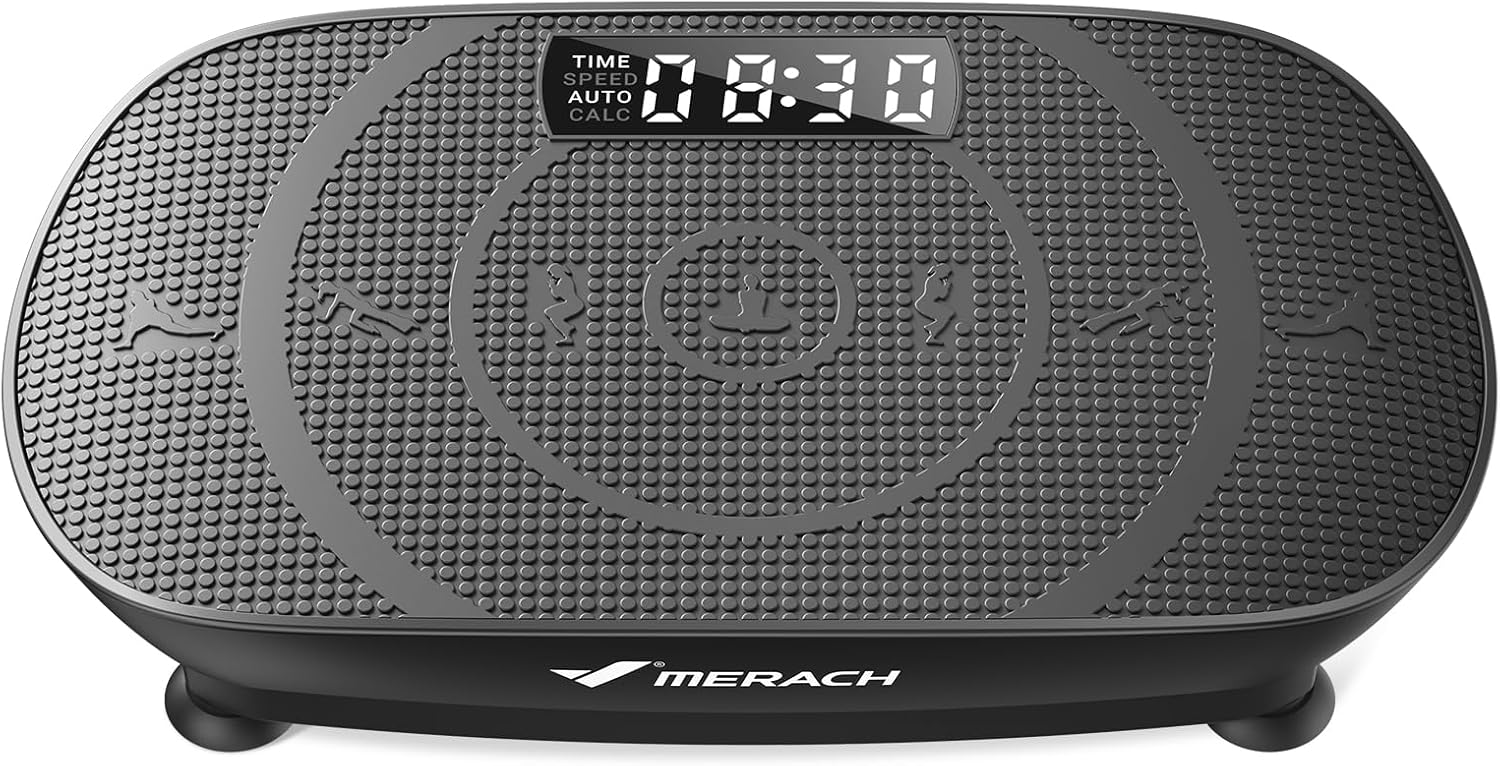
Image: The MERACH CV30 Vibration Platform discreetly stored under a sofa, demonstrating its compact design for easy storage.
Troubleshooting
| Problem | Possible Cause | Solution |
|---|---|---|
| Unit does not power on. | Power cable not properly connected. No power from outlet. | Ensure power cable is securely plugged into both the unit and the wall outlet. Test the outlet with another device. |
| Remote control not working. | Batteries are dead or incorrectly inserted. Obstruction between remote and unit. | Replace batteries in the remote control, ensuring correct polarity. Remove any obstructions. Ensure remote is pointed towards the unit. |
| Vibration is weak or inconsistent. | Incorrect speed setting. Unit overloaded. | Increase the speed level using the remote control. Ensure user weight does not exceed the maximum recommended load (136 kg). |
| Unusual noise during operation. | Unit not on a flat surface. Loose components. | Ensure the platform is placed on a completely flat and stable surface. If noise persists, discontinue use and contact customer support. |
Specifications
| Feature | Detail |
|---|---|
| Model Number | MR-2398 Slim |
| Brand | MERACH |
| Dimensions (L x W x H) | 52 cm x 29 cm x 12 cm |
| Product Weight | Approximately 6.64 kg |
| Maximum Recommended Load | 136 kg |
| Control Type | Remote Control |
| Display Type | LED |
| Number of Speed Levels | 10 |
| Operating Modes | Automatic and Manual |
| Power Source | Electric Cable |
| Batteries for Remote | 2 x AAA (included) |
| Material | Silicone (surface) |
| Noise Level | Less than 40 dB |
Warranty and Support
The MERACH CV30 Vibration Platform comes with a 1-year warranty from the date of purchase, covering manufacturing defects and malfunctions under normal use.
For any questions, technical assistance, or warranty claims, please contact MERACH customer support through the retailer where you purchased the product or visit the official MERACH website for contact information.
Please retain your proof of purchase for warranty validation.