
1. Introduction
This manual provides detailed instructions for the safe and effective use of your GODOX iT30 Pro N TTL Mini Wireless Camera Flash. Please read this manual thoroughly before operating the product to ensure proper function and to prevent damage. Keep this manual for future reference.
2. Safety Information
- Do not disassemble or modify the flash unit. Unauthorized repairs can lead to electric shock or malfunction.
- Keep the flash unit dry. Do not expose it to rain, moisture, or high humidity.
- Avoid direct eye exposure to the flash light, especially at close range, as it may cause temporary vision impairment.
- Keep out of reach of children.
- Use only the specified charging cable and power adapter to prevent damage to the battery or flash unit.
- Do not operate the flash in the presence of flammable gases or liquids.
3. Product Overview
The GODOX iT30 Pro N is a compact and powerful TTL-compatible mini wireless camera flash designed for Nikon cameras. It features a responsive touchscreen, built-in lithium battery, and 2.4GHz wireless system for versatile lighting control.
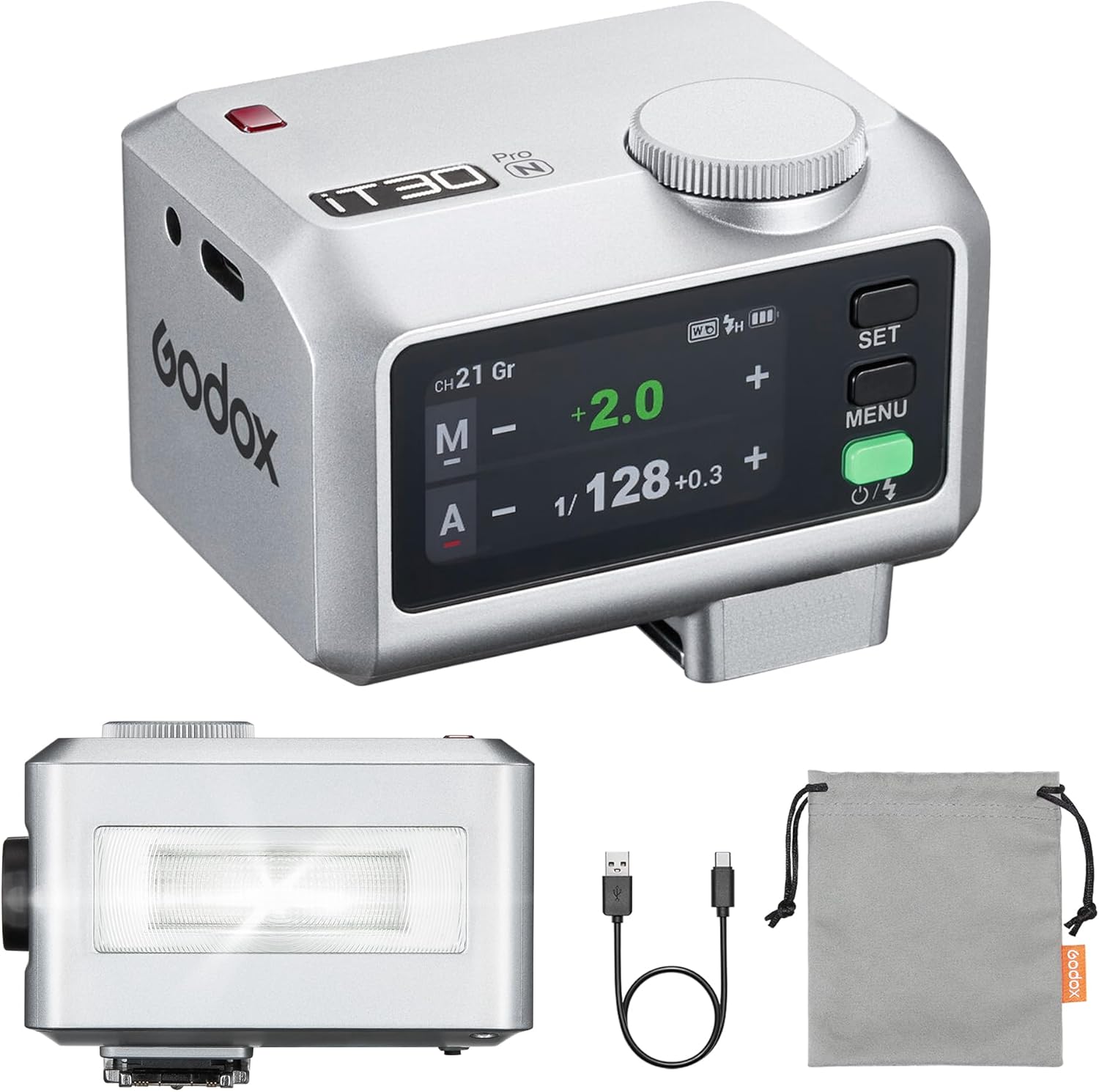
Image: The GODOX iT30 Pro N flash unit, USB-C charging cable, and storage bag.
4. Getting Started (Setup)
4.1. Charging the Battery
The iT30 Pro N features a built-in lithium battery. Before first use, fully charge the battery.
- Connect the included USB-C charging cable to the flash unit's USB-C port.
- Connect the other end of the cable to a USB power adapter (not included) or a computer's USB port.
- The charging indicator on the flash will show charging status. A full charge typically takes approximately 1.5 hours.

Image: The GODOX iT30 Pro N flash connected to a USB-C charging cable.
4.2. Mounting the Flash
The iT30 Pro N features a quick-release hot shoe mount for easy attachment to your camera.
- Slide the flash unit onto your camera's hot shoe.
- Press the quick-release button (located on the side of the flash) to secure or release the flash. Ensure it clicks into place for a firm connection.

Image: Demonstrates the quick-release mechanism for mounting the flash onto a camera's hot shoe.
5. Basic Operation
5.1. Power On/Off
Press and hold the power button (usually located on the side or back) to turn the flash unit on or off.
5.2. Using the Touchscreen
The iT30 Pro N features a 2.8-inch full-color touchscreen for intuitive control.
- Swipe: Navigate through different settings and menus.
- Tap: Select options or confirm settings.
- Rotary Dial: For fine-tuning values, rotate the dial. Press the dial to confirm or enter a setting.

Image: A user interacting with the responsive full-color touchscreen to adjust flash settings.
5.3. TTL Auto-Exposure Mode
In TTL (Through-The-Lens) mode, the flash automatically calculates the optimal flash output based on your camera's metering system.
- Select TTL mode on the flash unit via the touchscreen.
- The flash will automatically adjust its power for balanced exposure.
- You can use Flash Exposure Compensation (FEC) to fine-tune the brightness if needed.

Image: The GODOX iT30 Pro N flash in TTL mode, automatically adjusting exposure for a subject.
5.4. Built-in Diffuser
The iT30 Pro N includes a built-in diffuser to soften the flash light and provide wider coverage.
- To deploy the diffuser, locate the lever on the side of the flash and flick it. The diffuser will slide into place over the flash head.
- To retract, flick the lever again.

Image: Demonstrates the effect of the built-in diffuser, showing softer and more even lighting when activated.
6. Advanced Features
6.1. High-Speed Sync (HSS)
The iT30 Pro N supports High-Speed Sync up to 1/8000s, allowing you to use flash at shutter speeds faster than your camera's native sync speed. This is useful for freezing motion or using wide apertures in bright conditions.
6.2. Front/Rear-Curtain Sync
These modes control when the flash fires relative to the shutter curtains. Front-curtain sync fires the flash immediately, while rear-curtain sync fires it just before the second curtain closes, creating motion blur behind the subject.
6.3. Multi Mode (Stroboscopic Flash)
Multi mode allows the flash to fire multiple times during a single exposure, creating a stroboscopic effect for capturing motion sequences.
6.4. Flash Exposure Compensation (FEC)
Adjust the flash output relative to the TTL-metered exposure. This allows for creative control over flash brightness without changing the camera's exposure settings.

Image: The GODOX iT30 Pro N flash in use, illustrating its support for advanced features such as 1/8000s high-speed sync, front/rear-curtain sync, multi mode, and flash exposure compensation.
6.5. Wireless Master & Receiver
The iT30 Pro N integrates the Godox 2.4GHz X system, enabling it to function as both a master and receiver unit.
- Master Mode: Control other Godox 2.4GHz wireless flashes (e.g., AD200Pro, V100) from the iT30 Pro N.
- Receiver Mode: Be triggered by a Godox 2.4GHz wireless transmitter (e.g., X3 trigger) or another Godox flash in master mode.
- This allows for flexible multi-light setups off-camera.

Image: A multi-light setup demonstrating the iT30 Pro N's capability as a wireless master to control other Godox 2.4GHz flashes.
7. Battery Life and Portability
7.1. Battery Performance
The built-in lithium battery provides approximately 560 full-power flashes per charge with a rapid 1.5-second recycle time, ensuring extended shooting sessions.

Image: Users enjoying extended shooting sessions, highlighting the flash's long battery life and quick recycle time.
7.2. Portability
Weighing only 120g and significantly smaller than traditional speedlights, the iT30 Pro N is designed for easy transport and on-location work.

Image: The compact GODOX iT30 Pro N flash easily fits into a pocket, emphasizing its portability.
8. Maintenance
- Cleaning: Use a soft, dry cloth to clean the flash unit. For stubborn dirt, a slightly damp cloth can be used, followed by a dry cloth. Do not use solvents or abrasive cleaners.
- Storage: Store the flash in a cool, dry place away from direct sunlight and extreme temperatures. If storing for an extended period, ensure the battery is partially charged (around 50%) and recharge it every few months to maintain battery health.
- Hot Shoe Contacts: Keep the hot shoe contacts clean and free of debris to ensure reliable communication with your camera.
9. Troubleshooting
- Flash Not Firing:
- Ensure the flash is securely mounted on the camera's hot shoe.
- Check if the flash is powered on and the battery has sufficient charge.
- Verify camera and flash settings are compatible (e.g., flash mode, sync speed).
- Incorrect Exposure:
- In TTL mode, check Flash Exposure Compensation (FEC) settings.
- In Manual mode, adjust flash power output.
- Ensure the built-in diffuser is used appropriately for the scene.
- Wireless Triggering Issues:
- Confirm that the flash and trigger/other flashes are set to the same channel and group.
- Ensure both units are in the correct mode (Master/Receiver).
- Check for obstructions or excessive distance between units.
10. Specifications
- Brand: GODOX
- Model Number: GD-iT30Pro N Silver-MIC
- Item Weight: 10.6 ounces
- Package Dimensions: 5.1 x 4.5 x 2.36 inches
- Compatible Mountings: Hot Shoe Mount
- Camera Flash Type: Hotshoe
- Flash Sync Speed: 1/8000s
- Date First Available: May 21, 2025
11. What's in the Box
The following items are included with your GODOX iT30 Pro N flash:
- Light Body x1
- USB-C Charging Cable x1
- Storage Bag x1
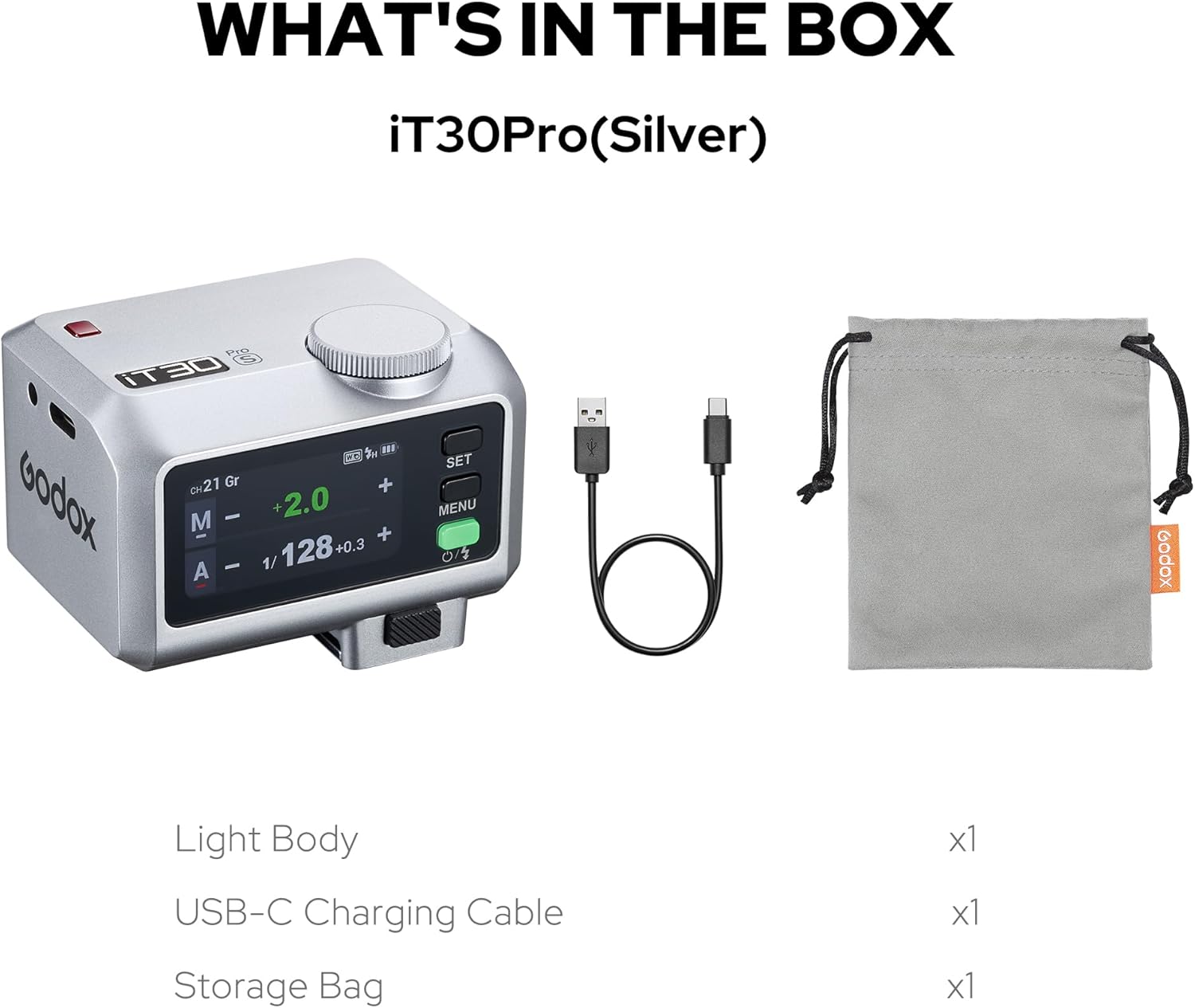
Image: All components included in the GODOX iT30 Pro N package.
12. Warranty and Support
For warranty information and technical support, please refer to the official GODOX website or contact your authorized dealer. Keep your purchase receipt as proof of purchase for warranty claims.