
1. Safety Information
Please read all safety instructions carefully before installing and operating your air conditioner. Failure to follow these instructions may result in electric shock, fire, property damage, or personal injury.
- This appliance is not intended for use by persons (including children) with reduced physical, sensory or mental capabilities, or lack of experience and knowledge, unless they have been given supervision or instruction concerning use of the appliance by a person responsible for their safety.
- Children should be supervised to ensure that they do not play with the appliance.
- Always ensure the unit is properly grounded. Do not use extension cords or adapter plugs.
- Do not operate the air conditioner with a damaged power cord or plug. If the supply cord is damaged, it must be replaced by the manufacturer, its service agent, or similarly qualified persons to avoid a hazard.
- Do not insert fingers or foreign objects into the air inlet or outlet.
- Unplug the unit before cleaning or performing any maintenance.
- Ensure the window opening is suitable for the unit's dimensions and that the installation is secure to prevent the unit from falling.
2. Product Overview
The Towallmark 6000 BTU Window Air Conditioner is designed to provide efficient cooling for rooms up to 250 sq. ft. It features multiple operating modes, including Cool, Dry (dehumidifier), Fan, Sleep, and ECO mode, along with three fan speeds. The unit includes an auto-restart function and a 24-hour programmable timer for convenience.
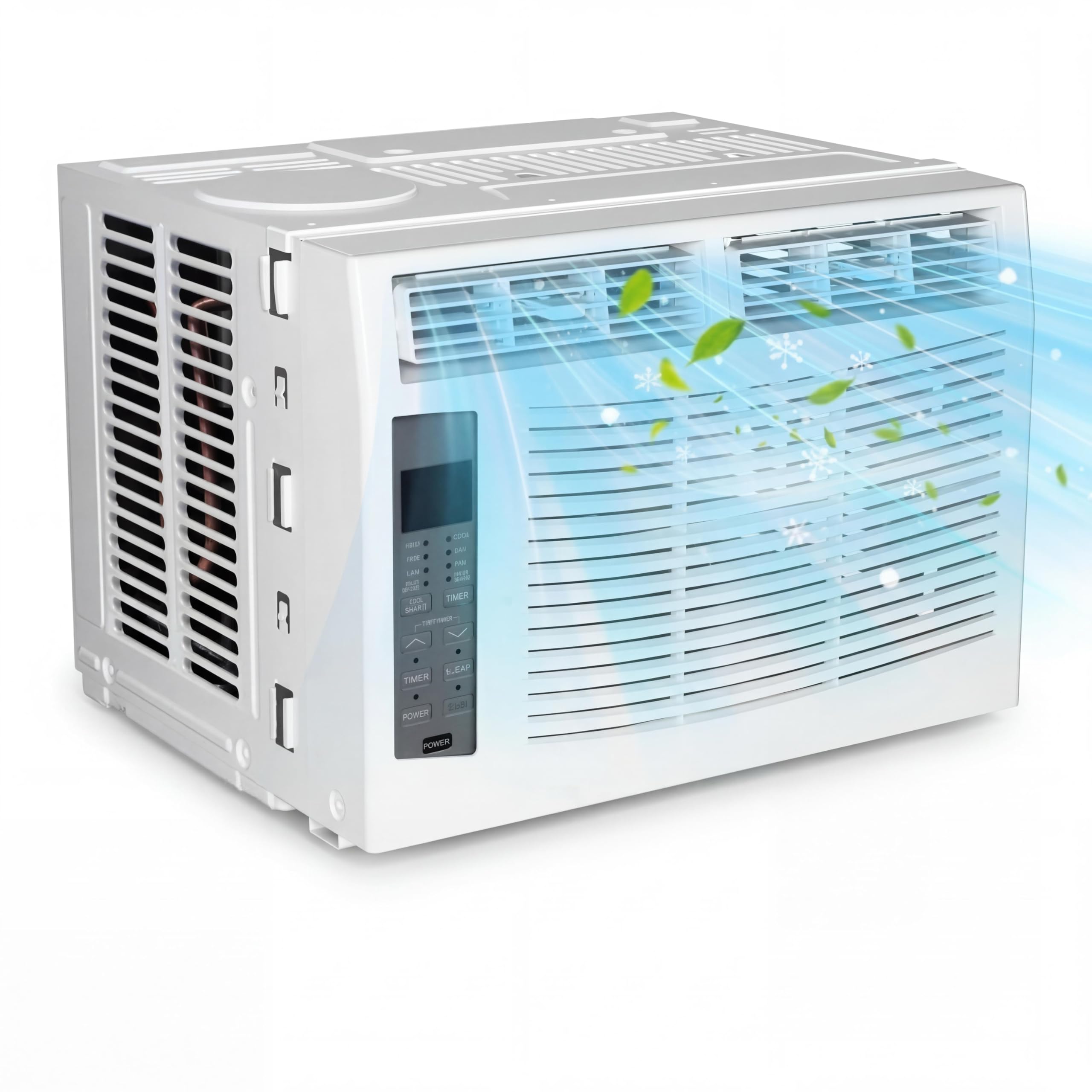
Image: Front view of the Towallmark 6000 BTU Window Air Conditioner.
Key Features:
- Efficient Cooling: 6000 BTU capacity cools areas up to 250 sq. ft.
- Multi-functional: Operates as an air conditioner, dehumidifier, and fan.
- Multiple Modes: Cool, Dry, Fan, Sleep, and ECO modes for customized comfort.
- Manual Control: Easy-to-use controls on the front panel and a remote control.
- Programmable Timer: 24-hour timer for scheduled operation.
- Auto-Restart: Unit automatically restarts with previous settings after a power outage.
- Quiet Operation: Designed for low noise levels (53 Decibels).
- Easy Maintenance: Features a reusable, washable filter.

Image: The air conditioner installed in a window, highlighting its quiet operation and ECO mode.
3. Setup and Installation
This section provides instructions for installing your Towallmark window air conditioner. A window installation kit is included with your unit.
Package Contents:
- Towallmark 6000 BTU Window Air Conditioner Unit
- Window Installation Kit
- Remote Control
Window Requirements:
- Suitable for double-hung windows.
- Window width: 23-36 inches.
- Minimum window height: 14.5 inches.

Image: Diagram showing the product dimensions: 15.9 inches width, 15.2 inches depth, 12.5 inches height.
Installation Steps:
- Prepare the Window: Open the window and clean the area where the air conditioner will be installed.
- Attach Side Panels: Slide the accordion side panels into the side panel frames on the air conditioner unit.
- Place Unit in Window: Carefully lift the air conditioner and place it into the window opening, ensuring the bottom rail rests securely on the windowsill.
- Secure the Unit: Extend the accordion panels to fill the window opening. Use the provided screws and brackets to secure the unit to the window frame and windowsill.
- Install Top Rail (if applicable): Attach the top rail to the top of the unit if it is a separate component in your kit.
- Seal Gaps: Use the foam seals provided to seal any gaps around the unit to prevent air leakage and improve efficiency.
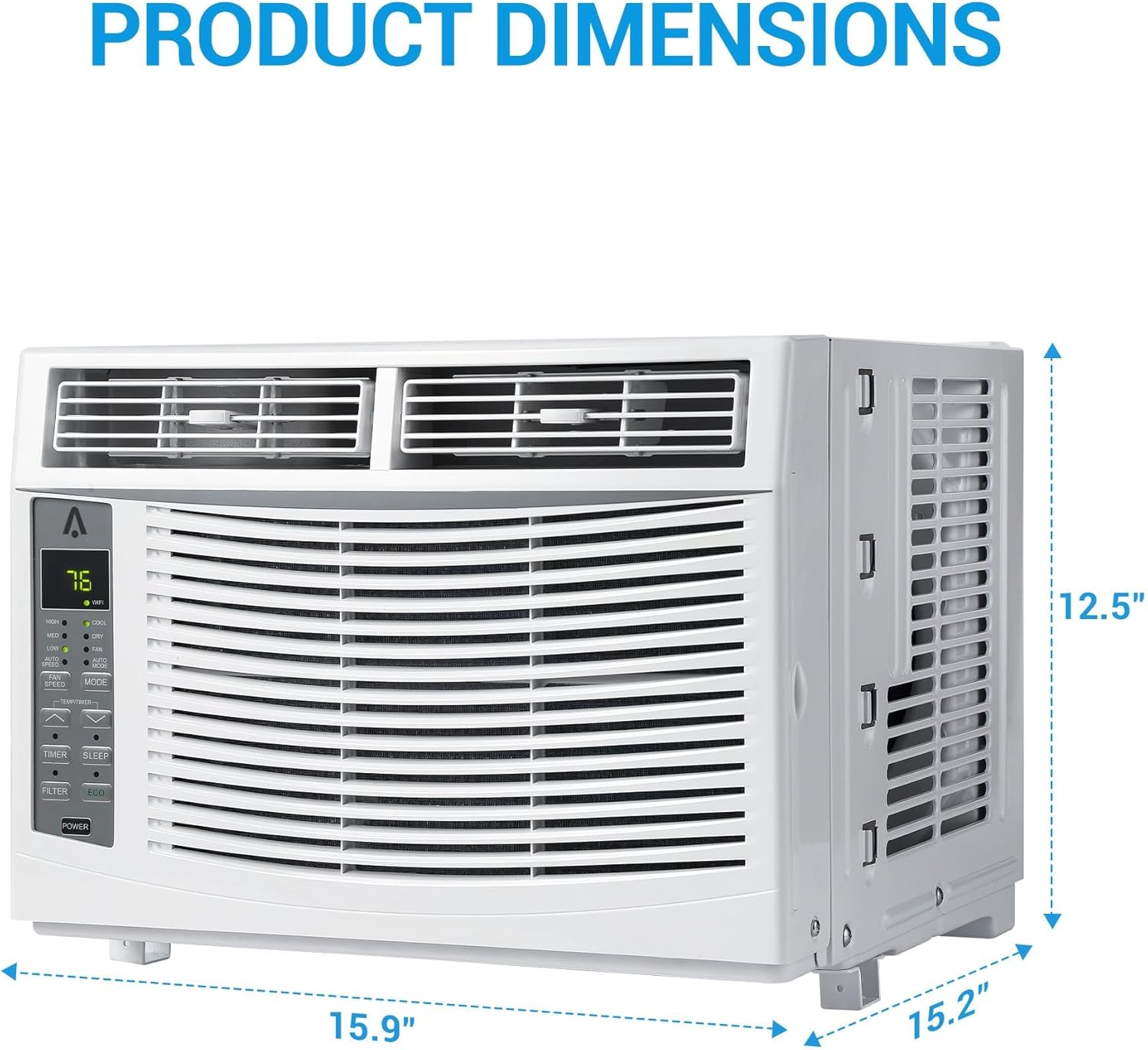
Image: Visual guide demonstrating the installation process for vertical and horizontal slide windows, showing the unit dimensions and how to extend the side panels.
4. Operating Instructions
Your air conditioner can be operated using the manual controls on the front panel or the included remote control.
Control Panel and Remote Control:

Image: Close-up of the digital LED display panel on the unit and the remote control, showing various buttons for mode, fan speed, timer, and temperature adjustment.
Operating Modes:
- Cool Mode: Provides cooling. Adjust temperature and fan speed.
- Dry Mode (Dehumidifier): Reduces humidity in the room. Fan speed is automatically controlled.
- Fan Mode: Circulates air without cooling. Select from Low, Medium, or High fan speeds.
- Sleep Mode: Gradually increases the set temperature over time to save energy and provide comfortable sleep.
- ECO Mode: The unit will cycle on and off to maintain the set temperature, saving energy.
Functions:
- Power Button: Turns the unit on or off.
- Mode Button: Cycles through Cool, Dry, Fan, Sleep, and ECO modes.
- Fan Speed Button: Adjusts fan speed (Low, Medium, High, Auto).
- Temperature Up/Down Buttons: Adjusts the desired temperature.
- Timer Button: Sets the 24-hour programmable timer for automatic on/off.
- Filter Button: Illuminates to remind you to clean the air filter. Press to reset after cleaning.

Image: A hand pressing a button on the air conditioner's control panel, with icons for Cool, Fan, Timer, Auto, Sleep, and ECO modes.
Efficient Air Dispersion:
The unit is designed for efficient air dispersion to cool your room effectively.

Image: An illustration showing cool air being dispersed from the air conditioner into a room, indicating a cooling capacity of 6,000 BTU/h for a room size of 250 sq. ft.
5. Maintenance
Regular maintenance ensures optimal performance and longevity of your air conditioner.
Cleaning the Air Filter:
The air filter should be cleaned every two weeks or more frequently depending on usage and air quality. A dirty filter can reduce cooling efficiency and airflow.
- Turn Off and Unplug: Always turn off the air conditioner and unplug it from the power outlet before cleaning.
- Remove Filter: Locate the filter access panel (usually on the front or side of the unit) and carefully slide out the air filter.
- Clean Filter: Wash the filter with warm, soapy water. Rinse thoroughly. For heavily soiled filters, a vacuum cleaner can be used to remove loose dust before washing.
- Dry Filter: Allow the filter to air dry completely before reinserting it. Do not expose it to direct sunlight or high heat.
- Reinstall Filter: Slide the dry filter back into its slot.
- Reset Filter Indicator: If your unit has a filter indicator light, press the 'Filter' button on the control panel or remote to reset it.
General Cleaning:
- Wipe the exterior of the unit with a soft, damp cloth. Do not use harsh chemicals or abrasive cleaners.
- Ensure the air intake and exhaust vents are free from obstructions.
6. Troubleshooting
Before contacting customer service, please refer to the following troubleshooting guide for common issues.
| Problem | Possible Cause | Solution |
|---|---|---|
| Unit does not turn on | No power supply Power cord unplugged Blown fuse/tripped circuit breaker | Check power outlet Ensure plug is fully inserted Check household fuse/circuit breaker |
| Insufficient cooling | Dirty air filter Blocked air intake/outlet Room too large Temperature setting too high | Clean air filter Remove obstructions Ensure room size is within specifications Lower the set temperature |
| Unit is noisy | Loose installation Fan blade obstruction Normal operating sounds | Check installation for tightness Inspect for foreign objects (unplug first!) Some sounds (e.g., refrigerant flow) are normal |
| Water dripping outside | Normal condensation | This is normal during high humidity operation. Ensure proper tilt for drainage. |
| Water dripping inside | Unit not level or tilted correctly Drainage path blocked | Ensure unit is slightly tilted outwards for proper drainage Check and clear any blockages in the drain pan/hose |
| Remote control not working | Dead batteries Obstruction between remote and unit | Replace batteries Remove any objects blocking the signal path |
Safety Protection Functions:
- Water-full Safety Alarm: The unit will alert and shut off if the internal water collection pan is full.
- Anti-frozen Protection: Prevents the evaporator from freezing in low-temperature conditions.
- Compressor Delay Protection: A short delay before the compressor restarts to protect the system.

Image: Visual representation of the air conditioner's safety features, including water-full safety alarm, anti-frozen protection, and compressor delay protection.
7. Specifications
| Feature | Detail |
|---|---|
| Brand | Towallmark |
| Model Number | uuek-vZF0ESNaXGxwu4e-QXvf6 |
| Cooling Power | 6000 British Thermal Units (BTU) |
| Recommended Room Size | Up to 250 sq. ft. |
| Product Dimensions (D x W x H) | 17.76"D x 17.13"W x 14.96"H |
| Item Weight | 44.6 Pounds |
| Voltage | 115 Volts |
| Wattage | 680 Watts |
| Noise Level | 53 Decibels |
| Installation Type | Window |
| Controller Type | Remote Control |
| Annual Energy Consumption | 96 Kilowatt Hours Per Year |
| UPC | 199414553865 |
| GTIN | 199414553865 |
8. Warranty and Support
The manufacturer's specifications indicate that there is no explicit warranty description provided for this product.
For product support, technical assistance, or inquiries, please refer to the Towallmark brand store or contact your retailer.
Visit the official Towallmark Store: Towallmark Store on Amazon