
MINISO HZ2530S-W
Contents
MINISO Vanity Mirror with Lights (Model HZ2530S-W) Instruction Manual
Your guide to setting up and using your MINISO LED Makeup Mirror.
1. Introduction
Thank you for choosing the MINISO Vanity Mirror with Lights. This LED makeup mirror is designed to provide optimal lighting and magnification for your beauty and grooming needs. It features adjustable brightness, three color temperature modes, a detachable magnifying mirror, and a stable, rotatable design for versatile use.

Image 1: The MINISO Vanity Mirror with Lights, showcasing its illuminated frame and elegant design.
2. Safety Information
- Ensure the mirror is placed on a stable, flat surface to prevent tipping.
- Keep the mirror away from water or excessive moisture.
- Do not expose the mirror to direct sunlight for prolonged periods.
- Use only the provided power adapter.
- The mirror surface is designed to be explosion-proof and shatter-resistant, minimizing risk in case of accidental impact. However, handle with care.

Image 2: Visual representation of the mirror's explosion-proof safety feature, demonstrating its resistance to shattering.
3. Package Contents
Verify that all items are present in the package:
- MINISO Vanity Mirror with Lights
- Detachable 5X Magnifying Glass
- Power Adapter (12V 1A)
- Instruction Manual (this document)
4. Setup
- Unpack: Carefully remove all components from the packaging.
- Position the Stand: The mirror features an integrated stand. Adjust the stand to your desired angle for stable tabletop use. The robust mechanism locks securely.
- Connect Power: Plug the provided 12V 1A power adapter into the DC port on the back of the mirror. Then, plug the adapter into a standard electrical outlet.
- Attach Magnifying Mirror: The detachable 5X magnifying mirror can be affixed to the main mirror surface as needed.

Image 3: The mirror's sturdy base and power adapter connection point.
5. Operating Instructions
The mirror features an intuitive touch-control surface for lighting adjustments.
- Power On/Off: Tap the power icon (circular symbol with a sun) on the mirror surface to turn the lights on or off.
- Adjusting Brightness: When the lights are on, long press the power icon to steplessly adjust the brightness from 10% to 100%. Release your finger when the desired brightness is reached. The mirror has a memory function that recalls your last brightness setting.
- Changing Color Temperature: When the lights are on, short press the power icon to cycle through three color temperatures: warm white, natural white, and cool white.
- Using the Magnifying Mirror: Attach the 5X magnifying mirror to the main mirror surface for detailed tasks such as eyeliner application or checking for skin concerns. For optimal viewing without distortion, position your face 6-8 inches away from the magnifying mirror.
- Adjusting Mirror Angle: The mirror can rotate smoothly 360 degrees on its stand, allowing you to find the best makeup angle for your needs.
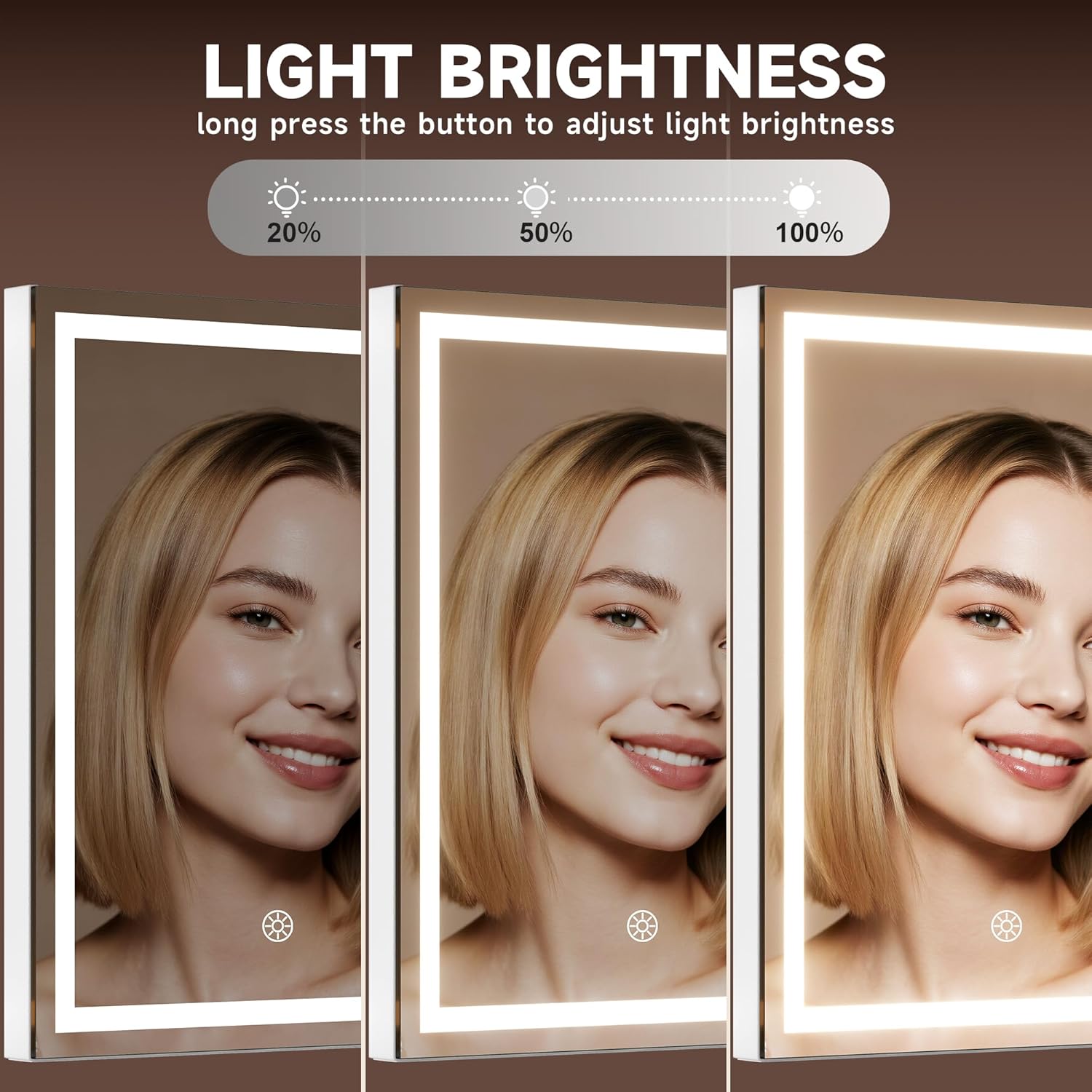
Image 4: Brightness adjustment from 20% to 100% illumination.

Image 5: Three distinct color temperature modes: Cool, Warm, and Natural Light.

Image 6: The detachable 5X magnifying mirror for detailed work.
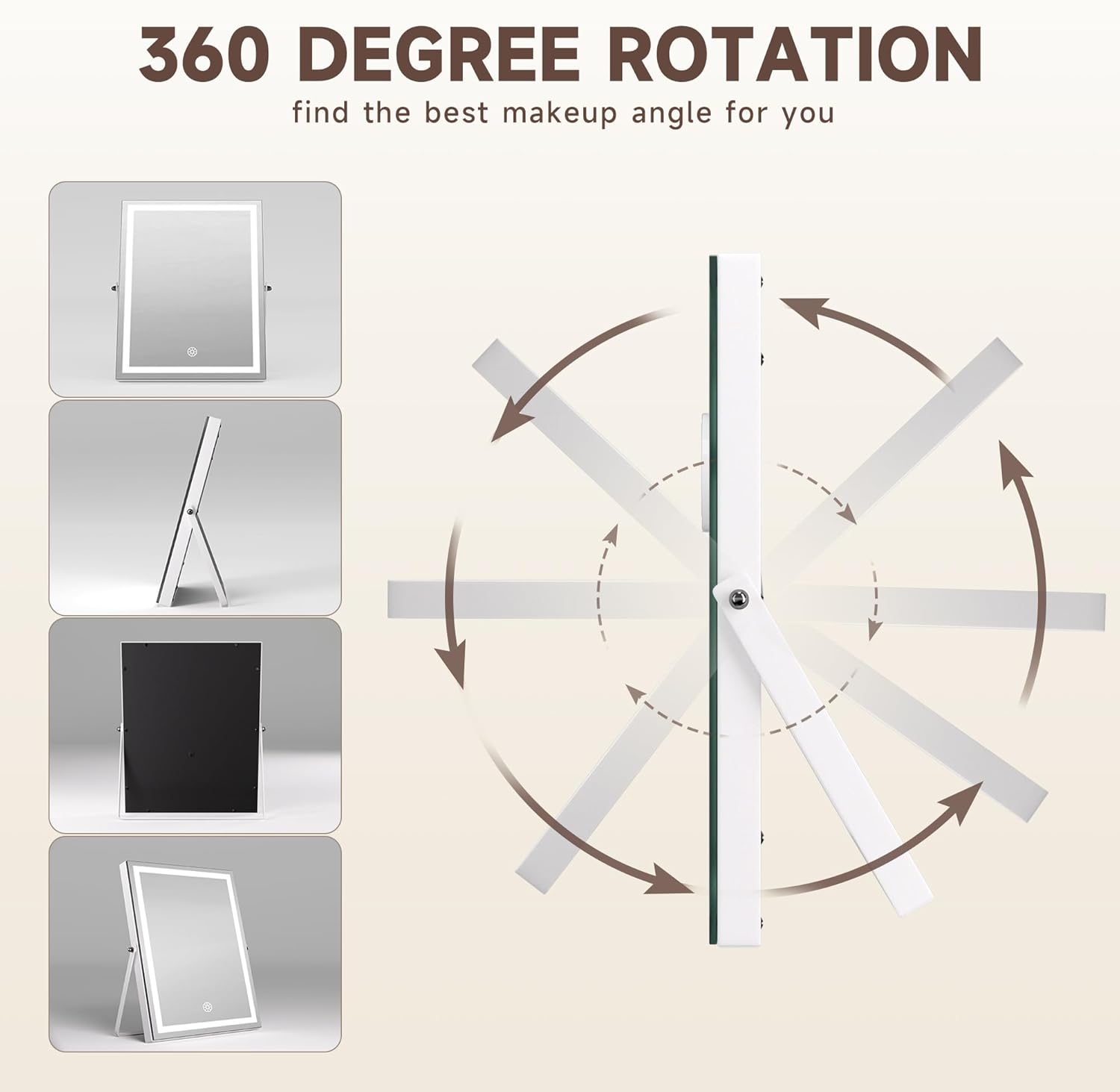
Image 7: The mirror's 360-degree rotation feature for optimal viewing angles.
Official Product Videos
Perfect Lighting and Elegant Design

Video 1: This video demonstrates the perfect lighting and elegant design of the MINISO LED Makeup Mirror, highlighting its magnifier and 360-degree rotation capabilities.
Super Bright Mirror with Dimming and Folding Capability

Video 2: This video illustrates the super bright illumination of the mirror, its dimming function for night-time use, and its ability to fold up for storage.
6. Maintenance
- Cleaning the Mirror: Use a soft, lint-free cloth and a non-abrasive glass cleaner to wipe the mirror surface. Avoid spraying cleaner directly onto the mirror; instead, apply it to the cloth first.
- Cleaning the Frame: Wipe the aluminum alloy frame with a soft, damp cloth. Do not use harsh chemicals or abrasive materials.
- Storage: When not in use, or for travel, the mirror's stand can be folded flat for compact storage.
7. Troubleshooting
- Lights not turning on:
- Ensure the power adapter is securely plugged into both the mirror and a working electrical outlet.
- Verify that the outlet has power.
- Tap the power icon firmly on the mirror surface.
- Brightness or color not adjusting:
- Ensure the mirror is powered on.
- For brightness, long press the power icon. For color temperature, short press the power icon.
- Magnifying mirror not staying in place:
- Ensure the suction cups on the magnifying mirror are clean and free of debris.
- Press firmly to create a strong suction seal on the main mirror surface.
8. Specifications
| Feature | Detail |
|---|---|
| Brand | MINISO |
| Model Number | HZ2530S-W |
| Product Dimensions | 9.8"L x 11.8"W |
| Frame Material | Aluminum |
| Frame Color | White |
| Special Features | Lighted, Magnifying, Touch-Control, 3 Color Temperatures, Stepless Dimming, Memory Function, 360° Rotation, Explosion-Proof |
| Magnification | 5X (detachable) |
| LED Lifespan | 50,000 hours |
| Power Input | 12V 1A Adapter |
| Item Weight | 3.24 pounds |

Image 8: Overview of the mirror's dimensions and key functions.
9. Warranty and Support
For warranty information or technical support, please refer to the contact details provided with your purchase or visit the official MINISO website. Keep your proof of purchase for any warranty claims.
Documents and downloads
Ask a question about this manual
Ask about setup, troubleshooting, compatibility, parts, safety, or missing instructions. Manuals+ will review the question and use this page’s manual context to help answer it.