
Kuizil T70
Kuizil Smart Watch User Manual
Model: T70
Introduction
Thank you for choosing the Kuizil Smart Watch. This device is designed to enhance your daily life by combining advanced fitness tracking, health monitoring, and smart communication features. With its 1.91-inch HD color screen and robust IP68 waterproof rating, it is suitable for various activities and lifestyles. This manual provides detailed instructions to help you set up, operate, and maintain your new smartwatch.
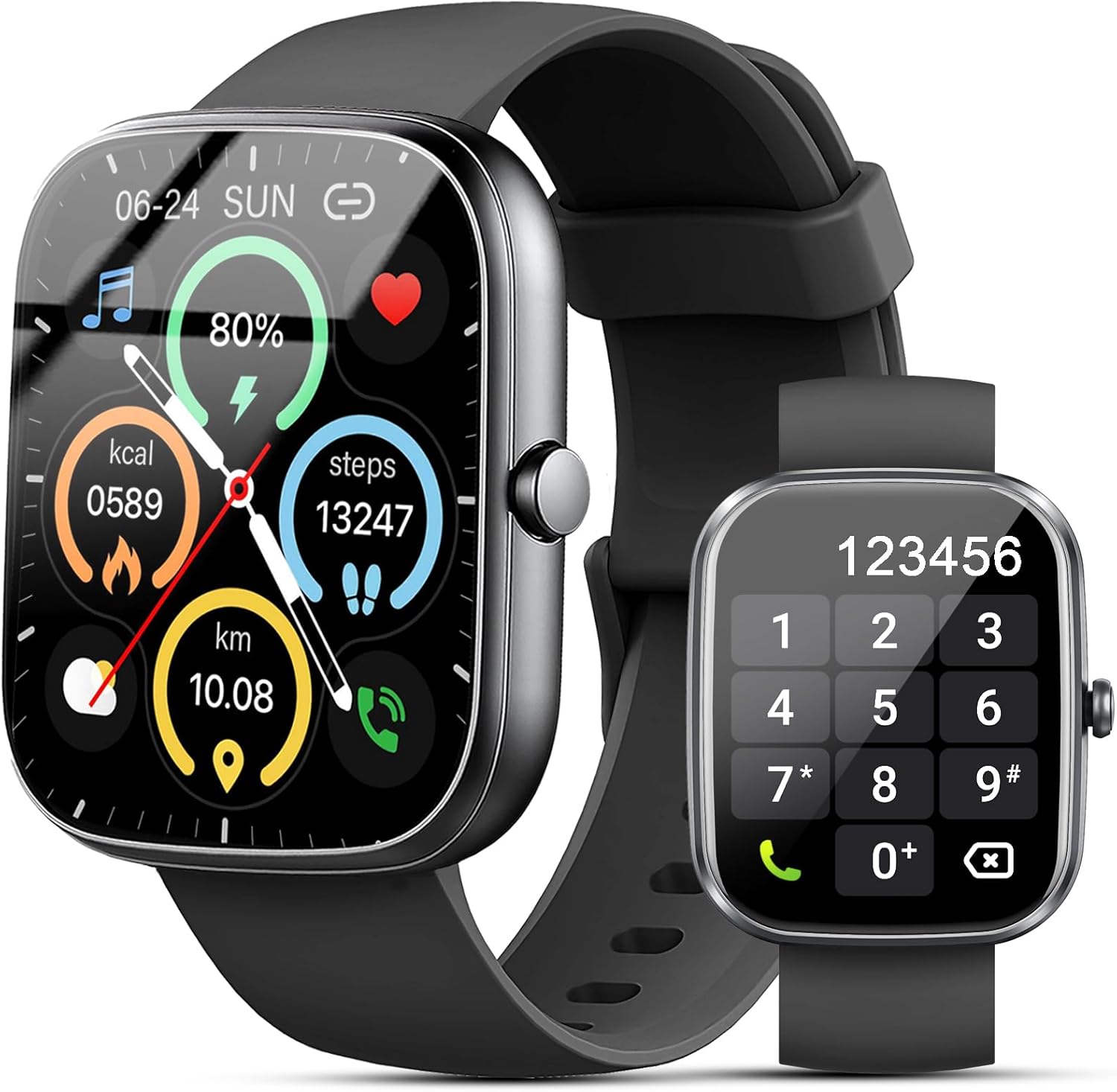
Figure 1: Kuizil Smart Watch with fitness data and call interface.
What's in the Box
Please verify that all items are present in your package:
- Smart Watch (1 unit)
- Watch Band (1 unit)
- Magnetic Charging Cable (1 unit)
- User Manual (1 unit)

Figure 2: Package contents of the Kuizil Smart Watch.
Setup Guide
1. Charging the Smart Watch
Before first use, fully charge your smartwatch. Connect the magnetic charging cable to the charging points on the back of the watch and plug the USB end into a standard USB power adapter (not included). A full charge typically takes 2 hours.
- Ensure the charging pins are clean and properly aligned with the watch's charging contacts.
- The watch display will indicate charging status.
2. App Download and Pairing
To unlock the full functionality of your Kuizil Smart Watch, you need to download and connect it to the companion app, "Gloryfit".
- Download the App: Search for "Gloryfit" in the Apple App Store (for iOS devices) or Google Play Store (for Android devices) and install it.
- Enable Bluetooth: On your smartphone, go to Settings and ensure Bluetooth is turned on.
- Open Gloryfit App: Launch the "Gloryfit" app and follow the on-screen instructions to create an account or log in.
- Add Device: Within the app, navigate to the "Device" or "Add Device" section. The app will search for nearby smartwatches. Select "T70" from the list of found devices to initiate pairing.
- Confirm Pairing: A pairing request may appear on both your phone and the watch. Confirm the pairing on both devices.

Figure 3: Bluetooth call and notification features.
3. Bluetooth Call Function Setup
For the call answering/making function, an additional Bluetooth connection is required:
- After successfully pairing the watch with the "Gloryfit" app, go to your smartphone's Bluetooth settings.
- Look for a device named "T70-Audio" or similar in the list of available devices.
- Tap on "T70-Audio" to connect. Once connected, you will be able to make and receive calls directly from your smartwatch.
Operating Instructions
Navigation
The Kuizil Smart Watch features a full touch screen and a side button for navigation:
- Swipe Up/Down: Scroll through menus and notifications.
- Swipe Left/Right: Access quick functions or different data screens (e.g., heart rate, weather, activity summary).
- Tap: Select an item or confirm an action.
- Side Button: Press to return to the home screen or wake the device. Long press for power options.

Figure 4: The 1.91" HD color screen.
Bluetooth Call and Message Notifications
Once connected via Bluetooth, your smartwatch can handle calls and display messages:
- Answering/Making Calls: Use the built-in HD speaker and microphone to answer incoming calls or dial numbers directly from the watch. You can also view call history and store contacts.
- Message Notifications: Receive vibrating alerts for social media messages (Facebook, WhatsApp, Instagram, Twitter, etc.) and SMS. You can read message previews directly on the watch screen.
Health Monitoring
The smartwatch is equipped with advanced sensors for comprehensive health tracking:
- Heart Rate Monitoring: Continuously monitors your heart rate in real-time.
- Blood Oxygen (SpO2) Monitoring: Measures your blood oxygen saturation levels.
- Sleep Monitoring: Automatically tracks your sleep patterns (deep sleep, light sleep, wakeful sleep) and provides detailed analysis in the "Gloryfit" app to help improve sleep habits.

Figure 5: Health monitoring features including heart rate, SpO2, and sleep tracking.
Sport Modes and Activity Tracking
The watch supports over 100 sport modes to accurately record your exercise data:
- Activity Tracking: Records daily steps, calories burned, distance, and active minutes.
- Sport Modes: Select from various activities like running, cycling, walking, basketball, yoga, football, and more. The watch will track relevant metrics for each mode.

Figure 6: Over 100 sport modes supported by the smartwatch.
Other Practical Functions
Your Kuizil Smart Watch includes a variety of useful features:
- Timer & Stopwatch: For precise timing.
- Alarm Clock: Set multiple alarms.
- Find Your Phone: Locate your paired smartphone.
- Sedentary Reminder: Prompts you to move after periods of inactivity.
- Music Control: Control music playback on your smartphone.
- Weather Forecast: Get real-time weather updates.
- Photo Control: Remotely trigger your phone's camera.
- Female Cycle Tracking: Monitor menstrual cycles.
- Do Not Disturb Mode: Silence notifications.
- Brightness Adjustment: Customize screen brightness.

Figure 7: Overview of additional practical functions.
Maintenance
Cleaning Your Smart Watch
To ensure optimal performance and hygiene, regularly clean your smartwatch:
- Wipe the screen and watch body with a soft, lint-free cloth.
- For stubborn smudges, slightly dampen the cloth with water. Avoid using harsh chemicals or abrasive materials.
- Clean the charging contacts periodically to ensure efficient charging.
Water Resistance (IP68)
The Kuizil Smart Watch has an IP68 waterproof rating, meaning it is resistant to dust and can withstand immersion in water up to 1.5 meters for 30 minutes. This makes it suitable for daily activities like hand washing, face washing, and sweating during exercise.
Important Note:
- Do not use the watch in hot water, saunas, or steam rooms, as steam can penetrate the seals and cause damage.
- Avoid using the watch in seawater, as salt can corrode the device.
- The water resistance is not permanent and may decrease over time with normal wear and tear.
Battery Care
To maximize battery life and longevity:
- Charge the watch fully before its first use.
- Avoid completely draining the battery frequently.
- Store the watch in a cool, dry place when not in use for extended periods.

Figure 8: Battery capacity and typical usage times.
Troubleshooting
If you encounter issues with your Kuizil Smart Watch, please refer to the following common solutions:
- Watch not turning on: Ensure the watch is fully charged. Connect it to the charging cable and a power source for at least 30 minutes.
- Cannot pair with phone:
- Ensure Bluetooth is enabled on your phone and the watch is within range.
- Restart both your phone and the watch.
- Make sure you are using the "Gloryfit" app and not trying to pair directly through your phone's Bluetooth settings for the main connection.
- For call function, ensure "T70-Audio" is connected in your phone's Bluetooth settings.
- Inaccurate health data:
- Ensure the watch is worn snugly on your wrist, about one finger's width above the wrist bone.
- Keep the sensor area on the back of the watch clean.
- Avoid excessive movement during measurements.
- Notifications not received:
- Check app notification permissions on your phone.
- Ensure the watch is connected to the "Gloryfit" app.
- Verify that "Do Not Disturb" mode is not active on the watch.
- Short battery life:
- Reduce screen brightness.
- Limit continuous heart rate monitoring or frequent use of power-intensive features.
- Ensure the watch is fully charged each time.
For further assistance, please refer to the "Help" or "FAQ" section within the "Gloryfit" app or contact Kuizil customer support.
Specifications
| Feature | Detail |
|---|---|
| Model Number | T70 |
| Screen Size | 1.91 Inches HD Color Screen |
| Display Resolution | 320*380 pixels |
| Connectivity | Bluetooth |
| Waterproof Rating | IP68 |
| Battery Life (Normal Use) | 5-7 days |
| Battery Life (Standby) | Approx. 30 days |
| Charging Time | Approx. 2 hours |
| Compatible OS | iOS 9.0 and above, Android 6.0 and above |
| Health Monitoring | Heart Rate, SpO2, Sleep Tracking |
| Sport Modes | 100+ |
| Item Weight | 3.2 ounces |
| Package Dimensions | 6.81 x 3.74 x 0.75 inches |
Warranty and Support
Your Kuizil Smart Watch is covered by a standard manufacturer's warranty. For specific warranty terms and conditions, please refer to the documentation included with your purchase or contact Kuizil customer support.
If you require technical assistance, have questions about your device, or need to report an issue, please contact Kuizil customer support through the contact information provided on the official Kuizil website or within the "Gloryfit" app.
For the latest updates, FAQs, and additional resources, please visit the official Kuizil brand store on Amazon: Kuizil Store.
Ask a question about this manual
Ask about setup, troubleshooting, compatibility, parts, safety, or missing instructions. Manuals+ will review the question and use this page’s manual context to help answer it.