Product Overview
The Empowered PC LAN Gamer RTX 5060 is a compact, high-performance Mini ITX Small Form Factor (SFF) desktop designed for gaming and content creation. It features an 8-Core AMD Ryzen 7 8700F processor, an NVD GeForce RTX 5060 8GB GDDR7 graphics card, 16GB DDR5 RAM, and a 1TB PCIe Gen4 NVMe SSD. The system comes pre-installed with Windows 11 Pro and includes an RGB keyboard and mouse. Its portable design, featuring a leather handle and perforated panels, ensures efficient cooling and ease of transport.

Figure 1: Empowered PC LAN Gamer RTX 5060 Mini ITX SFF Desktop.
Initial Setup
Unboxing and Placement
Carefully remove the desktop and all accessories from the packaging. Ensure all packing materials are removed from inside the chassis. Place the desktop on a stable, flat surface with adequate ventilation around all sides, especially where the perforated panels are located, to ensure optimal airflow.

Figure 2: The compact design of the LAN Gamer Mini PC, featuring a carrying handle for portability.
Connecting Peripherals
- Monitor: Connect your monitor(s) to the graphics card ports (HDMI or DisplayPort) on the rear of the desktop.
- Keyboard and Mouse: Connect the included RGB keyboard and LED mouse to any available USB ports.
- Power: Connect the power cable to the power supply unit (PSU) on the rear of the desktop and then to a wall outlet.
- Network: For wired internet, connect an Ethernet cable to the RJ45 Gigabit Ethernet port. For wireless, the internal Wi-Fi is ready for use.
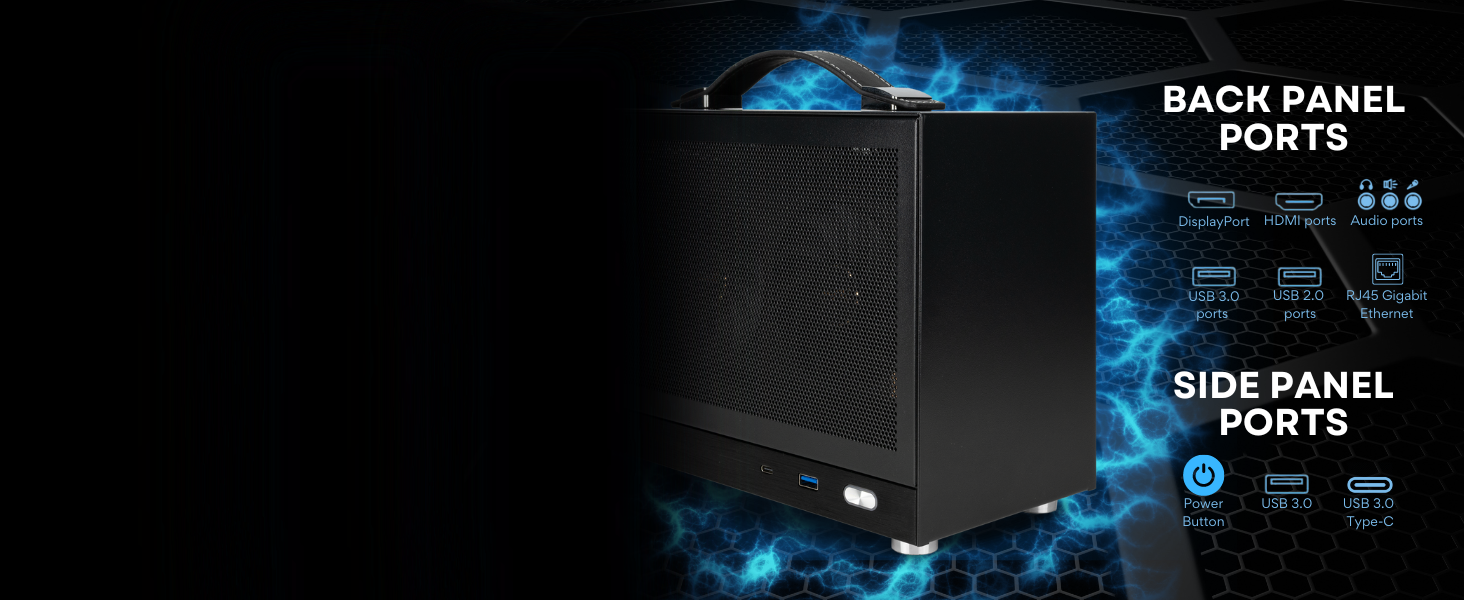
Figure 3: Overview of the back and side panel ports for connecting peripherals.
First Power On
Press the power button located on the front panel. The system will boot into Windows 11 Pro. Follow the on-screen instructions to complete the initial Windows setup, including language, region, network connection, and user account creation.
Operating Your Desktop
General Usage
Your desktop is equipped with Windows 11 Pro, offering a secure and efficient operating environment. The 16GB DDR5 RAM ensures smooth multitasking, allowing you to run multiple applications and browse numerous web pages simultaneously without performance degradation.
Gaming and Performance
The NVD GeForce RTX 5060 graphics card provides robust performance for modern games and demanding applications. Combined with the AMD Ryzen 7 8700F processor, this system is capable of delivering high frame rates and detailed visuals. The 1TB Gen4 NVMe SSD ensures rapid game loading times and quick access to large files.
Video 1: An overview of the Empowered PC LAN Gamer Mini PC, showcasing its features and internal components.
Video 2: A demonstration of the LAN Gamer Mini Gaming PC (White variant), highlighting its compact size and gaming capabilities.
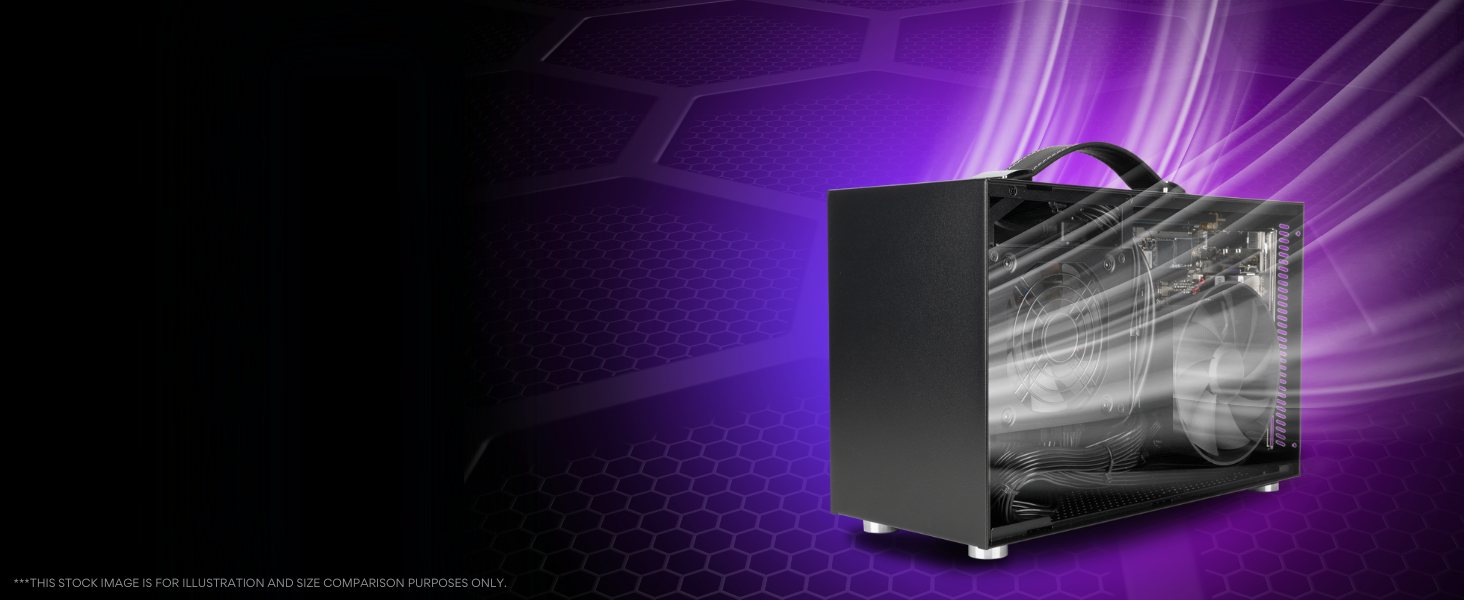
Figure 4: The LAN Gamer PC is suitable for various applications including gaming, streaming, and work tasks.
Maintenance Guidelines
Cleaning and Airflow
To maintain optimal performance and prevent overheating, regularly clean the desktop to remove dust accumulation. The perforated panels are designed for efficient airflow; ensure they are not obstructed. Use compressed air to gently clear dust from the internal components, especially the CPU cooler and GPU fans.
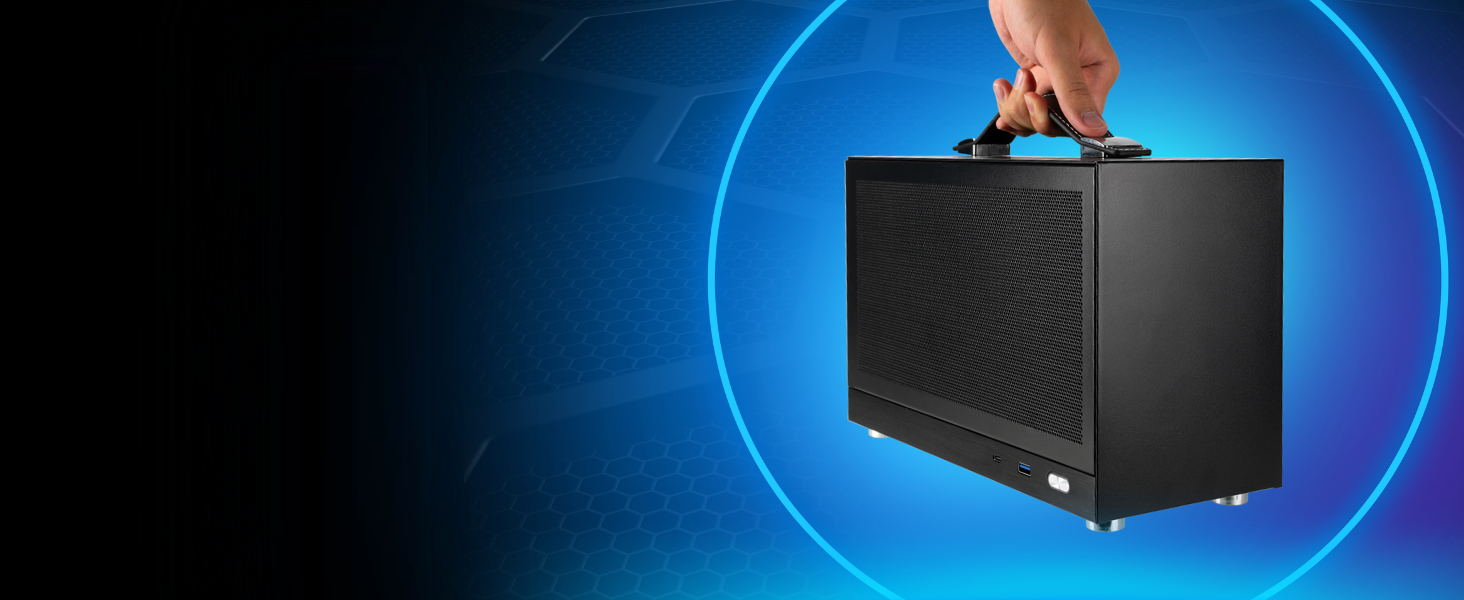
Figure 5: Internal view showing the SFX power supply and CPU air cooler, critical for system cooling.
Software Updates
Keep your Windows 11 Pro operating system and all device drivers (especially graphics drivers) updated to ensure system stability, security, and optimal performance. Regular updates can also introduce new features and performance enhancements.
Troubleshooting Common Issues
Power Issues
- No Power: Ensure the power cable is securely connected to both the desktop and the wall outlet. Verify the power switch on the PSU (if present) is in the 'On' position.
- No Display: Check that the monitor is powered on and correctly connected to the graphics card. Try a different display cable or monitor if possible.
Performance Issues
- Slow Performance/Freezing: Close unnecessary background applications. Check for system updates. Ensure proper ventilation to prevent thermal throttling, which can reduce performance.
- Overheating: If the system feels excessively hot or fans are constantly running at high speed, ensure the desktop is in a well-ventilated area and that air vents are clear of obstructions. Regular cleaning of dust from fans and heatsinks is recommended.
Graphics Display Problems
- Distorted Image/Artifacts: Update your graphics drivers. If the issue persists, contact technical support.
Technical Specifications
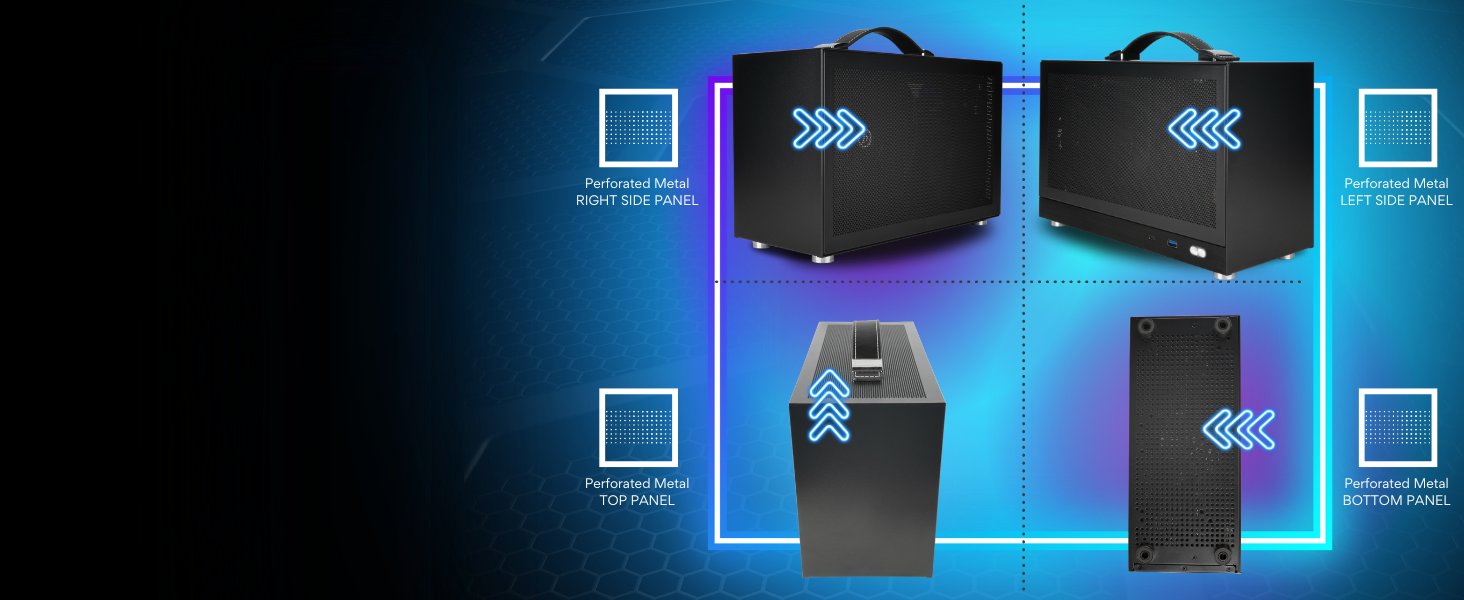
Figure 6: Dimensions of the LAN Gamer Mini PC, highlighting its compact form factor.
| Component | Specification |
|---|---|
| Processor | AMD Ryzen 7 8700F (8 Cores, 16 Threads, 4.1 GHz Base, up to 5.0 GHz Max Boost) |
| Graphics Card | NVD GeForce RTX 5060 (8GB GDDR7 Dedicated Memory) |
| RAM | 16GB DDR5 SDRAM (5600 MHz) |
| Storage | 1TB PCIe Gen4 NVMe M.2 SSD |
| Operating System | Windows 11 Pro x64 |
| Case | LAN Gamer Portable 8.1-Liter Metal Construction (Black) |
| Connectivity | Internal Wi-Fi (802.11ax), RJ45 Gigabit Ethernet |
| Video Output | 1x HDMI, 1x DisplayPort (additional ports may vary) |
| USB Ports | USB 3.0, USB 2.0, USB 3.0 Type-C (front and back panels) |
| Dimensions (Approx.) | 12.59" L x 5.31" W x 7.99" H |
| Weight (Approx.) | 13 pounds |
Warranty and Technical Support
Warranty Information
- Hardware Warranty: This product is covered by a 3-Year Limited Hardware Warranty.
- Assembly and Testing: Empowered PCs are assembled in the USA and rigorously stress-tested before shipping to ensure quality.
Technical Support
- Lifetime Support: Lifetime Technical and Diagnostic Support is provided for this product.
- For assistance, please refer to the contact information provided with your purchase documentation or visit the Empowered PC official website.

Figure 7: This product includes lifetime technical and diagnostic support.


