
ELEHEAR Beyond Pro

ELEHEAR-Beyond Pro Hearing Aids User Manual
Model: Beyond Pro
Introduction
Welcome to the ELEHEAR-Beyond Pro Hearing Aids user manual. These Bluetooth rechargeable Over-The-Counter (OTC) hearing aids are designed to provide clear, natural sound for individuals with mild to moderate hearing loss. Featuring VocClear 2.0 technology, an enhanced app, and a comfortable Receiver-in-Canal (RIC) design, the Beyond Pro aims to improve your listening experience. This manual provides essential information on setup, operation, maintenance, and troubleshooting to ensure optimal performance of your device.

Image: ELEHEAR-Beyond Pro Hearing Aids, showcasing their design for a premium sound experience.
What's in the Box
Please verify that all the following items are included in your package:
- ELEHEAR-Beyond Pro Hearing Aids (Left and Right)
- Portable Charging Case
- Assorted Ear Domes (various sizes)
- USB-C Charging Cable
- Cleaning Brush and Tool
- Wax Plugs and Removers
- User Manual (this document)
Setup
1. Charging Your Hearing Aids
Before first use, fully charge your ELEHEAR-Beyond Pro hearing aids and their charging case.
- Charging Case: Connect the USB-C charging cable to the charging port on the back of the case and to a power source. The LED indicators on the case will show charging status.
- Hearing Aids: Place the hearing aids into their respective slots in the charging case. They will automatically begin charging. The case LEDs indicate the charging status of the hearing aids.
- Fast Charge: A 15-minute charge provides up to 6 hours of use. A full charge offers up to 20 hours of runtime, with the case providing an additional 4 full charges.
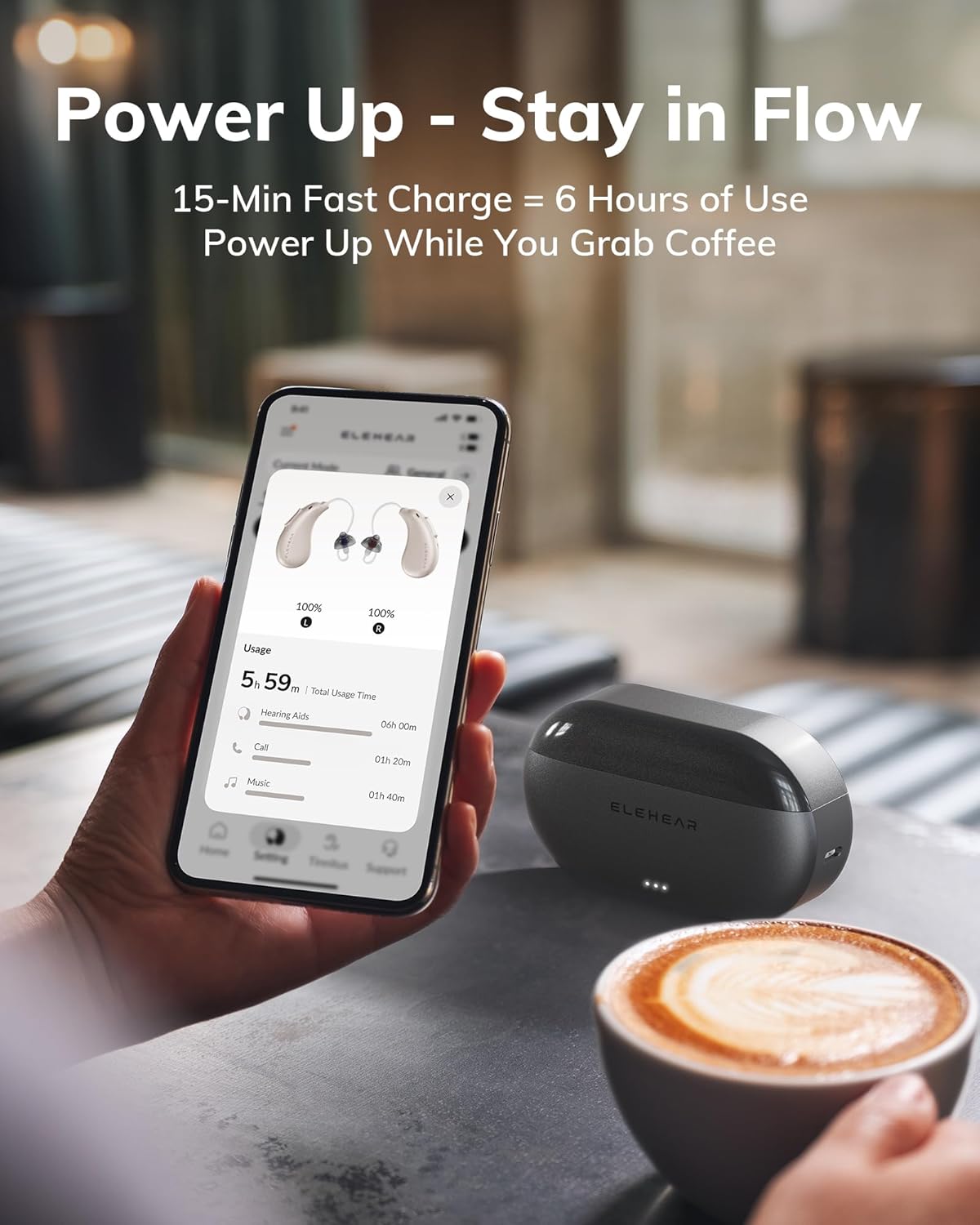
Image: The ELEHEAR-Beyond Pro charging case and app interface, demonstrating the fast charging capability.
2. Fitting the Hearing Aids
Proper fit is crucial for comfort and sound quality.
- Choose the Right Dome: The package includes various sizes of ear domes. Experiment to find the size that feels most comfortable and provides a secure seal in your ear canal without causing discomfort.
- Insert the Hearing Aid: Gently place the hearing aid into your ear, ensuring the dome is comfortably seated in your ear canal and the main body of the hearing aid rests behind your ear. The Receiver-in-Canal (RIC) design is lightweight and designed for all-day wear.
3. App Installation and Pairing
The ELEHEAR smart app enhances your experience with customizable settings.
- Download the App: Search for "ELEHEAR" in the Apple App Store (iOS) or Google Play Store (Android) and install the application.
- Enable Bluetooth: Ensure Bluetooth is enabled on your smartphone.
- Pairing: Open the ELEHEAR app. Take the hearing aids out of the charging case to automatically turn them on and enter pairing mode. Follow the on-screen instructions in the app to connect your devices.
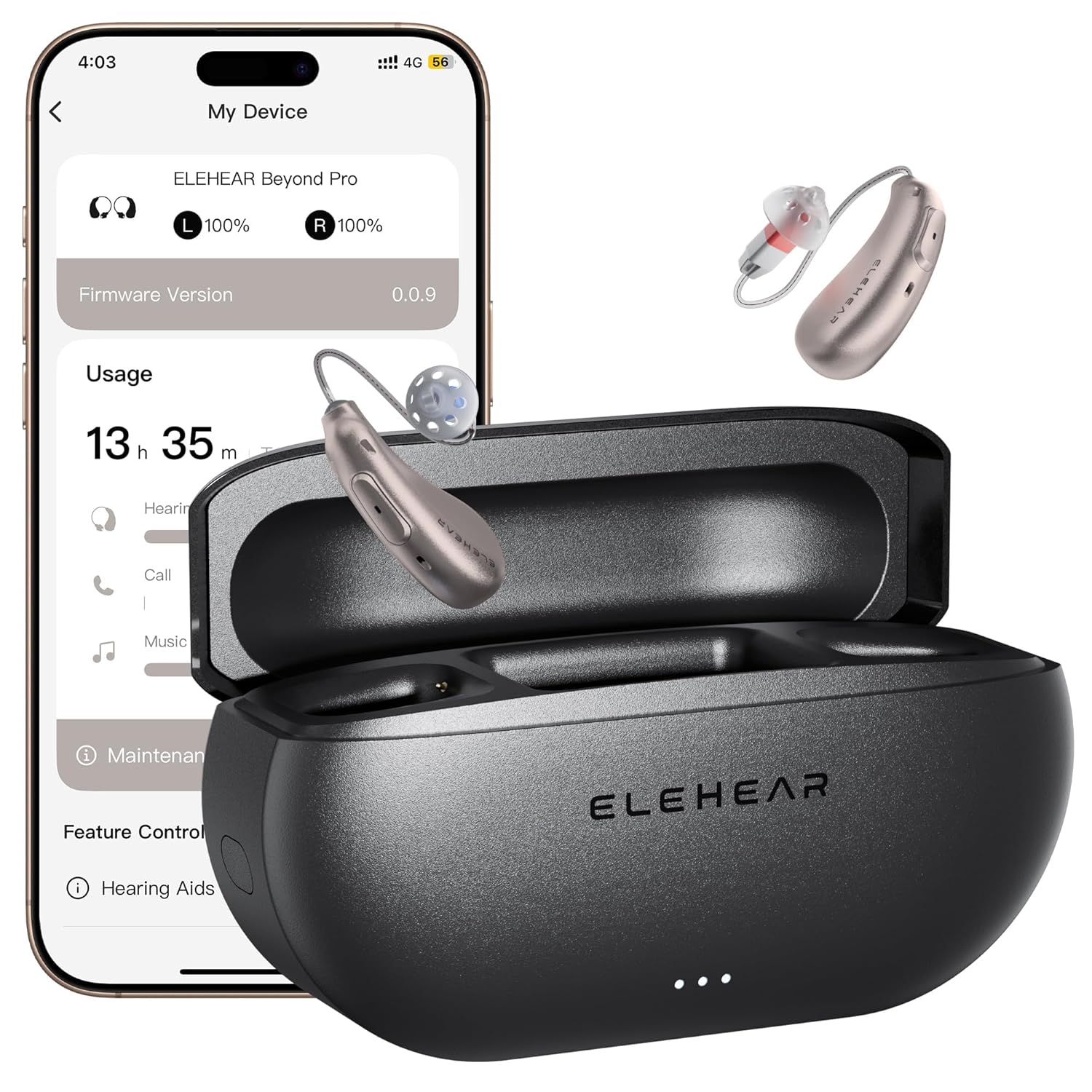
Image: The ELEHEAR-Beyond Pro hearing aids and their charging case, alongside a smartphone showing the connected app.
Operating Your Hearing Aids
1. Power On/Off
- Automatic: The hearing aids automatically turn on when removed from the charging case and turn off when placed back into the case.
- Manual Power On: Hold the Volume Up button for 3 seconds.
- Manual Power Off: Hold the Volume Up button for 5 seconds.
2. On-Device Controls
The hearing aids feature intuitive physical controls for quick adjustments.
- Power On: Hold Volume Up for 3 seconds.
- Power Off: Hold Volume Up for 5 seconds.
- Play: Hold Volume Down for 2 seconds.
- Pause: Hold Volume Down for 2 seconds.
- Volume Up: Short press increases volume by one notch.
- Volume Down: Short press decreases volume by one notch.

Image: Visual guide to the on-device controls for the ELEHEAR-Beyond Pro hearing aids.
3. App Features and Customization
The ELEHEAR app provides advanced control and personalization.
- Voice Adjustments: Use the app's intuitive interface to fine-tune sound settings, including volume, tone, and balance, for each ear.
- Soundscapes: Explore 20 immersive soundscapes (e.g., rain, breeze, vinyl crackle) for relaxation, focus, or winding down.
- VocClear 2.0 Technology: This feature delivers 30% clearer speech by eliminating muffled tones and enhancing high-frequency details up to 8500Hz with ultra-low latency (8ms). It includes 50dB amplification, feedback reduction, and noise cancellation (24dB).

Image: Representation of the VocClear 2.0 technology, highlighting its speech clarity and noise management features.

Image: The ELEHEAR app interface, demonstrating sound adjustment capabilities.
4. Bluetooth Connectivity
Connect your hearing aids to other Bluetooth-enabled devices for audio streaming and calls.
- Pairing: Once paired with your smartphone via the app, the hearing aids can connect to other devices like tablets or computers through your device's Bluetooth settings.
- Audio Streaming: Enjoy clear audio for music, podcasts, and videos directly through your hearing aids.
- Phone Calls: Make and receive calls with enhanced voice pickup and playback.

Image: Various users engaging in activities with their ELEHEAR-Beyond Pro hearing aids, demonstrating versatile Bluetooth 5.3 connectivity.

Image: A woman using her hearing aids for a video call, emphasizing reliable Bluetooth audio.
5. Music Mode
The ELEHEAR-Beyond Pro features a dedicated music mode, specially tuned to preserve the richness of vocals and high-frequency instruments. This mode delivers studio-grade sound fidelity for an immersive audio experience.

Image: A person enjoying music, illustrating the specialized Music Mode of the hearing aids.
Maintenance
1. Cleaning Your Hearing Aids
Regular cleaning ensures optimal performance and hygiene.
- Daily Cleaning: Use the provided cleaning brush and a soft, dry cloth to gently wipe the hearing aids and ear domes. Remove any earwax or debris from the sound outlet and microphone ports.
- Avoid Liquids: Do not use water, cleaning solutions, or alcohol directly on the hearing aids, as this can damage the electronic components.
- Dome Replacement: Replace ear domes regularly, or when they show signs of wear or damage, to maintain sound quality and comfort.
2. Storage
When not in use, store your hearing aids properly.
- Charging Case: Always store the hearing aids in their charging case to protect them and keep them charged.
- Dry Environment: Store the case in a cool, dry place away from direct sunlight and extreme temperatures.
Troubleshooting
If you encounter any issues, refer to the table below for common problems and solutions.
| Problem | Possible Cause | Solution |
|---|---|---|
| No Sound or Weak Sound | Low battery; blocked ear dome/sound outlet; incorrect volume setting; hearing aid not turned on. | Charge hearing aids; clean ear dome and sound outlet; adjust volume via app or on-device controls; ensure hearing aids are powered on. |
| Whistling or Feedback | Improper fit; ear dome too small; earwax buildup in ear canal. | Re-insert hearing aid for a snug fit; try a larger ear dome; consult a healthcare professional for earwax removal if necessary. |
| Difficulty Understanding Speech | Environmental noise; settings not optimized; hearing aid not functioning correctly. | Use the ELEHEAR app to adjust sound settings (VocClear 2.0, noise reduction); try different soundscapes; ensure proper fit. |
| Bluetooth Connectivity Issues | Bluetooth off on device; hearing aids not in pairing mode; interference. | Ensure Bluetooth is enabled on your phone; restart hearing aids (place in case, then remove); try re-pairing through the app. |
| Charging Problems | Cable not connected properly; dirty charging contacts; faulty power source. | Check USB-C cable connection; clean charging contacts on hearing aids and case with a dry cloth; try a different power adapter or outlet. |
Specifications
| Feature | Detail |
|---|---|
| Model Name | Beyond Pro |
| Item Model Number | Beyond Pro CG1 |
| Brand | ELEHEAR |
| Color | Champagne Gold |
| Material | Plastic |
| Style | Both Ear (Receiver-in-Canal) |
| Batteries | 3 Lithium Ion batteries (included) |
| Battery Life (Hearing Mode) | Up to 20 hours on a single charge |
| Charging Case | Provides 4 additional full charges |
| Fast Charge | 15 minutes for up to 6 hours of use |
| Amplification | 50dB |
| Noise Reduction | 24dB |
| Latency | 8ms (ultra-low) |
| Frequency Range | Up to 8500Hz (enhanced high-frequency detail) |
| Connectivity | Bluetooth 5.3 |
| App Compatibility | iOS and Android |
| Package Dimensions | 5.39 x 3.78 x 2.83 inches |
| Weight | 13.44 ounces |
Warranty and Support
Your ELEHEAR-Beyond Pro Hearing Aids come with a manufacturer's warranty.
- Warranty Period: A one-year warranty covers manufacturing defects.
- Replacement Policy: Initial replacement for issues is typically available within 45 days of purchase. After this period, a service or replacement fee may apply for the remainder of the warranty term. Please refer to your purchase documentation for specific terms and conditions.
- Customer Support: For technical assistance, warranty claims, or further inquiries, please visit the official ELEHEAR website or contact their customer service department. Contact information can usually be found on the product packaging or the ELEHEAR brand store on Amazon.
Related documentsBeyond Pro


Ask a question about this manual
Ask about setup, troubleshooting, compatibility, parts, safety, or missing instructions. Manuals+ will review the question and use this page’s manual context to help answer it.