
Introduction
This manual provides detailed instructions for the setup, operation, maintenance, and troubleshooting of your NDYIN N20 Bluetooth Thermal Label Maker. Please read this manual thoroughly before using the device to ensure proper function and longevity.

Image: The NDYIN N20 Bluetooth Thermal Label Maker, a compact black device with a gold accent, shown alongside various sample labels including a clothing tag, a "Thank You" label, and a food label.
Package Contents
Verify that all items listed below are included in your package:
- 1 x NDYIN N20 Label Maker
- 1 x White Label Roll (40x30mm)
- 1 x Type-C Data Cable
- 1 x User Manual (this document)
- 1 x Quick Start Guide
- 1 x Package Box
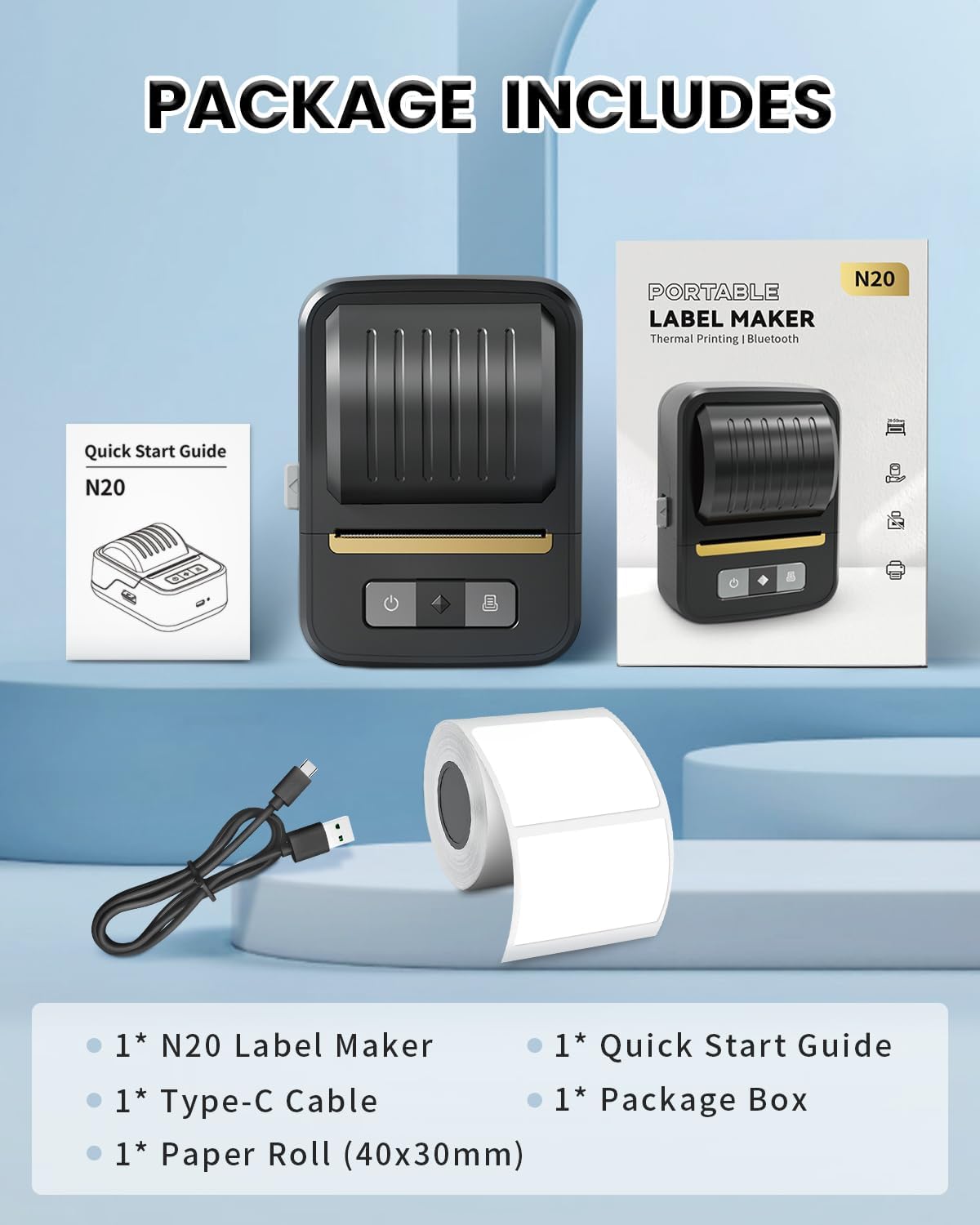
Image: Contents of the NDYIN N20 Label Maker package, including the label maker, a roll of labels, a USB-C cable, and printed manuals.
Setup
1. Charging the Device
Connect the provided Type-C data cable to the label maker and a compatible USB power source. The device uses a 2000mAh rechargeable battery.
2. Loading Label Rolls
Open the label compartment. Insert the label roll with the printing surface facing up. Ensure the labels are properly aligned with the adjustable paper holder for smooth printing.
3. App Installation and Connection (Mobile Devices)
- Download the "Nada Print" app from the App Store (iOS) or Google Play Store (Android).
- Enable Bluetooth on your mobile device.
- Open the "Nada Print" app and select the printer model "N20" from the device list.
- Connect to the printer via Bluetooth within the app.

Image: A five-step visual guide demonstrating how to download the "Nada Print" app, enable Bluetooth, connect to the N20 printer, choose templates, and initiate printing from a smartphone.
4. PC Connection (Windows/Mac)
For PC use, connect the label maker via the USB cable. Download the necessary driver from the official NDYIN website. The device is compatible with Windows and Mac operating systems.
Operation
1. Creating Labels with the "Nada Print" App
The "Nada Print" app offers various templates, fonts (60+), frames (50+), and icons (1000+) to customize your labels. All app features are free to use and support batch printing.

Image: A visual representation of the "Nada Print" app interface, highlighting its extensive library of icons, fonts, borders, and templates for label customization.
2. Printing Process
The N20 uses thermal printing technology, eliminating the need for ink or toner. It prints black text and patterns at a speed of 30mm/s.
- Design your label within the "Nada Print" app or your PC software.
- Ensure the label maker is connected via Bluetooth (for mobile) or USB (for PC).
- Select the print option in the app or software.
- Confirm print settings and initiate printing.
3. Supported Label Types and Sizes
The N20 label maker supports label widths ranging from 20mm (0.78 inches) to 50mm (2 inches), with a maximum printable width of 48mm. It is compatible with various label shapes and materials, including:
- White Labels
- Round Labels
- Transparent Labels
- Cable Labels
- Colorful Labels
Commonly used label sizes include: 30x40mm, 30x50mm, 40x30mm, 40x50mm, 40x60mm, 50x30mm, 50x50mm, 50x80mm. Note: This device is not designed for printing shipping labels.

Image: An illustration showcasing different label types that can be printed, such as white, round, transparent, cable, and colorful labels, with various designs.
4. Applications
The N20 label maker is suitable for a variety of labeling needs:
- Small Businesses: Price tags, brand logos, product information, barcodes, QR codes, address labels.
- Office and School: Folder labels, date labels, name tags, item identification.
- Home Organization: Food container labels, kitchen storage labels, cosmetics marking.

Image: Examples of label maker applications, including labeling items at home, school supplies, office files, small business products, and gifts.
Maintenance
The NDYIN N20 label maker utilizes ink-less thermal printing, eliminating the need for ink cartridge replacement. Regular maintenance focuses on keeping the device clean and ensuring proper label handling.
- Cleaning: Gently wipe the exterior of the device with a soft, dry cloth. For the print head, use a specialized thermal printer cleaning pen or a cotton swab lightly dampened with isopropyl alcohol. Ensure the device is powered off before cleaning.
- Storage: Store the label maker in a cool, dry place away from direct sunlight and extreme temperatures.
- Label Rolls: Use only compatible thermal label rolls. Ensure label rolls are stored properly to prevent damage or degradation of the thermal coating.
Troubleshooting
If you encounter issues with your NDYIN N20 label maker, refer to the following common problems and solutions:
| Problem | Possible Cause | Solution |
|---|---|---|
| Device does not power on. | Low battery or power issue. | Charge the device using the provided Type-C cable. Ensure the power source is functional. |
| Cannot connect via Bluetooth. | Bluetooth is off, incorrect device selected, or app issue. | Ensure Bluetooth is enabled on your phone. Restart the "Nada Print" app. Verify you are selecting the correct "N20" printer model in the app. |
| Labels are blank or faded. | Label roll inserted incorrectly (upside down) or print head is dirty. | Re-insert the label roll with the printing surface facing up. Clean the print head as described in the Maintenance section. |
| Printing is not centered or misaligned. | Label roll not properly aligned in the paper holder. | Open the label compartment and adjust the label roll to ensure it is centered and snug within the adjustable paper holder. Close the compartment firmly. |
| Labels are wasted when adjusting. | Printer feeds a blank label after opening/closing the compartment. | This is a common behavior for some thermal printers to re-calibrate. Minimize opening the compartment during a print job. Ensure proper alignment before starting a batch print. |
| Print quality is poor. | Dirty print head, low battery, or incompatible labels. | Clean the print head. Ensure the device is sufficiently charged. Use only NDYIN-recommended thermal labels. |
For further troubleshooting or repair assistance, please contact NDYIN customer support.
Specifications
| Feature | Detail |
|---|---|
| Model Name | N20 |
| Brand | NDYIN |
| Printing Technology | Thermal |
| Connectivity Technology | Bluetooth, USB |
| Compatible Devices | Android, iOS, Mac, Windows |
| Print Media | Thermal Paper |
| Max Print Speed (Monochrome) | 30mm/s |
| Maximum Media Size | Paper Width: 0.78 inches - 2 inches (20mm - 50mm) |
| Printer Output | Monochrome (Black text/pattern) |
| Battery | 1 Lithium Ion battery (included), 2000mAh |
| Product Dimensions | 3.2"D x 4.9"W x 2.5"H (8.1cm x 12.4cm x 6.35cm) |
| Item Weight | 0.65 lbs (0.29 kg) |
| UPC | 762849104065 |
Warranty and Support
For information regarding product warranty, please refer to the documentation included with your purchase or contact NDYIN customer support directly. For any technical assistance, troubleshooting, or repair inquiries, please reach out to NDYIN support.
Contact information for support can typically be found on the official NDYIN website or on the product packaging.
