
TCL 75P89K
TCL 75P89K QLED 4K Google TV User Manual
Model: 75P89K | Brand: TCL
1. Introduction
Welcome to the user manual for your new TCL 75P89K QLED 4K Google TV. This guide provides essential information for setting up, operating, and maintaining your television to ensure optimal performance and enjoyment. Please read this manual thoroughly before using your TV and keep it for future reference.
Product Overview
The TCL 75P89K is a 75-inch QLED 4K Ultra HD Google TV, featuring a 144Hz refresh rate, Dolby Vision, HDR10+, and HDMI 2.1 connectivity. It offers a stunning visual experience with vibrant colors and sharp details, powered by Google TV for smart functionality and seamless content access.
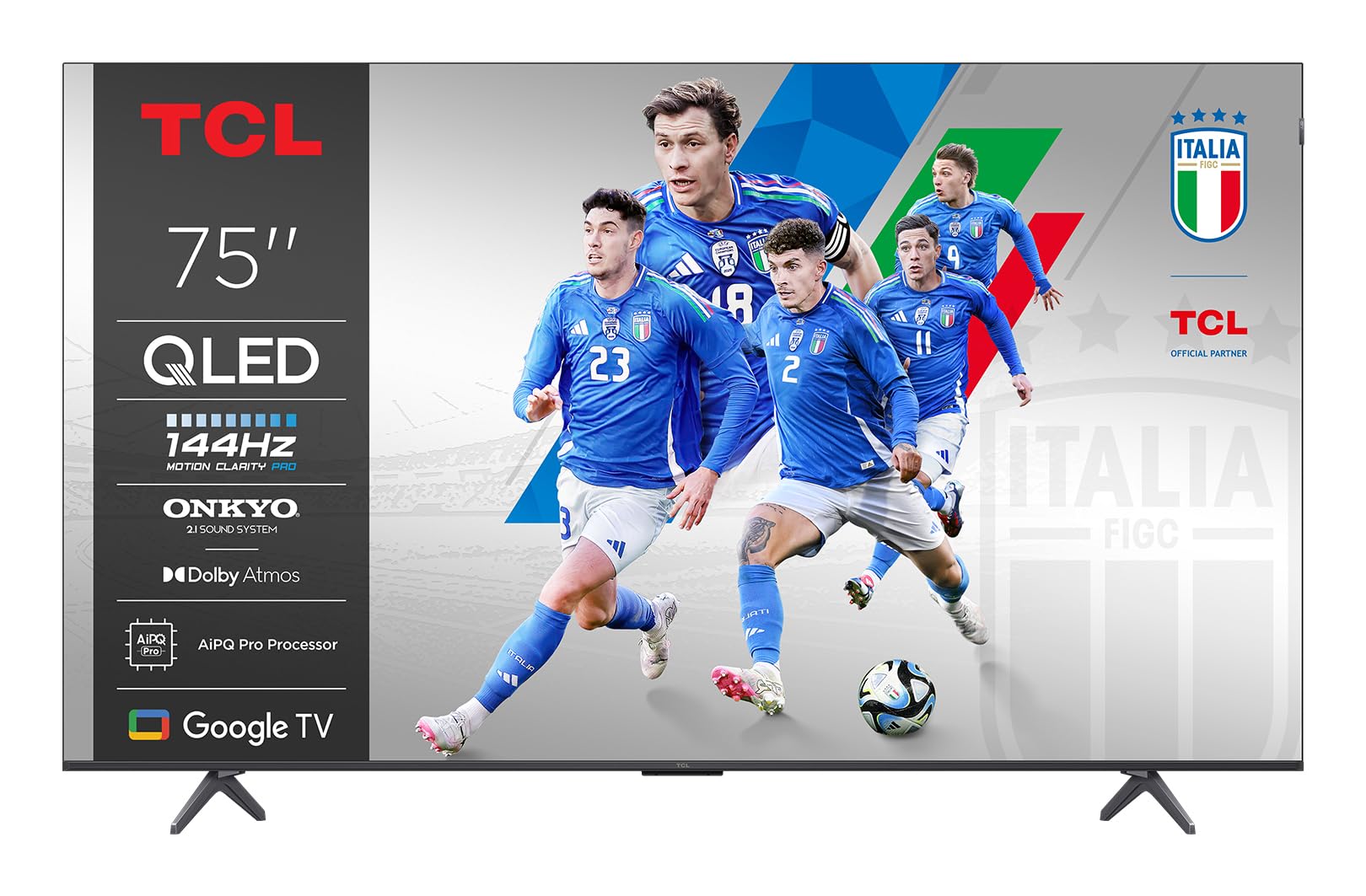
Image: Front view of the TCL 75P89K QLED 4K Google TV, showcasing its slim design and vibrant display.
2. Safety Information
Before operating the TV, please read all instructions carefully. Keep these instructions for future reference. Always follow basic safety precautions to reduce the risk of fire, electric shock, and injury to persons.
- Do not block any ventilation openings.
- Do not install near any heat sources.
- Protect the power cord from being walked on or pinched.
- Only use attachments/accessories specified by the manufacturer.
- Unplug this apparatus during lightning storms or when unused for long periods of time.
- Refer all servicing to qualified service personnel.
3. Setup
3.1 Unpacking
Carefully remove the TV from its packaging. It is recommended to keep the original packaging for future transport or servicing needs. Ensure all accessories are present.
3.2 Stand Installation or Wall Mounting
Your TV can be placed on a stand or mounted on a wall. Follow the instructions provided with your TV stand or wall mount kit.
Wall Mounting Instructions (Example for PERLESMITH TV Wall Mount)
If you are using a PERLESMITH wall mount (model PSPILFK1), the following video provides a detailed guide on how to install it. This video demonstrates the steps for attaching the TV brackets and mounting the assembly to the wall.
Video: Installation guide for PERLESMITH TV Wall Mount (PSPILFK1-E). This video demonstrates how to attach the TV brackets to the television and then securely mount the entire assembly onto a wall, ensuring proper alignment and stability.
3.3 Connecting Peripherals
Connect your external devices such as Blu-ray players, gaming consoles, sound systems, and cable/satellite boxes to the TV's ports.
- HDMI: Use HDMI cables for high-definition video and audio. Your TCL 75P89K supports HDMI 2.1 for advanced features like 4K@144Hz.
- USB: Connect USB devices for media playback or software updates.
- Power: Plug the power cord into the TV and then into a wall outlet.
3.4 Initial Setup
Once powered on, the TV will guide you through the initial setup process. This includes selecting your language, connecting to a Wi-Fi network, and signing in to your Google account to access Google TV features.
4. Operating Your TV
4.1 Remote Control Overview
Familiarize yourself with the TV's remote control. It typically includes buttons for power, volume, channel selection, input source, navigation, and direct access to smart TV apps.
4.2 Basic Functions
- Power On/Off: Press the power button on the remote or TV.
- Volume Control: Use the Volume Up/Down buttons.
- Channel Selection: Use the Channel Up/Down buttons or number pad.
- Input Source: Press the Input button to switch between connected devices (HDMI, AV, etc.).
4.3 Smart TV Features (Google TV)
Your TCL 75P89K runs on Google TV, providing access to a vast library of apps, streaming services, and personalized content recommendations.
- Home Screen: Access personalized content, apps, and settings.
- Voice Assistant: Use the built-in Google Assistant for voice commands, content search, and smart home control.
- Apps: Download and install apps from the Google Play Store.
4.4 Picture & Sound Settings
Customize your viewing and listening experience through the TV's settings menu.
- Picture Modes: Select from various preset picture modes (e.g., Standard, Movie, Sport, Vivid) or customize settings like brightness, contrast, color, and sharpness.
- Sound Modes: Choose sound modes (e.g., Standard, Music, Movie) or adjust equalizer settings.
- Dolby Vision/HDR10+: The TV automatically detects and optimizes content for Dolby Vision and HDR10+ for enhanced dynamic range and color.
4.5 Gaming Features
The 75P89K is optimized for gaming with a 144Hz refresh rate and HDMI 2.1.
- 144Hz Refresh Rate: Provides ultra-smooth motion for fast-paced games.
- VRR (Variable Refresh Rate): Reduces screen tearing and stuttering for fluid gameplay.
- ALLM (Auto Low Latency Mode): Automatically switches the TV to a low-latency mode when a game console is detected.
4.6 Casting/Screen Mirroring
Share content from your mobile devices to the TV using built-in casting features.
- Chromecast Built-in: Cast videos, photos, and apps from your compatible smartphone or tablet.
- AirPlay 2: Stream content directly from Apple devices.
5. Maintenance
5.1 Cleaning Your TV
- Screen: Gently wipe the screen with a soft, lint-free cloth. For stubborn marks, use a screen cleaner specifically designed for TVs.
- Frame: Wipe the frame and stand with a soft, dry cloth.
- Caution: Do not use abrasive cleaners, waxes, or solvents as they can damage the TV's finish. Always unplug the TV before cleaning.
5.2 Software Updates
Your TV may receive software updates to improve performance and add new features. Ensure your TV is connected to the internet to receive these updates automatically or check for them manually in the settings menu.
6. Troubleshooting
If you encounter any issues with your TV, refer to the following common problems and solutions:
| Problem | Possible Solution |
|---|---|
| No power | Check if the power cord is securely plugged into the TV and the wall outlet. Try a different outlet. |
| No picture, but sound is present | Check the input source. Ensure the external device is powered on and connected correctly. |
| No sound, but picture is present | Check the volume level and mute status. Verify audio output settings and external audio device connections. |
| Remote control not working | Replace the batteries. Ensure there are no obstructions between the remote and the TV. |
| Wi-Fi connection issues | Restart your router and modem. Check TV network settings. Ensure the TV is within range of your Wi-Fi network. |
For more complex issues, please contact TCL customer support.
7. Specifications
| Feature | Detail |
|---|---|
| Brand | TCL |
| Manufacturer | TCL |
| Model Name | 75P89K |
| Model Year | 2021 |
| Hardware Interface | HDMI |
| Display Resolution | 4K |
| Display Technology | QLED |
| Screen Size | 75 Inches |
| Image Contrast Ratio | High |
| Aspect Ratio | 16:9 |
| Audio Input | HDMI |
| Speaker Surround Sound Channel Configuration | 5.1 |
| Refresh Rate | 144 hertz |
| Number of USB Ports | 1 |
| Connector Type | HDMI |
| Mounting Compatibility | Wall Mount |
| Product Weight | 9 kg |
| Software Updates Guaranteed Until | Unknown |
| Supported Internet Services | Google TV |
| Color | Black |
8. Warranty and Support
8.1 Warranty Information
For detailed warranty information, please refer to the warranty card included with your product or visit the official TCL website. Keep your purchase receipt as proof of purchase for warranty claims.
8.2 Customer Support
If you require further assistance or have questions not covered in this manual, please contact TCL customer support. You can find contact details on the official TCL website or in your product documentation.
Online Support: Visit www.tcl.com for FAQs, support articles, and contact information.
Related documents75P89K


Ask a question about this manual
Ask about setup, troubleshooting, compatibility, parts, safety, or missing instructions. Manuals+ will review the question and use this page’s manual context to help answer it.