
Introduction
This manual provides essential instructions for the safe and efficient use of your Kuulaa Magnetic Power Bank (Model KL-YD67). This ultra-slim, 5000mAh portable charger is designed for convenient magnetic and wired charging of compatible devices. Please read this manual thoroughly before use and retain it for future reference.
Safety Information
- Do not expose the power bank to extreme temperatures, direct sunlight, or fire.
- Avoid dropping, disassembling, or attempting to repair the device yourself.
- Keep the power bank away from water and other liquids.
- Use only the provided charging cable or a certified USB-C cable for charging the power bank.
- Do not use the power bank if it is damaged or appears swollen.
- During charging, it is normal for the power bank to become slightly warm. If it becomes excessively hot, disconnect it immediately.
- Keep out of reach of children.
Package Contents
Your package should contain the following items:
- Kuulaa 5000mAh Magnetic Wireless Power Bank
- USB-C Charging Cable
- User Manual (this document)
Product Overview
The Kuulaa KL-YD67 Magnetic Power Bank features an ultra-slim design with a durable tempered glass finish. It offers both magnetic wireless charging and wired USB-C fast charging.

Figure 1: Front view of the Kuulaa Magnetic Power Bank, highlighting the wireless charging coil and sleek glass surface.

Figure 2: Constellation-style LED indicator lights showing battery status.
Key Features:
- Ultra-Slim Design: Measures just 0.28 inches thick and weighs 0.22 lbs for maximum portability.
- 5000mAh Capacity: Provides reliable power on the go.
- MagSafe Compatibility: Strong magnets for secure, seamless wireless charging.
- USB-C PD 20W Fast Charging: Supports rapid wired charging for compatible devices.
- Tempered Glass Panels: Offers a premium look and enhanced durability.
- Safety Protections: Includes overcharge, overvoltage, short circuit, and overheat protection.
Setup
1. Initial Charging of the Power Bank
Before first use, fully charge your Kuulaa Magnetic Power Bank.
- Connect the provided USB-C charging cable to the USB-C port on the power bank.
- Connect the other end of the USB-C cable to a compatible USB power adapter (not included) and plug it into a wall outlet.
- The LED indicator lights on the power bank will illuminate to show the charging status. Once all lights are solid, the power bank is fully charged.

Figure 3: Charging the power bank via its USB-C port.
Operating Instructions
1. Magnetic Wireless Charging (MagSafe Compatible)
The power bank features strong built-in magnets for seamless attachment and wireless charging with compatible devices.
- Ensure your device is compatible with MagSafe (iPhone 12 series and newer) or has a MagSafe-compatible case.
- Align the power bank with the back of your compatible iPhone. The magnets will automatically snap it into place.
- The power bank will automatically begin wirelessly charging your device. The LED indicator lights will show activity.

Figure 4: Magnetic attachment of the power bank to a smartphone.
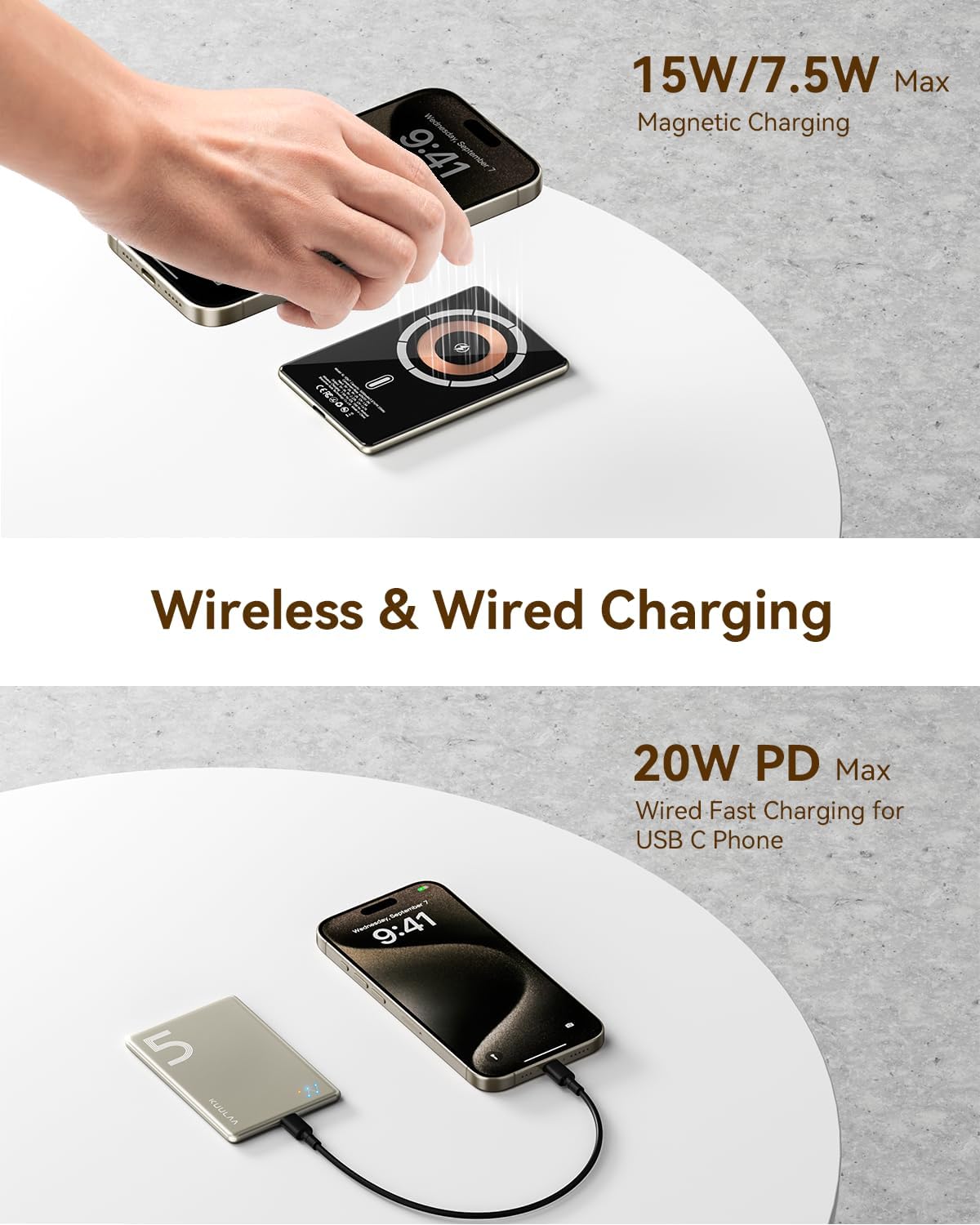
Figure 5: Demonstrating both wireless and wired charging capabilities simultaneously.
2. Wired Charging (USB-C PD 20W)
Use the USB-C port for fast wired charging of compatible devices.
- Connect one end of a USB-C cable (not included, or use the one from your device) to the USB-C port on the power bank.
- Connect the other end of the USB-C cable to your device's charging port.
- The power bank will automatically begin charging your device.

Figure 6: Wired charging of a smartphone using the USB-C port.
3. Charging Multiple Devices
The power bank supports simultaneous charging of two devices: one via magnetic wireless charging and another via the USB-C wired connection.
4. Battery Level Indicators
The constellation-style LED lights on the power bank indicate the remaining battery charge:
- 1 Light: 0-25% charge remaining
- 2 Lights: 26-50% charge remaining
- 3 Lights: 51-75% charge remaining
- 4 Lights: 76-100% charge remaining
Maintenance
- Cleaning: Use a soft, dry cloth to clean the surface of the power bank. Do not use harsh chemicals or abrasive materials.
- Storage: Store the power bank in a cool, dry place away from direct sunlight and extreme temperatures. If storing for extended periods, charge it to about 50% every three months to prolong battery life.
- Handling: Handle the power bank with care to avoid drops or impacts that could damage internal components or the tempered glass.
Troubleshooting
- Power bank not charging:
- Ensure the USB-C cable is securely connected to both the power bank and the power adapter.
- Verify the power adapter is functioning correctly and plugged into a live outlet.
- Try a different USB-C cable or power adapter.
- Device not charging wirelessly:
- Ensure your device is MagSafe compatible (iPhone 12 series or newer) or has a MagSafe-compatible case.
- Check for proper alignment between the power bank and your device.
- Remove any non-MagSafe cases or metallic objects between the power bank and your device.
- Ensure the power bank itself has sufficient charge.
- Device not charging via USB-C:
- Ensure the USB-C cable is securely connected to both the power bank and your device.
- Try a different USB-C cable.
- Ensure the power bank itself has sufficient charge.
- Power bank or device gets warm during charging:
- It is normal for the power bank and your device to become slightly warm during charging.
- If it becomes excessively hot, disconnect it immediately and allow it to cool down before resuming use. Ensure proper ventilation.
Specifications
| Feature | Detail |
|---|---|
| Model Number | KL-YD67 |
| Brand | Kuulaa |
| Battery Capacity | 5000 Milliamp Hours (mAh) |
| Battery Cell Type | Lithium Ion |
| Connector Type | USB Type C |
| Wireless Charging Output | Up to 15W (Magnetic) |
| Wired Charging Output | PD 20W (USB-C) |
| Compatible Phone Models | iPhone 12/13/14/15/16/17 series (MagSafe compatible) |
| Dimensions (L x W x Thickness) | 3.5" x 1" x 0.28" (approx. 8.9cm x 2.5cm x 0.7cm) |
| Weight | 0.22 lbs (approx. 100g) |
| Special Features | Magnetic, Slim, Wireless Charging Compatible, Tempered Glass Design |
Warranty and Support
The Kuulaa Magnetic Power Bank (Model KL-YD67) comes with a 24-month warranty from the date of purchase. This warranty covers manufacturing defects and ensures reliable performance under normal use.
For warranty claims, technical support, or any inquiries regarding your product, please contact Kuulaa customer service through the retailer where you purchased the product or visit the official Kuulaa website for contact information. Please have your purchase receipt and product model number (KL-YD67) ready when contacting support.


