
1. Introduction
This manual provides detailed instructions for the setup, operation, maintenance, and troubleshooting of your GAN XIN Portable Wireless Digital Scoreboard. Designed for a variety of indoor and outdoor sports, this scoreboard offers clear visibility, multiple scoring modes, and convenient remote control.

Figure 1: The compact GAN XIN Portable Wireless Digital Scoreboard, easily held in one hand.
2. Product Overview
2.1 Key Features
- Portability & Compact Design: Lightweight and easy to transport for various outdoor and indoor locations. Offers versatile placement options including table-top, wall-mounted, or tripod attachment.
- Multiple Sport Modes: Features 4 flexible scoring modes supporting sports such as volleyball, basketball, soccer, tennis, cornhole, shuffleboard, baseball, and pickleball.
- Bright & Clear LED Display: High-contrast LED display with adjustable brightness levels ensures readability in diverse lighting conditions, including direct sunlight. Large numbers are visible from up to 65 feet.
- Convenient Remote Control: Wireless remote allows for easy score adjustments from up to 65 feet. Operates in both IR and 2.4GHz RF modes for enhanced reliability. Brightness, sound, and other settings are also adjustable via remote.
- Long Battery Life & Power Options: Equipped with a rechargeable battery providing up to 9 hours of continuous use on a single charge. Can be powered via USB-C charging or directly plugged into an outlet.
- User-Friendly Interface: Simple setup and intuitive controls, supporting both manual button operation and remote control. Customizable settings include adjustable sound volume (with mute option) and display brightness. The scoreboard retains score and game data even when powered off.

Figure 2: Overview of the scoreboard's multifunctional features.
2.2 What's in the Box
- Digital Scoreboard Unit
- Remote Control
- USB-C Charging Cable
- Charger
- Mounting Accessories (screws, anchors)
- User Manual

Figure 3: All components included in the product packaging.
3. Setup
3.1 Powering the Scoreboard
- Initial Charge: Before first use, fully charge the scoreboard using the provided USB-C cable and charger. The scoreboard can also be powered directly via USB-C or by plugging into an outlet for continuous use.
- Remote Control Batteries: Insert 2x AAA batteries (not included) into the remote control.
3.2 Placement Options
- Table-top: Place the scoreboard on any flat, stable surface.
- Wall-Mounted: Use the included mounting accessories to securely attach the scoreboard to a wall.
- Tripod: The scoreboard is compatible with standard tripods for adjustable height and positioning.

Figure 4: The scoreboard's portable design allows for easy transport in a sports bag.
Video 1: Demonstrates the unboxing and basic button functions of the scoreboard, including battery setup.
4. Operating Instructions
4.1 Power On/Off
Press the ON/OFF button on the remote control to power the scoreboard on or off. A short beep indicates power status change.
4.2 Switching Sport Modes
The scoreboard supports 4 different scoring modes. Use the remote control to cycle through these modes to match your specific sport or game. Each mode may display scores, periods, or other game-specific information differently.

Figure 5: Various display modes for different sports.
Video 2: Illustrates how to switch between the 4 different sport modes using the remote control.
4.3 Adjusting Scores and Periods
- Use the HOME +1/-1 and GUEST +1/-1 buttons on the remote to adjust scores.
- Use the PERIOD +1/-1 buttons to change the current period or set.
- The remote also features dedicated buttons for quick score adjustments (+2, +3) and specific game actions like BALL, STRIKE, and OUT for baseball mode.
- To reset scores or periods, use the H-Reset, G-Reset, or Match Reset buttons as needed.
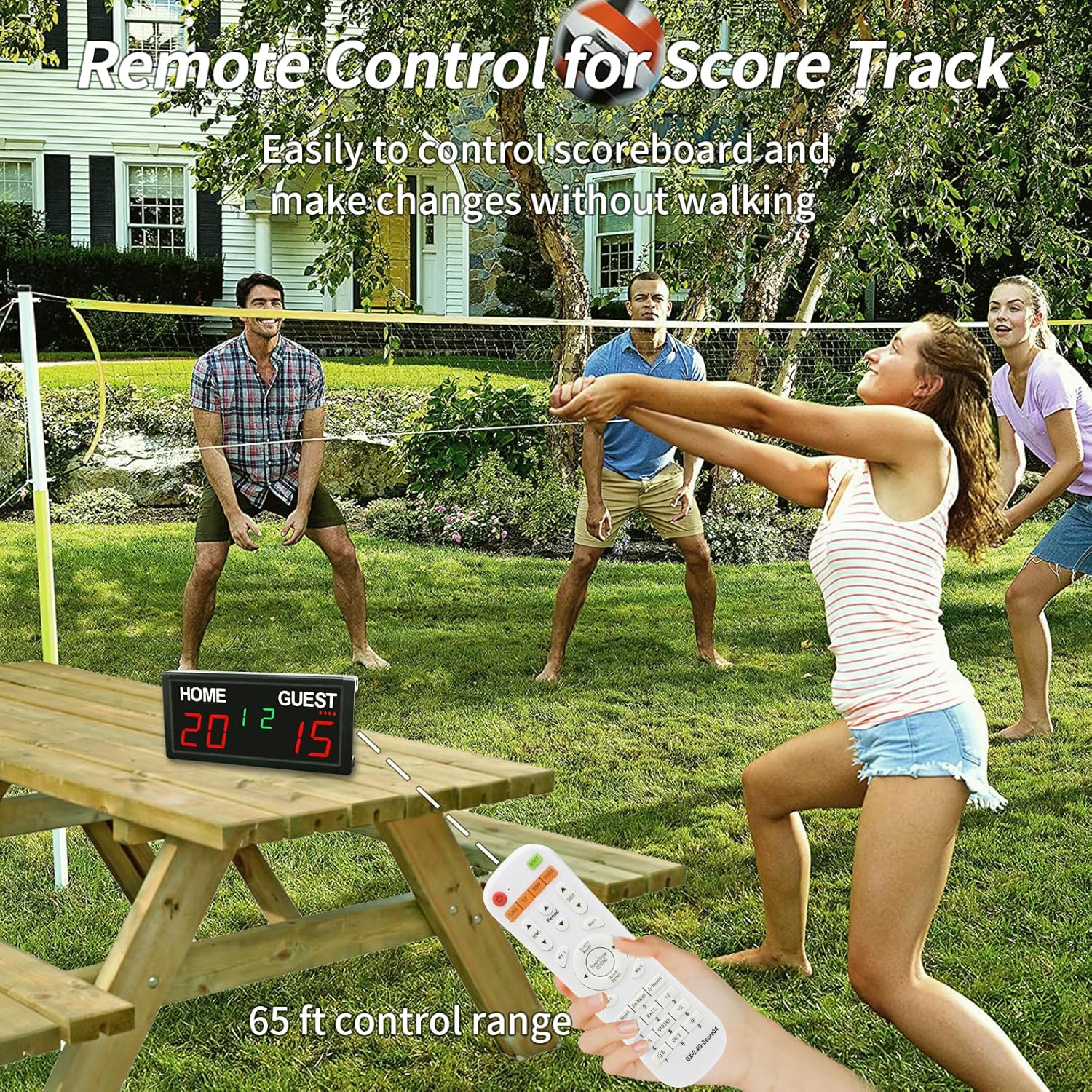
Figure 6: Remote control in use during an outdoor game, highlighting its range.
4.4 Timer Functions
The scoreboard includes both countdown and count-up timer modes. Use the remote control to set and operate the timer. The START/STOP button controls the timer's operation.
4.5 Brightness Adjustment
The scoreboard features 5 adjustable dimmer levels. Use the remote control to increase or decrease the display brightness to suit ambient lighting conditions, ensuring optimal visibility indoors or outdoors.
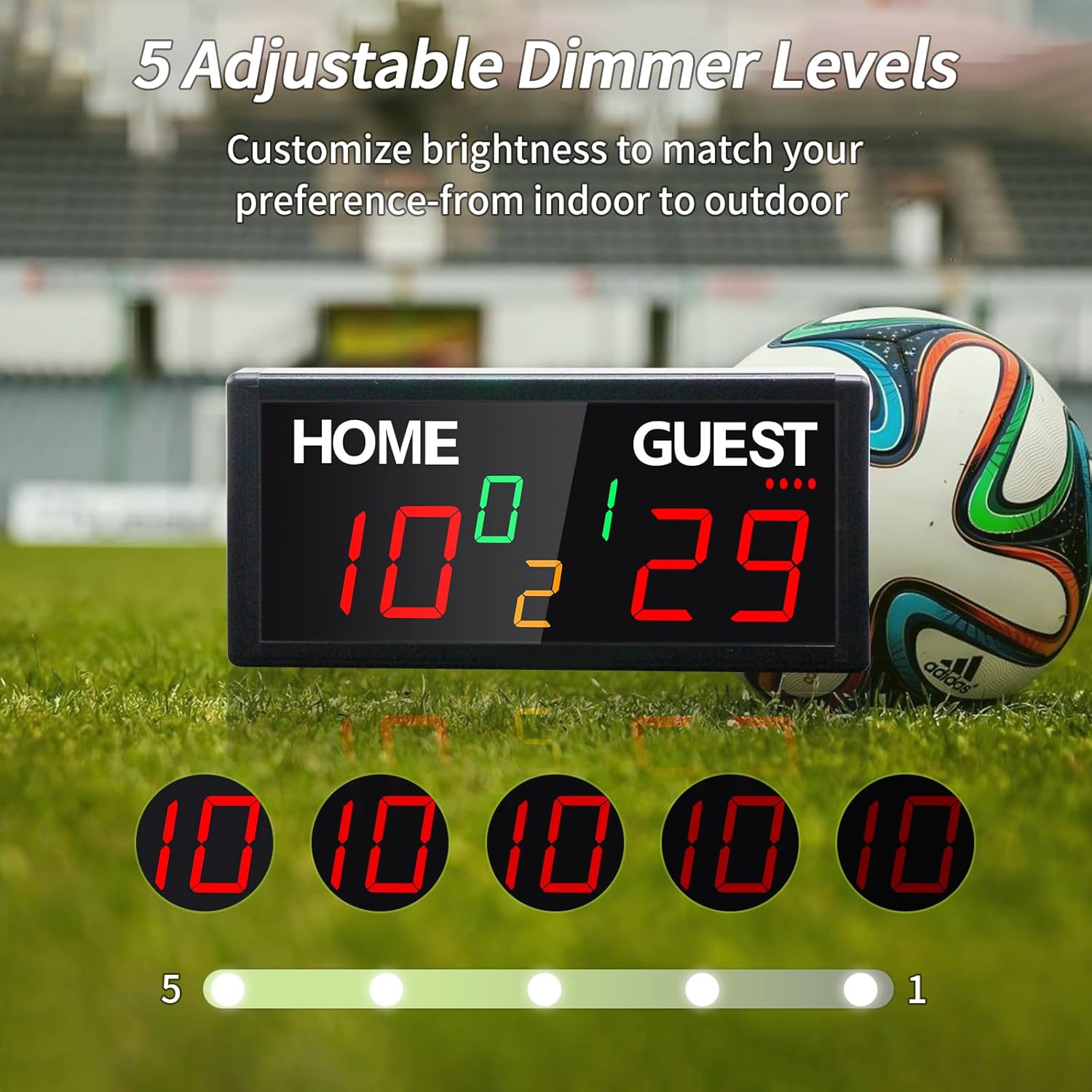
Figure 7: Visual representation of the 5 adjustable brightness levels.

Figure 8: The scoreboard's brightness can be adjusted for different environments.
4.6 Sound Control
Adjust the sound volume or mute the scoreboard entirely using the remote control. This feature is useful for score reminders or to maintain quiet during play.

Figure 9: Score reminder and sound control options.

Figure 10: Control your game environment with adjustable sound settings.
Video 3: A comprehensive guide on how to use the GAN XIN v30L7 Score Keeper, covering various functions.
5. Maintenance
- Keep the scoreboard clean by wiping it with a soft, dry cloth. Avoid abrasive cleaners or solvents.
- Store the scoreboard in a dry place away from extreme temperatures and direct sunlight when not in use.
- Ensure the USB-C port is free from dust and debris.
6. Troubleshooting
- Scoreboard not turning on: Ensure the battery is charged or the unit is plugged into a power source. Check remote control batteries.
- Remote not responding: Verify remote control batteries are correctly inserted and charged. Ensure there are no obstructions between the remote and the scoreboard.
- Display too dim/bright: Adjust brightness levels using the remote control.
- Incorrect score/timer: Use the reset functions on the remote to clear and re-enter values.
7. Specifications
- Model Number: GX-GI7D-V30L7
- Product Dimensions: 4.65 x 1.38 x 10 inches
- Item Weight: 1 pound
- Batteries: 1 Lithium Ion battery (included)
- Power Source: USB-C (rechargeable battery or direct plug-in)
- Manufacturer: HANGZHOU GANXIN ELECTRONIC CO.LTD
8. Warranty and Support
This GAN XIN Portable Wireless Digital Scoreboard comes with a 1-year warranty from the date of purchase. For technical support, troubleshooting assistance, or warranty claims, please refer to the contact information provided in your product packaging or visit the official GAN XIN website.