
Introduction
The meross Smart Thermostat (MTS300) is designed to provide intelligent and efficient control over your home's heating and cooling system. This device integrates with various smart home platforms, including Matter, Apple Home, Amazon Alexa, and Google Assistant, offering convenient app and voice control. It features flexible scheduling, energy usage tracking, and smart alerts to help optimize comfort and energy savings.
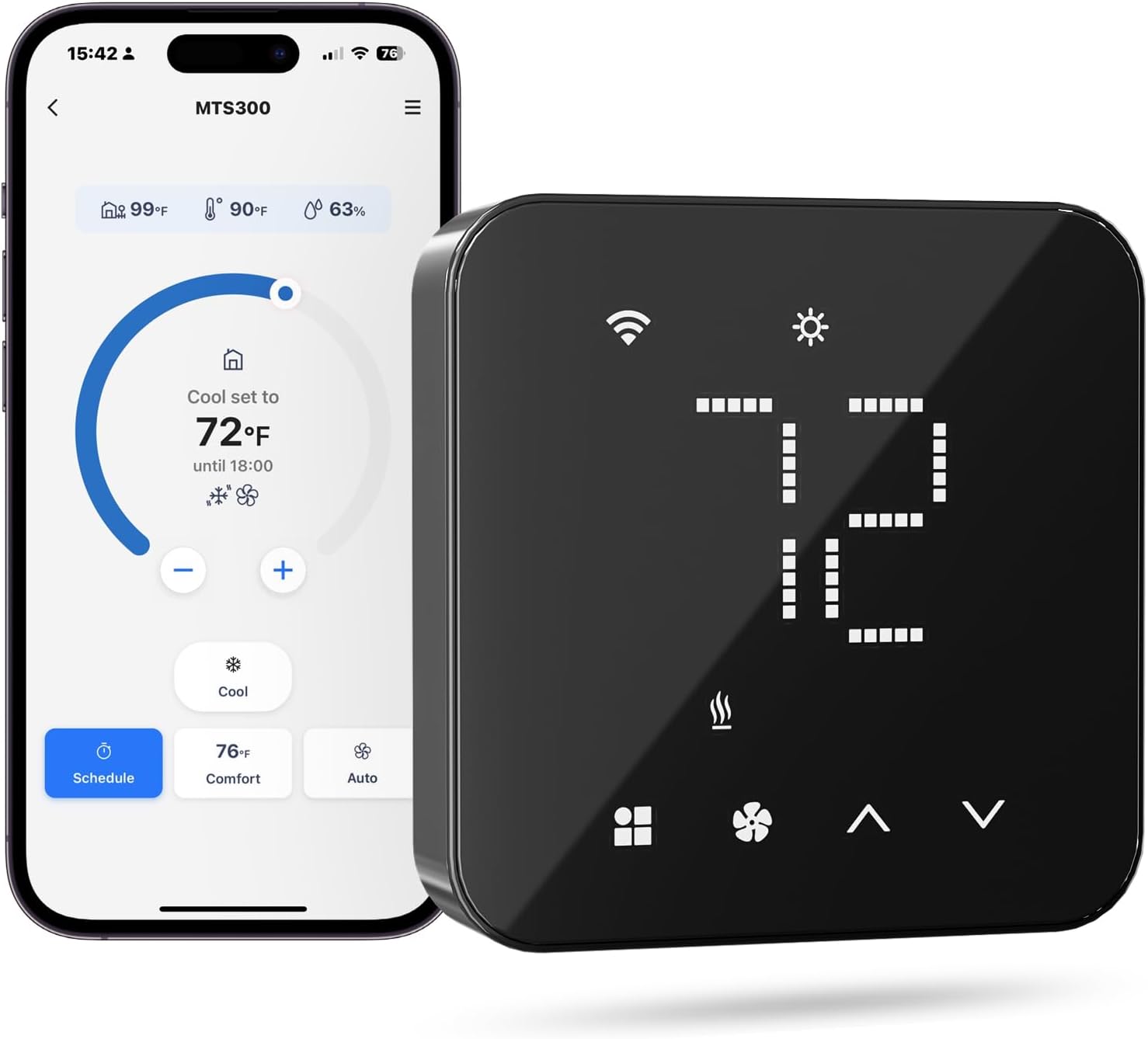
Image: The meross Smart Thermostat (MTS300) displayed alongside its mobile application interface, demonstrating the integrated control capabilities.
Compatibility and Pre-installation Checklist
Before installing your meross Smart Thermostat, it is crucial to verify your HVAC system's compatibility and ensure a C-wire (common wire) is available or accounted for. The thermostat is compatible with 95% of HVAC systems, including conventional heating and cooling, heating/cooling only, and heat pumps. It is not suitable for electric baseboard heaters.
- Confirm your HVAC system type.
- Verify the presence of a C-wire. If not present, a meross C-wire adapter (sold separately) is required.
- Ensure your Wi-Fi network is 2.4GHz, as the thermostat only supports this frequency.
For detailed compatibility information, please visit the official meross compatibility checker:

Image: A table detailing the compatibility of the meross Smart Thermostat with various 24V HVAC systems, indicating wire requirements and C-wire necessity.

Image: The meross C-wire adapter, a component used to provide power to the thermostat in systems lacking a dedicated C-wire.
What's Included
The meross Smart Thermostat package includes the following components:
- Smart Wi-Fi Thermostat x 1
- Backplate x 1
- Trim Plate x 1
- Screws and Anchors x 3
- Wiring Sticker x 1
- User Manual x 1 (this document)

Image: An exploded view showing all components included in the meross Smart Thermostat package, such as the thermostat unit, backplate, trim plate, screws, anchors, wiring sticker, and user manual.
Setup and Installation
Physical Installation (DIY)
The meross Smart Thermostat is designed for easy DIY installation, typically taking less than 30 minutes. Follow the detailed instructions provided in the included user manual (physical copy) for wiring and mounting. Ensure power to your HVAC system is turned off before beginning installation.
Meross App Setup
After physical installation, download the Meross app from your device's app store. The app will guide you through the setup wizard to connect your thermostat to your 2.4GHz Wi-Fi network and configure your HVAC system settings. This initial setup via the Meross app is required for full functionality, even if you plan to use other smart home platforms.
Smart Home Integration (Matter)
The thermostat supports Matter technology, allowing seamless integration with platforms like Apple Home, Amazon Alexa, Google Home, and Samsung SmartThings. Once set up in the Meross app, you can add the thermostat to your preferred smart home ecosystem for unified control. Matter-certified devices also enable smooth local area network (LAN) control, even if your internet connection is temporarily offline.
Operating the Thermostat
Manual Control
The thermostat features a minimalist design with a sleek glass panel. You can adjust the temperature directly by touching the up and down arrows on the device. The digital display shows the current temperature and settings.

Image: A user interacting directly with the meross Smart Thermostat's touch interface to adjust settings.
App Control
The Meross app provides comprehensive control over your thermostat from anywhere, at any time. You can monitor the current temperature, change settings, and access advanced features remotely via your smartphone or tablet.
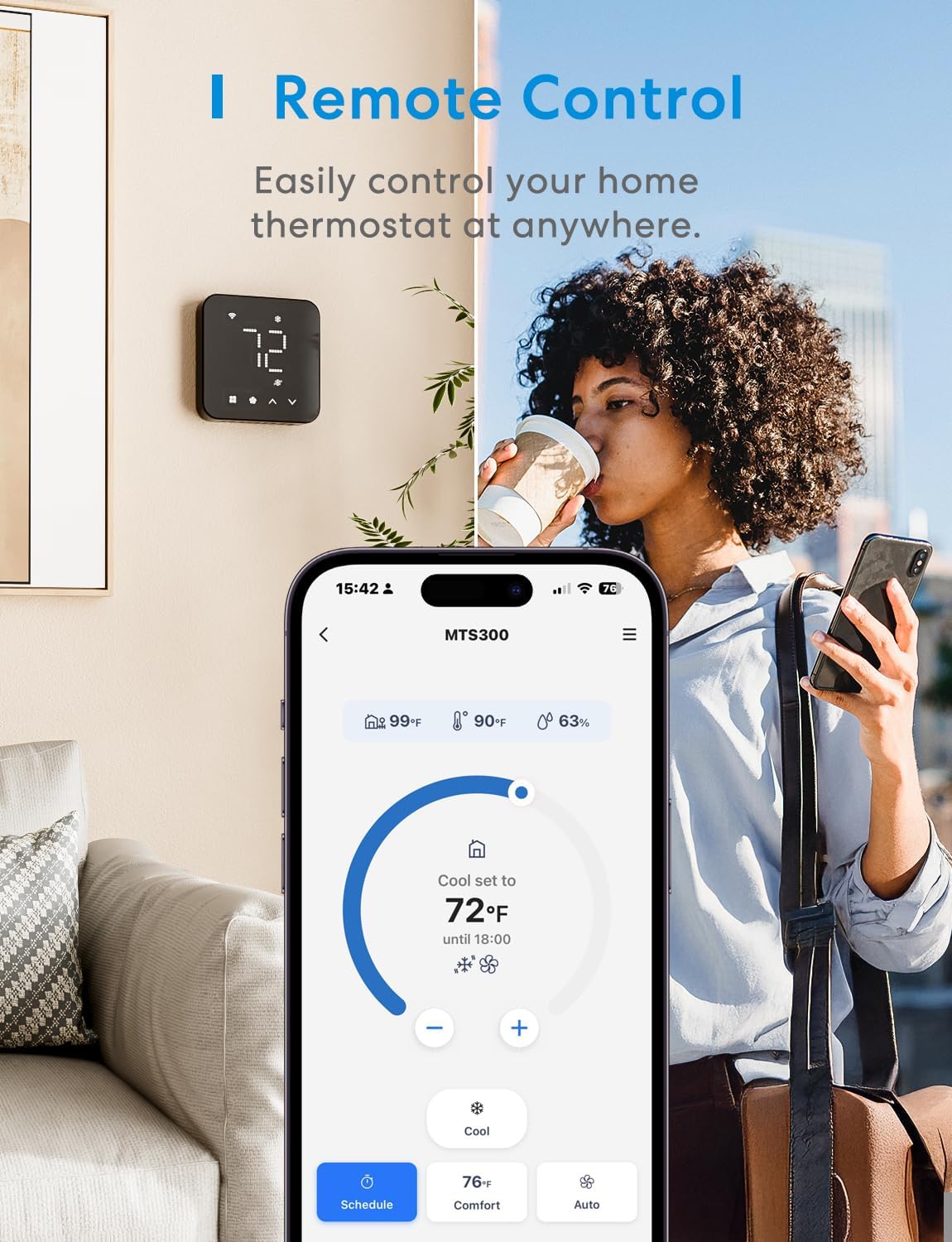
Image: A person using the meross mobile application to remotely control their thermostat while away from home.
Voice Control
Leveraging Matter technology, the thermostat can be controlled using voice commands through compatible smart assistants such as Amazon Alexa, Apple Home (Siri), and Google Assistant. Simply use commands like "Alexa, set the temperature to 72°F" or "Hey Google, set the temperature to 72°F."
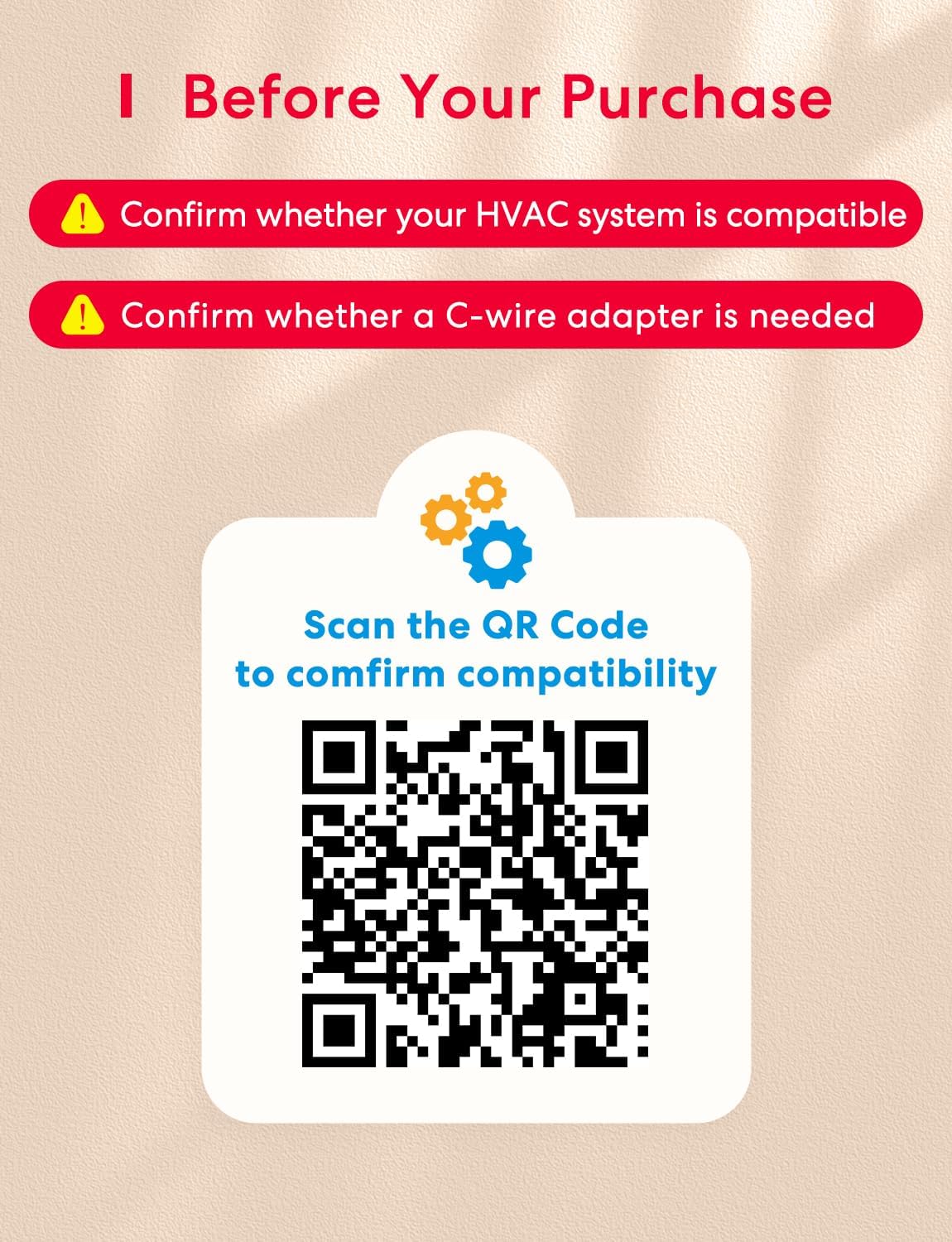
Image: Various smart speakers (Amazon Echo, Apple HomePod Mini, Google Nest Mini) illustrating the voice control capabilities of the meross Smart Thermostat through different platforms.
Smart Scheduling
Create flexible 7x24 hour schedules to automate your heating and cooling routine. The thermostat will automatically follow the programmed schedule, even if your Wi-Fi connection is temporarily lost, ensuring consistent comfort and energy efficiency.

Image: A user setting up a flexible schedule for the meross Smart Thermostat using the mobile application, showing options for daily temperature adjustments.
Energy Usage Tracking
The Meross app allows you to track your heating and cooling usage over time. This feature helps you monitor energy consumption, identify patterns, and make informed decisions to conserve resources and save on energy bills.
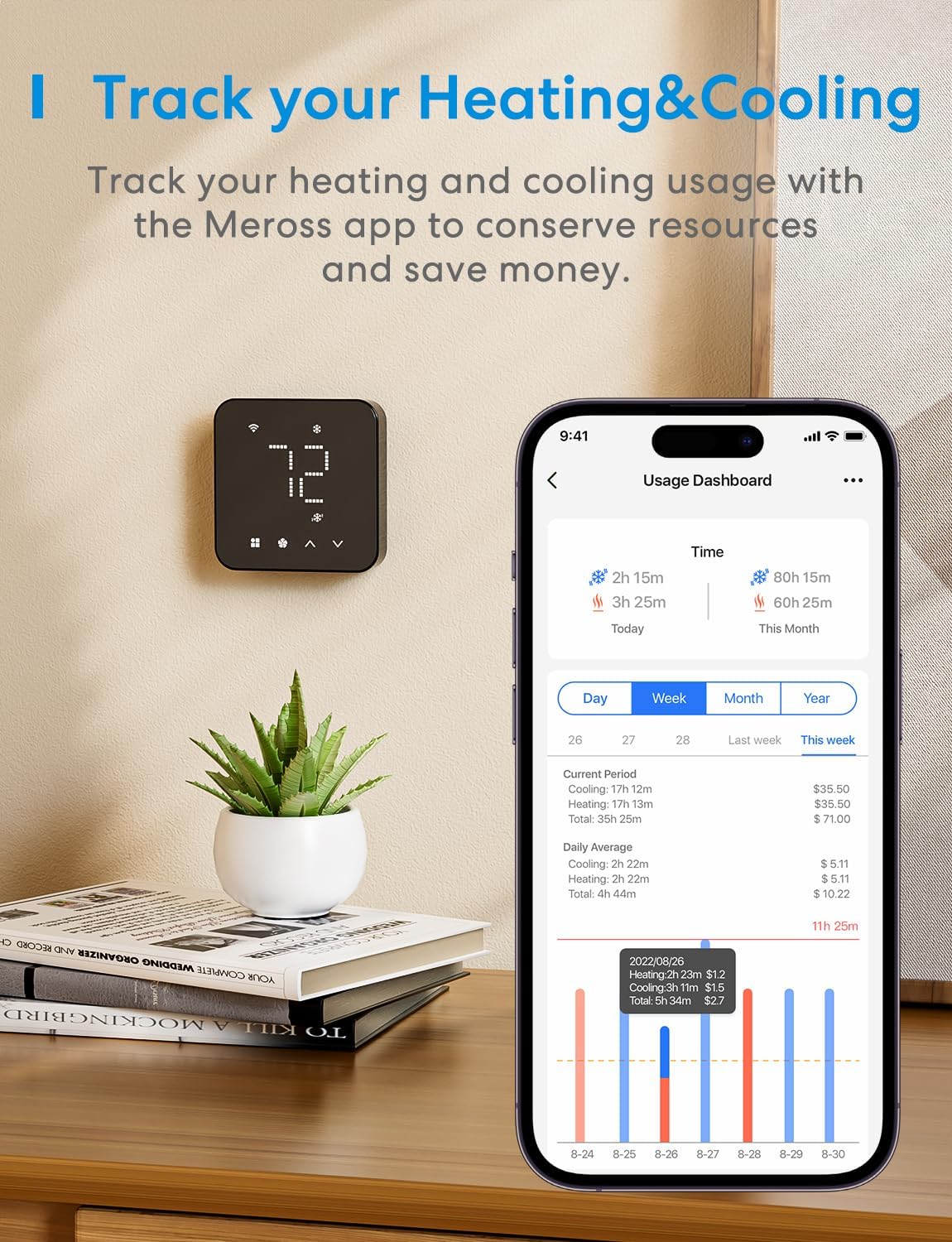
Image: The meross app's usage dashboard, illustrating how users can track their heating and cooling consumption over various periods to manage energy usage.
Smart Sensor Integration (Optional)
For enhanced temperature control in specific rooms, the thermostat can work with Meross Smart Sensors (sold separately), such as the MS130. This allows the thermostat to maintain the desired temperature based on readings from the sensor in that particular area.

Image: A meross Smart Thermostat integrated with a meross Smart Sensor (MS130) in a bedroom, demonstrating its ability to maintain a specific room's temperature.
Maintenance
Air Filter Alerts
The meross Smart Thermostat provides smart alerts, including notifications for air filter life. This helps you stay informed about when to replace your HVAC system's air filter, ensuring optimal system performance and air quality.
Regularly check the thermostat for dust accumulation and gently wipe it with a soft, dry cloth. Do not use abrasive cleaners or solvents.
Troubleshooting
If you encounter issues with your meross Smart Thermostat, consider the following common troubleshooting steps:
- No Power/Display Off: Ensure the C-wire is correctly connected and providing power. Verify that the circuit breaker for your HVAC system is on.
- Cannot Connect to Wi-Fi: Confirm your Wi-Fi network is 2.4GHz. Ensure the thermostat is within range of your Wi-Fi router. Try restarting your router and the thermostat.
- Incorrect Temperature Readings: Ensure the thermostat is not exposed to direct sunlight, drafts, or heat sources that could affect its temperature sensor. If using a smart sensor, ensure it is placed appropriately.
- App Control Issues: Ensure your Meross app is updated to the latest version. Check your internet connection.
- Voice Control Not Working: Verify that the thermostat is correctly linked to your smart assistant (Alexa, Google Assistant, Apple Home) and that your smart speaker is online.
For more detailed troubleshooting guides and support, please refer to the comprehensive user manual PDF available online or contact meross customer support.
Specifications
| Feature | Detail |
|---|---|
| Brand | meross |
| Model Name | MTS300 |
| Product Dimensions | 0.9"D x 3.6"W x 3.6"H |
| Controller Type | Amazon Alexa, Apple HomeKit, Google Assistant, Hand Control, SmartThings |
| Special Feature | Dimmable, Lockable, Low Voltage, Programmable, Temperature Display |
| Color | Black |
| Specific Uses For Product | Air Conditioner, Boiler, Dehumidifier, Furnace, Heat Pump |
| Temperature Control Type | Heating and Cooling |
| Connectivity Technology | Wi-Fi |
| Included Components | Backplate ×1, Screws and Anchors x 3, Smart Wi-Fi Thermostat x 1, User Manual ×1, Trim Plate x1, Wiring Sticker ×1 |
| Voltage | 24 Volts |
| Material | Plastic |
| Shape | Square |
| Control Method | Voice |
| Connectivity Protocol | Matter, Wi-Fi |
| Mounting Type | Wall Mount |
| Item Weight | 8.8 ounces |
Warranty and Support
Warranty Coverage
The meross Smart Thermostat comes with a 2-Year Warranty, covering defects in materials and workmanship under normal use. Please retain your proof of purchase for warranty claims.
Customer Support
For any questions, technical assistance, or warranty inquiries, please contact the meross Professional Expert Assistance Team:
- Phone: 855-516-5861
- Hours: 10:30 AM - 7:30 PM (EST), Mon-Wed, Fri-Sat
- Email: support@meross.com

Image: Visual representation of meross customer support contact details, including phone number and email address.


