
1. Introduction
This manual provides essential instructions for the safe and effective use of your Miisekmy Biometric Handgun Safe GS-572. Please read this manual thoroughly before operating the safe and retain it for future reference.
Safety Warning: This safe is designed to secure firearms and prevent unauthorized access, especially by children. Always store firearms unloaded and separate from ammunition. Keep keys and access codes in a secure location away from children and unauthorized individuals.
2. Product Overview
The Miisekmy Biometric Handgun Safe GS-572 offers multiple quick-access options and robust construction for securing handguns and other valuables. Its portable design includes a convenient carry handle.
2.1 Key Features
- Biometric Fingerprint Recognition: Fast access with up to 50 registered fingerprints.
- Digital Keypad: Backlit 6-digit keypad for PIN code access, supporting up to 50 codes.
- Backup Keys: Two mechanical keys for emergency access.
- Portable Handle: Integrated handle for easy transport.
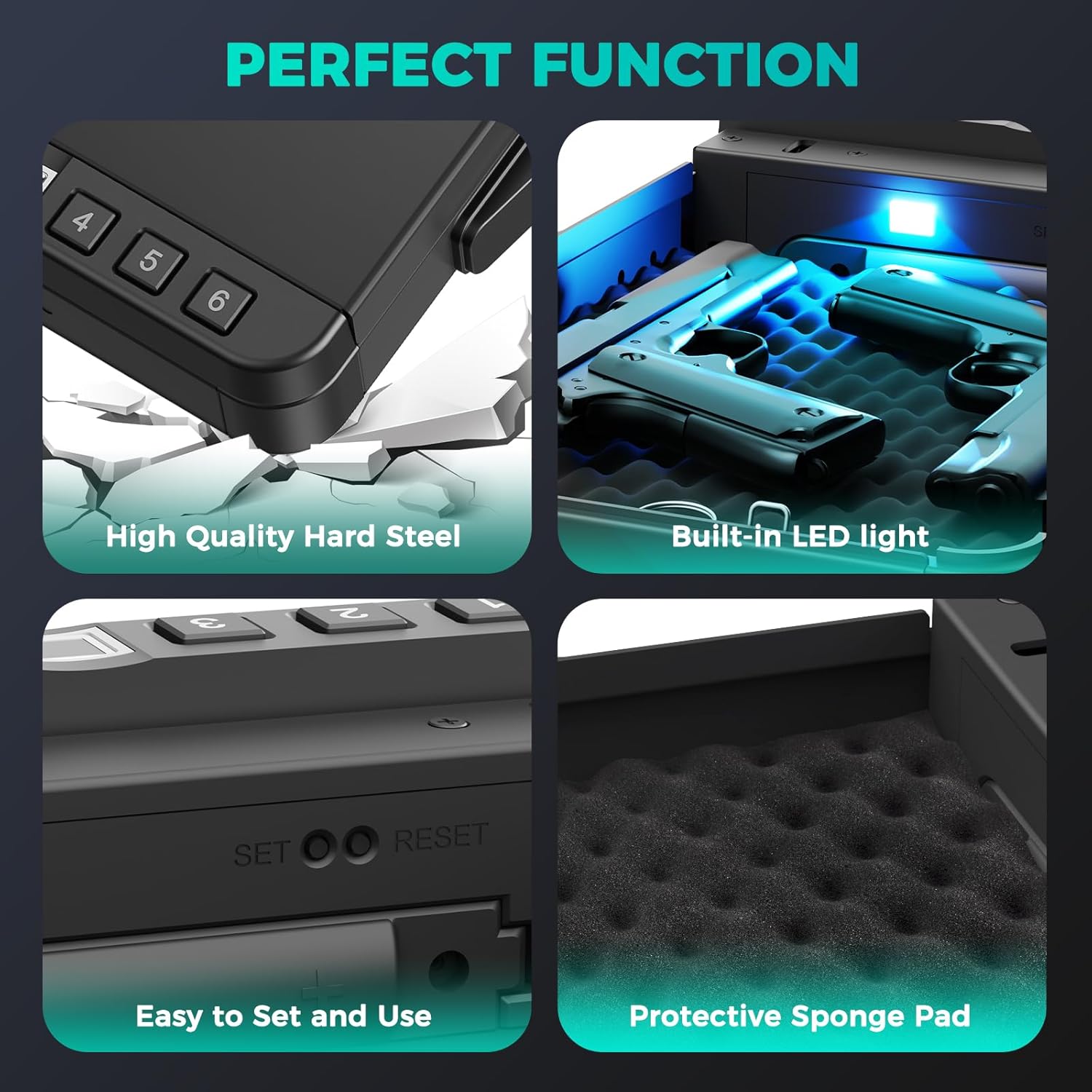
- Heavy-Duty Steel Construction: Durable carbon steel and spring steel for enhanced security.
- Security Cable: Included cable to secure the safe to a fixed object.
- Rechargeable Battery: Built-in Lithium Ion battery with Type-C charging and low-battery alert.
- Internal LED Light: Provides illumination in dark environments.
- Protective Sponge Pad: Interior foam padding to protect contents.
2.2 Included Components
- Gun Safe Box (1)
- Mechanical Keys (2)
- Security Cable (1)
- USB Type-C Charging Cable (1)
2.3 Product Diagram


3. Setup
3.1 Initial Battery Charge
Before first use, fully charge the safe's internal Lithium Ion battery. Connect the provided USB Type-C cable to the charging port on the front of the safe and to a compatible USB power source. The battery indicator light will show charging status.

3.2 Registering Fingerprints
- Open the safe using a mechanical key or the default PIN (refer to packaging for default PIN).
- Locate the 'SET' button inside the safe. Press and hold the 'SET' button until the fingerprint sensor light illuminates.
- Place your finger on the fingerprint sensor. Lift and place your finger multiple times from different angles until the safe confirms successful registration (e.g., a green light or audible beep).
- Repeat for additional fingerprints (up to 50 sets).

3.3 Setting a PIN Code
- Open the safe.
- Locate the 'SET' button inside the safe. Press the 'SET' button once (do not hold) until the keypad lights up.
- Enter your desired 6-digit PIN code.
- Press the '#' button to confirm. The safe will indicate successful PIN setup.
- Repeat for additional PIN codes (up to 50 sets).
3.4 Installing the Security Cable
The included security cable can be used to tether the safe to a fixed object, providing an additional layer of security against theft. Insert the metal end of the cable into the designated port on the side of the safe and secure the loop end around a sturdy object.
4. Operating Instructions
4.1 Opening with Fingerprint
Place a pre-registered finger firmly on the biometric sensor. The safe will unlock and the lid will open automatically, activating the internal LED light.
4.2 Opening with PIN Code
Enter your 6-digit PIN code on the backlit keypad, then press the '#' button. The safe will unlock and the lid will open automatically, activating the internal LED light.
4.3 Opening with Mechanical Key
In case of battery depletion or forgotten codes, insert one of the provided mechanical keys into the keyhole on the side of the safe. Turn the key to unlock the safe. The lid will then open manually.
4.4 Closing the Safe
To close the safe, simply push the lid down firmly until it latches securely. The safe will automatically lock.
5. Maintenance
5.1 Battery Management
The safe is powered by a rechargeable Lithium Ion battery. A low-battery alert will notify you when charging is required. Connect the USB Type-C cable to recharge. The indicator lights will show:
- Flashing blue light: Battery needs charging.
- Red, green, and blue flash alternately: Charging in progress.
- Steady green light: 100% charged.
5.2 Cleaning
Wipe the exterior of the safe with a soft, damp cloth. Do not use abrasive cleaners or solvents. Keep the fingerprint sensor clean and dry for optimal performance.
6. Troubleshooting
- Safe does not open with fingerprint: Ensure your finger is clean and dry. Try re-registering your fingerprint. Ensure the battery is charged.
- Safe does not open with PIN code: Verify the correct 6-digit code is entered. Ensure the battery is charged.
- No power/lights: The battery may be completely depleted. Use the mechanical keys to open the safe and then connect the USB Type-C charger.
- Lid does not open smoothly: Check for any obstructions inside the safe. Ensure the safe is on a flat, stable surface.
7. Specifications
| Feature | Specification |
|---|---|
| Brand | Miisekmy |
| Model Number | GS-572 |
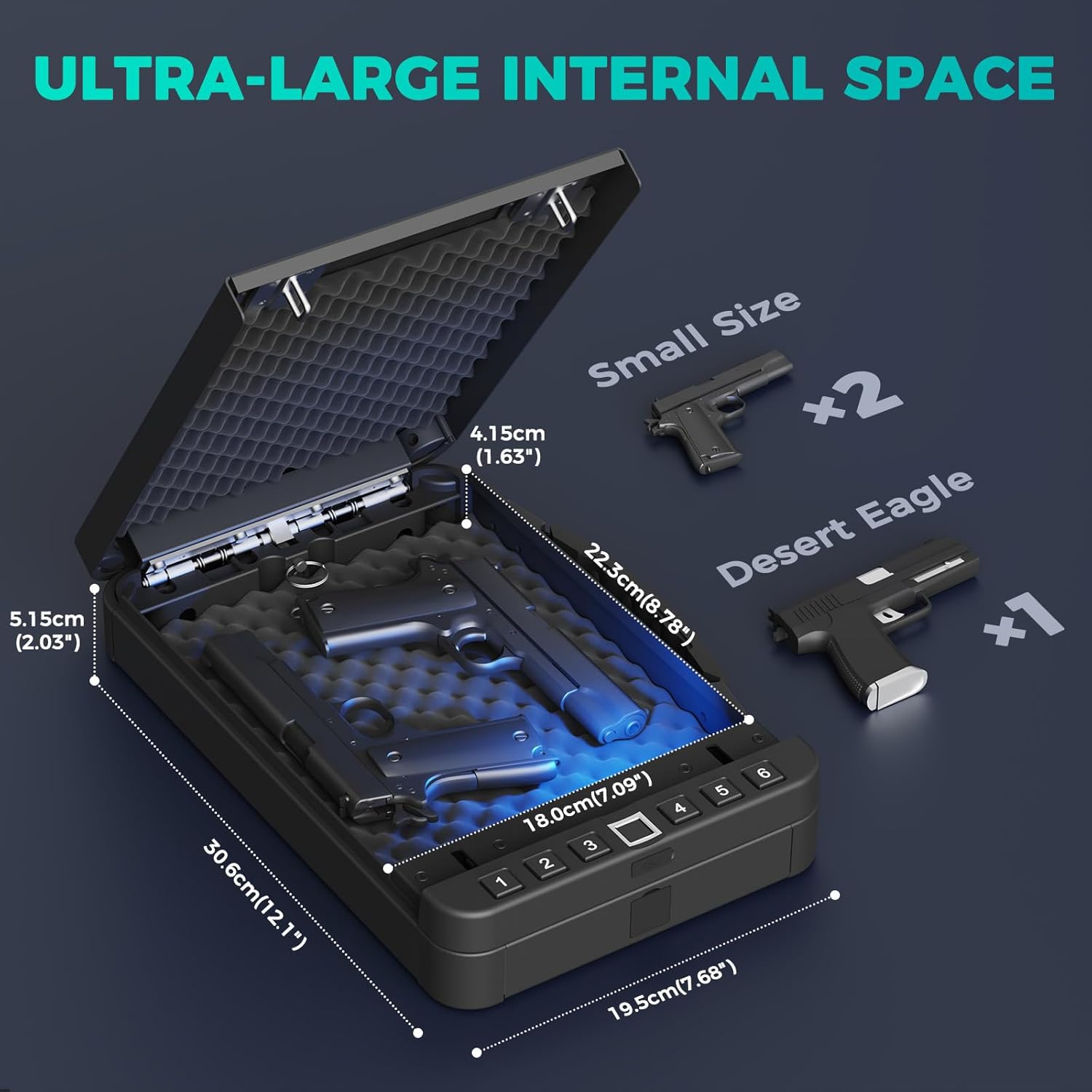
| Product Dimensions | 12.1"D x 7.68"W x 2.03"H |
| Item Weight | 6.89 pounds |
| Lock Type | Biometric, Electronic Combination Lock, Key |
| Material | Foam, Carbon Steel, Spring Steel |
| Battery Type | 1 Lithium Ion battery (included) |
| Special Features | Biometric Fingerprint, Combination Lock, Portable Handle, Scratch Resistant |
8. Warranty and Support
For warranty information or technical support, please refer to the product packaging or contact Miisekmy customer service directly. Keep your purchase receipt as proof of purchase.