
1. Introduction
Thank you for choosing the wegear 100W USB C Charger Block. This compact and powerful charger is designed to provide hyper-fast and efficient charging for a wide range of devices, from laptops to smartphones. Featuring advanced GaN III CoolTech technology, it ensures safe operation by maintaining optimal temperatures. Its foldable design makes it an ideal companion for travel and daily use.
Key Features:
- 100W Hyper-Fast Charging: Delivers up to 100W max charge for a single device, capable of charging a 14" MacBook Pro (M3 Pro) to 50% in just 30 minutes.
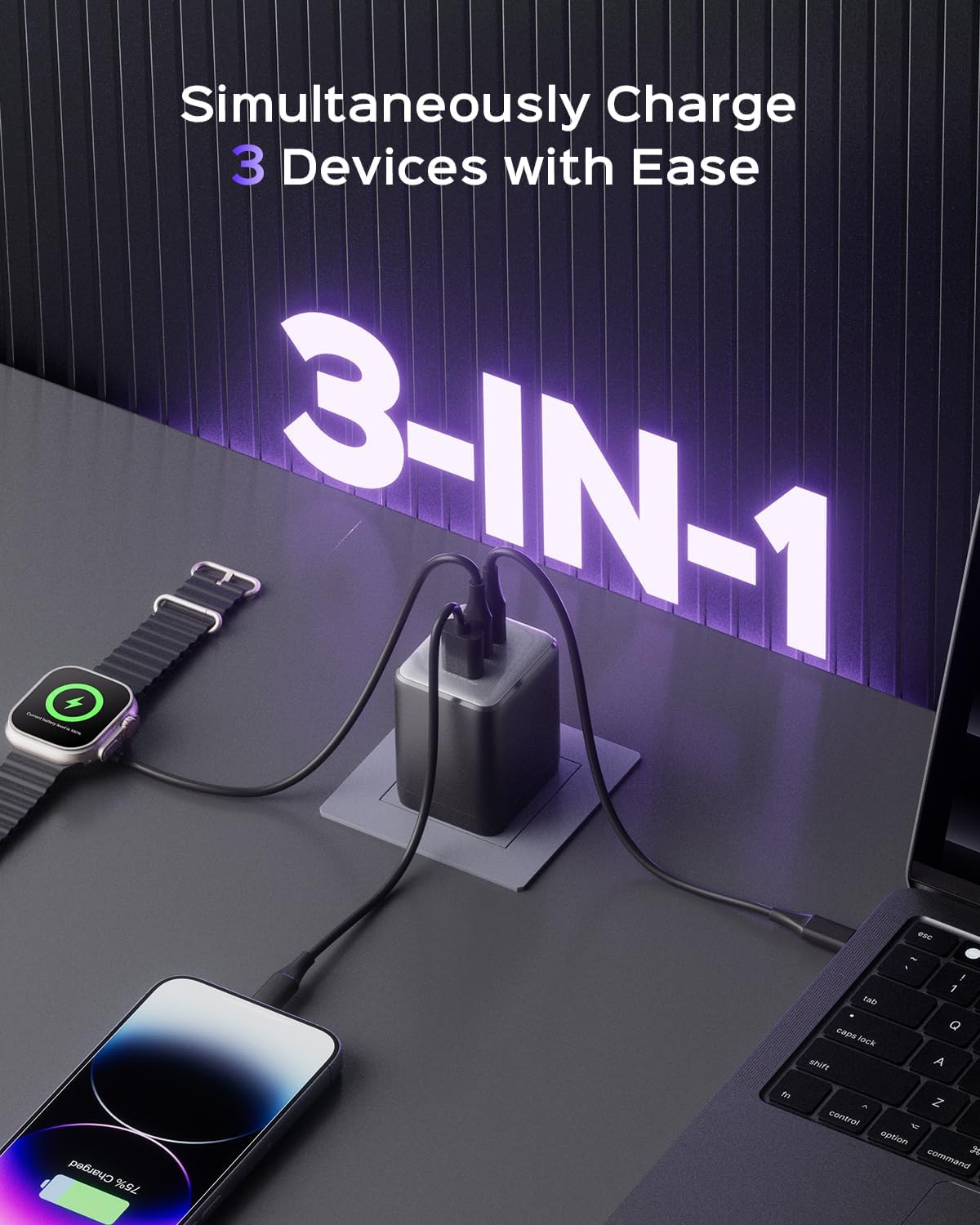
- 3-in-1 Multi-Port Design: Equipped with two USB-C (100W PD) ports and one USB-A (22.5W QC) port, allowing simultaneous charging of up to three devices with intelligent power distribution.
- GaN III CoolTech & Certified Safety: Utilizes next-generation Gallium Nitride III technology for 40% cooler operation than traditional chargers, staying below 113°F (45°C) during 100W output. ETL/CSA/UL-certified with comprehensive protection against short-circuit, overload, and voltage/current fluctuations.
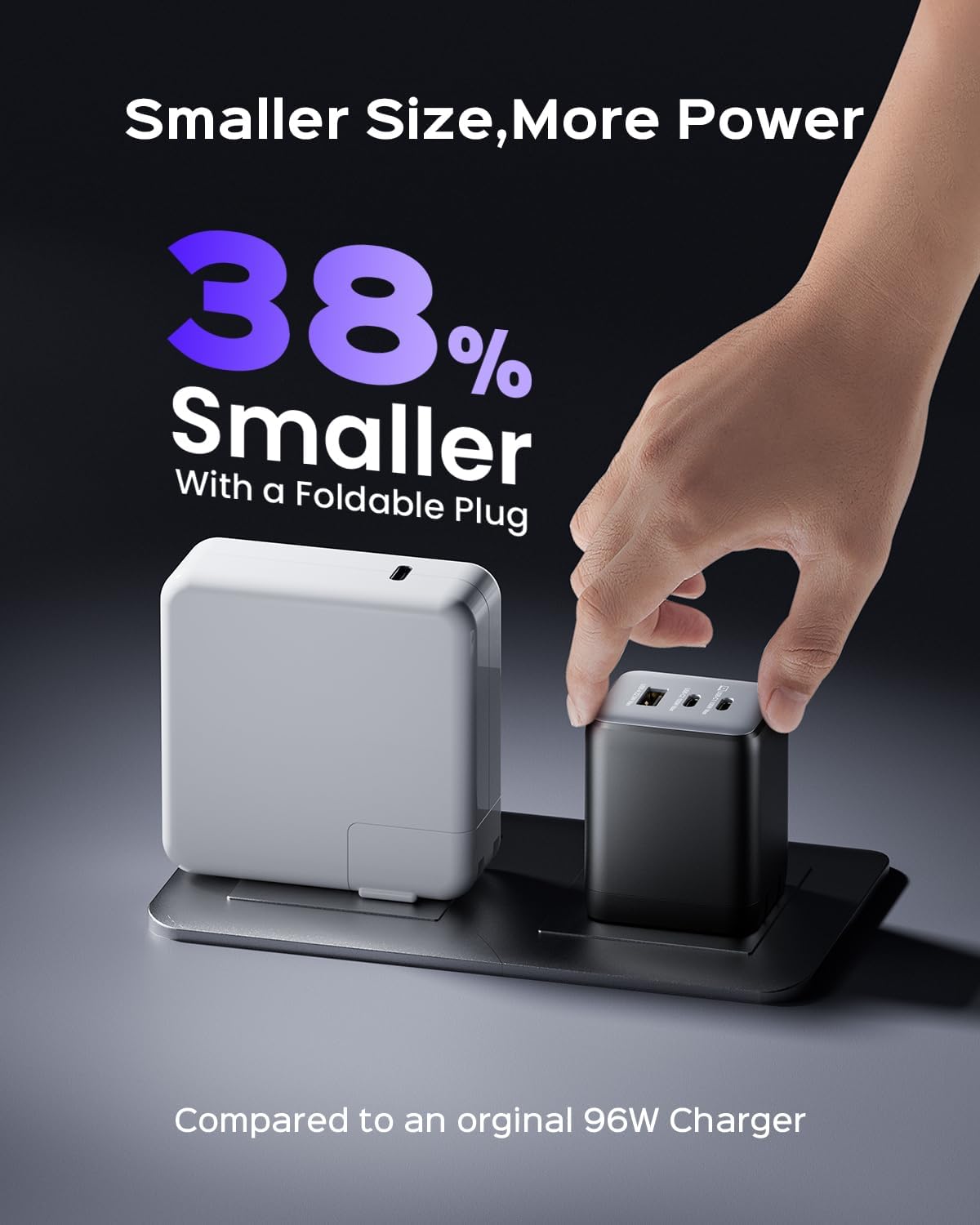
- Compact & Foldable Design: 38% smaller than original chargers and features a foldable plug for enhanced portability and convenience, preventing snags in bags.
- Wide Compatibility: Supports a broad spectrum of devices including MacBook, iPhone 8-16 Series, Galaxy S10-S24 Series, MagSafe, iPad Pro, Google Pixel, Nintendo Switch, and more.
2. What's in the Box
- 100W Charger Block
- User Manual
3. Setup
- Unfold the Prongs: Gently pull out the foldable prongs from the charger block until they lock into place.
- Plug into a Wall Outlet: Insert the charger block firmly into a standard wall outlet.
- Connect Your Devices: Use appropriate USB-C to USB-C, USB-C to Lightning, or USB-A cables (not included) to connect your devices to the available ports on the charger.
- Begin Charging: Once connected, your devices will begin charging automatically. The intelligent power distribution system will optimize charging speeds based on the number and type of connected devices.
4. Operating Instructions
Charging Modes & Power Distribution:
The wegear 100W USB C Charger Block intelligently distributes power to ensure optimal charging for all connected devices. The maximum output for each port varies depending on how many ports are in use:
- Single-Port Charging:
- USB-C1: Up to 100W
- USB-C2: Up to 100W
- USB-A: Up to 22.5W
- Two-Port Charging:
- USB-C1 + USB-C2: 70W + 30W
- USB-C1 + USB-A: 70W + 18W
- USB-C2 + USB-A: 12W + 12W
- Three-Port Charging:
- USB-C1 + USB-C2 + USB-A: 70W + 12W + 12W
For optimal fast charging, ensure your cables are rated for the required wattage (e.g., 100W for laptop charging).
5. Maintenance
- Cleaning: Disconnect the charger from the power outlet before cleaning. Use a soft, dry cloth to wipe the surface. Avoid liquid cleaners or aerosols.
- Storage: When not in use, fold the prongs for compact storage. Store in a cool, dry place away from direct sunlight and extreme temperatures.
- Handling: Avoid dropping the charger or subjecting it to strong impacts. Do not attempt to disassemble or modify the charger.
6. Troubleshooting
- Device not charging:
- Ensure the charger is securely plugged into a live wall outlet.
- Check that the charging cable is properly connected to both the charger and your device.
- Try using a different charging cable or a different port on the charger.
- Verify that your device is compatible with the charger's output specifications.
- Slow charging:
- Ensure you are using a high-quality cable that supports fast charging (e.g., PD 100W compatible cable for laptops).
- When multiple devices are connected, power is distributed. For maximum speed on a single device, ensure it is the only device connected.
- Check your device's charging requirements.
- Charger overheating:
- The GaN III CoolTech technology is designed to keep the charger cool. If it feels excessively hot, disconnect all devices and the charger from the outlet. Allow it to cool down.
- Ensure adequate ventilation around the charger. Avoid covering it or using it in enclosed spaces.
- If overheating persists, discontinue use and contact customer support.
7. Specifications
| Feature | Detail |
|---|---|
| Brand | wegear |
| Model Number | AQ103KAUS |
| Product Dimensions | 1.81 x 1.57 x 2.2 inches |
| Item Weight | 6.3 ounces |
| Total USB Ports | 3 (2x USB Type C, 1x USB Type A) |
| Wattage | 100 watts (Max) |
| Input Voltage | 240 Volts |
| Special Feature | Fast Charging, Foldable Plug, GaN III CoolTech |
| Compatible Devices | MacBook Air/Pro Series, iPad Pro/Air/Mini, iPhone 8-16 Series, Galaxy S10-S24 Series, Google Pixel, Nintendo Switch, Apple Watch, MagSafe, and more. |
8. Product Images & Videos



Official Product Videos:
9. Warranty & Support
For warranty information and customer support, please refer to the contact details provided on the product packaging or visit the official wegear website. Keep your purchase receipt for any warranty claims.