Product Overview
The HOOBRO Narrow Side Table (Model BG242UDBZ01) is a compact and functional furniture piece designed for small spaces. It features a built-in charging station with AC outlets, USB ports, and a Type-C port, along with an integrated multi-color LED light strip. The table offers three tiers of storage, including open shelves and a metal mesh basket, suitable for various items.

Image: The HOOBRO Narrow Side Table positioned next to a sofa, showcasing its compact design and warm LED lighting.
Package Contents
Before assembly, please verify that all components listed below are present in your package:
- 1 x Narrow Side Table (Disassembled components)
- 1 x Charging Station (Pre-installed or separate unit)
- 1 x LED Light Strip
- 1 x Accessory Kit (Includes screws, Allen wrench, etc.)
- 1 x Instructions Manual
Safety Information
To ensure safe and proper use of your HOOBRO Narrow Side Table, please observe the following guidelines:
- Position the side table away from water, fire, and high temperatures.
- Always follow the assembly instructions carefully to ensure a sturdy and functional table.
- Do not overload the table. Each tier has a maximum static load capacity of 44 lb (20 kg). The total maximum static load capacity for the entire table is 50 lb (22.7 kg).
- Ensure the power cord is not pinched or damaged during assembly or use.
- Keep children and pets away from small parts during assembly.
Setup and Assembly
Assembly of the HOOBRO Narrow Side Table is designed to be straightforward. All components are pre-numbered, and the package includes a step-by-step manual and the necessary tools. No specialized technical skills are required.
Assembly Steps:
- Unpack Components: Carefully remove all parts from the packaging and lay them out on a clean, soft surface to prevent scratches. Verify all parts against the included parts list.
- Assemble Frame: Attach the metal frame components using the provided screws and Allen wrench. Ensure all connections are secure but do not overtighten initially.
- Install Shelves: Secure the wooden shelves to the frame. The top surface may consist of two pieces for shipping efficiency.
- Attach Mesh Basket: Integrate the metal mesh basket into its designated position on the lower section of the table.
- Install Charging Station: If not pre-installed, secure the charging station unit into the designated slot on the table.
- Apply LED Light Strip: Adhere the LED light strip to the underside of the top shelf or as indicated in the specific manual.
- Connect Wiring: Route and connect the power cord for the charging station and the LED light strip. Ensure wires are neatly tucked away and not exposed to prevent tripping hazards.
- Final Tightening: Once all components are in place, carefully tighten all screws to ensure stability.
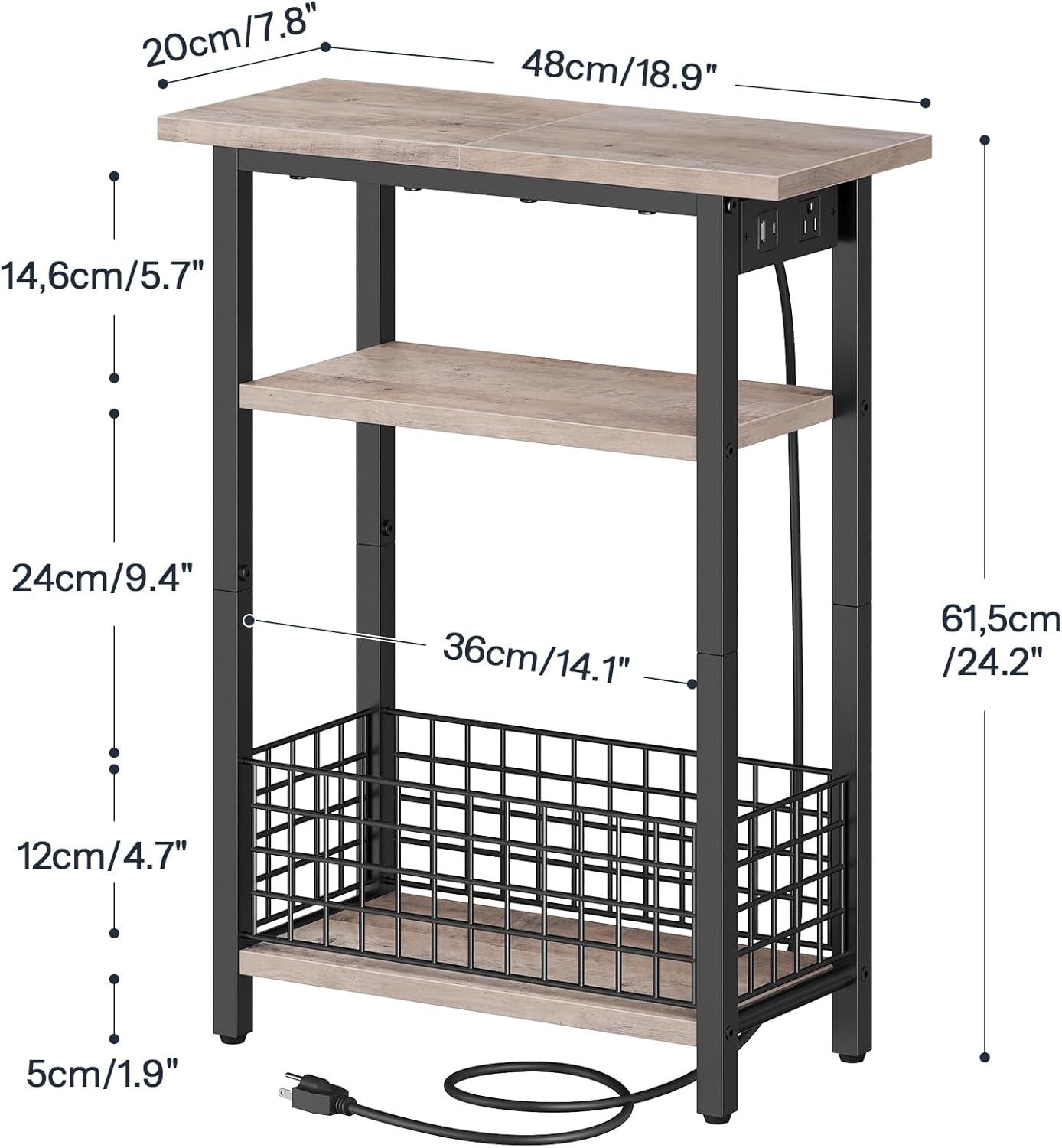
Image: Detailed diagram illustrating the dimensions of the side table in both centimeters and inches.
Operating Instructions
Charging Station:
The integrated charging station provides convenient power access for your electronic devices. It includes:
- 1 x AC Outlet (125V/12A)
- 1 x USB Port (5V/2A)
- 1 x Type-C Port (5V/2A)
To use, simply plug the table's main power cord into a wall outlet. Then, connect your devices to the appropriate ports on the charging station.
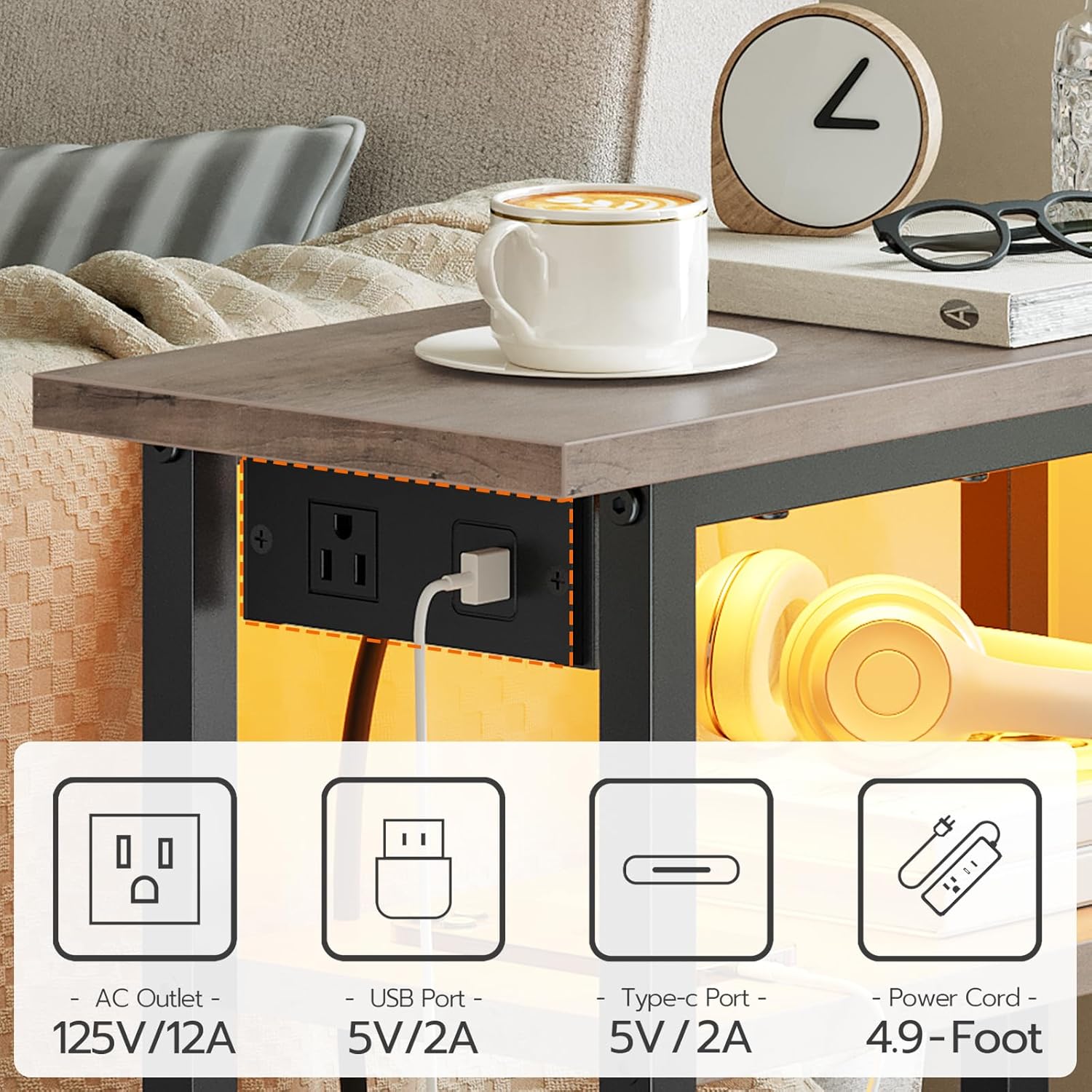
Image: A detailed view of the charging station, highlighting the AC outlet, USB port, and Type-C port, with a connected USB cable.
LED Light Strip:
The multi-color LED light strip can be controlled via a remote control or a dedicated mobile application. Refer to the specific instructions included with the LED light kit for pairing and operation details. The LED light can create various ambiances for your space.
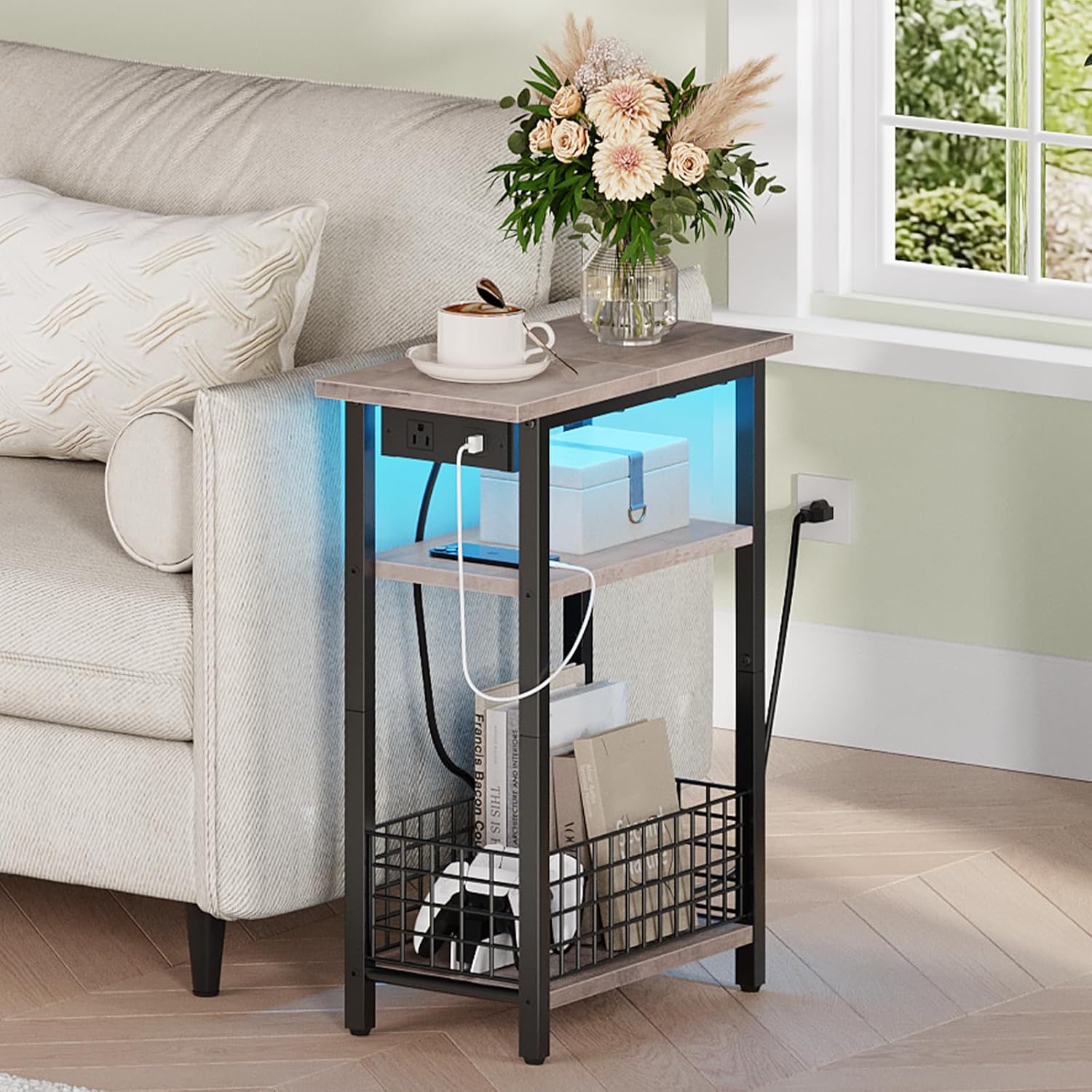
Image: The side table displaying a blue LED light, enhancing the atmosphere in a living room setting.

Image: The side table illuminating a bedroom with a warm, inviting LED light.
Maintenance
To maintain the appearance and functionality of your side table:
- Cleaning: Wipe surfaces with a soft, damp cloth. Avoid harsh chemicals or abrasive cleaners that may damage the finish.
- Dusting: Regularly dust the table with a dry, soft cloth.
- Inspections: Periodically check all screws and connections to ensure they remain tight. Retighten if necessary.
- Electrical Components: Ensure the charging station and LED light strip are kept dry. Do not attempt to repair electrical components yourself; contact qualified personnel if issues arise.
Troubleshooting
No Power to Charging Station/LED Light:
- Ensure the table's main power cord is securely plugged into a functional wall outlet.
- Check if the wall outlet itself is working by plugging in another device.
- Inspect the power cord for any visible damage. If damaged, discontinue use and contact customer support.
LED Light Not Responding to Remote/App:
- Check the batteries in the remote control and replace if necessary.
- Ensure there are no obstructions between the remote and the LED receiver.
- If using an app, ensure Bluetooth (if applicable) is enabled on your device and the app is correctly paired with the LED light.
Table Instability:
- Verify that all assembly screws are fully tightened.
- Ensure the table is placed on a flat, level surface.
Specifications
| Brand | HOOBRO |
| Model Number | BG242UDBZ01 |
| Product Dimensions | 18.9"D x 7.8"W x 24.2"H (48cm D x 20cm W x 61.5cm H) |
| Item Weight | 7.7 Pounds (3.5 kg) |
| Maximum Weight Recommendation | 50 Pounds (22.7 kg) total; 44 Pounds (20 kg) per tier |
| Frame Material | Metal |
| Top Material Type | Engineered Wood |
| Color | Greige + Black |
| Charging Station | 1x AC Outlet (125V/12A), 1x USB Port (5V/2A), 1x Type-C Port (5V/2A) |
| Power Cord Length | 4.9 Feet (1.5 meters) |
| Number of Shelves | 3 |
Warranty and Support
For warranty information or customer support regarding your HOOBRO Narrow Side Table, please refer to the documentation included in your product packaging or visit the official HOOBRO website. Contact details for customer service are typically provided there for assistance with any product-related inquiries or issues.


