
Introduction
This manual provides detailed instructions for the setup, operation, and maintenance of your BSUBSU Wireless CarPlay Adapter. This device converts your vehicle's existing wired Apple CarPlay or Android Auto system into a wireless connection, offering enhanced convenience and a clutter-free driving experience.
Product Overview
The BSUBSU Wireless CarPlay Adapter features an ultra-mini design, making it discreet and space-saving. It utilizes a dual-band 2.4GHz + 5GHz chipset for stable and fast connections, along with Bluetooth 5.2 for initial pairing. The adapter is designed to prevent overheating through an innovative dual-ventilation cooling system and includes both USB-A and USB-C adapters for broad compatibility.

Image: The BSUBSU Wireless CarPlay Adapter providing wireless CarPlay functionality on a car's display.

Image: Internal components of the adapter showing dual-band and Bluetooth chips for stable connection.
Compatibility
This adapter is compatible with iPhones running iOS 10+ and Android phones running Android 11+ (excluding Google phones). It requires a vehicle with an OEM (Original Equipment Manufacturer) wired CarPlay or Android Auto system and an OEM touchscreen. It does not support vehicles with built-in OEM wireless CarPlay.
To verify your car's compatibility with CarPlay, visit the official Apple website and search for 'CarPlay available models'. For Android Auto compatibility, please refer to the official Android Auto website.
- Supported iPhones: iPhone 6, 6 Plus, 6s, 6s Plus, 7, 7 Plus, 8, 8 Plus, X, XR, XS, XS Max, 11, 11 Pro, 11 Pro Max, SE (2nd & 3rd generation), 12, 12 mini, 12 Pro, 12 Pro Max, 13, 13 mini, 13 Pro, 13 Pro Max, 14, 14 Plus, 14 Pro, 14 Pro Max, 15, 15 Plus, 15 Pro, 15 Pro Max, 16, 16 Plus, 16 Pro, 16 Pro Max.
- Supported Android Phones: Android 11 or above (excluding Google phones).
- Vehicle Requirement: Must have OEM wired CarPlay or Android Auto and an OEM touchscreen.

Image: Visual representation of device and vehicle compatibility.
For Apple CarPlay compatibility: Apple CarPlay Available Models
For Android Auto compatibility: Android Auto Next Steps
Setup Instructions
Follow these steps to set up your BSUBSU Wireless CarPlay Adapter:
- Prepare Your Phone: Turn on the Bluetooth and Wi-Fi functions on your iPhone or Android phone.
- Connect the Adapter: Insert the CarPlay adapter into your vehicle's USB port (either USB-A or USB-C, using the provided adapter if necessary).
- Access CarPlay/Android Auto: On your vehicle's infotainment screen, click on the CarPlay or Android Auto icon.
- Pair via Bluetooth: On your phone's Bluetooth settings, search for the Bluetooth name displayed on the vehicle screen (e.g., "SmartBox-XXXX") and connect.
- Confirm Pairing: Follow any on-screen prompts on your phone or car display to confirm the pairing.

Image: Step-by-step guide for initial setup and connection.
Video: Official BSUBSU video demonstrating the setup process for the Wireless CarPlay Adapter.
Operating Instructions
Once connected, the adapter will automatically re-establish the connection every time you start your car. You can interact with your CarPlay or Android Auto interface using various methods:
- Voice Control: Use voice commands (e.g., Siri) for navigation, music playback, and calls.
- Steering Wheel Controls: Utilize your vehicle's built-in steering wheel controls.
- Touchscreen: Directly interact with the car's OEM touchscreen.
- OEM Knob: Use the original equipment manufacturer's control knob for navigation.
The adapter supports split-screen display, allowing you to view multiple applications simultaneously on your car's screen.
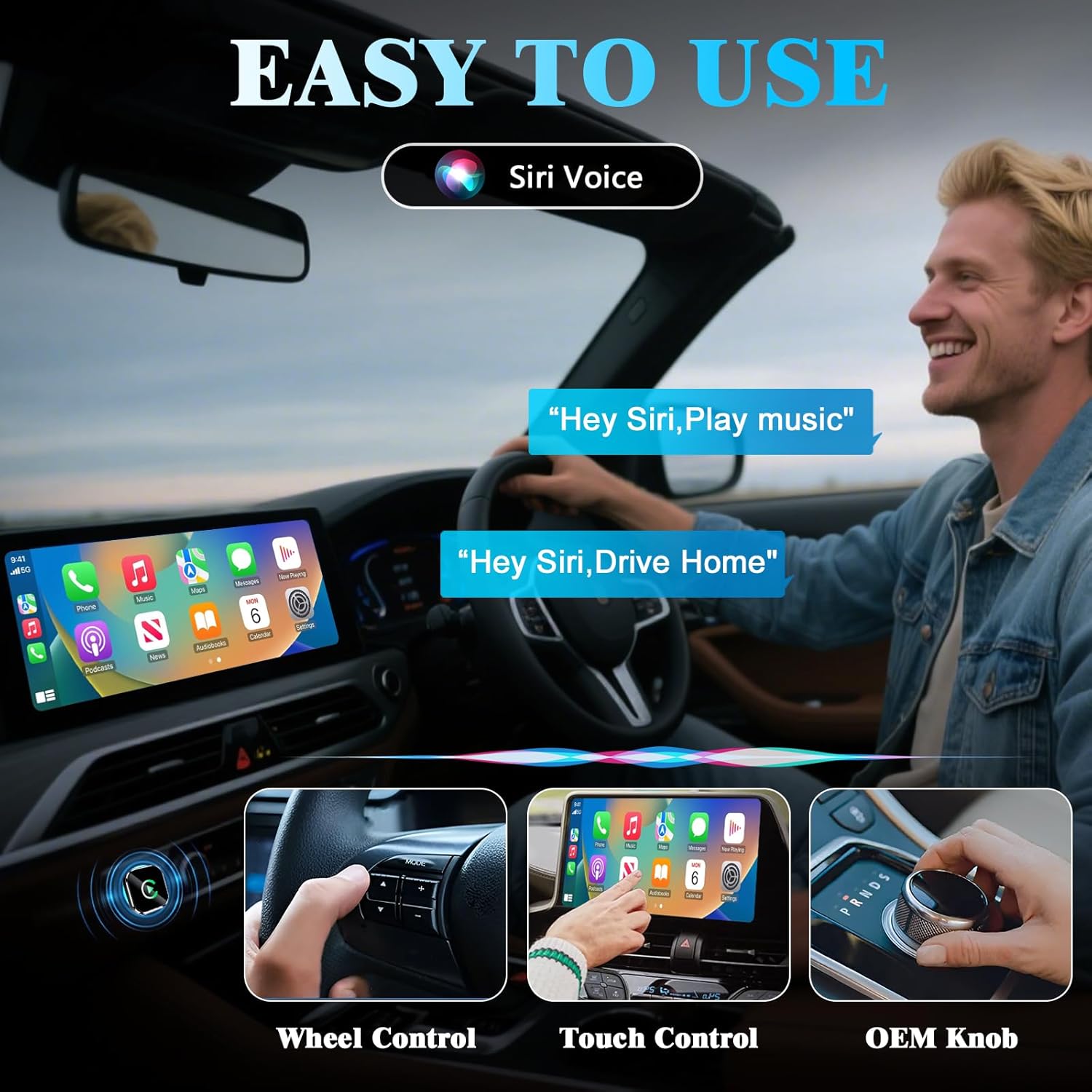
Image: Demonstrates various control methods for the wireless CarPlay interface.

Image: Highlights the smart cooling feature and split-screen display capability.
Maintenance
The BSUBSU Wireless CarPlay Adapter is designed for stable and reliable performance. To ensure optimal function:
- Keep the adapter free from dust and debris.
- Avoid exposing the adapter to extreme temperatures or direct sunlight for prolonged periods.
- Ensure the USB port in your vehicle is clean and free of obstructions for a secure connection.
- The adapter features an innovative dual-ventilation cooling design to prevent overheating during long drives.
Troubleshooting
Connection Issues:
- Adapter Not Recognized: Ensure the adapter is fully inserted into the USB port. Try a different USB port if available.
- Phone Not Pairing: Verify that Bluetooth and Wi-Fi are enabled on your phone. Forget the device from your phone's Bluetooth settings and re-attempt the pairing process.
- Intermittent Connection: Check for any obstructions around the adapter or phone that might interfere with the wireless signal. Ensure your phone's operating system is up to date.
Performance Issues:
- Lag or Delay: While designed for near-zero latency, ensure your phone is not running too many background applications. Restarting both the phone and the car's infotainment system can sometimes resolve minor delays.
- Overheating: The adapter has smart cooling features. If it feels excessively hot, ensure it is not covered or in an enclosed space that restricts airflow.
If problems persist, please refer to the support information provided in the Warranty and Support section.
Specifications
| Brand | BSUBSU |
| Model Number | BS_CPAP |
| Product Dimensions | 1 x 1 x 1.1 inches |
| Item Weight | 1.44 ounces |
| Connector Type | USB Type A, USB Type C |
| Compatible Devices | iPhones (iOS 10+), Android phones (Android 11+, excluding Google phones), OEM Car Screen with Built-in Wired CarPlay. |
| Included Accessories | CarPlay Adapter * 1, Type C Extension * 1, Manual * 1 |

Image: Included accessories: CarPlay Adapter and Type-C extension.
Warranty and Support
The BSUBSU Wireless CarPlay Adapter comes with a 180 Days Warranty. It is FCC/CE certified and includes lifetime free updates.
For any technical assistance or issues encountered during use, please contact BSUBSU customer support. 24/7 Technical Support Lifetime for Free is available to ensure your satisfaction.
For returns, a 7 Days Return Policy is in place, and returns on defects are accepted.
