
Introduction
The Cuifati AI Translator Smart Glasses are designed to provide seamless communication and audio experiences. Featuring 144-language translation, voice control, Bluetooth calling, and remote photography capabilities, these glasses are suitable for various applications including travel, business meetings, and daily use. This manual provides detailed instructions for setup, operation, and maintenance of your smart glasses.
Package Contents
Please verify that all items are present in your package:
- 1 x Smart Glasses
- 1 x Supply Cable (Charging Cable)
- 1 x Wiping Cloth
- 1 x Portable Cloth Bag
- 2 x User Manuals

Image: The package contents, showing the smart glasses, a USB charging cable, a black wiping cloth, and a black drawstring cloth bag.
Setup
Charging the Glasses
Before initial use, fully charge your smart glasses. Connect the provided supply cable to the magnetic charging port on the glasses and to a DC 5V power source. Charging typically takes approximately 60 minutes. The glasses feature a 150mAh li-ion battery, providing up to 5 hours of music playback or 4 hours of voice calls.
Bluetooth Pairing
The smart glasses utilize Bluetooth V5.4 for stable connections. They support automatic pairing with your mobile device. Once powered on, the glasses will enter pairing mode. Enable Bluetooth on your mobile phone and select the Cuifati Smart Glasses from the list of available devices to connect. The transmission distance is approximately 10 meters.

Image: The smart glasses positioned next to a smartphone, illustrating the automatic pairing feature for audio and calls.
Operating Instructions
Power On/Off
The glasses are designed for convenient use. Once charged, they can be activated with a simple touch, indicating they are ready for operation.
Call Functions
The smart glasses provide clear 360-degree stereo sound for calls. Equipped with a high-sensitivity microphone and noise reduction technology, you can manage calls directly from the glasses. Simply press a key on the glasses to answer, make, hang up, or reject calls.

Image: A close-up of the smart glasses temple, highlighting the touch-sensitive area for quick connection and control of audio and calls.
AI Intelligent Voice Dialogue
The glasses feature an integrated microphone for AI intelligent voice dialogue. With a gentle touch, you can activate the voice assistant. Speak a command or question to receive assistance with work, study, or general inquiries.

Image: The smart glasses with various speech bubbles around them, illustrating the AI intelligent voice dialogue function for asking questions and receiving answers.
Translation Modes
The smart glasses support automatic recognition and translation of 144 languages. There are three primary translation modes:
- Bluetooth Glasses and Mobile Phone Mode: One person wears the smart glasses, while the other uses a mobile phone. Press the translation key on either the glasses or the mobile phone. The spoken voice will be automatically recognized and translated, enabling direct conversation.
- Translation Machine Mode: Press the language key to initiate translation. The translated audio will be played through the phone's speaker.
- Freely Conversation Mode: This mode allows for continuous, natural conversation through the Bluetooth glasses.
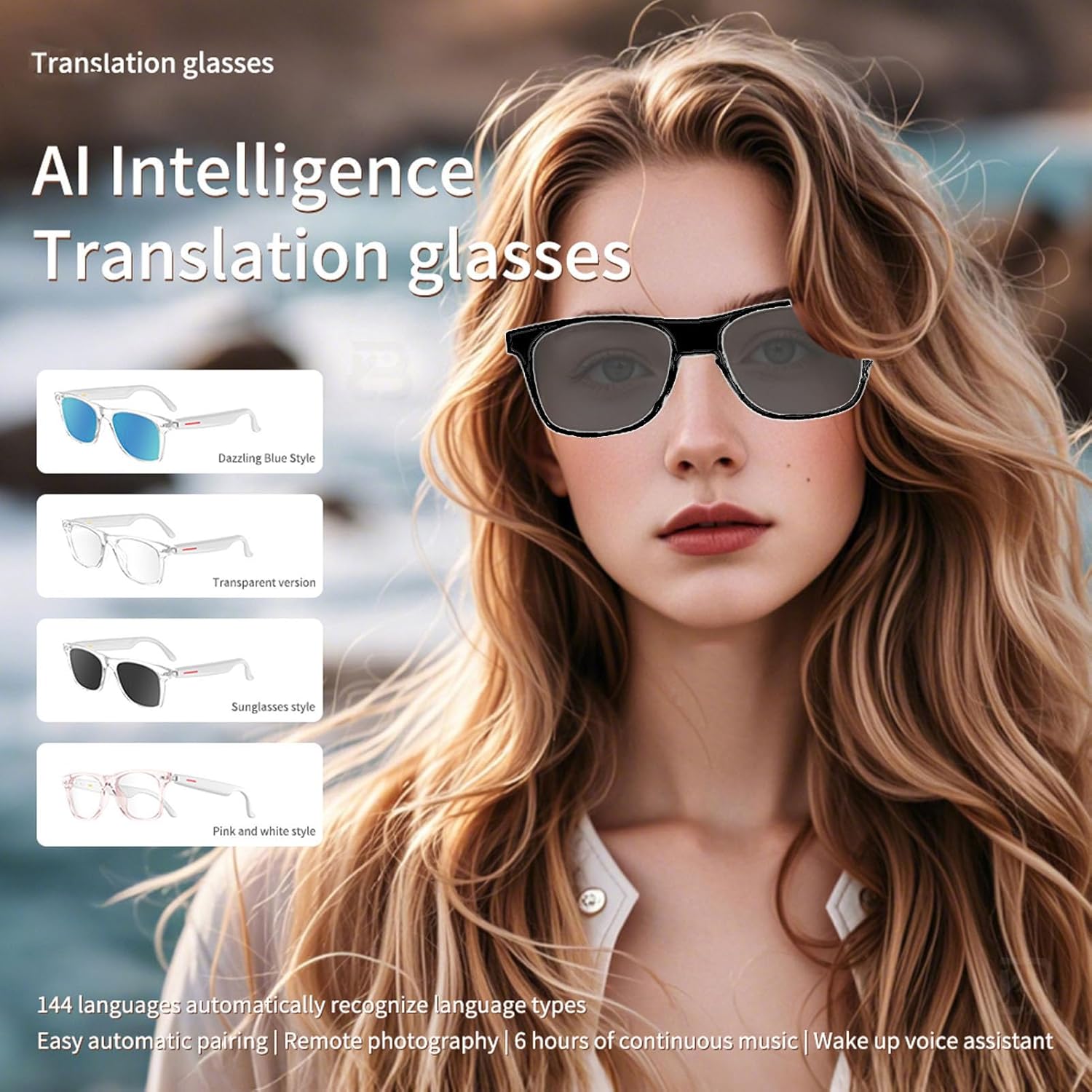
Image: A visual representation of the AI Intelligence Translation glasses, showcasing various frame styles (Dazzling Blue, Transparent, Sunglasses, Pink and White) and emphasizing 144 language support and automatic pairing.
Remote Control Photography
The glasses can be used for remote control photography, allowing you to capture moments without directly interacting with your phone. Refer to the specific app instructions for activating this feature.

Image: Two individuals smiling, framed as if captured by a remote camera, demonstrating the remote control photography function of the smart glasses.
Maintenance
Cleaning
Use the provided wiping cloth to clean the lenses and frame of your smart glasses. Avoid using harsh chemicals or abrasive materials that could damage the surfaces.
Water Resistance
The translation glasses are IP65 water-resistant, offering protection against dust and low-pressure water jets. They are suitable for outdoor travel and cycling, but should not be submerged in water.
Battery Care
To prolong battery life, avoid fully discharging the battery frequently. Store the glasses in a cool, dry place when not in use for extended periods. The standby time is approximately 168 hours.
Troubleshooting
- No Power: Ensure the glasses are fully charged. Connect to the magnetic charging cable and a power source.
- Cannot Connect via Bluetooth: Ensure Bluetooth is enabled on your mobile device and the glasses are in pairing mode. Try restarting both devices.
- Translation Issues: Verify that the glasses are properly connected to your mobile device and the translation application is running correctly. Check your internet connection for language data.
- Poor Audio Quality: Ensure the glasses are within Bluetooth range of your device. Check for any obstructions or interference.
Specifications
| Feature | Specification |
|---|---|
| Brand | Cuifati |
| Model | B0F94KQBL6 |
| Bluetooth Version | V5.4 |
| Control Method | Touch |
| Charging Time | Approx. 60 minutes |
| Transmission Distance | ≥10 meters |
| Charging Voltage/Current | DC 5V |
| Standby Time | 168 Hours |
| Battery Type | Built-in 150mAh Li-ion battery |
| Material | PC and electronics |
| Water Resistance | IP65 |
| Item Weight | 5.5 ounces |
| Package Dimensions | 6.69 x 2.36 x 2.36 inches |
Warranty and Support
For warranty information or technical support, please refer to the documentation included with your purchase or contact the manufacturer directly. Contact details can typically be found on the product packaging or the official Cuifati website.