
1. Important Safety Information
Please read this manual thoroughly before operating your 4DRC S1 Fast RC Boat. Failure to follow these instructions may result in damage to the product, property, or personal injury.
- This product is recommended for users aged 14 years and up.
- Operate the boat only in freshwater environments such as pools, lakes, or rivers with low surface debris. Do not use in saltwater.
- Always ensure the boat's double-hatch cover is securely sealed before placing it in water to prevent water ingress.
- Keep hands, hair, and loose clothing away from the propeller when the boat is powered on.
- Do not operate the boat near people, animals, or other watercraft.
- Always maintain a clear line of sight to the boat during operation.
- If the boat becomes stuck or encounters an obstacle, retrieve it safely before attempting further operation.
- When the low battery alarm sounds, immediately guide the boat back to shore to avoid losing control.
2. Package Contents
Verify that all items are present in the package:
- 4DRC S1 Fast RC Boat
- Remote Control (2.4GHz)
- Rechargeable Boat Battery (Nonstandard Battery)
- USB Charger
- Screwdriver
- Lock Nut
- Wrench
- Spare Propeller
- Support Frame
- Lubricant
- Anti-collision Head
3. Setup
3.1 Charging the Boat Battery
- Connect the rechargeable boat battery to the provided USB charger.
- Plug the USB charger into a compatible USB power source (e.g., computer, wall adapter).
- Allow the battery to charge fully. Refer to the charger's indicator light for charging status.
The boat's battery provides approximately 25-30 minutes of run time on a full charge.

Image: Battery charging process and estimated run time.
3.2 Installing Boat Battery and Sealing
- Carefully open the double-hatch cover on the top of the boat.
- Connect the fully charged battery to the boat's power connector.
- Place the battery securely inside the compartment.
- Locate the small power switch inside the boat and turn it to the 'ON' position.
- Ensure the inner seal is properly seated, then close the double-hatch cover, securing it with the twist key lock. This waterproof design is crucial for operation.
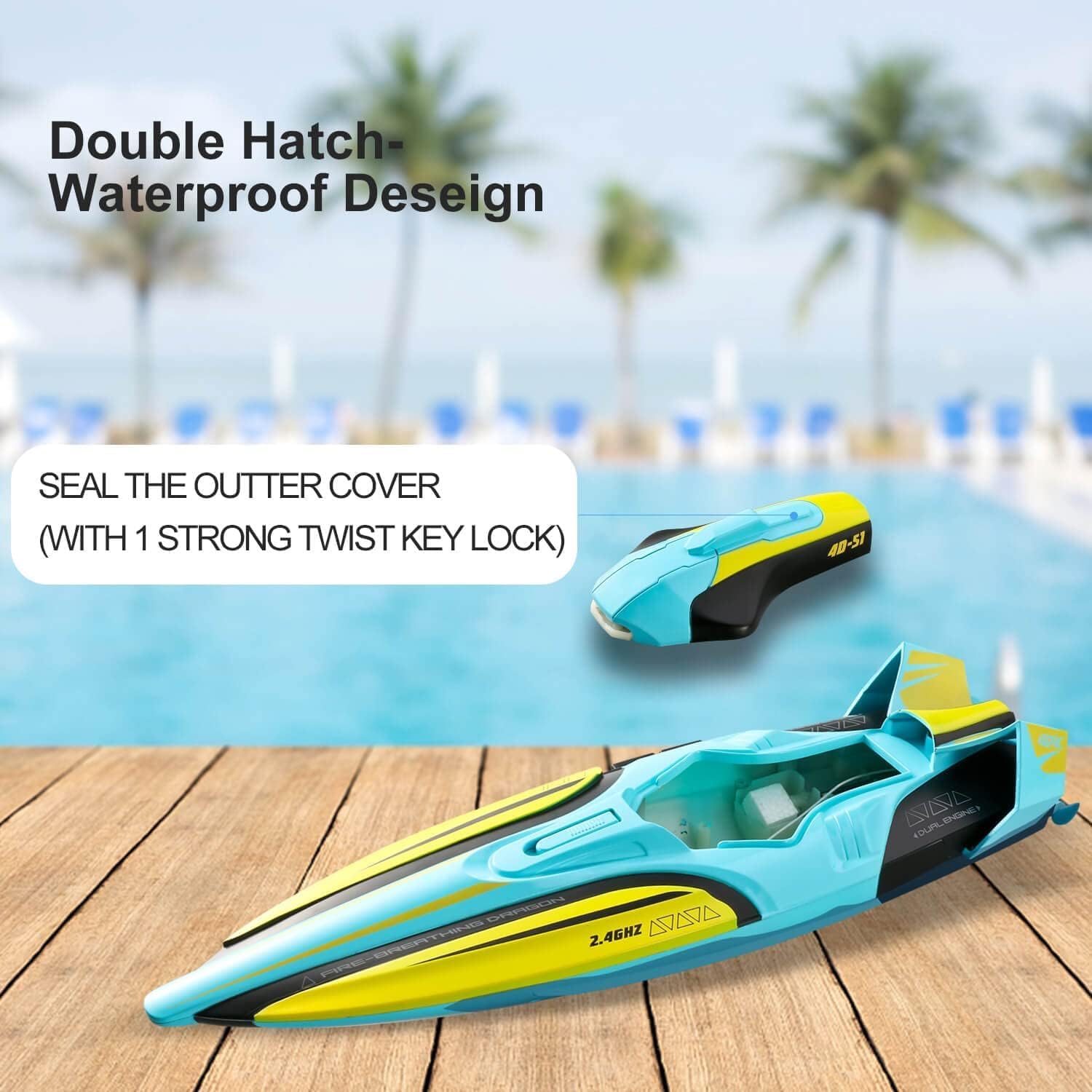
Image: Double-hatch waterproof design with cover open.

Image: Sealed waterproof cover.
3.3 Installing Remote Control Batteries
The remote control requires AA batteries (not included). Open the battery compartment on the back of the remote and insert the batteries according to the polarity indicators.
3.4 Pairing the Remote Control
- Ensure the boat's power switch is 'ON'.
- Turn on the remote control.
- The remote and boat should automatically pair. An indicator light on the remote will confirm successful pairing.

Image: 2.4GHz Remote Control.
4. Operating Instructions
4.1 Basic Controls
- Forward: Push the left joystick forward.
- Turn Left/Right: Push the right joystick left or right.
- Reverse: The boat has limited reverse capability. For best maneuverability, use forward and turning controls.
The 2.4GHz remote control provides a stable signal with a range of up to 150 meters, ensuring strong anti-interference during operation.

Image: 2.4G Strong Anti-interference.
4.2 Capsize Recovery
If the boat flips over during operation, use the capsize recovery function on the remote control to automatically right the boat. Refer to your remote control's specific button layout for this feature.

Image: Capsize Recovery in action.
4.3 Low Battery Alarm
When the boat's battery voltage is low, the remote controller will emit a beeping sound. This is an alert to immediately guide the boat back to shore to prevent loss of control and ensure safe retrieval.

Image: Low Battery Alarm indication.

Image: Low Power Warning system.
4.4 LED Lights
The boat is equipped with colorful LED lights (Blue/Green & Cycle Flash) that enhance visibility, especially during low-light conditions or at night. These lights can be controlled via the remote (refer to remote diagram for specific button).
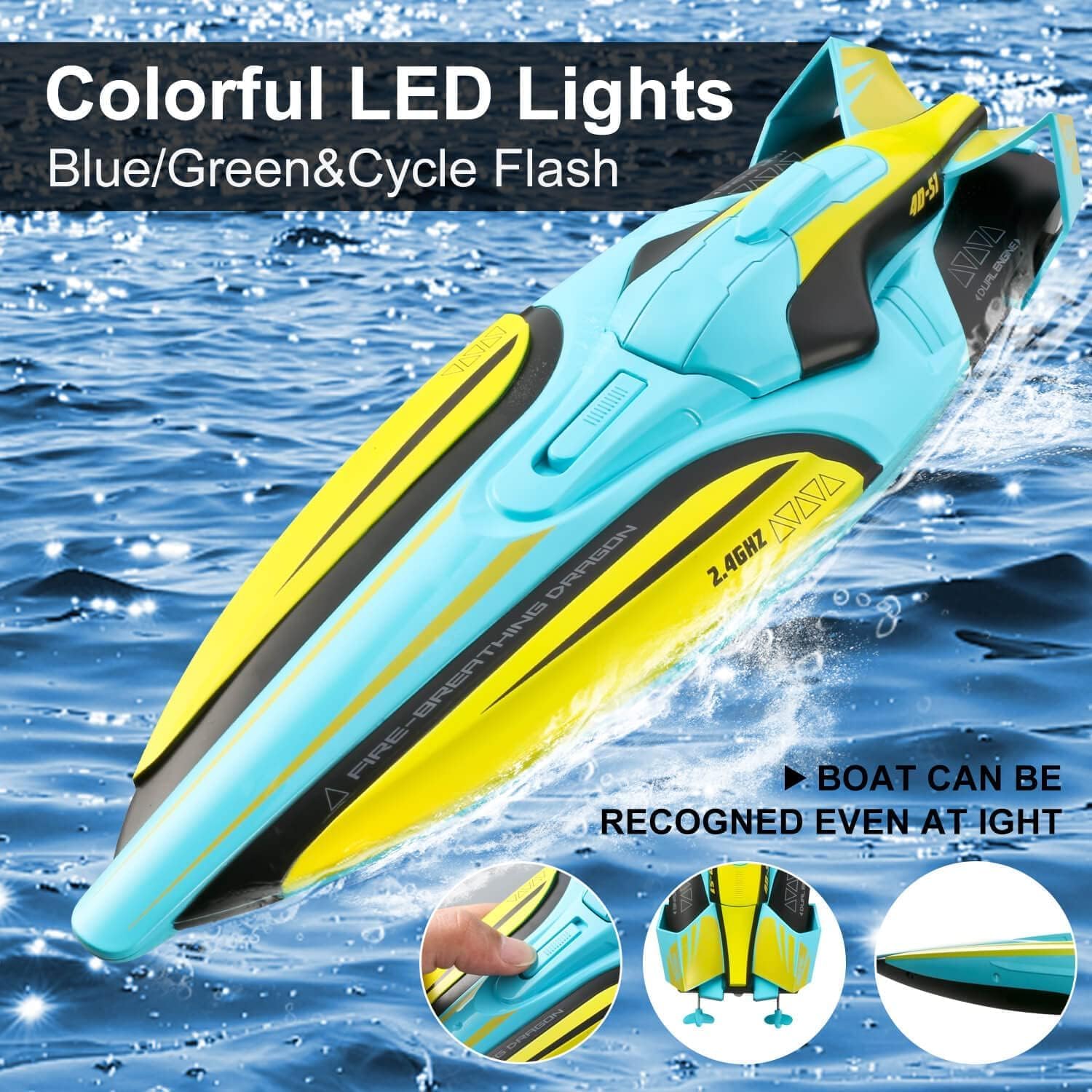
Image: Colorful LED Lights for visibility.

Image: LED Lights in action.
4.5 Autopilot Mode
The boat features an autopilot mode for automated navigation. Activate this mode using the designated button on the remote control. The boat will perform pre-programmed movements, such as circling.

Image: Autopilot Mode.
5. Maintenance
5.1 After Each Use
- Remove the boat from the water immediately after use.
- Open the double-hatch cover and disconnect the battery. Remove the battery for charging and storage.
- Thoroughly dry the boat, especially the interior compartments, to prevent corrosion and mold.
- Inspect the propeller for any debris (weeds, fishing line) and remove it carefully.
5.2 Lubrication
Periodically apply the provided lubricant to the propeller shaft to ensure smooth operation and extend the lifespan of the motor components.
5.3 Storage
When not in use, store the boat on its included support frame in a cool, dry place away from direct sunlight. Ensure the battery is removed from the boat and stored separately.

Image: Boat on support frame for storage.
6. Troubleshooting
- Boat not responding to remote:
a. Ensure both the boat and remote control are powered on.
b. Check if batteries in both the boat and remote are fully charged and correctly installed.
c. Re-attempt the pairing process. - Boat not moving or moving slowly:
a. Check for debris (e.g., weeds, plastic bags) caught in the propeller.
b. Ensure the battery is fully charged.
c. Verify the propeller is securely attached and not damaged. - Low battery alarm sounds frequently:
a. The battery may be nearing the end of its charge cycle. Retrieve the boat and recharge the battery.
b. Consider replacing the battery if it consistently drains quickly after a full charge. - Water inside the boat's hull:
a. Immediately remove the boat from water and disconnect the battery.
b. Thoroughly dry the interior. Check the double-hatch cover and its seal for any damage or improper closure. Ensure the twist lock is fully engaged. - Boat flips over and does not right itself:
a. Ensure you are using the capsize recovery function correctly on the remote.
b. Check for any damage to the boat's hull or rudder that might affect its stability.
7. Specifications
| Feature | Detail |
|---|---|
| Model | S1 |
| Product Dimensions | 9 x 3.98 x 11 inches |
| Item Weight | 1.48 pounds |
| Manufacturer Recommended Age | 14 years and up |
| Boat Battery | 1 Nonstandard Battery (included) |
| Remote Control Batteries | AA batteries (not included) |
| Remote Control Frequency | 2.4GHz |
| Signal Range | Up to 150 meters |
| Max Speed | Up to 20 mph |
| Run Time | Approx. 25-30 minutes |
| Operating Environment | Freshwater only (pools, lakes, low-debris rivers) |
8. Warranty and Support
8.1 Warranty Information
For detailed warranty information, please refer to the retailer or manufacturer's official website. Keep your proof of purchase for any warranty claims.
8.2 Customer Support
If you encounter any issues or have questions not covered in this manual, please contact 4DRC customer support through their official channels or the retailer where the product was purchased.

