
1. Introduction and Overview
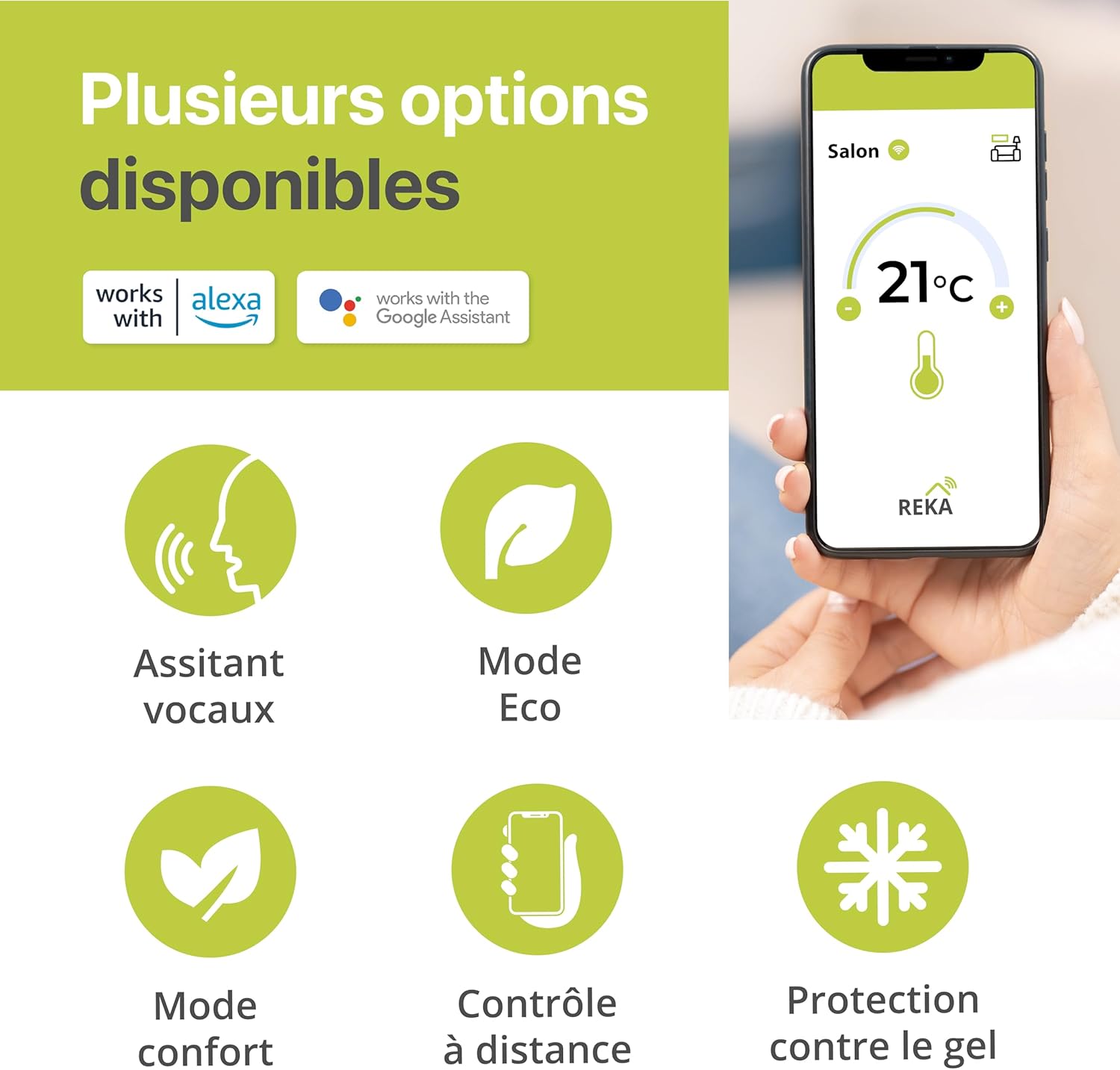
The REKA Smart Electric Radiator Thermostat is designed to enhance your comfort while optimizing energy consumption. This intelligent device allows you to control your home's temperature remotely via the Tuya application or through voice commands using compatible assistants like Amazon Alexa and Google Home.
It features an open window detection function that automatically pauses heating to prevent energy waste. With flexible programming, you can customize heating schedules for each day of the week, adapting to your lifestyle and promoting energy savings. An advanced buffer memory ensures continuous operation, even if internet connectivity is lost, by maintaining predefined settings.
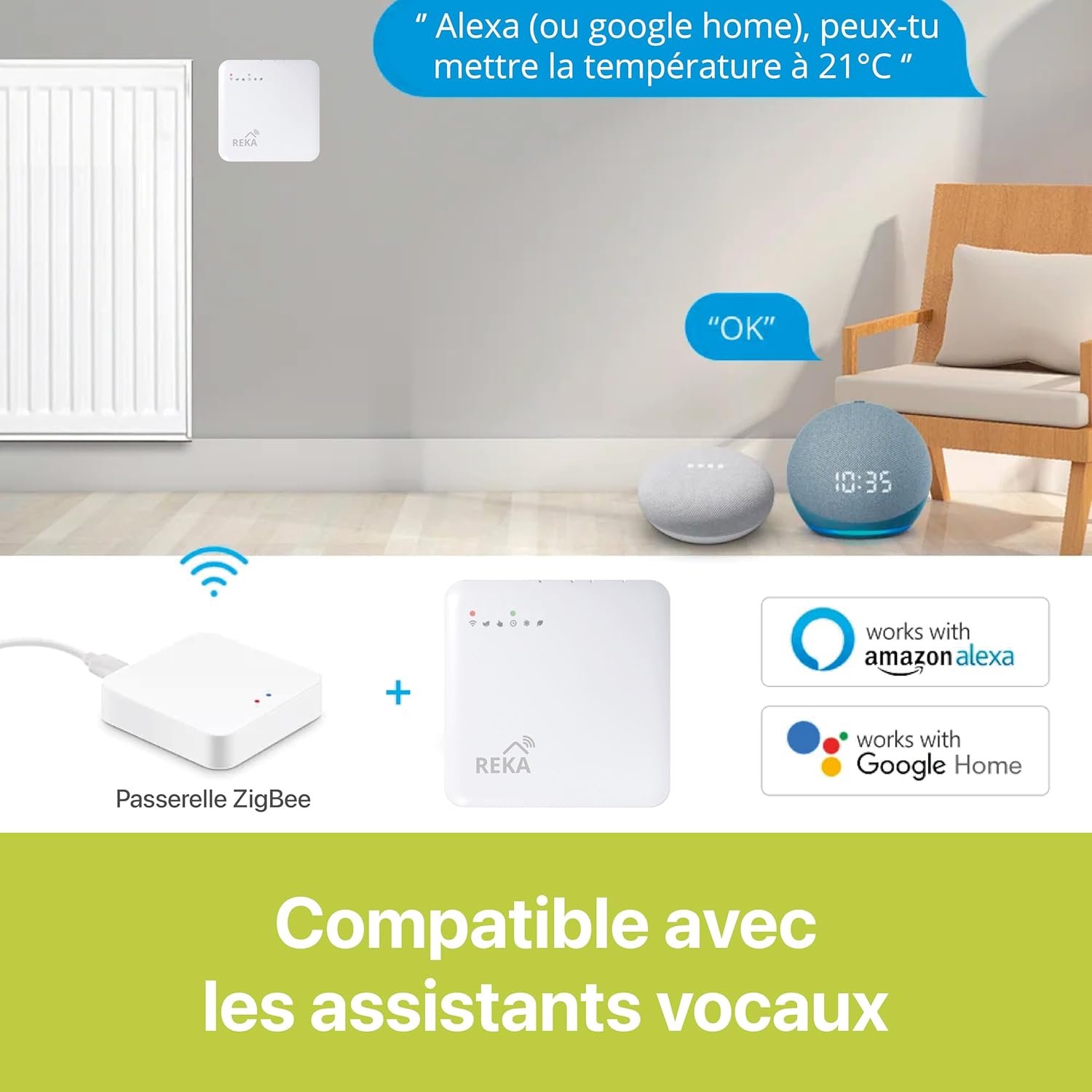
For optimal synchronization and control of its smart features, a Zigbee 3.0 gateway is necessary. Please note that this specific product variant (ME223EH-NU) does not include a gateway, which must be acquired separately. The REKA thermostat is supplied with universal adapters, ensuring compatibility with a wide range of existing thermostats. It complies with European standards NF EN ISO 52120-1 and NF EN 12098-3, meeting safety and performance requirements.
2. Product Features
- Voice Assistant Compatibility: Control your thermostat conveniently using voice commands with Amazon Alexa and Google Home.
- Open Window Detection: Automatically detects open windows and pauses heating to prevent energy waste.
- Remote Management: Manage your heating system from anywhere using the intuitive Tuya application.
- Flexible Programming: Set personalized heating schedules for each day of the week to suit your routine.
- Integrated Buffer Memory: Ensures continuous operation and maintains settings even without an internet connection.
- European Standards Compliance: Meets NF EN ISO 52120-1 and NF EN 12098-3 for optimal safety and performance.
3. Setup Guide
3.1. Components Check
Before installation, ensure all components are present:
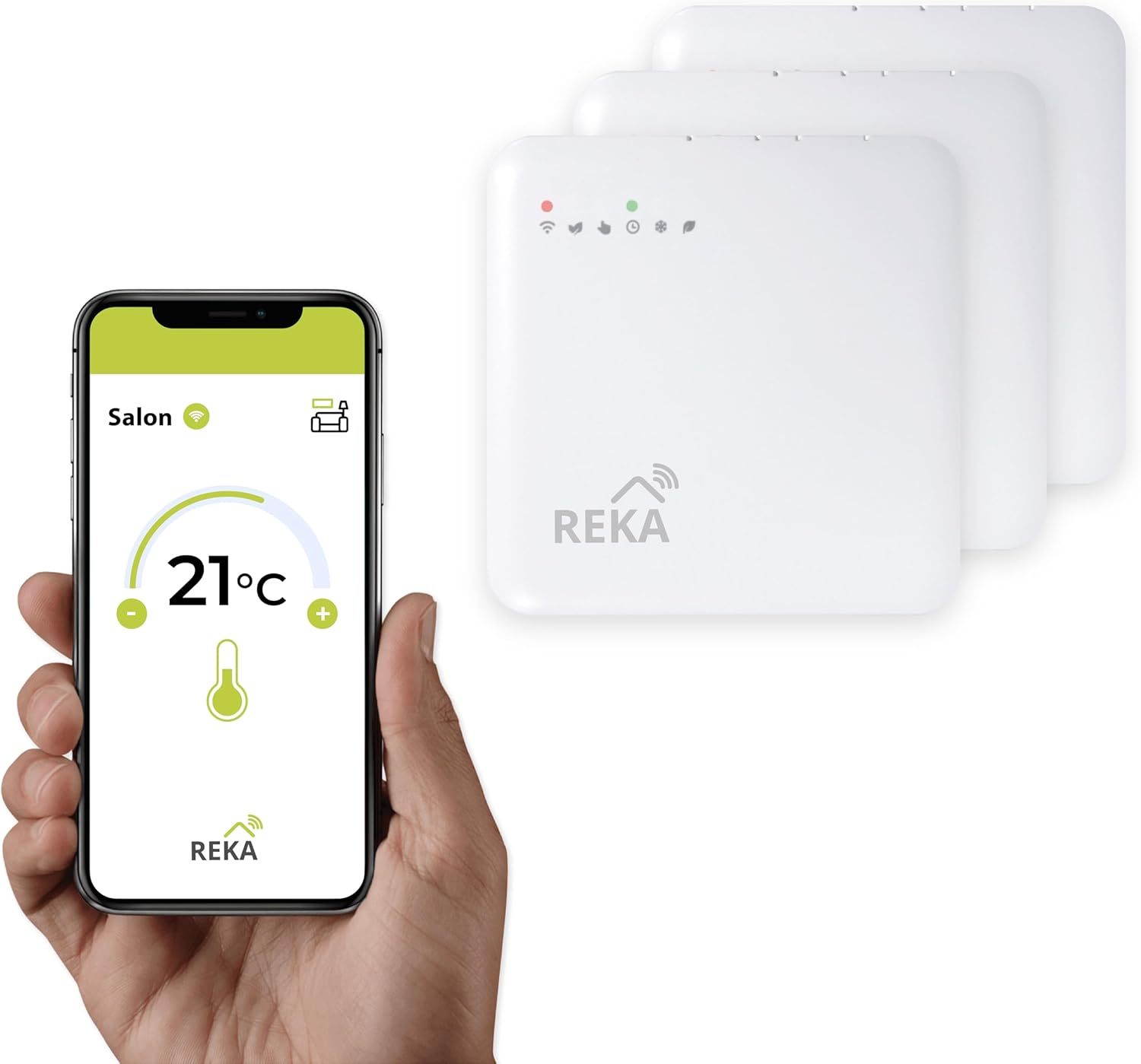
- REKA Smart Electric Radiator Thermostat
- Universal Adapters
- Fixing Screws
Note: A Zigbee 3.0 gateway is required for the smart features of this thermostat to function optimally. This product variant does not include a gateway.
3.2. Physical Installation
- Remove Existing Thermostat: Carefully remove your current radiator thermostat. Refer to your radiator's manual if unsure.
- Select Adapter: Choose the appropriate universal adapter from the provided set that fits your radiator valve.
- Mount REKA Thermostat: Attach the REKA thermostat onto the selected adapter. Secure it using the fixing screws. Ensure it is firmly in place.
3.3. App Installation and Pairing
- Download Tuya App: Download the Tuya Smart or Smart Life app from your smartphone's app store (iOS or Android).
- Create Account: Register for a new account or log in if you already have one.
- Add Gateway: If you do not have a Zigbee gateway set up, add your Zigbee 3.0 gateway to the Tuya app first. Follow the gateway's specific instructions for pairing.
- Add Thermostat: In the Tuya app, select 'Add Device' or the '+' icon. Choose 'Thermostat' or 'Radiator Valve' from the device list.
- Pair Thermostat: Follow the on-screen instructions in the app to put the REKA thermostat into pairing mode. This usually involves a button press sequence on the thermostat itself. The app will then detect and pair with the thermostat via the Zigbee gateway.
- Name Device: Assign a name to your thermostat (e.g., 'Living Room Radiator') for easy identification.

4. Operating Instructions
4.1. Manual Control
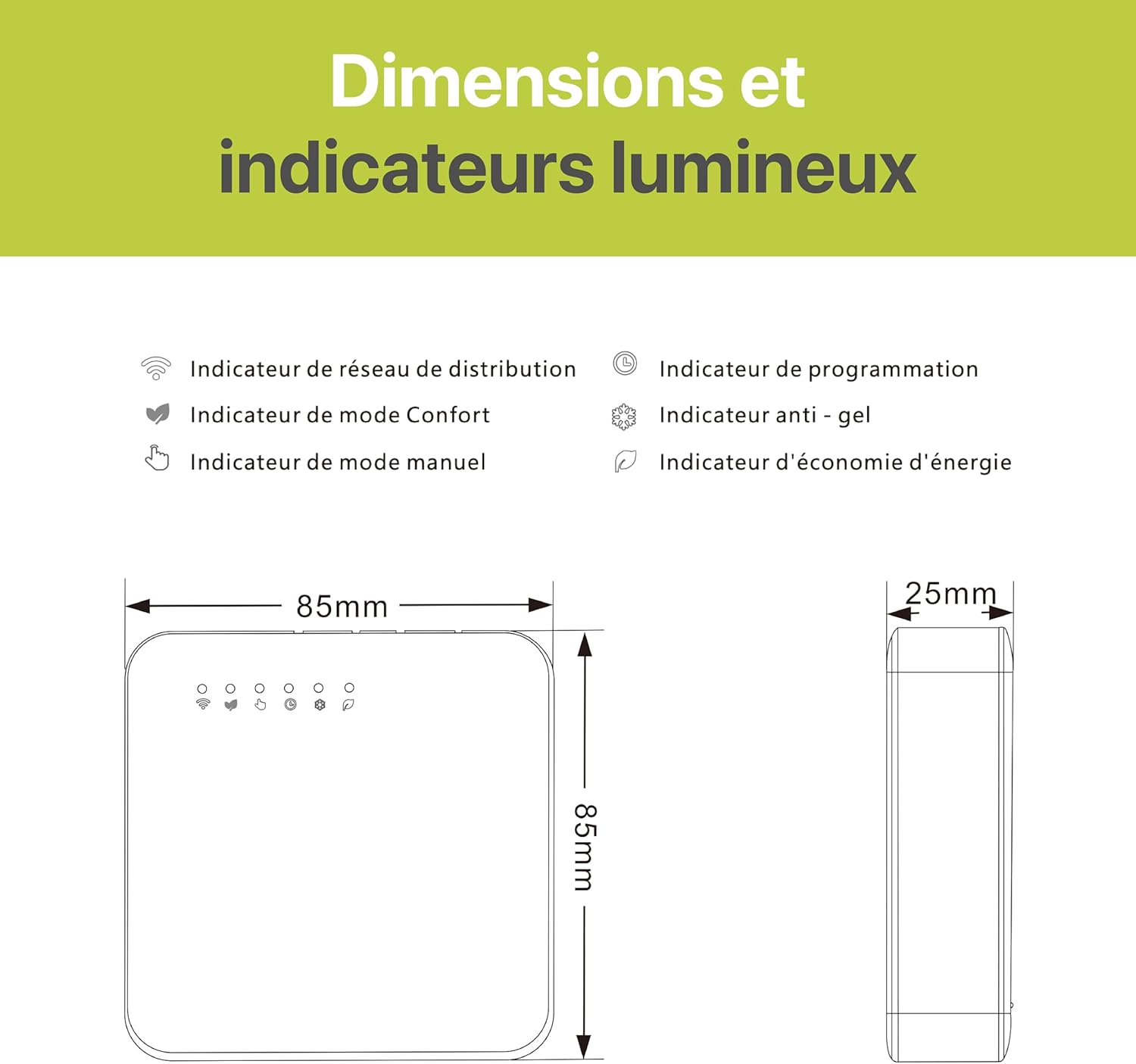
You can adjust the temperature directly on the thermostat unit using its physical buttons. The display will show the current and target temperatures. The 'Manual Mode Indicator' light will illuminate when operating in manual mode.
4.2. Tuya App Control
Open the Tuya Smart or Smart Life app on your smartphone. Select the REKA thermostat you wish to control. You can:
- Adjust Temperature: Use the '+' and '-' icons to set your desired temperature.
- Set Schedules: Access the programming interface to create daily or weekly heating schedules.
- Select Modes: Switch between different modes such as Eco Mode, Comfort Mode, or Frost Protection.
- Monitor Status: View current temperature, battery level, and connectivity status.


4.3. Voice Control
Once integrated with Amazon Alexa or Google Home, you can use voice commands to control your thermostat. Examples:
- "Alexa, set Living Room temperature to 21 degrees."
- "Hey Google, what's the temperature in the bedroom?"
- "Alexa, turn on the heating in the kitchen."
4.4. Open Window Detection
The thermostat automatically detects a sudden drop in temperature, indicating an open window. When detected, it will temporarily pause heating to conserve energy. Heating will resume once the window is closed or after a set period.
5. Maintenance
5.1. Cleaning
Wipe the thermostat's exterior with a soft, dry cloth. Do not use abrasive cleaners, solvents, or chemical sprays, as these can damage the device.
5.2. Battery Replacement
The thermostat is typically powered by batteries (type not specified in product data, usually AA or AAA). When the battery indicator on the display or app shows low power, replace the batteries promptly to ensure continuous operation. Refer to the device's battery compartment for specific battery type and replacement instructions.
6. Troubleshooting
- Thermostat not responding: Check battery levels and replace if necessary. Ensure the device is properly mounted and connected to the radiator valve.
- No app control: Verify your smartphone has an internet connection. Ensure the Zigbee gateway is online and properly paired with the thermostat. Restart the Tuya app.
- Loss of internet connection: The thermostat's integrated buffer memory will maintain the last programmed settings. However, remote control via the app and voice assistants will be unavailable until the internet connection is restored to the Zigbee gateway.
- Inaccurate temperature readings: Ensure the thermostat is not obstructed or exposed to direct heat sources (e.g., direct sunlight, other appliances) that could affect its sensor.
- Voice commands not working: Confirm that your REKA thermostat is correctly linked to your Amazon Alexa or Google Home account within the Tuya app and the respective voice assistant app. Check your internet connection.
7. Specifications
| Specification | Detail |
|---|---|
| Brand | REKA |
| Model Number | ME223EH-NU |
| Dimensions (L x W x H) | 2.4 x 8.5 x 8.5 cm |
| Weight | 300 grams |
| Material | Plastic |
| Color | White |
| Special Features | Open Window Detection |
| Controller Type | Amazon Alexa, Google Assistant |
| Connectivity Technology | Zigbee standard IBEE B02.1 .4 |
| Specific Uses | Heating |
| Temperature Control Type | Heating |
| Included Components | Fixing screws |
| Compliance | NF EN ISO 52120-1, NF EN 12098-3 |
8. Warranty and Support
The REKA Smart Electric Radiator Thermostat ME223EH-NU is designed and manufactured to meet high-quality standards and complies with European norms NF EN ISO 52120-1 and NF EN 12098-3.
For specific warranty details or technical support, please refer to the product packaging or contact the retailer where the product was purchased. Keep your proof of purchase for any warranty claims.


