
Introduction
The REKA Smart Electric Radiator Thermostat is designed to enhance your home comfort while optimizing energy consumption. This intelligent device offers remote temperature control, programmable scheduling, and compatibility with popular voice assistants. It integrates advanced features to ensure efficient and responsive heating tailored to your lifestyle.

Image: REKA Smart Thermostat, showing the device, a Zigbee gateway, and the mobile application interface for temperature control.
Key Features:
- Voice Assistant Compatibility: Control your heating with Amazon Alexa and Google Home for convenient voice commands.
- Open Window Detection: Automatically pauses heating when an open window is detected, preventing energy waste.
- Remote Control via Tuya App: Manage your thermostat settings from anywhere using the intuitive Tuya application.
- Flexible Programming: Create personalized heating schedules for each day of the week to match your routine.
- Integrated Buffer Memory: Ensures continuous operation and maintains settings even without an internet connection.
- Universal Compatibility: Supplied with universal adapters for broad compatibility with existing radiator valves.
- European Standards Compliance: Conforms to NF EN ISO 52120-1 and NF EN 12098-3 for safety and performance.
Safety Information
Please read all safety instructions before installing or operating the device. Failure to follow these instructions may result in property damage, injury, or electric shock.
- Ensure the power supply to the radiator is disconnected before installation or maintenance.
- Installation should be performed by a qualified professional if you are unsure about any steps.
- Do not expose the device to water or extreme temperatures.
- Keep out of reach of children.
- Use only the specified power source and accessories.
Package Contents
Verify that all items are present in the package:
- REKA Smart Electric Radiator Thermostat (ME223EH-NU)
- Universal Adapters (for various radiator valves)
- Fixing Screws
- User Manual (this document)
- Note: A Zigbee 3.0 gateway is required for optimal synchronization and control and may be included depending on the purchased variant.
Setup and Installation
1. Physical Installation:
- Prepare Radiator: Ensure your radiator valve is compatible. Use the provided universal adapters if necessary.
- Remove Old Thermostat (if applicable): Carefully detach any existing thermostat head from your radiator valve.
- Attach REKA Thermostat: Select the appropriate adapter, if needed, and securely mount the REKA Smart Thermostat onto the radiator valve using the fixing screws. Ensure it is firmly attached.
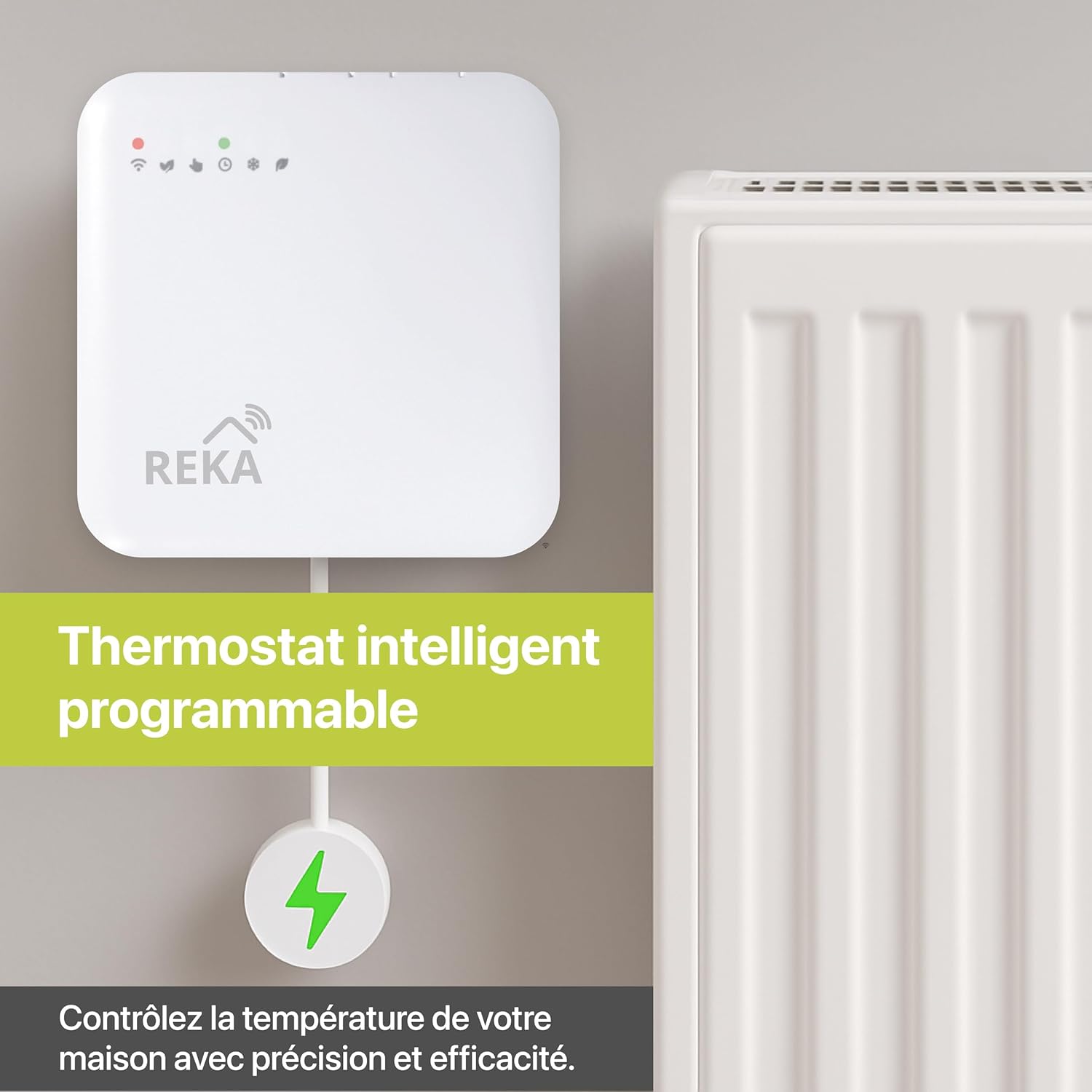
Image: The REKA Smart Thermostat physically installed on an electric radiator, illustrating its integration into a heating system.
2. Zigbee Gateway Connection:
For optimal control and smart features, a Zigbee 3.0 gateway is required. Connect the gateway to your home network according to its specific instructions.

Image: Diagram showing the REKA Smart Thermostat and a Zigbee gateway, indicating the wireless connection required for smart functionality.
3. App Pairing (Tuya Smart App):
- Download App: Download the Tuya Smart app from your smartphone's app store (iOS or Android).
- Create Account: Register or log in to your Tuya Smart account.
- Add Device: In the app, follow the instructions to add a new device. Select "Thermostat" or "Radiator Valve" and follow the on-screen prompts to pair your REKA thermostat with the Zigbee gateway and the app.
- Configure Settings: Once paired, you can name your thermostat (e.g., "Living Room Radiator") and adjust initial settings.
Operating Instructions
1. Manual Control:
The thermostat features a display and physical controls for direct temperature adjustment. Refer to the device's display for current temperature and mode indicators.
- Adjust Temperature: Use the physical buttons (e.g., '+' and '-') on the thermostat to manually increase or decrease the target temperature.
- Mode Selection: Cycle through available modes (e.g., Manual, Auto, Eco, Comfort) using the designated button.
2. App Control (Tuya Smart App):
The Tuya Smart app provides comprehensive control over your REKA thermostat from anywhere.
- Remote Temperature Adjustment: Open the app, select your thermostat, and adjust the temperature slider or input a specific value.
- Mode Management: Switch between different heating modes (Eco, Comfort, Manual, Program) directly from the app.
- Room-by-Room Control: If you have multiple REKA thermostats, the app allows you to manage each room's temperature independently.

Image: A smartphone screen displaying the Tuya app interface, demonstrating the ability to control temperatures in different rooms (e.g., Living Room, Bedroom, Kitchen) individually.
3. Voice Control (Alexa & Google Home):
Integrate your REKA thermostat with Amazon Alexa or Google Home for hands-free control.
- Link Accounts: In the Alexa or Google Home app, enable the "Tuya Smart" skill/service and link your Tuya account.
- Discover Devices: Ask your voice assistant to discover new devices. Your REKA thermostat should appear.
- Voice Commands: Use commands such as:
- "Alexa, set [Thermostat Name] to 21 degrees."
- "Hey Google, what's the temperature in the [Room Name]?"
- "Alexa, turn on/off [Thermostat Name]."
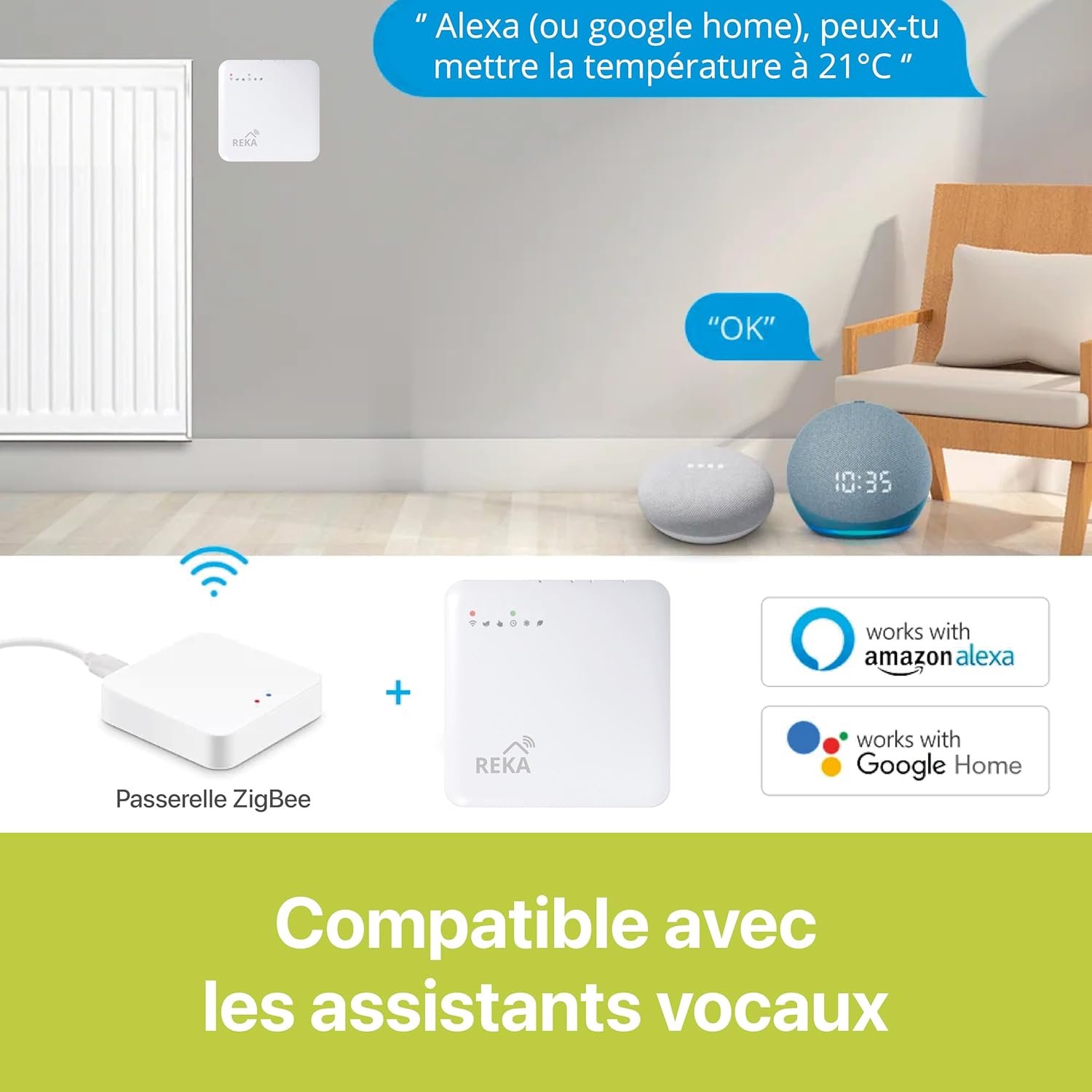
Image: An illustration demonstrating voice control compatibility, showing the REKA Smart Thermostat, a Zigbee gateway, and Amazon Alexa and Google Home devices, with example voice commands.
Programming Features
1. Scheduling:
The Tuya Smart app allows you to create detailed heating schedules for optimal energy efficiency and comfort.
- Access Schedule: In the app, navigate to the thermostat settings and find the "Schedule" or "Programming" option.
- Set Daily Programs: Define specific temperature settings for different times of the day and days of the week (e.g., lower temperature when away, higher when home).
- Save and Activate: Save your customized schedule and ensure it is activated.

Image: A smartphone screen displaying the Tuya app's programming interface, showing a detailed weekly schedule with time slots and corresponding temperature settings.
2. Open Window Detection:
This feature helps conserve energy by automatically pausing heating when a sudden drop in temperature, indicative of an open window, is detected. Heating resumes once the window is closed or after a set period.
3. Operating Modes:
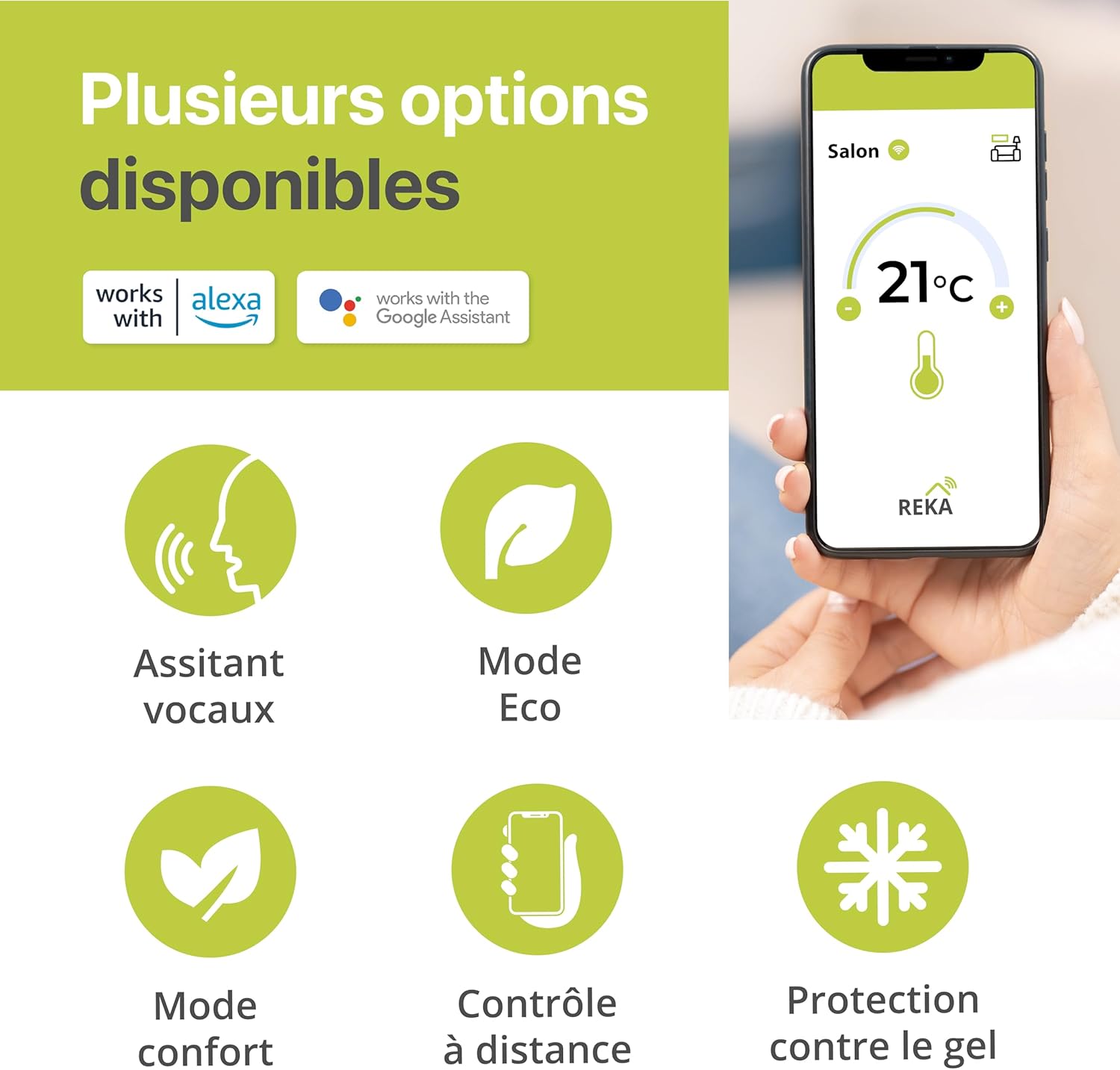
Image: An infographic highlighting various features of the REKA Smart Thermostat, including voice assistant compatibility, Eco mode, Comfort mode, remote control, and frost protection.
- Eco Mode: Designed for energy saving, maintaining a slightly lower temperature.
- Comfort Mode: Maintains your preferred comfortable temperature.
- Manual Mode: Allows for direct, temporary temperature adjustments that override the schedule.
- Anti-Freeze Protection: Prevents pipes from freezing by maintaining a minimum temperature (e.g., 5°C) when the heating is off or in Eco mode.
Maintenance
Regular maintenance ensures optimal performance and longevity of your REKA Smart Thermostat.
- Cleaning: Wipe the device with a soft, dry cloth. Do not use abrasive cleaners or solvents.
- Battery Replacement: (If applicable, check your specific model for battery type and replacement instructions. This model's power source is not explicitly stated, but many TRVs use batteries.)
- Firmware Updates: Periodically check the Tuya Smart app for available firmware updates to ensure your device has the latest features and security enhancements.
Troubleshooting
| Problem | Possible Cause | Solution |
|---|---|---|
| Thermostat not responding to app/voice commands. | No internet connection, Zigbee gateway offline, thermostat not paired. | Check Wi-Fi connection. Ensure Zigbee gateway is powered on and connected. Re-pair thermostat with the app if necessary. |
| Incorrect temperature readings. | Thermostat placed near a heat source/draft, calibration issue. | Relocate thermostat if possible. Check app for calibration options. |
| Radiator not heating/cooling as expected. | Valve stuck, low battery (if applicable), thermostat in incorrect mode. | Manually check radiator valve. Replace batteries. Verify thermostat mode (e.g., not in Eco or Anti-Freeze if high heat is desired). |
| Open window detection not working. | Feature disabled, temperature drop not significant enough. | Ensure open window detection is enabled in the app settings. |
Technical Specifications
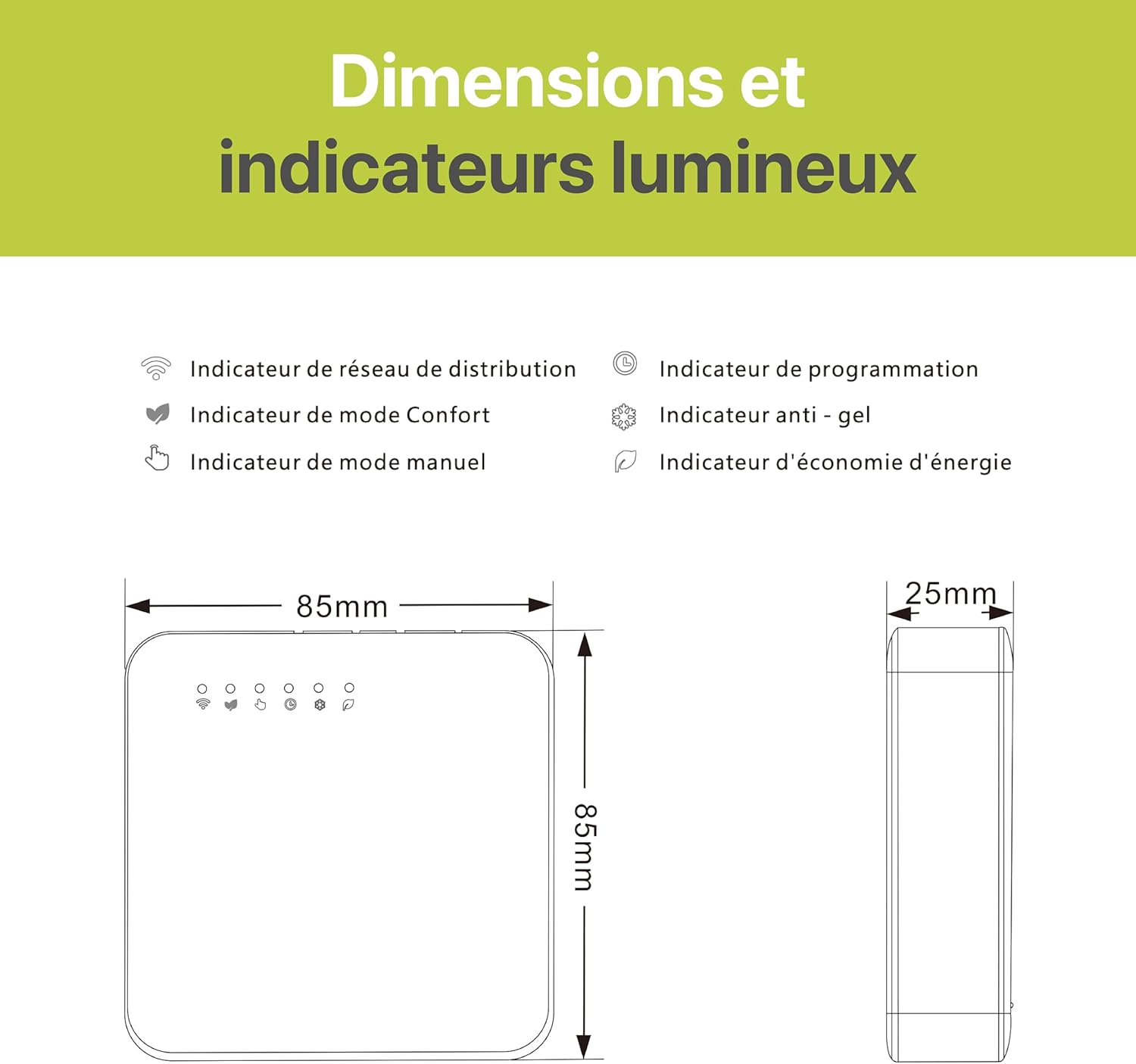
Image: Technical drawing showing the dimensions (85mm x 85mm x 25mm) of the REKA Smart Thermostat and a legend for its indicator lights.
| Feature | Detail |
|---|---|
| Brand | REKA |
| Model Number | ME223EH-NU |
| Color | White |
| Product Dimensions (L x W x H) | 8.5 x 8.5 x 2.4 cm (3.35 x 3.35 x 0.94 inches) |
| Item Weight | 300 grams (0.66 lbs) |
| Material | Plastic |
| Special Feature | Temperature Display |
| Controller Type | Amazon Alexa, Google Assistant |
| Specific Uses for Product | Boiler (compatible with heating systems controlled by radiator valves) |
| Temperature Control Type | Heating |
| Connectivity Technology | Zigbee standard IBEE B02.1.4 |
| Included Components | Fixing Screws |
| Compliance | NF EN ISO 52120-1, NF EN 12098-3 |
Warranty and Support
Specific warranty details for the REKA Smart Electric Radiator Thermostat ME223EH-NU are not provided in the product information. For warranty claims or technical support, please refer to the documentation included with your purchase or contact the seller directly. You may also visit the official REKA website for further assistance.


