
1. Introduction
Thank you for choosing the MARSTEK B2500-D Balcony Power Station Storage. This manual provides essential information for the safe and efficient operation, installation, and maintenance of your device. Please read this manual thoroughly before use and keep it for future reference.
The MARSTEK B2500-D is an efficient solar storage solution designed for balcony power stations. It features powerful LiFePO4 battery technology, offering maximum safety, a long lifespan, and high efficiency. With an IP65 protection rating, it is suitable for both indoor and protected outdoor environments. Its compact design and relatively low weight ensure quick and easy installation.
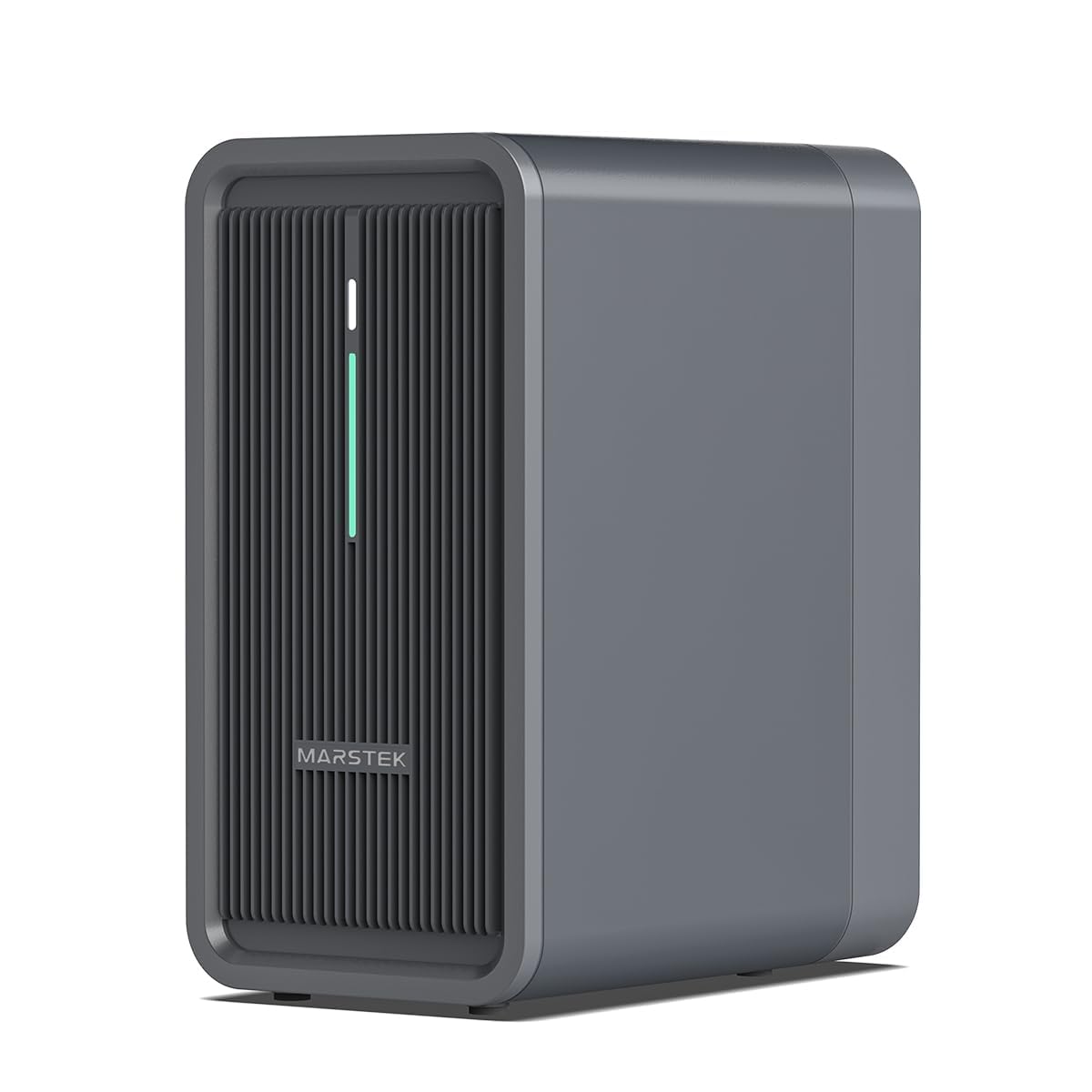
Image 1.1: MARSTEK B2500-D Main Unit. This image displays the compact design of the MARSTEK B2500-D power station, highlighting its sleek appearance and robust build.
2. Safety Instructions
Please read and understand all safety warnings and instructions before installing or operating this product. Failure to follow these instructions may result in electric shock, fire, serious injury, or death.
- Do not disassemble, repair, or modify the unit yourself. Contact qualified service personnel for any repairs.
- Keep the device away from fire, heat sources, and direct sunlight to prevent overheating.
- Ensure proper ventilation around the unit during operation.
- Do not expose the unit to water or other liquids beyond its IP65 rating. Avoid submerging the device.
- Use only original or certified accessories and cables.
- Keep out of reach of children and pets.
- Dispose of the product according to local regulations for electronic waste.
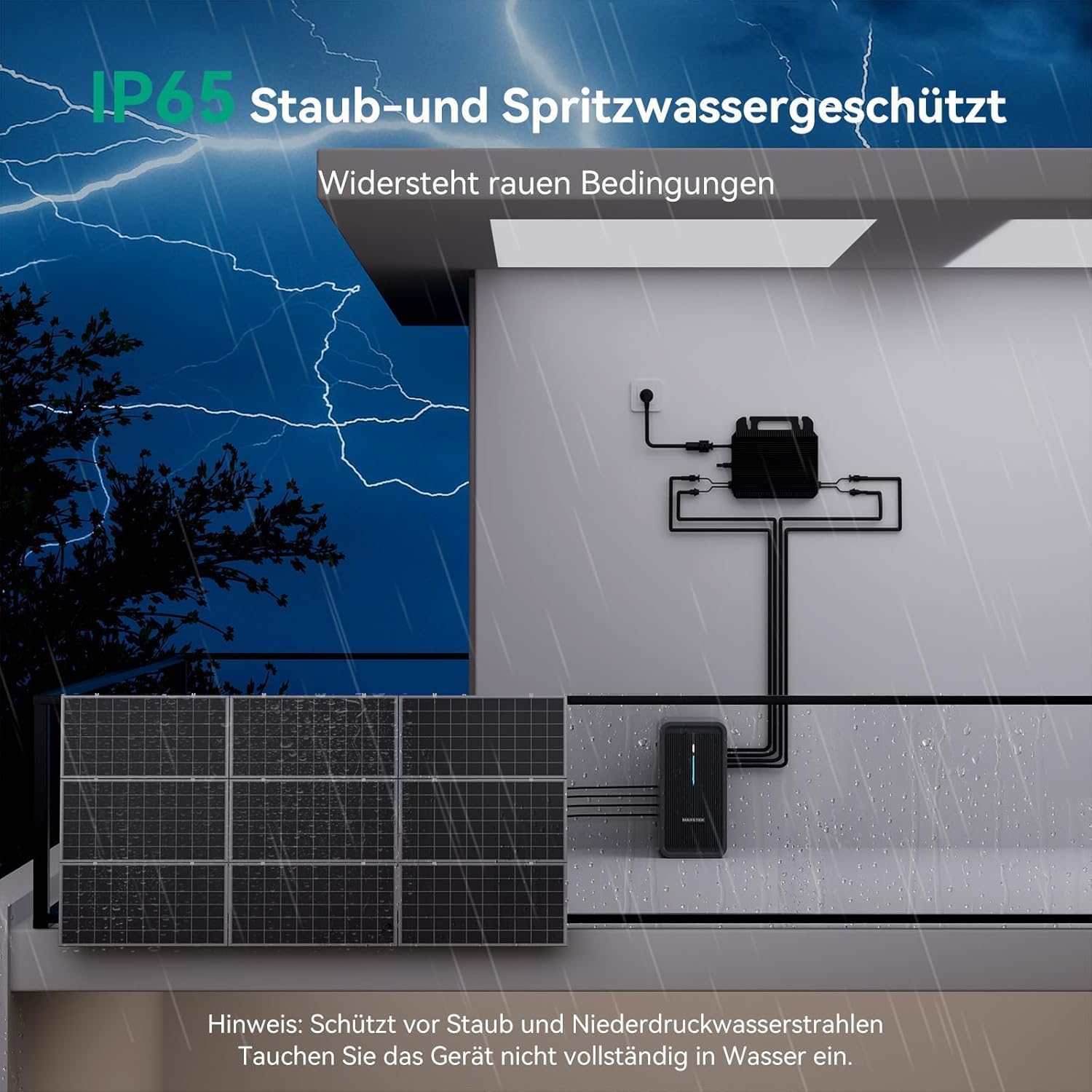
Image 2.1: IP65 Protection. This image illustrates the IP65 dust and splash protection of the MARSTEK B2500-D, showing it can withstand harsh weather conditions like rain, but should not be fully submerged.
3. Package Contents
Please check the package contents upon receipt to ensure all items are present and undamaged:
- MARSTEK B2500-D Balcony Power Station Storage Unit
- 4 x 3m MC4 Extension Cables
- Warranty Card
- User Manual (This document)
4. Product Overview and Features
The MARSTEK B2500-D is designed to maximize your solar energy utilization. Key features include:
- Efficient Solar Storage: Optimizes energy from balcony solar systems.
- LiFePO4 Battery Technology: Ensures high safety, long cycle life (6000 cycles), and efficiency.
- Expandable Capacity: Base capacity of 2240Wh, modularly expandable up to 8960Wh.
- High Solar Input: Supports up to 1600W solar input with dual MPPT (800W x 2).
- Plug & Play Installation: Quick setup in approximately 15 minutes without specialized electrical knowledge.
- IP65 Protection: Dust and splash-water protected for versatile indoor and outdoor placement.
- Smart Meter Integration: Intelligent adaptive output for optimized energy distribution.
- App Control: Monitor and control the system remotely via a dedicated application.

Image 4.1: Expandable Capacity. This image demonstrates the modular expandability of the MARSTEK B2500-D, showing configurations for 2240Wh (x1 unit), 4480Wh (x2 units), and 8960Wh (x4 units).
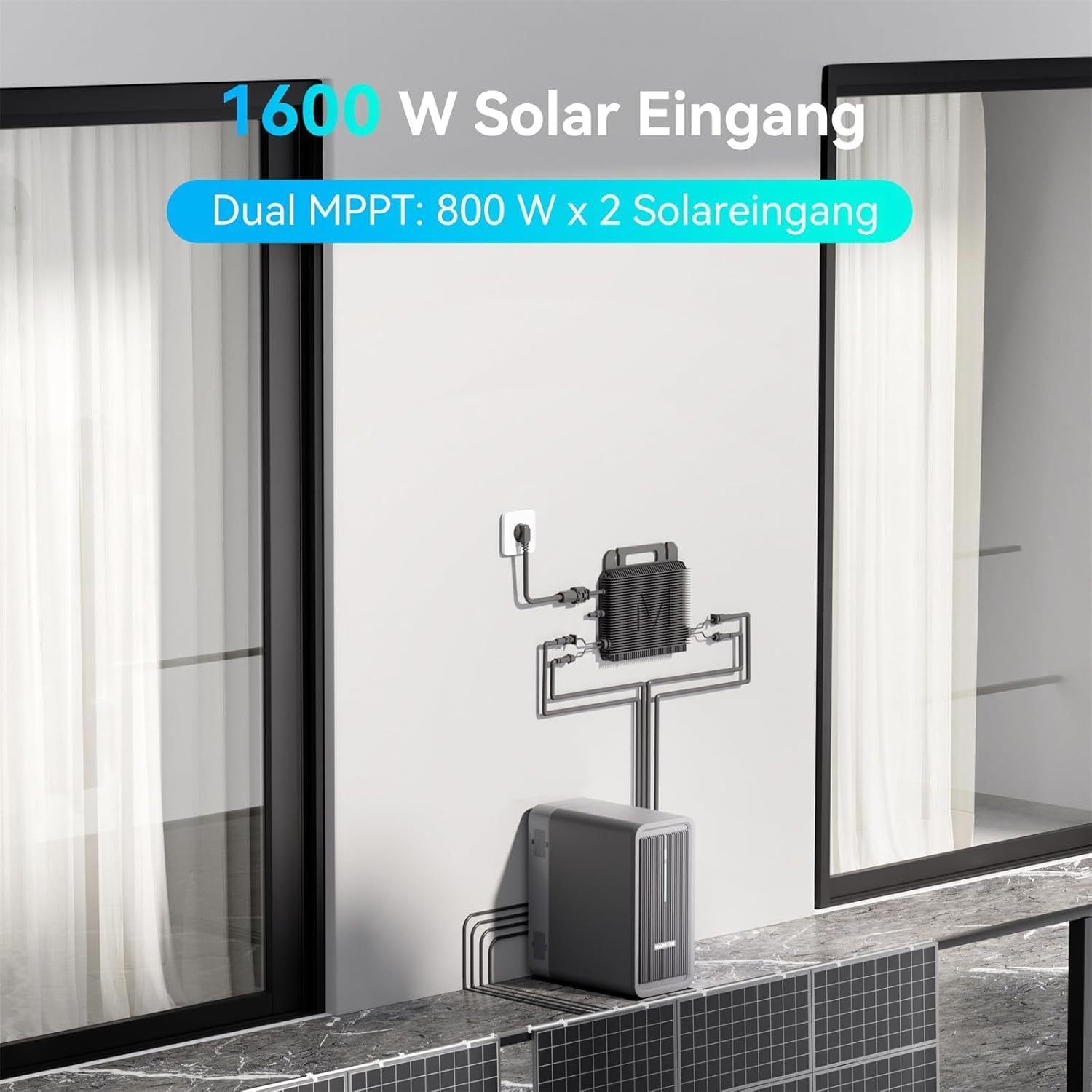
Image 4.2: High Solar Input. This image illustrates the 1600W solar input capability of the system, featuring dual MPPT (800W x 2) for efficient solar energy harvesting, connected to solar panels and a micro-inverter.
5. Setup and Installation
The B2500-D is designed for quick and easy Plug & Play installation. Follow these steps:
- Unpack: Carefully remove all components from the packaging and verify against the package contents list.
- Placement: Choose a suitable location for the B2500-D. Ensure it is on a stable, flat surface, away from direct sunlight and heat sources. Although IP65 rated, protected outdoor areas are recommended.
- Connect Solar Panels: Connect your solar panels to the B2500-D using the provided MC4 extension cables. Ensure correct polarity. The system supports up to 1600W solar input (800W per MPPT channel).
- Connect to Micro-Inverter: Connect the B2500-D to your micro-inverter. The system is 99% compatible with standard micro-inverters.
- Connect to Grid/Home: Connect the micro-inverter to your home's electrical system or directly to a wall outlet, as per your micro-inverter's instructions and local regulations.
- Power On: Turn on the B2500-D using the main power switch.
Note: Installation typically takes around 15 minutes. For complex setups or if you are unsure, consult a qualified electrician.

Image 5.1: Micro-Inverter Compatibility. This image highlights the MARSTEK B2500-D's high compatibility (99%) with various micro-inverters, simplifying integration into existing solar setups.
6. Operating Instructions
The B2500-D operates automatically to manage your solar energy. Here's how it works and how to interact with it:
6.1. Energy Flow Management
- During the Day: Solar power generated by your panels flows through the B2500-D to your micro-inverter. This power directly supplies your household appliances, reducing your reliance on the public grid. Any excess energy, when integrated with a smart meter, is stored efficiently in the B2500-D battery instead of being fed back into the grid.
- At Night: The energy stored in the B2500-D is discharged via the micro-inverter to power your household appliances. This ensures a continuous and efficient power supply for devices like routers, refrigerators, and more.
6.2. Smart Meter Integration
For optimal energy management, integrate the B2500-D with a smart meter. This allows for intelligent adaptive output, ensuring that energy is used where and when it's needed most, minimizing waste and maximizing self-consumption.

Image 6.1: Smart Meter Integration. This diagram illustrates how the MARSTEK B2500-D integrates with a smart meter to intelligently adapt power output, distributing solar energy efficiently throughout the home based on demand.
6.3. App Monitoring and Control
The MARSTEK B2500-D can be monitored and controlled remotely via a dedicated smartphone application. This app allows you to:
- View real-time solar power input and output.
- Check battery charge level and status.
- Monitor daily and historical energy production.
- Adjust charging and discharging settings (if applicable).
Download the official MARSTEK app from your device's app store and follow the in-app instructions for pairing with your B2500-D unit.

Image 6.2: App Interface. This image shows a smartphone displaying the MARSTEK app interface, which allows users to monitor solar power, output, battery status, and adjust settings for their B2500-D unit.
7. Maintenance
Regular maintenance ensures the longevity and optimal performance of your MARSTEK B2500-D.
- Cleaning: Periodically wipe the exterior of the unit with a soft, dry cloth. Do not use harsh chemicals or abrasive cleaners. Ensure the unit is powered off before cleaning.
- Ventilation: Ensure that the ventilation openings are clear of dust and debris to prevent overheating.
- Cable Inspection: Regularly inspect all cables and connections for any signs of wear, damage, or corrosion. Replace damaged cables immediately.
- Software Updates: Keep the MARSTEK app and device firmware updated to ensure optimal performance and access to new features. Check the app for update notifications.
- Storage: If storing the unit for an extended period, ensure it is charged to approximately 50-70% and stored in a cool, dry place. Recharge every 3-6 months to prevent deep discharge.
8. Troubleshooting
If you encounter issues with your B2500-D, refer to the following common problems and solutions:
| Problem | Possible Cause | Solution |
|---|---|---|
| Unit does not power on. | Battery fully discharged; Power switch off; Faulty cable. | Ensure the power switch is ON. Connect to a power source to charge. Check all cables for damage. |
| No solar input detected. | Solar panels not connected; Insufficient sunlight; Damaged MC4 cables; Incorrect polarity. | Verify solar panel connections. Ensure panels are in direct sunlight. Check MC4 cables for damage. Confirm correct polarity. |
| App cannot connect to the unit. | Bluetooth/Wi-Fi off; Unit too far from phone; App not updated; Unit not in pairing mode. | Ensure Bluetooth/Wi-Fi is enabled on your phone. Move closer to the unit. Update the app. Refer to app instructions for pairing mode. |
| Reduced discharge capacity. | Battery degradation over time; Extreme temperatures. | This is normal over the battery's lifespan. Ensure the unit operates within recommended temperature ranges. |
If the problem persists after trying these solutions, please contact MARSTEK customer support.
9. Specifications
| Feature | Detail |
|---|---|
| Model | B2500-D |
| Battery Type | LiFePO4 |
| Base Capacity | 2240 Wh |
| Expandable Capacity | Up to 8960 Wh |
| Solar Input | Max 1600 W (Dual MPPT: 800 W x 2) |
| Cycle Life | 6000 cycles |
| Protection Rating | IP65 (Dust and Splash Protected) |
| Dimensions (L x W x H) | 35 x 17.5 x 29.6 cm |
| Weight | 24 kg |
| Manufacturer | Marstek |
| Country of Origin | China |
10. Warranty and Support
The MARSTEK B2500-D comes with a manufacturer's warranty. Please refer to the included Warranty Card for detailed terms and conditions, including warranty period and coverage.
For technical support, troubleshooting assistance, or warranty claims, please contact MARSTEK customer service. Contact information can typically be found on the warranty card or the official MARSTEK website.
Note: Spare parts availability information is currently unavailable. Please contact customer support for specific inquiries.


