
1. Important Safety Instructions
Please read all instructions carefully before using this appliance. Keep this manual for future reference. Failure to follow these instructions may result in electric shock, fire, or personal injury.
- Always connect the unit to a grounded power outlet.
- Do not operate the unit with a damaged cord or plug.
- Do not block the air inlets or outlets. Maintain at least 20 inches of clearance from walls or other objects.
- Do not insert fingers or foreign objects into the air inlets or outlets.
- Ensure the unit is placed on a flat, stable surface to prevent tipping.
- Unplug the unit before cleaning or performing any maintenance.
- Do not use chemical solvents to clean the unit.
- This appliance is not intended for use by persons (including children) with reduced physical, sensory or mental capabilities, or lack of experience and knowledge, unless they have been given supervision or instruction concerning use of the appliance by a person responsible for their safety.
2. Product Overview
The Garvee 12000 BTU Portable Air Conditioner is a versatile 3-in-1 unit designed for efficient cooling, dehumidifying, and fan operation in spaces up to 550 square feet. It features a compact design with caster wheels for easy portability and quiet operation for enhanced comfort.
Key features include three fan speeds, an auto-swing function for improved air distribution, and a 24-hour timer for scheduled operation. The unit utilizes eco-friendly R-32 refrigerant and is designed for energy efficiency.
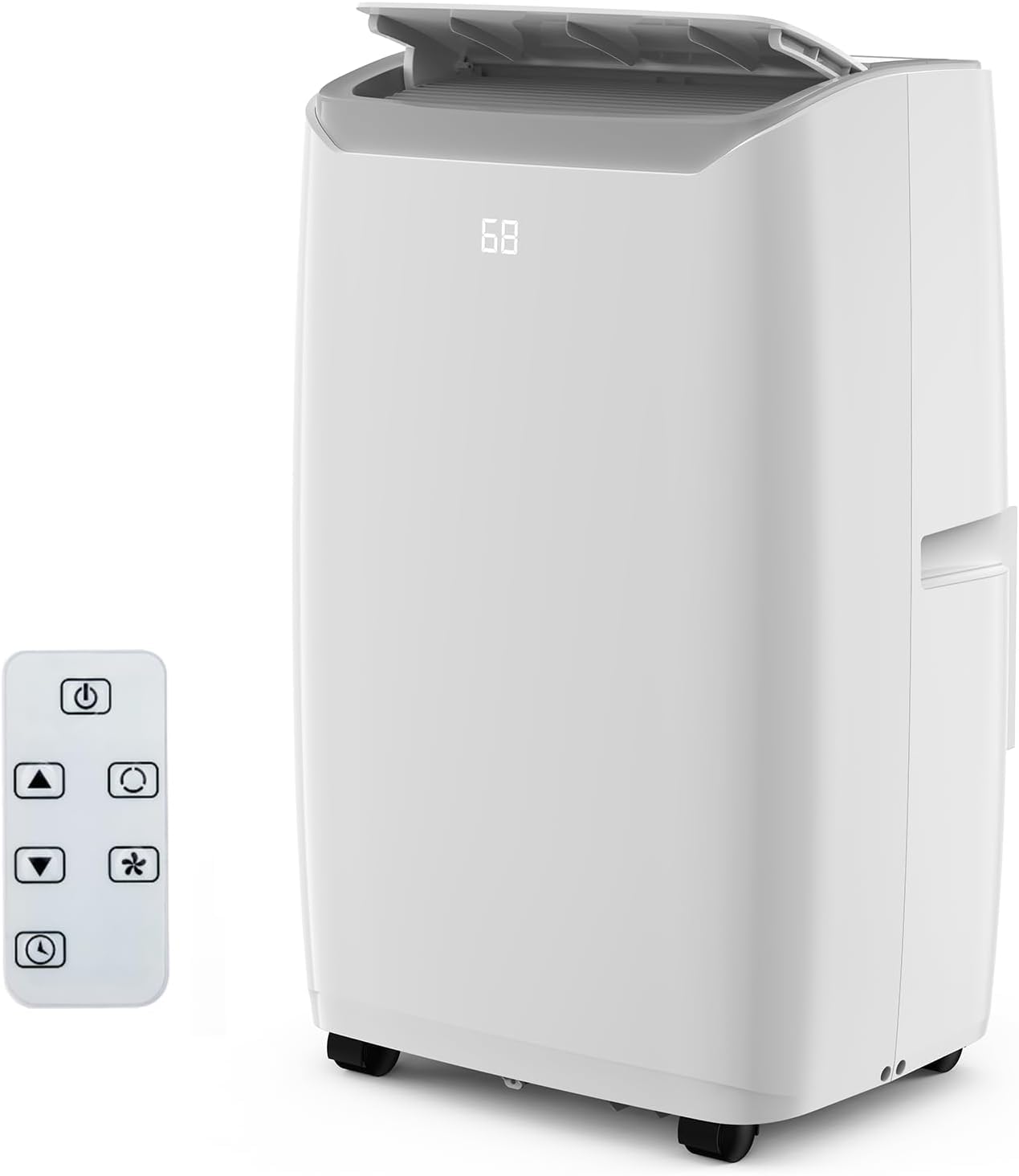
Image: The Garvee 12000 BTU Portable Air Conditioner, a compact and mobile cooling solution.

Image: Illustration of the three operating modes: Cooling (59°F-88°F), Dry (50 Pints/Day, 1.2 Liter/Hrs), and Fan (2 Speeds: High/Low).
3. Setup and Installation
The portable air conditioner is designed for quick and hassle-free setup. It includes a window installation kit and an exhaust hose for venting hot air.
3.1 What's in the Box
- Portable Air Conditioner Unit
- Window Boards (2 pieces)
- Exhaust Hose
- Drainage Pipe
- Hose Coupler to Machine
- Hose Coupler to Window
- Remote Control

Image: The box contents including the AC unit, window kit components, exhaust hose, drainage pipe, and remote control.
3.2 Installation Steps
- Connect the Joint: Attach the hose coupler to the exhaust hose.
- Attach Window Kit: Connect the window kit adapter to the other end of the exhaust hose.
- Adjust Window Kit: Place the adjustable window kit in your window opening and extend it to fit securely.
- Connect Hose to AC: Connect the exhaust hose assembly to the exhaust port on the back of the air conditioner unit.
- Insert Exhaust Hose: Insert the window kit adapter into the opening of the secured window kit.
- Power On: Plug the unit into a grounded electrical outlet and select your desired operating mode.

Image: Visual guide demonstrating the six steps for easy installation of the portable AC unit and window kit.
4. Operating Instructions
The Garvee portable AC unit offers multiple modes and features for customized comfort.
4.1 Control Panel and Remote Control
The unit can be operated using the touch control panel on top of the unit or the included remote control. The display shows the current temperature and settings.

Image: Detailed view of the unit's touch control panel and the remote control, showing various function buttons.
4.2 Operating Modes
- Cooling Mode: Provides powerful cooling for rooms up to 550 sq.ft. Adjust the temperature using the '+' and '-' buttons.
- Dehumidify Mode (Dry): Removes excess moisture from the air, with a capacity of up to 60 pints per day.
- Fan Mode: Circulates air without cooling. Select from three fan speeds (Low, Medium, High).
4.3 Special Features
- Sleep Mode: Optimizes cooling for quiet operation and energy saving during sleep. The unit operates at a reduced noise level of approximately 48dB.
- 24-Hour Timer: Program the unit to turn on or off automatically within a 24-hour period. Press the timer button and use '+' and '-' to set the desired duration.
- Auto Swing: Activates the automatic louver movement to distribute air evenly across the room.

Image: The portable AC unit operating quietly in a bedroom setting, illustrating its sleep mode with a noise level of 48dB.

Image: A visual representation of the 24-hour timer function, allowing users to schedule operation for convenience and energy saving.
5. Maintenance
Regular maintenance ensures optimal performance and longevity of your air conditioner. Always unplug the unit before cleaning.
5.1 Cleaning the Air Filter
The unit features easily accessible, removable, and washable air filters. Clean the filter regularly (every two weeks or more often depending on usage) to maintain air quality and cooling efficiency.
- Turn off and unplug the air conditioner.
- Locate and remove the air filter from the designated slot.
- Wash the filter with warm, soapy water. Rinse thoroughly.
- Allow the filter to air dry completely before reinserting it into the unit.

Image: Diagram showing the removable and washable air filter, highlighting the airflow and filtration process.
5.2 Draining Water
During dehumidification or in high humidity conditions, water will collect inside the unit. The unit has a self-evaporative system, but manual draining may be necessary. Connect the provided drainage pipe to the drain port if continuous draining is desired.
6. Troubleshooting
Before contacting customer support, please refer to the following troubleshooting guide for common issues.
| Problem | Possible Cause | Solution |
|---|---|---|
| Unit does not turn on | No power; Power cord not plugged in; Circuit breaker tripped | Ensure unit is plugged in; Check power outlet; Reset circuit breaker |
| No cooling or insufficient cooling | Air filter dirty; Exhaust hose blocked or disconnected; Room too large; Doors/windows open | Clean air filter; Check exhaust hose connection; Ensure room size is within specifications; Close all doors and windows |
| Unit is noisy | Unit not on a level surface; Air filter dirty; Obstruction in fan | Place unit on a flat surface; Clean air filter; Remove any obstructions |
| Water leakage | Drain plug not properly sealed; Drainage pipe clogged | Ensure drain plug is secure; Clear any blockages in the drainage pipe |
7. Specifications
Detailed technical specifications for the Garvee 12000 BTU Portable Air Conditioner.
- Model Number: KF450063-02
- Brand: Garvee
- Cooling Power: 12000 BTU
- Coverage Area: Up to 550 sq.ft.
- Product Dimensions (D x W x H): 18.5" x 15.5" x 35.24"
- Noise Level: 54 dB
- Refrigerant: R-32
- Voltage: 115V
- Wattage: 1200W
- Dehumidifier Capacity: 60 pints/day
- Filter Type: Mesh Filter
- Control Method: Remote Control
- Installation Type: Window

Image: Table showing recommended BTU capacity based on room size (ASHRAE standards), with an explanation of factors affecting needed BTU.
8. Warranty and Support
Garvee aims to provide reliable products and customer satisfaction. While the provided product data indicates 'NO' for warranty description, the product overview mentions 'warranty coverage'. For precise warranty terms and conditions, please refer to the documentation included with your purchase or contact Garvee customer support directly.
For any operational issues, technical assistance, or inquiries, please contact Garvee customer support through the retailer where the product was purchased or visit the official Garvee website for contact information.


