
1. Introduction
Thank you for choosing the GLOWRIUM Smart LED Grow Light G4. This manual provides essential information for the safe and efficient operation of your new grow light. Please read these instructions thoroughly before use and retain them for future reference.
2. Product Overview
The GLOWRIUM Smart LED Grow Light G4 is designed to provide optimal lighting for indoor plants across all growth stages. Key features include:
- Smart Bluetooth App Control: Manage settings, access a plant database, customize schedules, and utilize weather simulation.
- Patented Watering Reminder: Gentle flashing indicator light and app notifications to prevent forgotten watering.
- Full Spectrum Lighting: 32 high-intensity LEDs (660nm Red + 4000K White) for comprehensive plant growth.
- 10-Level Dimming: Adjustable brightness from 1% to 100%.
- Flexible Design: 360° rotatable gooseneck and adjustable height (16-23 inches) with a stable metal base.
- Auto Timer: Customizable on/off times and watering cycles.
3. What's in the Box
Verify that all components are present upon unboxing:
- Plants Grow Light (1 unit)
- Drive (1 unit)
- Hexagonal wrench (1 unit)
- User Manual (1 unit)
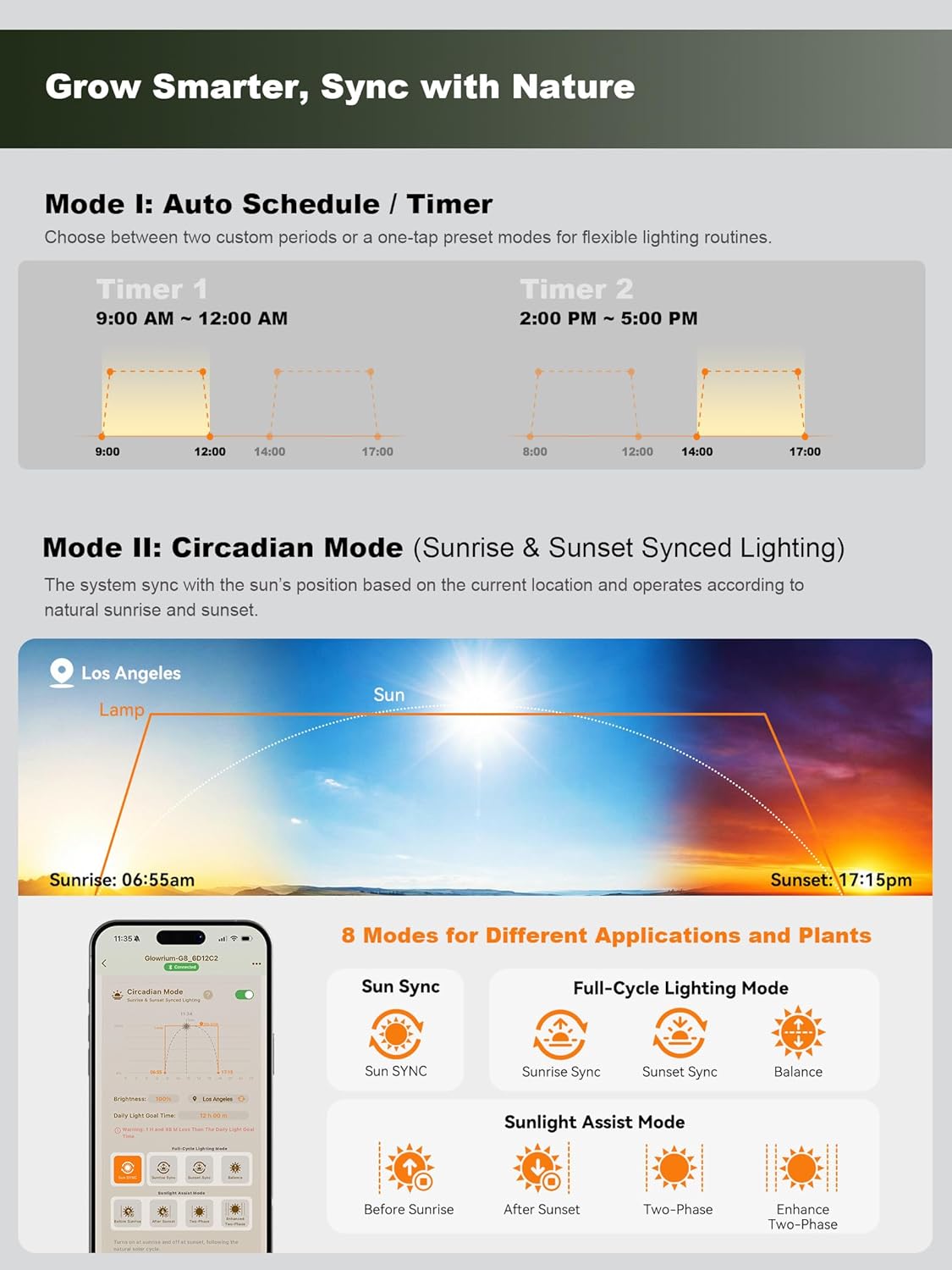
Image: All components included in the GLOWRIUM Smart LED Grow Light G4 package.
4. Assembly Instructions
Follow these steps to assemble your GLOWRIUM Smart LED Grow Light G4:
- Attach the Light Pole to the Baseplate: Insert the bottom end of the light pole into the designated hole on the metal baseplate. Secure it using the provided hexagonal wrench and bolt. Ensure the cable passes through the hidden wiring channel.
- Connect the Lamp Head Section: Carefully connect the lamp head section to the top of the light pole. Twist gently until it is securely fastened.
- Plug in the Power Adapter: Connect the DC connector from the light to the power adapter, then plug the power adapter into a standard electrical outlet.
Video: This video demonstrates the unboxing and assembly process for the GLOWRIUM LED Grow Light G4, showing how to connect the pole to the base and attach the lamp head.
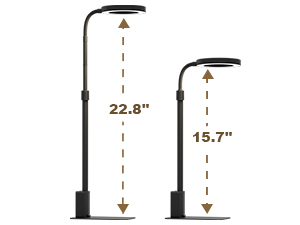
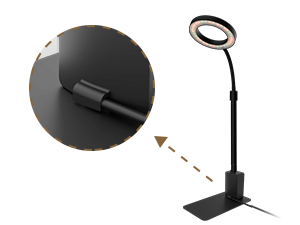
Images: Details of the adjustable aluminum pole and the hidden wiring design for a clean setup.
5. Operating Instructions
5.1. Bluetooth App Control
Download the GLOWRIUM app from your smartphone's app store. Once installed, pair your grow light via Bluetooth to unlock advanced features:
- Plant Database: Access growth habits and light needs for over 1000 plants.
- Custom Schedules: Set precise on/off times, sunrise/sunset synchronization, and brightness levels.
- Watering Reminders: Receive notifications and track watering cycles.
- Light Measurement: Get real-time PPFD readings and suggestions.

Image: The GLOWRIUM app interface displaying various control options and plant information.
Video: This video demonstrates the GLOWRIUM app's features, including binding plants, setting lighting duration, and using sunrise/sunset synced lighting modes.
5.2. Manual Control Panel
The onboard control panel allows for basic adjustments:
- ON/OFF Button: Power the light on or off.
- Dimming Buttons: Adjust brightness levels (10 levels).
- Timer Button: Set basic lighting schedules.
- Clock Button: Set the current time.
- Watering Cycle Button: Manually activate or reset the watering reminder.

Image: The manual control panel with buttons for power, dimming, timer, clock, and watering reminder.
5.3. Watering Reminder
The patented watering reminder system provides alerts through a flashing indicator light on the device and app notifications. You can customize the watering frequency via the app or control panel.
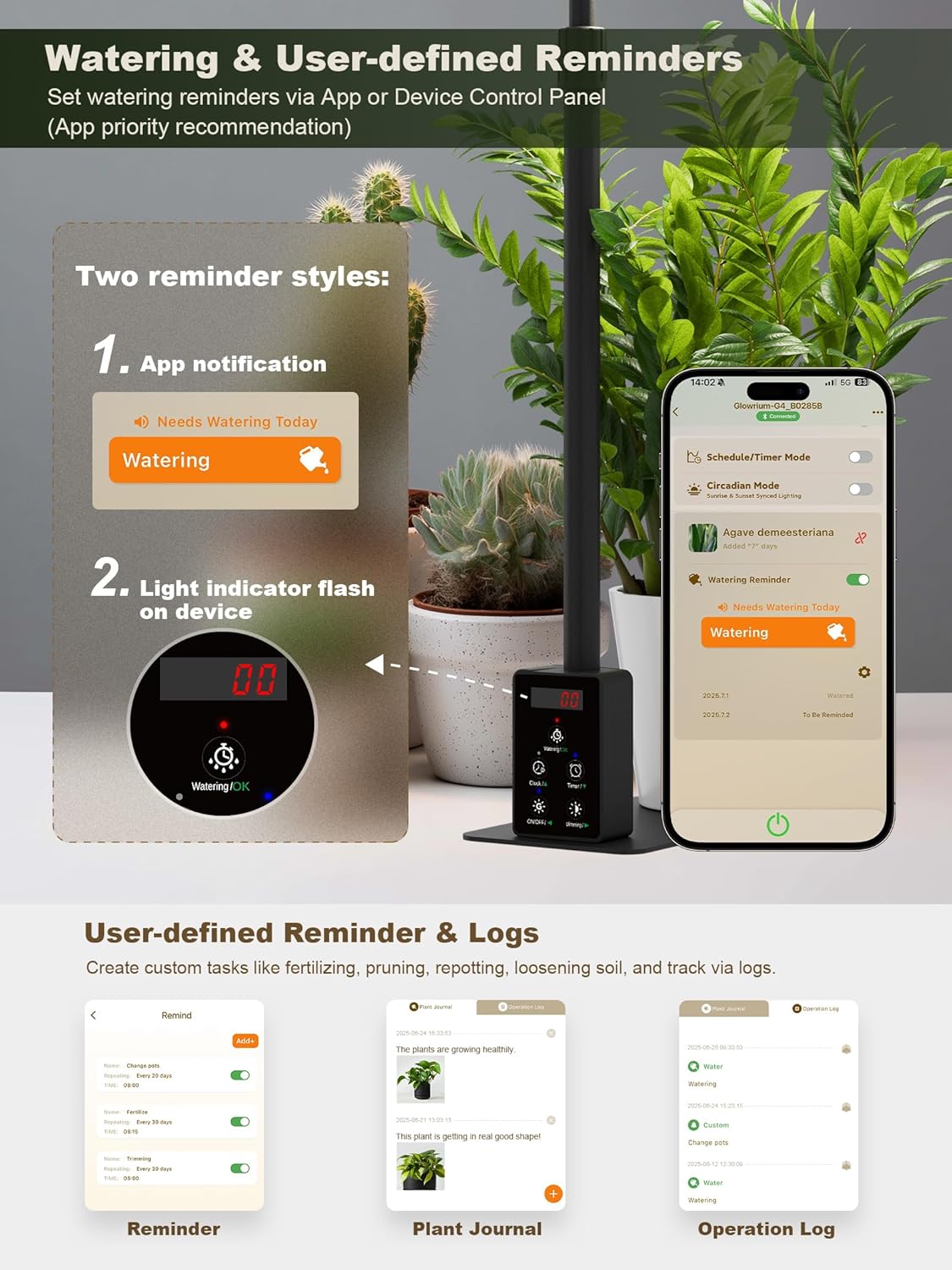
Image: Illustration of the watering reminder feature, showing both app notifications and the flashing indicator on the device.
6. Features and Design
6.1. Full Spectrum for All Growth Stages
The GLOWRIUM G4 grow light utilizes 32 high-intensity LEDs, combining 660nm Red light and 4000K White light. This full spectrum output supports all phases of plant growth, from germination to flowering and fruiting.
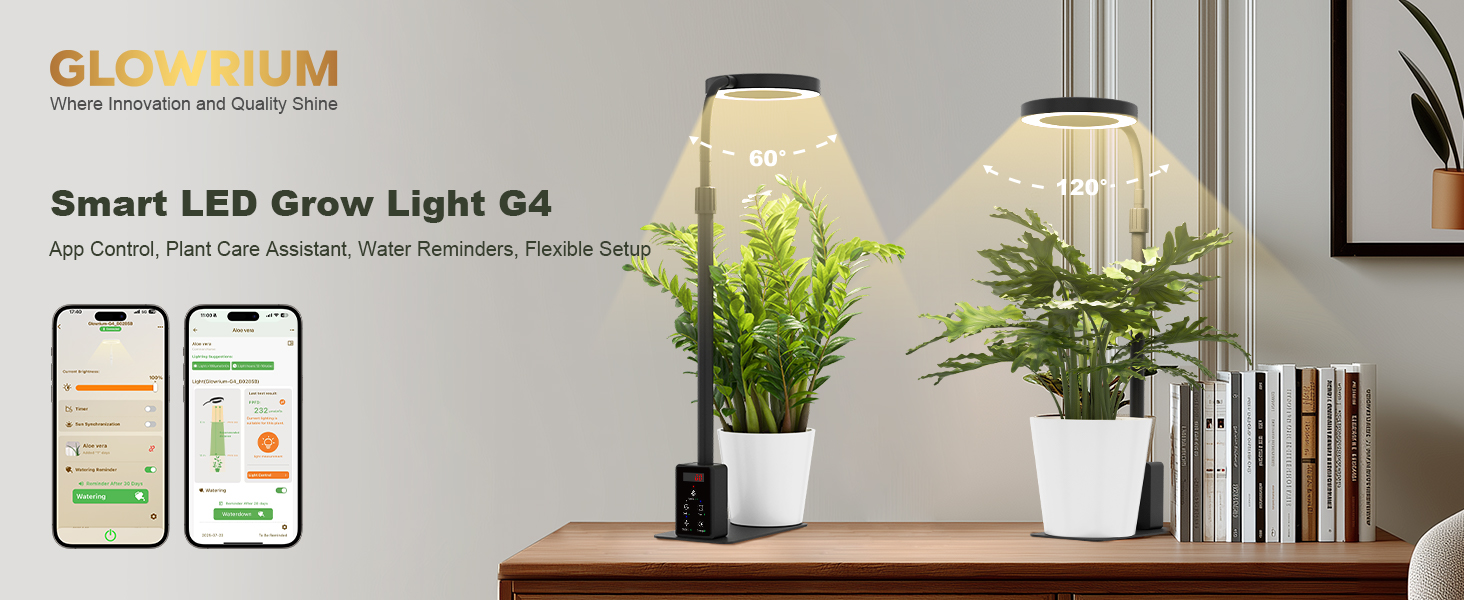
Image: A visual representation of the full spectrum light provided by the GLOWRIUM G4, optimized for all plant growth stages.
6.2. Flexible and Durable Design
The grow light features a 360° rotatable gooseneck and an adjustable telescopic pole, allowing height adjustments from 16 to 23 inches. The innovative metal base provides stability and can hold a plant pot, optimizing space. The lamp head is made of heat-dissipating aluminum alloy, and the light features a PC Prismatic Diffuser for a 60° wide-angle light distribution.

Image: The GLOWRIUM grow light demonstrating its adjustable height and flexible gooseneck for versatile positioning.
7. Specifications
| Attribute | Value |
|---|---|
| Model Number | L-GC037003 |
| Brand | GLOWRIUM |
| Color | Black |
| Wattage | 12 Watts |
| Light Source Type | LED |
| Number of Light Sources | 32 |
| Light Output Maximum | 720 Lumens |
| Color Temperature | 3500 Kelvin |
| Light Source Special Features | Full Spectrum |
| Material | Aluminum, Metal, Polycarbonate (PC) |
| Mounting Type | Table Mount |
| Item Dimensions (L x W x H) | 3.55"L x 6.3"W x 15.7"H |
| Power Source | Corded Electric |
| Voltage | 24 Volts (DC) |
| Specification Met | FCC |
8. Troubleshooting
If you encounter issues with your GLOWRIUM Smart LED Grow Light G4, please refer to the following common solutions:
- Light Not Turning On: Ensure the power adapter is securely plugged into both the light and a working electrical outlet. Check for any visible damage to the cable or adapter.
- App Connection Issues: Make sure Bluetooth is enabled on your smartphone and the grow light is within range. Restart the app and try pairing again.
- Inconsistent Lighting Schedule: Verify your settings in the GLOWRIUM app. Ensure the local time is correctly synchronized if using Circadian Mode.
- Watering Reminder Not Working: Check the watering reminder settings in the app. Ensure the device's clock is accurate.
For further assistance, please contact GLOWRIUM customer support.
9. Warranty and Support
The GLOWRIUM Smart LED Grow Light G4 comes with a 2-year warranty from the date of purchase. This warranty covers manufacturing defects and ensures reliable, long-lasting support for your indoor gardening needs.
For warranty claims, technical support, or any questions regarding your product, please visit the official GLOWRIUM store on Amazon or contact their customer service directly. You can find more information and products at the GLOWRIUM Store.
10. Safety Information
- Do not expose the device to water or high humidity.
- Ensure the power adapter is compatible with your local voltage.
- Keep out of reach of children and pets.
- Do not attempt to disassemble or repair the device yourself. Contact qualified personnel for service.
- Avoid direct eye exposure to the LED light for prolonged periods.