
Introduction
The Black Shark GS3 Sport Smartwatch is designed for active lifestyles, offering robust features for fitness tracking, health monitoring, and communication. It combines military-grade durability with advanced technology, making it suitable for various outdoor activities and daily use.
Key features include a vibrant 1.43-inch AMOLED display, 50m water resistance, comprehensive GPS satellite positioning, over 120 sports modes, and 24/7 health tracking. The smartwatch also supports ENC Bluetooth calls and boasts an extended battery life.

Figure 1: Black Shark GS3 Sport Smartwatch, Lava Black variant.
What's in the Box
Upon opening the package, please verify that all components are present and in good condition.
- Black Shark GS3 Sport Smartwatch x 1
- Straps x 2 (One pre-installed, one extra)
- Charging Cable x 1
- User Guide x 1 (This document)

Figure 2: Packaging contents and physical dimensions of the Black Shark GS3 Sport Smartwatch.
Product Overview
The GS3 Sport Smartwatch is engineered for performance and durability. Below are its primary features:
- Vibrant 1.43" AMOLED Display: Features a 466x466 resolution, 326 PPI, 60Hz refresh rate, and up to 600 nits brightness for clear visuals in various lighting conditions.
- Military-Grade Durability: Constructed with a rugged PC+TPU dual-color injection shell and Panda Glass, offering 50m water resistance. It is designed to withstand harsh environments.
- Integrated LED Flashlight: A convenient built-in LED flashlight is located on the side for use in low-light conditions.
- Advanced GPS Tracking: Equipped with an independent GNSS chip supporting GPS, BeiDou, GLONASS, QZSS, and GALILEOGPS for precise outdoor activity tracking.
- Extensive Sports Modes: Over 120 sports modes are available, including 5 professional GPS sport modes, to accurately record movement paths and fitness data.
- Comprehensive Health Monitoring: High-precision sensors enable 24/7 heart rate monitoring, blood oxygen tracking, stress monitoring, sleep analysis, and step counting. Women's health management is also included.
- ENC Bluetooth Call: Built-in high-performance microphone and speaker allow for clear calls directly from the watch, even during exercise.
- Long Battery Life: Offers up to 18 days of battery life in daily use mode and up to 35 days in power-saving mode.
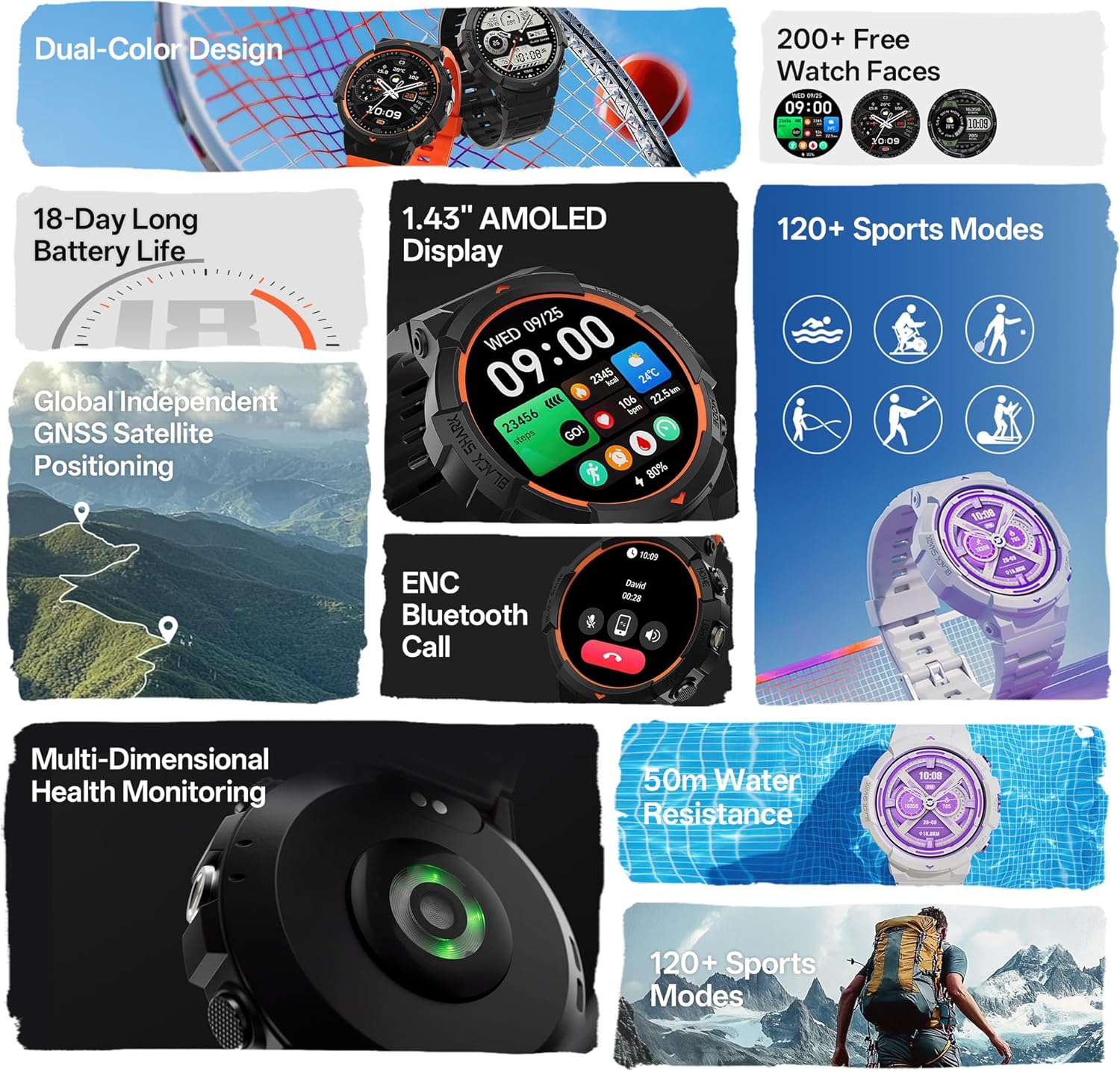
Figure 3: Comprehensive overview of the smartwatch's key features.

Figure 4: Specifications of the 1.43-inch AMOLED display.

Figure 5: Details on GPS and sports tracking capabilities.

Figure 6: Visual representation of the smartwatch's ruggedness and features for outdoor use.
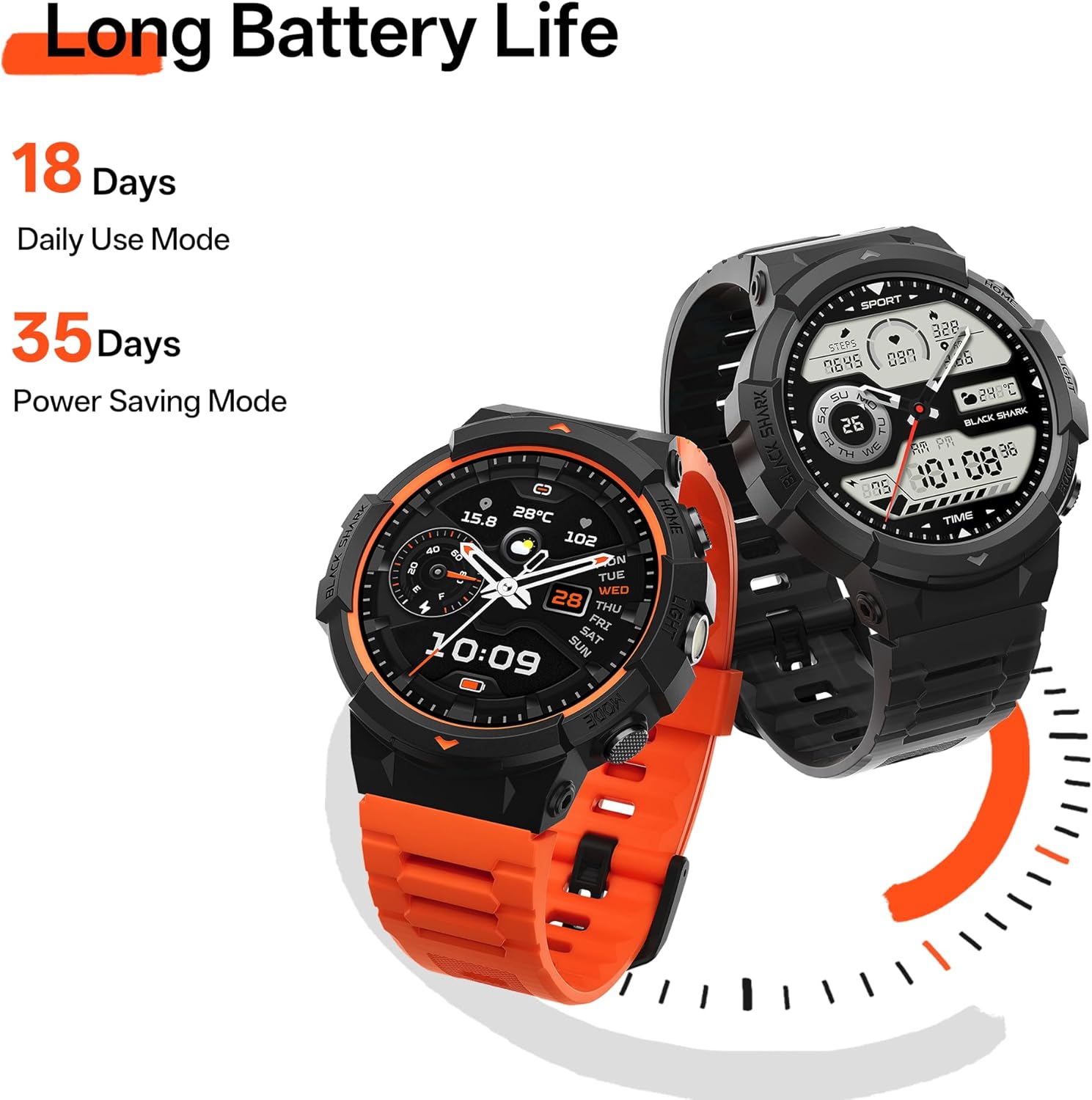
Figure 7: Battery life details for the Black Shark GS3 Sport Smartwatch.

Figure 8: Health monitoring features including sleep, heart rate, and cycle tracking.
Setup
1. Charging the Smartwatch
Before first use, fully charge your Black Shark GS3 Sport Smartwatch. Connect the provided magnetic charging cable to the charging contacts on the back of the watch and to a USB power adapter (not included) or a computer's USB port. The watch display will indicate charging status.
2. Installing the Companion App
To unlock the full functionality of your smartwatch, download and install the official Black Shark companion app on your smartphone. Search for "Black Shark Health" or "Black Shark Wear" in your device's app store (Google Play Store for Android, Apple App Store for iOS).
3. Pairing with Your Smartphone
- Ensure Bluetooth is enabled on your smartphone.
- Open the Black Shark companion app.
- Follow the on-screen instructions in the app to add a new device. The app will search for available smartwatches.
- Select "Black Shark GS3 Sport" from the list of found devices.
- Confirm the pairing request on both your smartphone and the smartwatch, if prompted.
- Once paired, the watch will synchronize data with the app, and you can customize settings, watch faces, and notifications.
Operating Instructions
Basic Navigation
- Touchscreen: Swipe left/right to navigate between main screens (e.g., activity, heart rate, weather). Swipe up to view notifications. Swipe down to access quick settings. Tap to select an item.
- Side Buttons: The GS3 Sport features multiple physical buttons. Refer to the watch's on-screen prompts or the app for specific button functions, which typically include:
- Power/Home Button: Press to wake the screen, return to the watch face, or long-press to power on/off or restart.
- Function/Sport Mode Button: Typically used to quickly access the sports mode list or a customizable function.
- LED Flashlight Button: Activates the built-in LED flashlight.
Using Sports Modes
The watch supports over 120 sports modes. To start a workout:
- Press the Function/Sport Mode button or navigate to the Sports section on the watch.
- Select your desired activity (e.g., Running, Cycling, Swimming).
- Wait for GPS signal acquisition if it's an outdoor activity.
- Tap "Start" to begin recording your workout.
- During the workout, you can view real-time data such as duration, distance, heart rate, and calories burned.
- To pause or end the workout, press the appropriate button or swipe on the screen as indicated.
Health Monitoring
The GS3 Sport continuously monitors your health data. You can view detailed reports in the companion app.
- Heart Rate: Access the heart rate widget on the watch or in the app to see your current and historical heart rate data.
- Blood Oxygen (SpO2): Perform on-demand SpO2 measurements or view continuous tracking data in the app.
- Sleep Tracking: Wear the watch to bed for automatic sleep analysis, including sleep stages (deep, light, REM) and duration.
- Stress Monitoring: The watch estimates your stress levels throughout the day.
- Women's Health: Track menstrual cycles and predict fertile windows through the companion app.
Making and Receiving Calls
With the ENC Bluetooth Call feature, you can manage calls directly from your wrist when connected to your smartphone.
- Receiving Calls: When a call comes in, the watch will display the caller ID. You can answer or reject the call directly on the watch.
- Making Calls: Use the watch's dial pad or access your phone's contacts/call history through the watch to initiate a call.
Maintenance
Cleaning Your Smartwatch
- Regularly clean the watch body and straps with a soft, damp, lint-free cloth.
- For stubborn dirt, use a mild soap solution and rinse thoroughly with clean water.
- Ensure the charging contacts on the back of the watch are clean and dry before charging to prevent corrosion.
- Avoid using harsh chemicals, abrasive cleaners, or solvents, as these can damage the watch's finish and seals.
Water Resistance
The Black Shark GS3 Sport Smartwatch has a 50m water resistance rating. This means it is suitable for shallow-water activities like swimming in a pool or ocean. It is not suitable for scuba diving, high-speed water sports, or prolonged submersion at depths beyond its rating.
- Do not operate the buttons underwater.
- After exposure to saltwater, rinse the watch with fresh water and dry it thoroughly.
- Avoid exposing the watch to hot water, steam, or sudden temperature changes, as this can compromise the water resistance seals.
Software Updates
Periodically check for software updates through the Black Shark companion app. Updates often include new features, performance improvements, and bug fixes. Ensure your watch is sufficiently charged before starting an update.
Troubleshooting
| Problem | Possible Cause | Solution |
|---|---|---|
| Watch not turning on | Low battery; device frozen. | Charge the watch for at least 30 minutes. If still unresponsive, try a forced restart by long-pressing the power button for 10-15 seconds. |
| Cannot pair with phone | Bluetooth off; watch not in pairing mode; app issue. | Ensure Bluetooth is on for both devices. Restart both the watch and phone. Reinstall the companion app. Clear Bluetooth cache on phone. |
| Inaccurate health data | Watch fit too loose/tight; sensor dirty; software glitch. | Ensure the watch is snug but comfortable on your wrist. Clean the optical sensors on the back. Check for and install any available software updates. |
| Short battery life | Frequent GPS use; high screen brightness; many notifications. | Reduce screen brightness. Limit background app refresh. Disable unnecessary notifications. Use power-saving mode when possible. |
| Bluetooth calls unclear | Distance from phone; interference; low watch battery. | Keep your phone within Bluetooth range (approx. 10 meters). Ensure watch battery is not critically low. Avoid environments with strong wireless interference. |
Specifications
| Feature | Detail |
|---|---|
| Model Name | GS3 Sport |
| Brand | Black Shark |
| Screen Size | 1.43 Inches |
| Display Type | AMOLED, 466x466 Resolution, 326 PPI, 60Hz Refresh Rate, 600 nits Brightness |
| Shape | Round |
| GPS | Built-in GNSS (GPS, BeiDou, GLONASS, QZSS, GALILEOGPS) |
| Battery Cell Composition | Lithium Ion |
| Battery Life (Typical Use) | Up to 18 Days |
| Battery Life (Power Saving) | Up to 35 Days |
| Connectivity Technology | Bluetooth |
| Water Resistance | 50m (5ATM) |
| Operating System Compatibility | Android 9.0 / iOS 14.0 and above |
| Special Features | Activity Tracker, Heart Rate Monitor, SpO2 Monitor, Sleep Monitor, Stress Monitor, Women's Health, ENC Bluetooth Call, LED Flashlight |
| Item Weight | 7 ounces |
| Dimensions | 4.21 x 4.21 x 2.68 inches (Package) |
Warranty and Support
Black Shark products typically come with a limited manufacturer's warranty. Please refer to the warranty card included in your product packaging or visit the official Black Shark website for detailed warranty terms and conditions specific to your region.
For technical support, troubleshooting assistance, or warranty claims, please contact Black Shark customer service through their official website or the contact information provided in the companion app. When contacting support, please have your product model (GS3 Sport) and purchase information ready.
You can visit the official Black Shark Store on Amazon for more information: Black Shark Store