
1. Introduction
This manual provides essential information for the assembly, operation, and maintenance of your HINOMI H2 Pro Ergonomic Office Chair. Please read these instructions carefully before assembly and use to ensure proper function and longevity of your chair. Retain this manual for future reference.
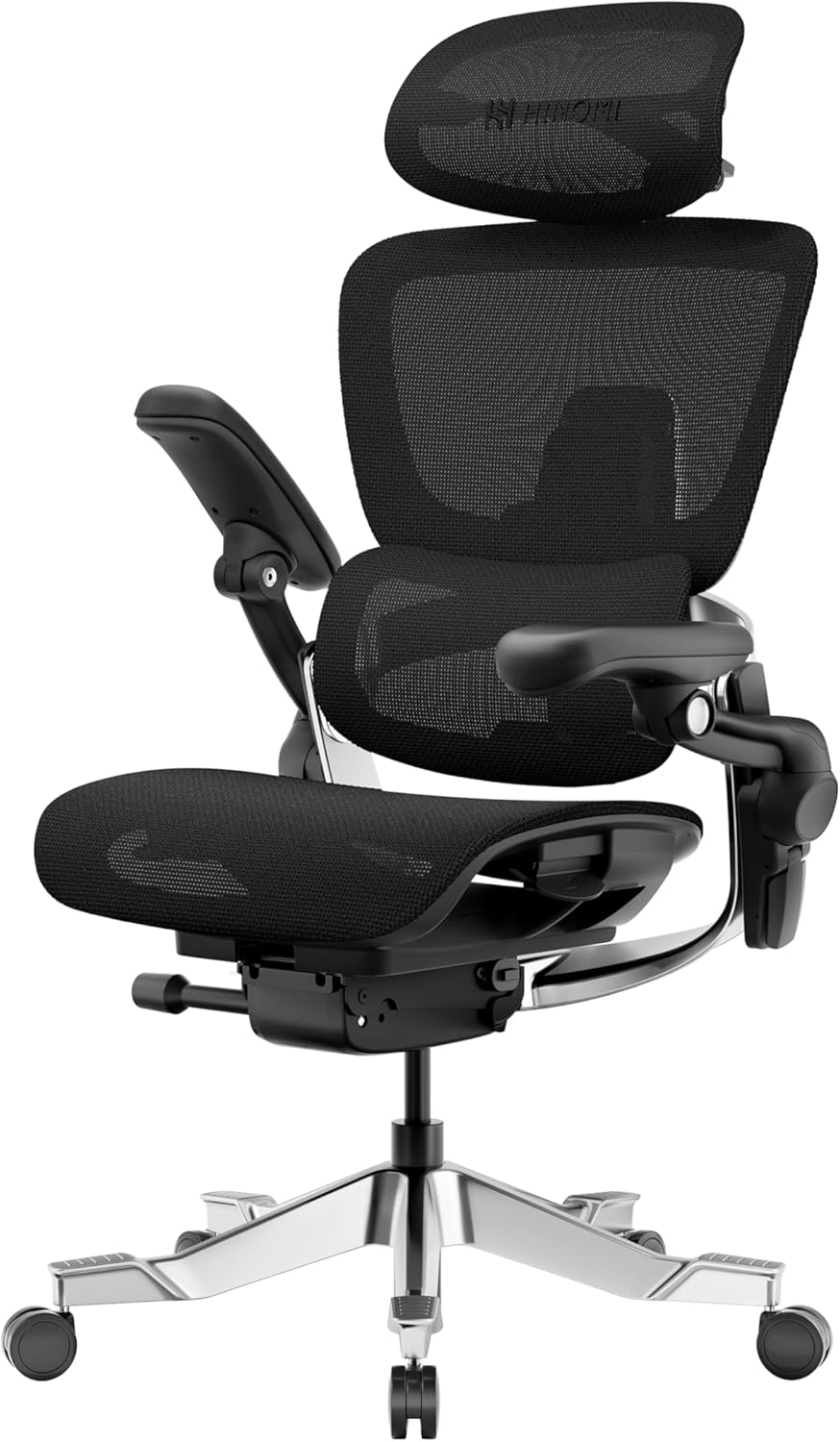
Image 1.1: The HINOMI H2 Pro Ergonomic Office Chair.
2. Safety Information
WARNING: Do not exceed the maximum weight limit of 330 lbs (150 kg). Always assemble the chair according to the instructions provided to avoid injury. For cleaning, spot clean only. Keep away from heat sources and open flames. Do not use if damaged or broken.
- Ensure all screws and bolts are securely tightened before use.
- Do not stand on the chair.
- Avoid placing heavy objects on the chair's backrest or armrests.
- Keep children and pets away during assembly.
3. Package Contents
Verify that all components are present before beginning assembly. If any parts are missing or damaged, please contact customer support.
- Chair Base
- Casters (Wheels)
- Gas Lift
- Seat Assembly
- Backrest Assembly
- Headrest
- Armrests (pre-attached to seat or separate)
- Hardware Kit (screws, washers, Allen wrench)
- Instruction Manual
4. Assembly Instructions
Assembly typically requires one person and takes approximately 15-30 minutes. Follow the detailed steps provided in the included assembly guide. A general overview is provided below:
- Attach Casters to Base: Insert the casters into the holes on the chair base until they click into place.
- Insert Gas Lift: Place the gas lift into the center hole of the chair base.
- Attach Seat to Gas Lift: Carefully place the seat assembly onto the gas lift.
- Attach Backrest: Secure the backrest to the seat assembly using the provided screws and Allen wrench.
- Install Headrest: Slide the headrest into its designated slot on the backrest.
- Final Checks: Ensure all connections are secure and the chair functions correctly.

Image 4.1: Overview of HINOMI H2 Pro adjustable features, which are assembled components.
5. Operating Instructions
The HINOMI H2 Pro chair offers multiple adjustment points for personalized comfort and ergonomic support.
5.1. Seat Height Adjustment
To adjust the seat height, locate the lever under the right side of the seat. Lift the lever while seated to lower the seat, or lift the lever while standing to raise the seat. Release the lever at the desired height.
5.2. Seat Depth and Tilt Adjustment
The seat can be adjusted for depth and features a forward-tilting function to reduce thigh strain.

Image 5.1: Forward-Tilting Seat and Backrest for focused work.
5.3. Backrest Adjustment and Recline
The backrest offers 10° tilt and 143° recline. Use the controls to adjust the backrest angle and tension to your preference. The dynamic back support adapts to your posture.

Image 5.2: Maximum 143° Recline with optional Retractable Footrest.
5.4. Lumbar Support Adjustment
The independently adjustable lumbar support moves up & down (30 mm) and forward & backward (25 mm). It also auto-syncs (12° tilt) with your body to provide continuous support.

Image 5.3: Adaptive Lumbar Support adjustments.
5.5. Armrest Adjustments
The armrests offer 130° pad rotation, 40° joint movement, and 30° vertical tilt. They can also flip up 95° to save space.

Image 5.4: Fully Adjustable Flip-Up Armrest functions.
5.6. Headrest Adjustments
Adjust the headrest's height, depth, and tilt to match your posture for optimal neck support.

Image 5.5: 3D Adaptive Headrest adjustments.
6. Maintenance
To maintain the appearance and functionality of your HINOMI H2 Pro chair, follow these care instructions:
- Cleaning: Spot clean the mesh fabric with a mild detergent and a damp cloth. Avoid harsh chemicals or abrasive cleaners.
- Inspection: Periodically check all bolts and screws to ensure they are tight. Re-tighten if necessary.
- Moving the Chair: When moving the chair, lift it rather than dragging it to prevent damage to the casters or base.
- Avoid Overloading: Do not exceed the maximum weight capacity of 330 lbs (150 kg).
7. Troubleshooting
If you encounter issues with your HINOMI H2 Pro chair, refer to the following common solutions:
- Chair Sinks or Does Not Stay Up: Ensure the gas lift lever is fully engaged. If the issue persists, the gas lift may need replacement. Contact customer support.
- Squeaking Noises: Check all bolted connections and tighten them. Applying a small amount of silicone lubricant to moving parts (avoiding the gas lift cylinder) may help.
- Casters Not Rolling Smoothly: Check for debris (hair, lint) wrapped around the caster wheels and remove it.
- Backrest Does Not Lock: Ensure the recline lock mechanism is fully engaged. If the backrest slides down, verify that the locking mechanism is functioning correctly. If issues persist, contact support.
For further assistance, please contact HINOMI customer support.
8. Specifications
Detailed specifications for the HINOMI H2 Pro Ergonomic Office Chair:
| Feature | Detail |
|---|---|
| Brand | HINOMI |
| Model Name | H2 Pro |
| Product Dimensions | 28.7"D x 28.7"W x 56.7"H |
| Item Weight | 52.8 pounds |
| Maximum Weight Recommendation | 150 Kilograms (330 lbs) |
| Color | Black |
| Back Style | Split Back |
| Special Features | Adjustable Backrest, Adjustable Headrest, Adjustable Height, Adjustable Lumbar, Ergonomic |
| Product Care Instructions | Spot Clean |
| Recommended Uses | Gaming, Office, Reading, Relaxing |
| Included Components | Caster, Chair Base, Chair Frame, Gas lift, Headrest |
| Arm Style | Flip-up armrest |
| Seat Height | 23 Inches |
| Seat Depth | 19.9 inches |
| Reclining Position Count | 144 |
| Is Foldable | Yes |

Image 8.1: HINOMI H2 Pro Chair Dimensions.
9. Warranty and Support
For information regarding warranty coverage, product registration, or technical support, please refer to the warranty card included with your purchase or visit the official HINOMI website. You may also contact HINOMI customer service directly for assistance.
Contact Information: Please refer to the contact details provided on the HINOMI official website or your purchase documentation.


