
1. Introduction
Thank you for choosing the EZVALO 12-inch 5-Pack Rechargeable Motion Sensor Under Cabinet Lights. This manual provides essential information for the safe and efficient use of your new lighting system. These lights are designed to enhance visibility in various indoor spaces with their smart motion-sensing capabilities, adjustable lighting options, and easy installation.
2. What's in the Box
Your EZVALO Under Cabinet Lighting system includes the following components:
- 5 x EZVALO 12-inch Under Cabinet Lights
- 1 x Remote Control
- 5 x USB Type-C Charging Cables
- 10 x Adhesive Metal Plates (for non-metal surfaces)
- 1 x User Manual

Figure 1: Contents of the EZVALO 12-inch 5-Pack Under Cabinet Lighting system, including five light bars and a remote control.
3. Setup and Installation
The EZVALO Under Cabinet Lights offer two convenient installation methods:
- Magnetic Attachment (for metal surfaces):
The lights feature strong built-in magnets. Simply attach the light directly to any metal surface, such as a refrigerator or metal shelving. No tools or additional accessories are required for this method.
- Adhesive Metal Plates (for non-metal surfaces):
For non-metal surfaces like wood cabinets, use the included adhesive metal plates. Peel off the protective film from the adhesive side of the metal plate and firmly press it onto the desired clean, dry surface. Once the plate is securely attached, the light can be magnetically mounted onto the metal plate.
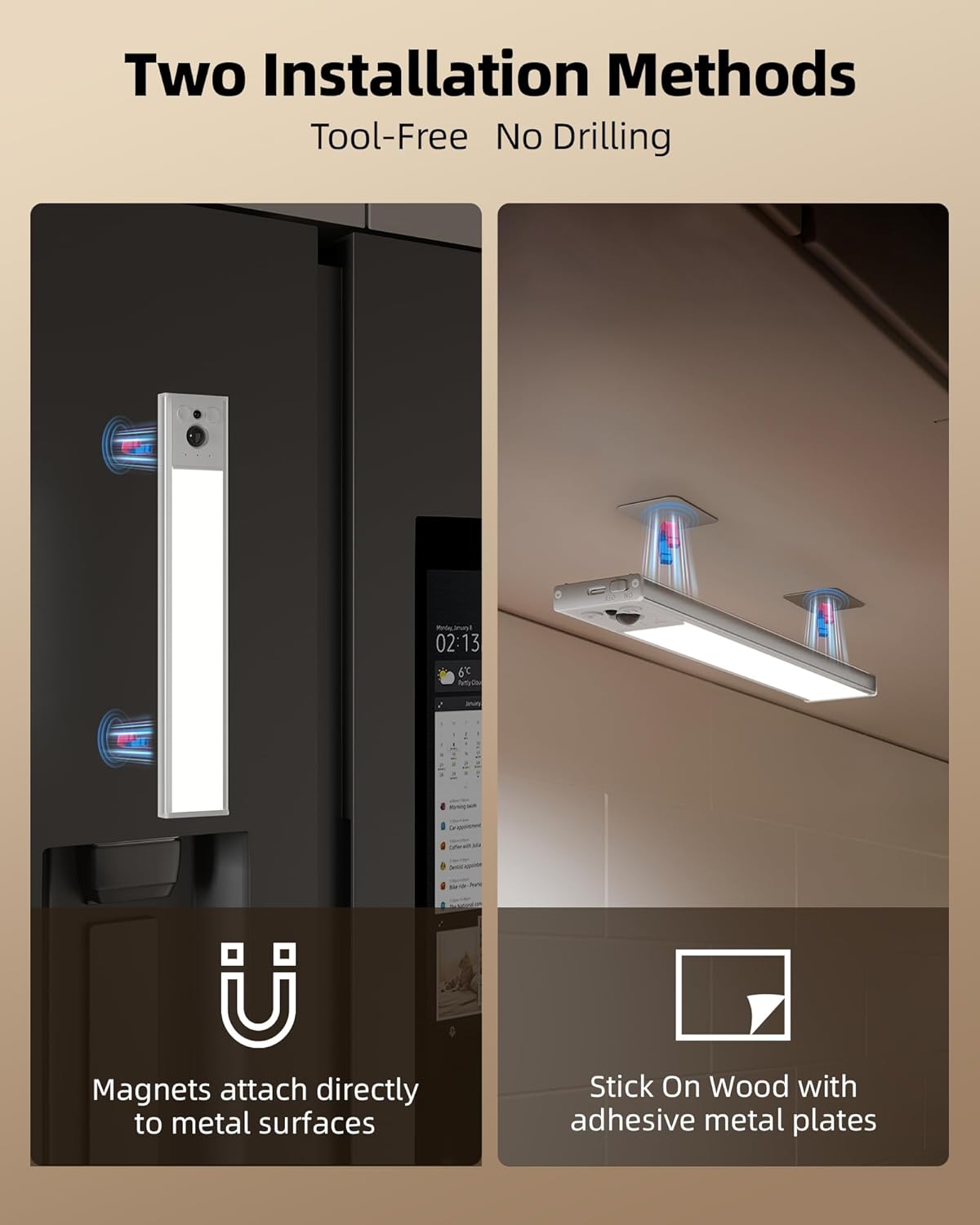
Figure 2: Illustration of the two installation methods: direct magnetic attachment to metal surfaces and using adhesive metal plates for non-metal surfaces.

Figure 3: Examples of EZVALO lights installed in a kitchen, cabinet, and hallway, demonstrating versatile placement.
4. Charging Instructions
The EZVALO lights are equipped with a 3200mAh rechargeable battery, providing long-lasting performance. To charge your lights:
- Locate the USB Type-C charging port on the side of the light.
- Connect the provided USB Type-C cable to the light and a compatible USB power source (e.g., wall adapter, computer USB port).
- A red indicator light will illuminate during charging. The indicator will turn green when fully charged.
- A full charge takes approximately 4.5 hours.
On Motion Sensor Mode, the battery can last 20-50 days depending on usage frequency. In Always-On Mode at 100% brightness, it provides approximately 13.5 hours of continuous light.

Figure 4: Detailed view of the light's charging port and battery specifications.
5. Operating Instructions
Your EZVALO lights can be operated using the integrated buttons on the light bar or the included remote control.
5.1. Work Modes
The lights feature four distinct work modes:
- Always-On Mode: Provides continuous lighting.
- Day Mode: Activates when motion is detected, regardless of ambient light levels.
- Night Motion Mode: Activates only when motion is detected in a low-light environment.
- Off: The light is turned off.
In motion sensor modes, the lights activate in approximately 0.1 seconds upon detecting motion within a 120° wide sensing angle and 12ft detection range, and automatically turn off after about 20 seconds of no motion.

Figure 5: Visual representation of the three primary work modes.
5.2. Color Temperatures
Adjust the lighting to suit your preference with three color temperature options:
- Warm White (3000K): Relaxing and inviting ambiance.
- Natural White (4500K): Balanced and versatile for general tasks.
- Cool White (6500K): Bright and energizing for focused work.
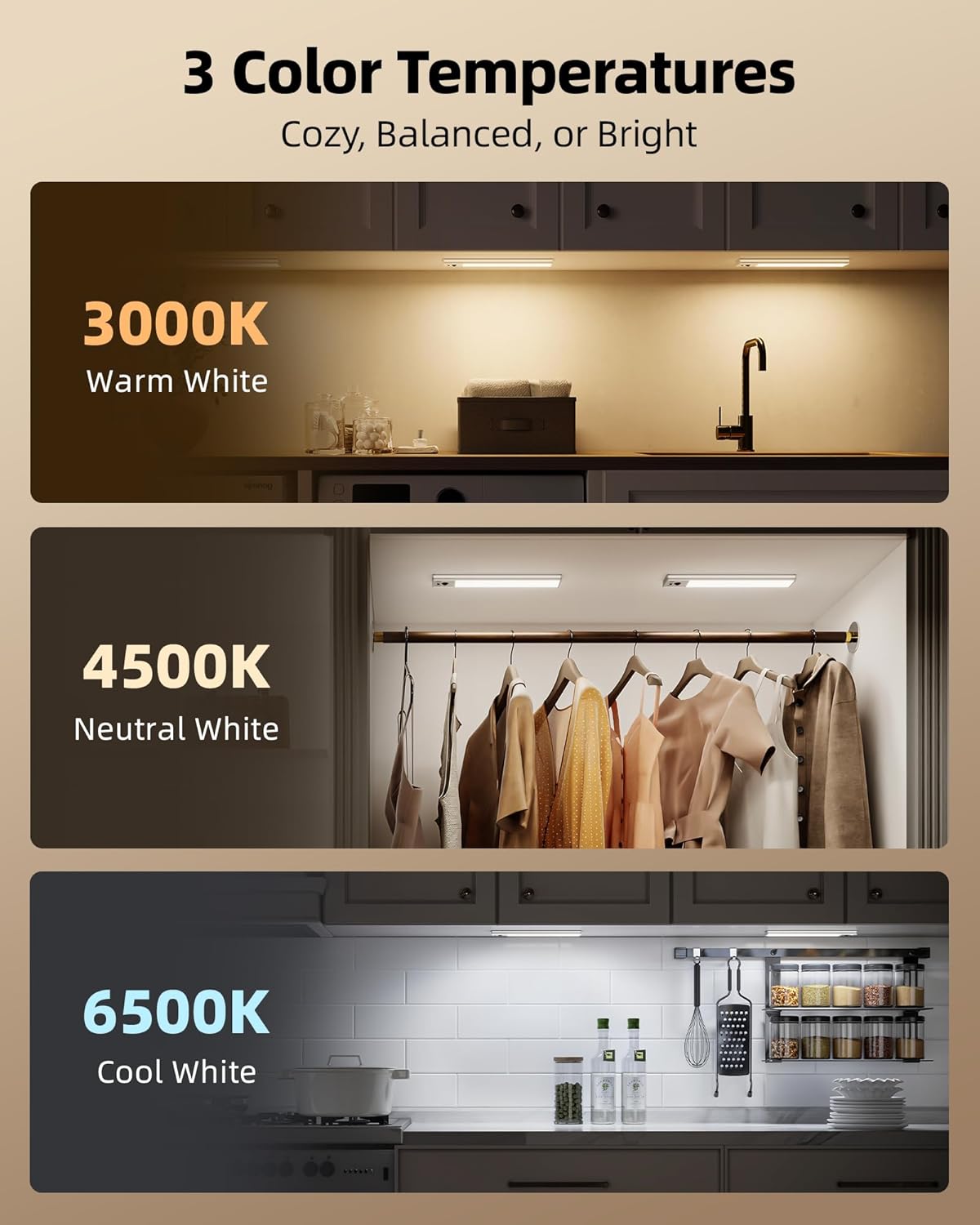
Figure 6: Examples of the three available color temperatures.
5.3. Brightness Adjustment
The lights are dimmable, allowing you to adjust the brightness from 10% to 100% to match your environment's needs.
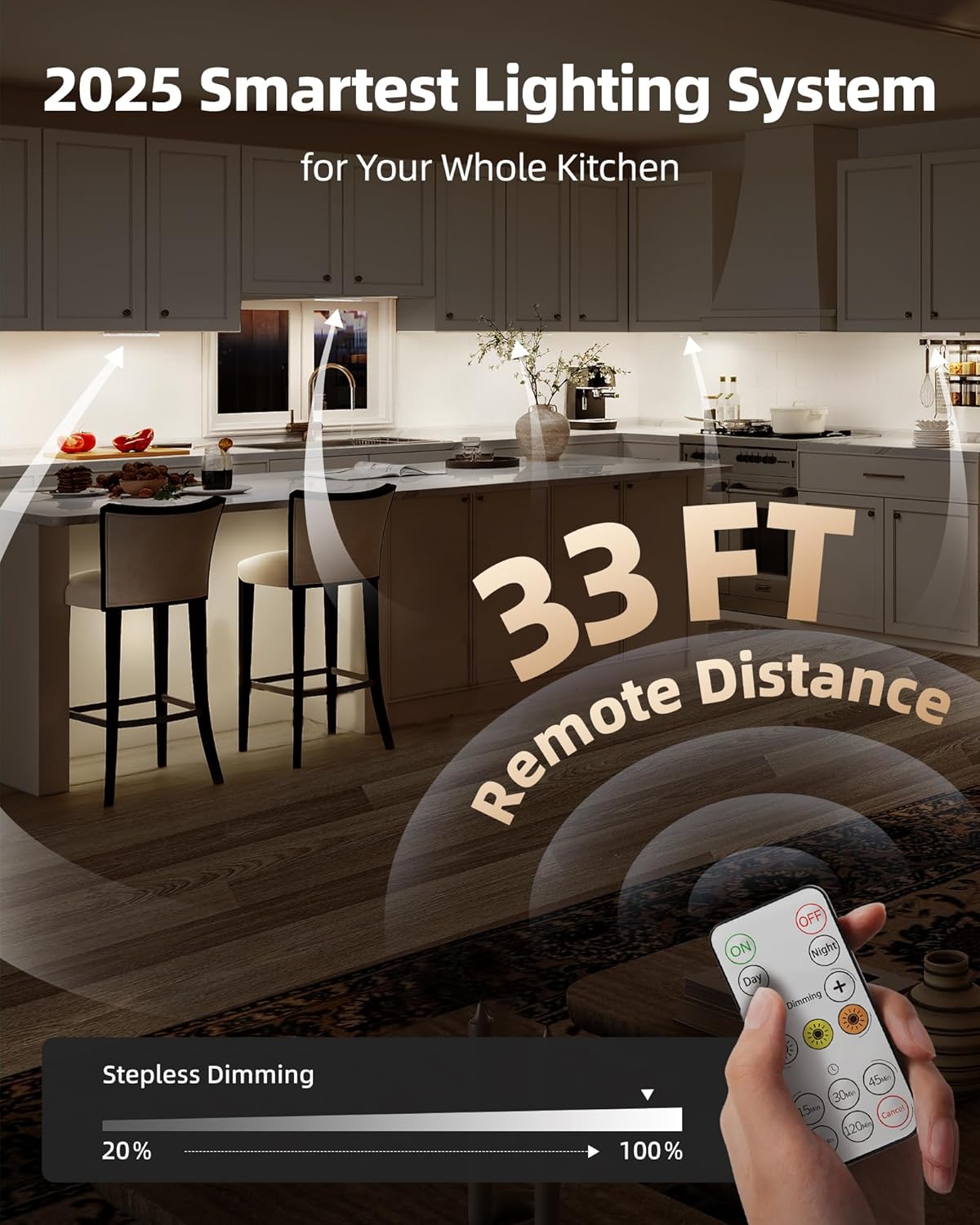
Figure 7: Remote control functionality for dimming and color temperature selection.
5.4. Remote Control Functions
The remote control provides convenient access to all lighting features:
- ON/OFF: Turn the lights on or off.
- Day/Night Mode: Switch between Day Mode and Night Motion Mode.
- Dimming (+/-): Increase or decrease brightness.
- Color Temperature Buttons: Select Warm White, Natural White, or Cool White.
- Timer Settings: Set the lights to turn off automatically after 15, 30, 60, 90, or 120 minutes.
6. Specifications
| Feature | Detail |
|---|---|
| Brand | EZVALO |
| Model Number | 7285b549-0b4b-4893-a306-d3cc39b8cd3d |
| Product Dimensions | 12"L x 1.7"W x 0.53"H |
| Material | Aluminum |
| Power Source | Battery Powered |
| Battery Capacity | 3200mAh |
| Charging Time | Approx. 4.5 hours |
| Battery Life (Motion Sensor) | 20-50 days (usage dependent) |
| Battery Life (Always-On, 100%) | Approx. 13.5 hours |
| Light Source Type | LED |
| Brightness | 150 Lumen |
| Color Temperatures | Warm White (3000K), Natural White (4500K), Cool White (6500K) |
| Dimmable | Yes (10%-100%) |
| Motion Sensor Angle | 120° |
| Motion Sensor Range | 12ft |
| Auto-Off Time | Approx. 20 seconds (after no motion) |
| Control Method | Push Button, Remote Control |
| Indoor/Outdoor Usage | Indoor |
7. Maintenance
To ensure the longevity and optimal performance of your EZVALO lights:
- Cleaning: Wipe the light surfaces with a soft, dry cloth. Avoid using abrasive cleaners or solvents.
- Battery Care: Recharge the lights when the battery is low to maintain battery health. Avoid fully depleting the battery frequently.
- Storage: If storing the lights for an extended period, charge them to about 50% and store in a cool, dry place. Recharge every 3-6 months to prevent deep discharge.
8. Troubleshooting
If you encounter issues with your EZVALO lights, refer to the following common solutions:
- Light does not turn on:
- Ensure the light is charged. Connect it to a power source and check the charging indicator.
- Verify the mode switch is not set to 'Off'.
- Check ambient light conditions if in 'Night Motion Mode'.
- Motion sensor not working:
- Ensure the sensor is not obstructed.
- Check if the light is in 'Always-On Mode' or 'Off'.
- Confirm the light is within the 12ft detection range and 120° angle.
- If in 'Night Motion Mode', ensure the environment is sufficiently dark.
- Remote control not responding:
- Ensure there are no obstructions between the remote and the light.
- Check the remote's battery (if applicable, typically button cell).
- Short battery life:
- Ensure the light is fully charged (4.5 hours).
- Frequent activation in motion sensor modes or continuous use at high brightness will consume battery faster.
9. Warranty and Support
For warranty information or technical support, please refer to the product packaging or contact EZVALO customer service through the retailer's platform where the product was purchased.