
Introduction
This manual provides detailed instructions for the AHENOD G15 MP3 Player. This device is a portable media player featuring a 5-inch IPS touch screen, Android 9 OS, Bluetooth, and Wi-Fi connectivity. It is designed for music, video, and app usage.

Image: The AHENOD G15 MP3 Player displaying its home screen with various application icons.
Package Contents
Verify that all items listed below are included in your package:
- 1 x AHENOD G15 MP3 Player
- 1 x 128GB SD card (pre-installed or separate)
- 1 x User Manual
- 1 x Type-C USB Cable
- 1 x Earphone
- 1 x Silicone Case
- 1 x Protective Film
Setup
1. Charging the Device
Before first use, fully charge the device. Connect the provided Type-C USB cable to the player's charging port and the other end to a USB power adapter (not included) or a computer's USB port. The battery indicator on the screen will show charging status.
2. Powering On/Off
- To Power On: Press and hold the Power button located on the side of the device until the screen illuminates.
- To Power Off: Press and hold the Power button, then select 'Power off' from the on-screen options.
3. Initial Setup
Upon first power-on, follow the on-screen prompts to complete the initial Android 9 OS setup. This typically includes selecting your language, connecting to a Wi-Fi network, and optionally signing in with a Google account to access the Play Store.

Image: The AHENOD G15 MP3 Player showing the expandable storage slot and an SD card being inserted.
Operating Instructions
1. Touch Screen Navigation
The device features a 5-inch IPS touch screen. Navigate by tapping icons, swiping between screens, and using pinch-to-zoom gestures where applicable.
2. Wi-Fi Connectivity
To connect to a Wi-Fi network:
- Go to 'Settings' > 'Network & internet' > 'Wi-Fi'.
- Toggle Wi-Fi 'On'.
- Select your desired network from the list and enter the password if prompted.
3. Bluetooth Connectivity
The device supports Bluetooth 4.1 for connecting to headphones, speakers, and car stereos.
- Ensure the Bluetooth device you wish to pair is in pairing mode.
- On the G15, go to 'Settings' > 'Connected devices' > 'Bluetooth'.
- Toggle Bluetooth 'On'.
- Tap 'Pair new device' and select your device from the list. Follow any on-screen prompts to complete pairing.

Image: The AHENOD G15 MP3 Player demonstrating stable duplex Bluetooth connectivity with wireless earbuds and a car stereo.
4. Music Playback
The player supports various audio formats including MP3, WAV, APE, FLAC, AAC, OGG, and WMA. Preloaded music applications such as Spotify, Amazon Music, and YouTube Music are available. You can organize and browse your music by title, folder, artist, or album.
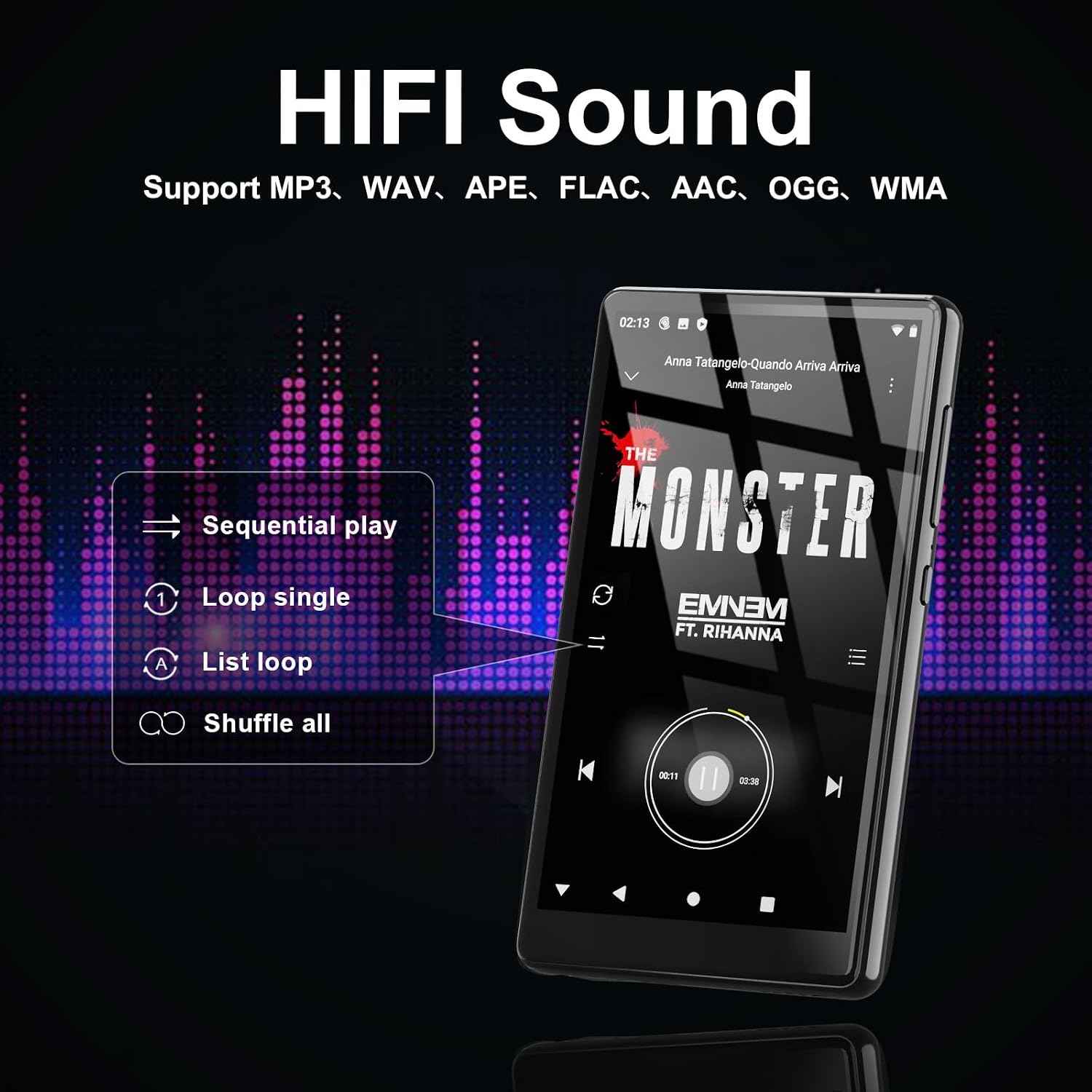
Image: The AHENOD G15 MP3 Player showing its HiFi sound capabilities and supported audio formats, along with playback options like sequential play, loop single, list loop, and shuffle all.
5. Video Playback
Enjoy videos in 1080P HD resolution. The device supports video formats such as AVI, MKV, RMVB, MP4, MPG, MOV, FLV, and RM directly, without the need for conversion.

Image: The AHENOD G15 MP3 Player showcasing its 1080P HD full touch screen, displaying a vivid video scene.
6. App Management
The built-in Google Play Store allows you to download and install additional applications. To uninstall an app, press and hold its icon on the home screen or app drawer, then drag it to the 'Uninstall' option.

Image: The AHENOD G15 MP3 Player highlighting the pre-installed Google App Store and other popular applications.
7. Storage Management
The device comes with 32GB of internal storage (ROM) and includes a 128GB SD card. It supports expandable storage up to 512GB via a microSD card.
8. FM Radio
Access the FM Radio application from the home screen or app drawer to listen to local radio stations. Ensure wired earphones are connected as they often act as the antenna.
Maintenance
1. Cleaning the Device
Use a soft, lint-free cloth to clean the screen and body of the player. Avoid using harsh chemicals or abrasive materials that could damage the finish or screen.
2. Battery Care
The device is equipped with a 2500mAh Li-ion battery. To maximize battery life:
- Avoid extreme temperatures.
- Do not fully discharge the battery regularly.
- Unplug the charger once the device is fully charged.
Expected battery life: up to 50 hours of continuous music playback (with wired earbuds) or up to 8 hours of video playback.

Image: A diagram illustrating the AHENOD G15 MP3 Player's 2500mAh battery capacity and estimated usage times: 50 hours for music and 8 hours for video.
3. Software Updates
Periodically check for system updates in 'Settings' to ensure optimal performance and access to the latest features and security patches.
Troubleshooting
If you encounter issues with your AHENOD G15 MP3 Player, refer to the following common solutions:
- Device Not Powering On: Ensure the battery is charged. Connect the device to a charger for at least 30 minutes before attempting to power on again.
- Cannot Connect to Wi-Fi/Bluetooth: Verify that Wi-Fi/Bluetooth is enabled in settings. Ensure you are within range of the network/device. Try restarting the player and the router/Bluetooth device.
- Apps Crashing/Freezing: Close and reopen the app. If the issue persists, clear the app's cache and data in 'Settings' > 'Apps' > [App Name] > 'Storage'.
- Poor Audio Quality: Check headphone connections or Bluetooth pairing. Ensure audio files are not corrupted.
- Slow Performance: Close unnecessary background applications. Clear cache regularly. Consider performing a factory reset if performance issues persist (Note: A factory reset will erase all data on the device).
Specifications
| Model | G15 |
| Operating System | Android 9 OS |
| Processor | MTK 8-core 1.92GHz |
| RAM | 3GB |
| Internal Storage (ROM) | 32GB |
| Expandable Storage | Up to 512GB (Micro SD) |
| Screen Size | 5 Inches IPS Touch Screen |
| Resolution | 1080P HD |
| Bluetooth Version | 4.1 (Bi-directional) |
| Wi-Fi | Supported |
| Battery Capacity | 2500mAh Li-ion |
| Music Playback Time | Up to 50 hours (wired earbuds) |
| Video Playback Time | Up to 8 hours |
| Supported Audio Formats | MP3, WAV, APE, FLAC, AAC, OGG, WMA |
| Supported Video Formats | AVI, MKV, RMVB, MP4, MPG, MOV, FLV, RM |
| Item Weight | 12 ounces |
| Dimensions | 5.98 x 3.82 x 1.34 inches |
Warranty and Support
The AHENOD G15 MP3 Player comes with a 1-year warranty. For any issues or support inquiries, please contact AHENOD customer service. They provide 24-hour customer service to assist you.
Please refer to the contact information provided with your purchase documentation or visit the official AHENOD website for support details.
