
1. Introduction
The GOYOJO GRL335 Thermal Riflescope is an advanced thermal imaging device designed for hunting and observation in various environmental conditions. It features a high-resolution 384x288 thermal sensor, a 35mm objective lens, and a 55Hz refresh rate for smooth, clear thermal imagery. This manual provides essential information for the proper setup, operation, maintenance, and troubleshooting of your GRL335 thermal riflescope.
2. What's in the Box
Verify that all items are present in the package:
- GOYOJO GRL335 Thermal Riflescope
- Canvas bag
- Battery charger
- USB Type-C Cable
- 64GB SD Card
- Screw (for mounting)
3. Product Overview
The GRL335 is engineered for reliable performance, offering features that enhance target detection and identification.

Figure 3.1: GOYOJO GRL335 Thermal Riflescope with 384x288 resolution and 35mm lens.
Key features include:
- High-Resolution Thermal Sensor: Equipped with a 384x288 thermal sensor and a 35mm objective lens, providing clear thermal images.
- High Refresh Rate: A 55Hz refresh rate ensures smooth, natural motion for improved situational awareness, especially with moving targets.
- Adjustable Magnification: Features 4X–16X adjustable optical magnification for confident zooming.
- Auto AI Image Enhancement: Automatically refines edge detail and thermal contrast for clearer viewing in complex environments.
- RAV (Recoil Activated Video): Automatically records video when a shot is fired, useful for training and analysis.
- Real-Time Sharing: Connects to a mobile app for live streaming of your view.
- Durable Construction: Withstands recoil up to 1000 g/0.4 ms and features an IP65 waterproof rating for extreme environments.

Figure 3.2: Precision Aiming and Magnification: Picture-in-Picture mode and 16X High-Power Zoom capabilities.

Figure 3.3: Thermal Imaging Advantage: Spot hidden targets in dense grass that optical or night vision scopes cannot detect.

Figure 3.4: AI-Driven Imaging Optimized at 55Hz: Real-time contrast, gain, and clarity optimization for smooth thermal imaging.

Figure 3.5: PIP Function: Magnified target view without losing situational awareness.
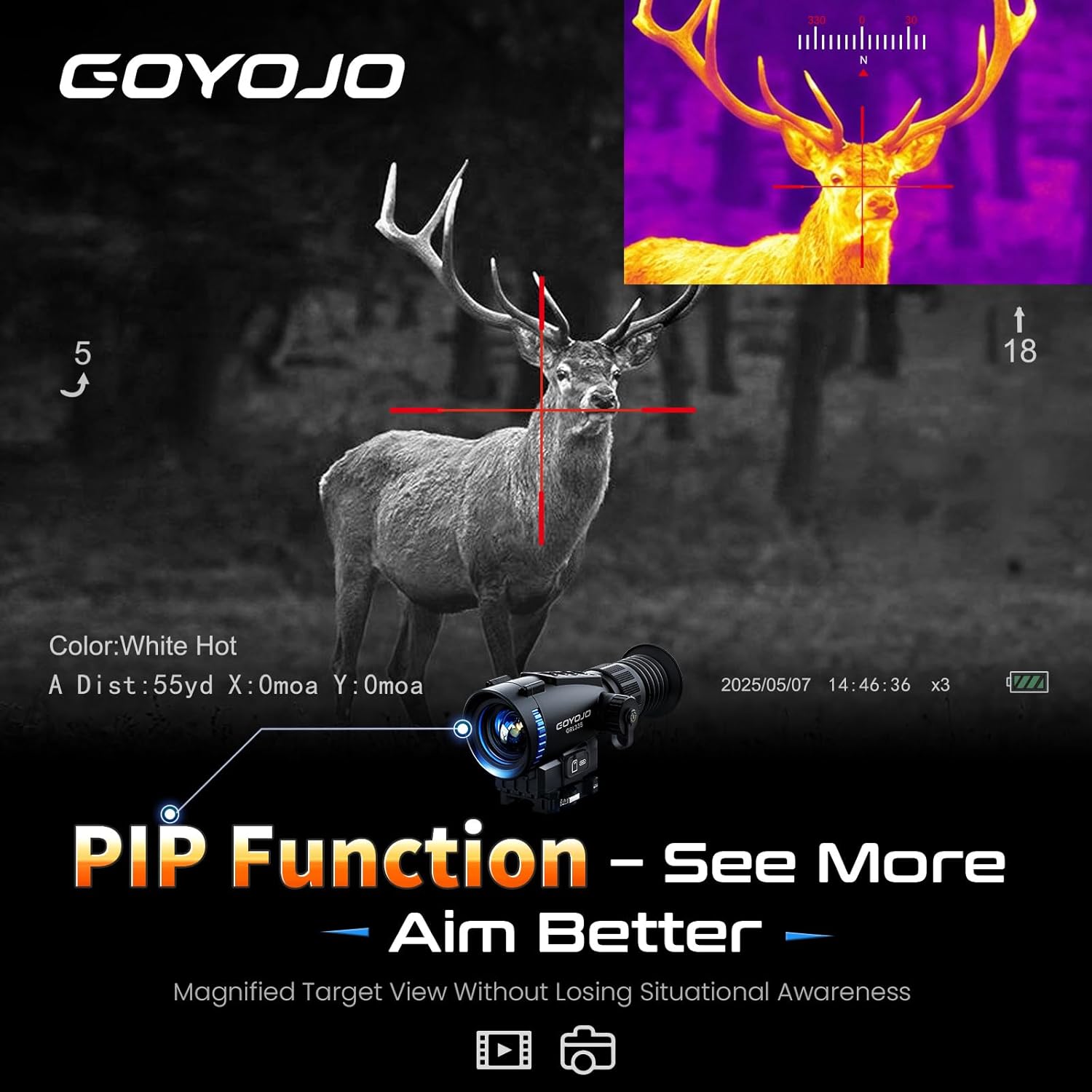
Figure 3.6: 7 Color Palettes and 5 Reticle Types: Customize your view for optimal target identification.

Figure 3.7: GOYOJO GRL335 Thermal Riflescope mounted on a rifle.

Figure 3.8: Easy Operation: Intuitive button layout for quick access to all functions.
4. Setup Instructions
4.1. Battery Installation
- Locate the battery compartment on the riflescope.
- Unscrew the battery cap.
- Insert one 18650 battery (included) with the correct polarity.
- Securely screw the battery cap back on.
4.2. Mounting the Riflescope
- Ensure your firearm is unloaded and safe.
- Attach the provided Picatinny mount to your firearm's rail.
- Secure the GRL335 riflescope to the Picatinny mount using the provided screws. Ensure it is firmly attached and aligned.
4.3. Powering On/Off
- To power on, press and hold the Power button (usually the leftmost button) until the display illuminates.
- To power off, press and hold the Power button again until the display shuts down.
4.4. Initial Calibration (One Shot Zero)
The GRL335 features a 'One Shot Zero' function for quick and easy sighting in. Refer to the on-screen menu for detailed instructions on activating and performing this calibration. This process typically involves firing a single shot, then adjusting the reticle to the point of impact using the riflescope's controls.
5. Operating Instructions
5.1. Menu Navigation
The riflescope features four primary buttons for navigation:
- Down Button: Navigates down or left in menus.
- Up Button: Navigates up or right in menus.
- Mode Button: Enters selections or confirms actions.
- Switch Button: Returns to the previous menu level or exits a function.
5.2. Zoom Adjustment
Use the Up and Down buttons to adjust the magnification between 4X and 16X. The reticle will automatically center after zooming.
5.3. Imaging Modes and Color Palettes
The GRL335 offers 7 selectable imaging modes (e.g., Black Hot, White Hot, Iron Red, Fusion, Ice Fire, Red Hot, Green Hot) to adapt to different environments and preferences. Access these options through the main menu and use the navigation buttons to select your desired palette.
5.4. Reticle Selection
Choose from 5 different reticle options to suit your aiming style. These can be customized in the settings menu.
5.5. RAV (Recoil Activated Video) Recording
The RAV feature automatically records video when the riflescope detects recoil. This function is enabled or disabled through the settings menu. Recorded videos are saved to the internal 32GB storage or the included 64GB SD card.
5.6. Mobile App Connection
The GRL335 can connect to a mobile app via Wi-Fi for real-time viewing and sharing. Activate the Wi-Fi function in the riflescope's menu, then connect your mobile device to the riflescope's Wi-Fi network. Follow the app's instructions for live streaming and control.
6. Maintenance
6.1. Cleaning
- Use a soft, lint-free cloth to clean the exterior of the riflescope.
- For lenses, use a specialized optical cleaning cloth and solution. Avoid abrasive materials that could scratch the lens.
- Ensure no dust or debris enters the battery compartment or other openings.
6.2. Battery Care
- Always use the provided charger for the 18650 battery.
- Remove the battery if the riflescope will not be used for an extended period.
- Store batteries in a cool, dry place.
6.3. Storage
Store the riflescope in its canvas bag or a protective case in a dry environment, away from direct sunlight and extreme temperatures.
7. Troubleshooting
| Problem | Possible Cause | Solution |
|---|---|---|
| Device does not power on | Low or dead battery; Incorrect battery installation | Charge or replace battery; Reinstall battery with correct polarity |
| Blurry image | Lens is dirty; Focus adjustment needed | Clean the lens; Adjust the focus ring on the objective lens |
| No Wi-Fi connection | Wi-Fi not enabled on device; Incorrect app settings | Enable Wi-Fi in the riflescope's menu; Check app settings and ensure correct network selection |
| RAV not recording | RAV feature disabled; SD card full or faulty | Enable RAV in settings; Check SD card storage or replace |
8. Specifications
| Feature | Detail |
|---|---|
| Brand | GOYOJO |
| Model Name | GRL335 |
| Color | Black |
| Sensor Resolution | 384x288 |
| Objective Lens Diameter | 35 millimeters |
| Refresh Rate | 55 Hz |
| Magnification | 4x - 16x |
| Detection Range | Up to 1,968 yards |
| Display | 1024x768 OLED |
| Reticle Types | 5 |
| Color Palettes | 7 |
| Internal Storage | 32GB (plus included 64GB SD Card) |
| Waterproof Rating | IP65 |
| Recoil Resistance | Up to 1000 g/0.4 ms |
| Operating Temperature | −4°F to 122°F |
| Item Weight | 1.2 pounds |
| Product Dimensions | 10.6"L x 10.6"W x 6.7"H |
| Material | Aluminum |
| Mounting Type | Picatinny Mount |
9. Warranty and Support
9.1. Warranty Information
The GOYOJO GRL335 Thermal Riflescope comes with a 5-year warranty. Please retain your proof of purchase for warranty claims.
9.2. Customer Support
For technical assistance, troubleshooting, or warranty inquiries, please visit the official GOYOJO Store or contact their customer service department. You can find more information and support resources at the GOYOJO Store on Amazon.
10. Official Product Videos
The following videos provide additional guidance and demonstrations for your GOYOJO GRL335 Thermal Riflescope:
10.1. GRL335 Thermal Scope Overview
This video provides a general overview of the GRL335 thermal scope's features and capabilities.
10.2. Connecting to WiFi
Learn how to connect your GOYOJO thermal scope to WiFi for mobile app integration and real-time sharing.
10.3. GRL325/GRL335 Thermal Scope Features
A detailed look at the features shared by the GRL325 and GRL335 thermal scopes.


