
1. Introduction
The XTUGA DM80 is an 8-channel digital mixer and multitrack recorder designed for a variety of audio applications, including streaming, live performances, and home studio recording. It features a USB interface for computer recording, stand-alone USB disk recording, versatile input tuning, and professional digital effects. This manual provides detailed instructions for setting up, operating, and maintaining your DM80 mixer.
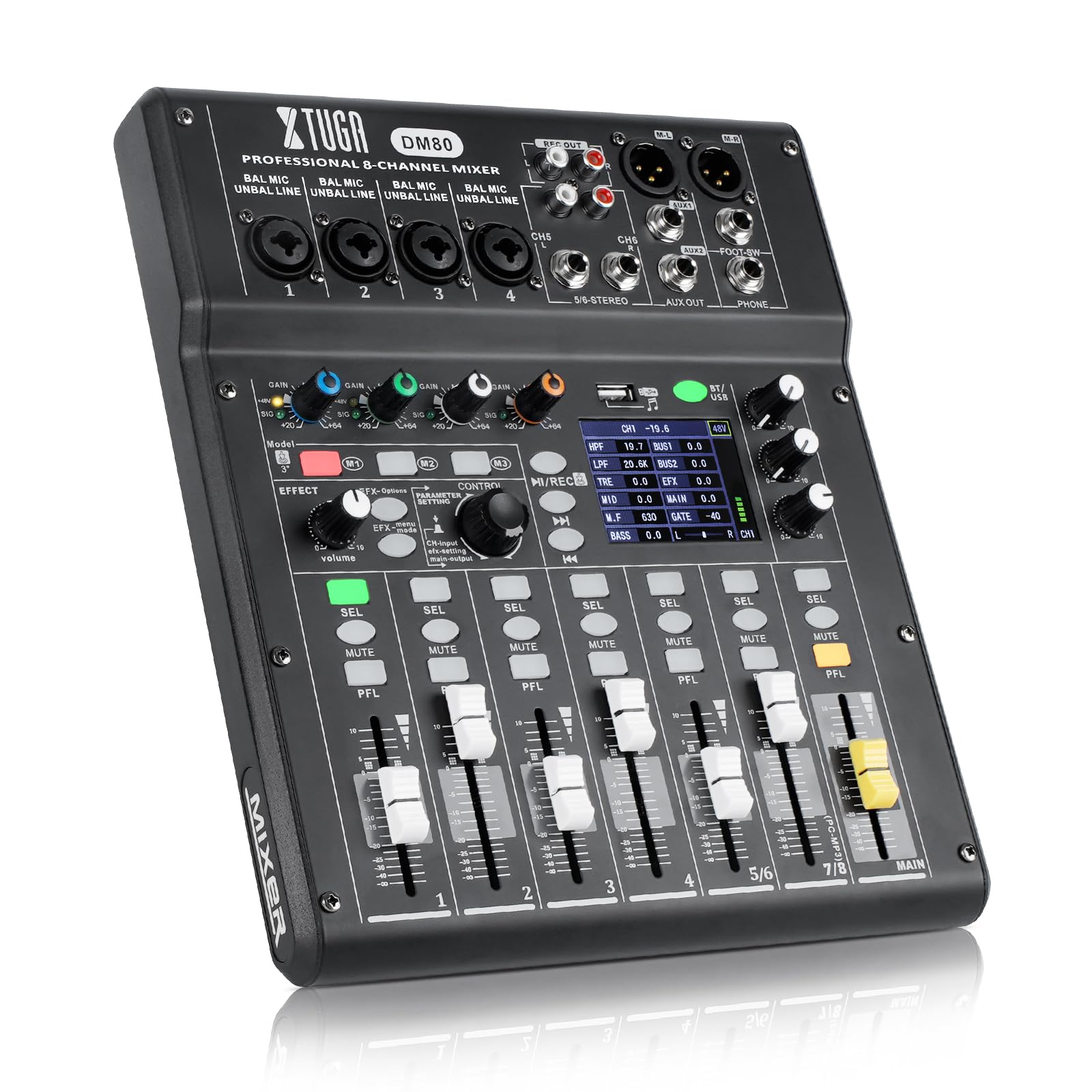
Figure 1: Front view of the XTUGA DM80 8-Channel Digital Mixer.
2. Product Overview and Key Features
The DM80 mixer is equipped with a range of features to enhance your audio production and mixing experience:
- Crystal-Clear Vocal Recording: Professional-grade preamps ensure pristine, noise-free audio capture, ideal for podcasts, streaming, and interviews.
- Stand-Alone USB Disk Recording: Record directly to a USB flash drive without a computer. This one-key recording feature captures stereo audio files instantly, which can be played back or transferred via Bluetooth for quick sharing.
- Versatile Input Tuning: Each channel includes a 4-band EQ with a sweepable mid-band filter, a noise gate to eliminate background hum, and gain control. Dedicated mute switches provide instant control during live streams or studio sessions.
- Professional Digital Effects: Access 16 built-in digital effects, from subtle room echo to rich, repeatable delays. Effects are independently adjustable and can be sent to the main mix or Aux output.
- Intuitive Operation & Monitoring: A 2.8" display allows browsing and selection of MP3 files directly from your USB drive. Real-time signal level LEDs and smooth 45mm faders provide precise visual feedback for optimal level control.

Figure 2: XTUGA DM80 with key features such as 48V phantom power, EQ, 16 DSP effects, and recording capabilities.
3. Setup
3.1 Unpacking and Initial Inspection
Carefully remove all components from the packaging. Verify that all items listed in the 'Included Components' section are present and undamaged. If any items are missing or damaged, contact XTUGA customer support.
3.2 Included Components
- XTUGA DM80 Mixer
- Power Adapter
- Data Line (USB Cable)
- Power Line
- Drive CD (for drivers/software)
- Instruction Manual

Figure 3: Contents of the XTUGA DM80 package.
3.3 Power Connection
- Connect the power adapter to the DC 12V input on the rear panel of the DM80.
- Plug the power adapter into a suitable electrical outlet.
- Press the POWER switch on the rear panel to turn on the unit.
3.4 Connecting Inputs
The DM80 features 8 input channels. Channels 1-4 are equipped with XLR/TRS combo jacks, while channels 5/6 and 7/8 are stereo line inputs.
- Microphones: Connect XLR microphones to channels 1-4. For condenser microphones requiring phantom power, activate the 48V switch for the respective channel (channels 1-4 have individual 48V switches).
- Instruments (Line Level): Connect instruments or line-level devices using TRS cables to channels 1-4, or stereo devices to channels 5/6 and 7/8.
- High-Impedance Instruments (e.g., Guitar/Bass): Channels 1 and 2 feature a Hi-Z switch for direct connection of high-impedance instruments without an external DI box.
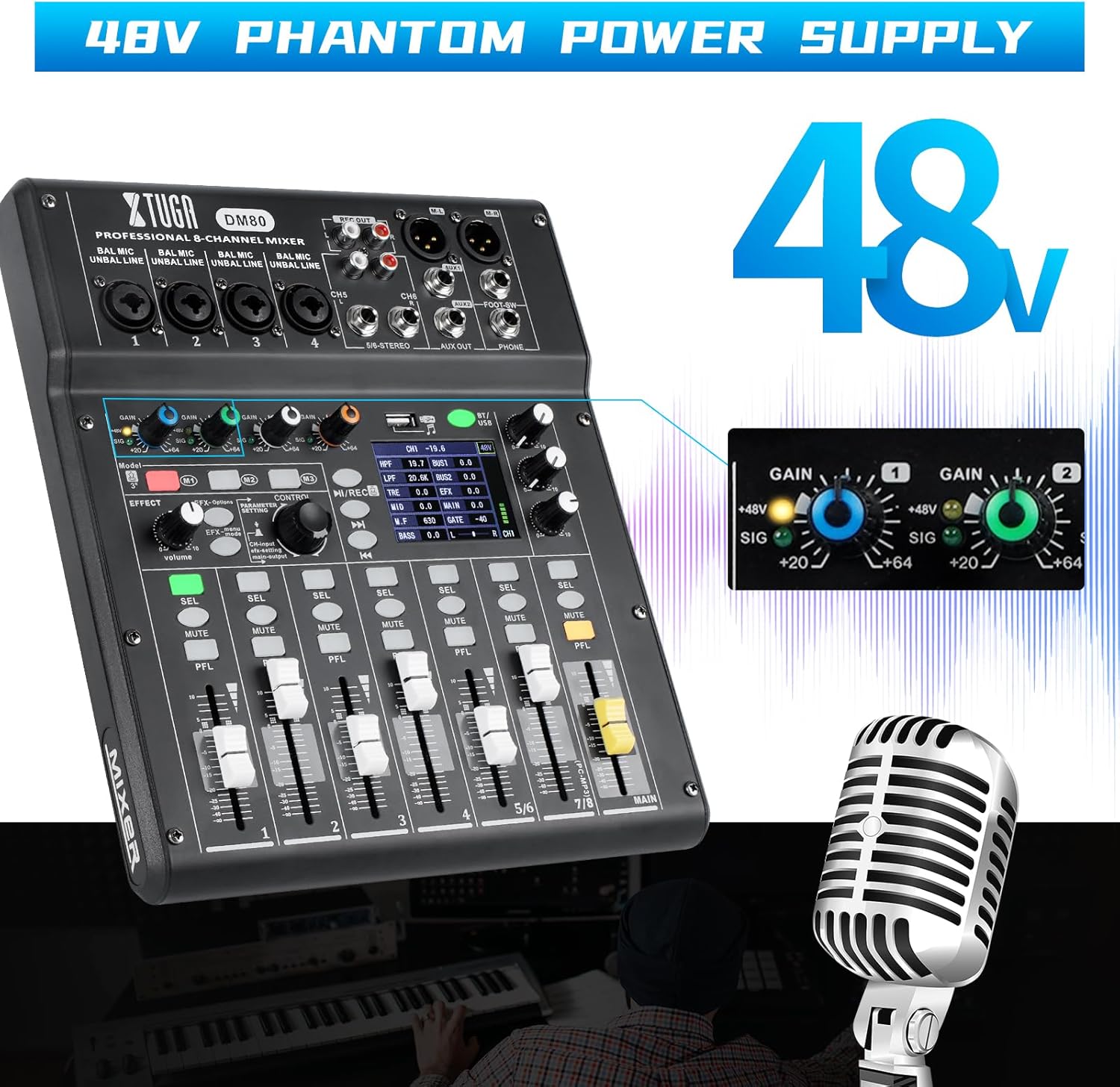
Figure 4: The DM80 provides 48V phantom power for condenser microphones.

Figure 5: Input section of the DM80, showing 4 XLR inputs, 1 stereo signal input, and 1 digital audio input.
3.5 Connecting Outputs
- Main Output: Connect your main speakers or PA system to the L/R MAIN OUTPUT XLR jacks.
- Auxiliary Outputs: Use the AUX OUT jacks for monitor mixes or external effects processors.
- Headphones: Connect headphones to the PHONES jack for personal monitoring.
4. Operating Instructions
4.1 Channel Controls
Each input channel (1-8) has dedicated controls:
- GAIN: Adjusts the input sensitivity for the connected device. Set this to achieve a strong signal without clipping.
- 4-Band EQ: Fine-tune the tone of each channel with High, High-Mid (sweepable), Low-Mid (sweepable), and Low frequency controls.
- COMP (Compressor): Apply compression to control dynamics and add punch to your sound.
- NOISE GATE: Reduce unwanted background noise by setting a threshold below which the signal is attenuated.
- PAN: Adjust the stereo position of the channel.
- MUTE: Mutes the channel output.
- PFL (Pre-Fader Listen): Sends the channel signal to the headphones for monitoring before the fader.
- Channel Fader: Controls the output level of the channel to the main mix.
4.2 Digital Effects (EFX)
The DM80 includes 16 professional digital effects:
- Use the EFX knob to select from the 16 available effects (e.g., Reverb Hall, Delay, Pitch Change, Tremolo).
- Adjust the effect parameters (PARAM-1, PARAM-2) using the dedicated controls to customize the sound.
- Use the EFX SEND controls on each channel to send a portion of that channel's signal to the selected effect.

Figure 6: The DM80 offers 16 types of DSP effects for sound enhancement.
4.3 Stand-Alone USB Recording
To record directly to a USB flash drive:
- Insert a USB flash drive into the USB-A port on the mixer.
- Adjust input levels and mix as desired.
- Press the dedicated REC button to start recording. The mixer will capture a stereo audio file.
- Press STOP to end the recording.
- Recorded files can be played back directly from the USB drive using the 2.8" display and playback controls.

Figure 7: The DM80 features a built-in digital recorder with a USB port for direct recording to a flash drive.
4.4 USB Audio Interface Mode
The DM80 can function as a USB audio interface for computer recording and streaming:
- Connect the DM80 to your computer using the provided USB cable (USB-B port on the mixer).
- Install the necessary drivers from the included Drive CD or XTUGA's official website.
- Select the DM80 as your audio input/output device in your Digital Audio Workstation (DAW) or streaming software.
- You can record multiple tracks simultaneously to your computer, utilizing the mixer's preamps and processing.

Figure 8: The DM80 supports both Bluetooth and USB connectivity for versatile audio routing.
4.5 Bluetooth Connectivity
The DM80 supports Bluetooth for wireless audio playback:
- Activate Bluetooth on your mobile device.
- On the DM80, select the Bluetooth input channel (usually channels 7/8 or a dedicated Bluetooth channel).
- Pair your device with the DM80.
- You can now stream audio wirelessly from your device to the mixer.
5. Maintenance
- Cleaning: Use a soft, dry cloth to clean the exterior of the mixer. Avoid using abrasive cleaners or solvents.
- Storage: Store the mixer in a cool, dry place away from direct sunlight and extreme temperatures.
- Cable Management: Ensure all cables are properly coiled and stored to prevent damage.
6. Troubleshooting
| Problem | Possible Cause | Solution |
|---|---|---|
| No sound output | Power not connected; Master fader down; Channel fader down; Mute engaged | Check power, raise master/channel faders, disengage mute. |
| Distorted audio | Input gain too high; Output level too high | Reduce input GAIN, lower channel/master faders. |
| Microphone not working | No phantom power (for condenser mics); Cable issue | Activate 48V phantom power; Check microphone cable connection. |
| USB recording not working | USB drive not formatted correctly; Drive full; Incorrect recording mode | Ensure USB drive is FAT32 formatted; Check available space; Refer to manual for recording steps. |
7. Specifications
- Brand: XTUGA
- Model: DM80
- Number of Channels: 8
- Item Weight: 4.79 Kilograms
- Input Tuning: 4-band EQ with sweepable mid-band, Noise Gate, Gain Control per channel
- Digital Effects: 16 built-in effects
- Display: 2.8" LCD
- Faders: 45mm
- Phantom Power: +48V (selectable per channel 1-4)
- Connectivity: USB Audio Interface, USB Disk Recording, Bluetooth
8. Warranty and Support
Warranty: No specific warranty information is provided with this product. Please refer to your retailer's return policy or contact XTUGA customer service for details regarding product guarantees.
Support: For further assistance, technical support, or inquiries, please visit the official XTUGA website or contact their customer service department.