
Introduction
This manual provides detailed instructions for the Monster Open Ear AC220 Bluetooth Earbuds, Model E102. These clip-on, open-ear earbuds are designed for comfortable wear and clear audio, allowing you to stay aware of your surroundings while enjoying music or calls. Please read this manual carefully before using your earbuds to ensure proper operation and longevity.

Image: Monster AC220 Earbuds designed for comfort and versatility in various daily activities.
What's in the Box
Upon unboxing, please verify that all components are present:
- Monster Open Ear AC220 Bluetooth Earbuds (Left and Right)
- Charging Case
- USB-C Charging Cable
- User Manual (this document)
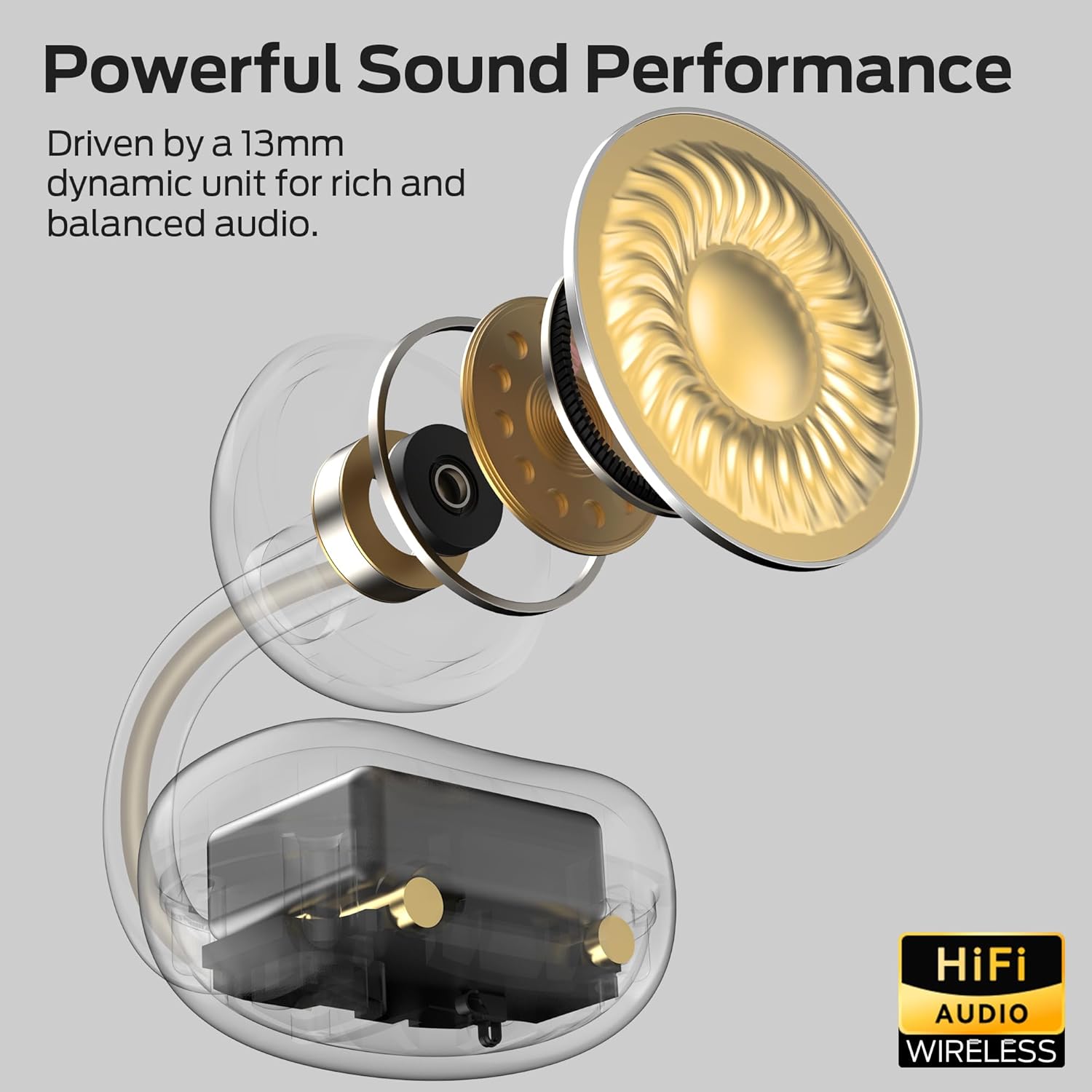
Image: The Monster AC220 Open Ear Earbuds securely placed within their charging case.
Setup
1. Charging the Earbuds and Case
Before first use, fully charge the earbuds and charging case.
- Connect the USB-C charging cable to the charging port on the case and to a power source.
- The indicator lights on the case will show charging status. Once fully charged, the lights will indicate completion.
- Place the earbuds into the charging case. Ensure they are correctly seated to begin charging.

Image: The Monster AC220 Earbuds in their charging case, illustrating the USB-C charging port and long-lasting battery life.
2. Pairing with a Bluetooth Device
- Open the charging case. The earbuds will automatically enter pairing mode, indicated by a flashing LED light on the earbuds.
- On your device (smartphone, tablet, etc.), enable Bluetooth.
- Search for available Bluetooth devices and select 'Monster AC220' from the list.
- Once connected, a voice prompt will confirm successful pairing, and the LED light on the earbuds will stop flashing.
- If pairing fails, turn off Bluetooth on your device, place the earbuds back in the case, close it, and then repeat the steps.

Image: Illustration of the Monster AC220 Earbuds featuring upgraded Bluetooth 6.0 technology for quick and stable pairing.
3. Wearing the Earbuds
- Identify the left (L) and right (R) earbuds.
- Gently clip the earbuds onto your ears, ensuring a secure and comfortable fit. The open-ear design allows for situational awareness.

Image: A user wearing the Monster AC220 Open Ear Earbuds, demonstrating the 'Hear Without Limits' design for situational awareness.

Image: Detailed view of the Monster AC220 Earbuds' directional acoustic structure and secure, stable fit with an adjustable C-bridge.
Operating Instructions
1. Power On/Off
- The earbuds power on automatically when removed from the charging case.
- They power off automatically when placed back into the charging case and the lid is closed.
2. Music Playback
- Play/Pause: Tap the touch control area on either earbud once.
- Next Track: Double-tap the right earbud.
- Previous Track: Double-tap the left earbud.
3. Call Management
- Answer/End Call: Tap the touch control area on either earbud once.
- Reject Call: Press and hold the touch control area on either earbud for 2 seconds.
4. Voice Assistant
- Activate Voice Assistant: Triple-tap the touch control area on either earbud to activate your device's voice assistant (e.g., Siri, Google Assistant).
Maintenance
1. Cleaning
- Regularly clean the earbuds and charging case with a soft, dry, lint-free cloth.
- Do not use harsh chemicals, cleaning solvents, or strong detergents.
2. Storage
- When not in use, store the earbuds in their charging case to protect them and keep them charged.
- Store in a cool, dry place, away from extreme temperatures.
3. Water Resistance
The Monster AC220 earbuds feature an IPX5 water-resistant rating, making them resistant to sweat and light splashes.
- Do not submerge the earbuds in water or expose them to heavy rain.
- Ensure the earbuds are dry before placing them back into the charging case to prevent damage.

Image: The Monster AC220 Earbuds are rated IPX5, indicating resistance to sweat and splashes, suitable for workouts.
Troubleshooting
If you encounter any issues with your Monster AC220 Earbuds, please refer to the following common solutions:
Earbuds not pairing:
- Ensure Bluetooth is enabled on your device.
- Make sure the earbuds are charged.
- Place earbuds back in the case, close the lid, wait a few seconds, then open to re-enter pairing mode.
- Try forgetting 'Monster AC220' from your device's Bluetooth list and re-pairing.
No sound from one earbud:
- Check if both earbuds are charged.
- Try placing both earbuds back in the case and taking them out again.
- Reset the earbuds (refer to the full user manual for specific reset instructions if available, or try the re-pairing steps).
Charging issues:
- Ensure the charging cable is securely connected to both the case and the power source.
- Try a different USB-C cable or power adapter.
- Clean the charging contacts on both the earbuds and the case with a dry cotton swab.
Low volume or poor sound quality:
- Adjust the volume on your connected device.
- Ensure the earbuds are properly seated in your ears.
- Check for any obstructions on the earbud speakers.
Specifications
| Brand | Monster |
| Model Name | E102 (AC220) |
| Form Factor | Open Ear, Clip-On |
| Connectivity Technology | Wireless (Bluetooth) |
| Wireless Technology | Bluetooth 6.0 |
| Color | White |
| Water Resistance | IPX5 |
| Battery Life | Up to 22 hours with charging case (5 hours single earbud playback) |
| Driver Size | 13mm Dynamic Unit |
| Special Features | AI-enhanced clear calls, Directional Acoustic Structure |
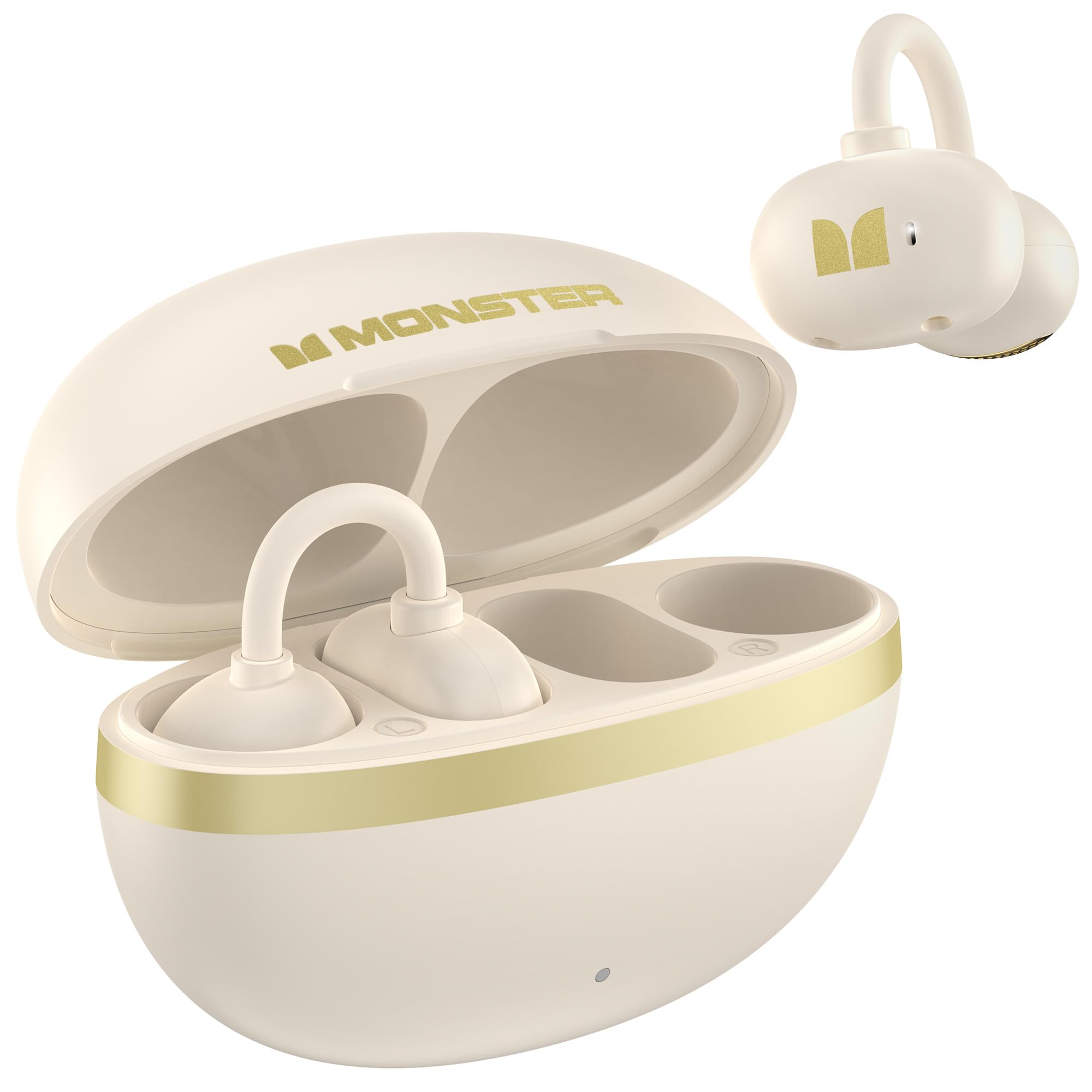
Image: Internal view of the Monster AC220 Earbud, highlighting the 13mm dynamic unit for powerful sound performance.
Warranty and Support
Monster products are designed and manufactured to the highest quality standards. For detailed warranty information and technical support, please visit the official Monster website or contact their customer service.
Official Monster Website: Visit the Monster Store on Amazon


