Introduction
This manual provides essential instructions for setting up, operating, maintaining, and troubleshooting your AEXPXO Gaming PC Desktop. Please read this guide thoroughly before using your new computer to ensure optimal performance and longevity.
Package Contents
Verify that all items are present in the packaging:
- AEXPXO Gaming PC Desktop (Model UR06)
- Power Cable
- ARGB Lighting Remote Control
- Wi-Fi Antennas
- Documentation (this manual)
Setup Guide
1. Unpacking
- Carefully remove the PC from its packaging.
- Remove any protective films or internal packaging materials.
- Place the PC on a stable, flat surface with adequate ventilation.
2. Connecting Peripherals
- Monitor: Connect your monitor to the graphics card's display outputs (HDMI, DisplayPort) located at the rear of the PC. Ensure you connect to the dedicated graphics card (RTX 5060) ports, not the motherboard's integrated graphics ports.
- Keyboard and Mouse: Connect your keyboard and mouse to the available USB ports.
- Power: Connect the power cable to the PC's power supply unit (PSU) and then to a wall outlet.
- Wi-Fi Antennas: Screw the provided Wi-Fi antennas into the designated ports on the rear I/O panel for wireless network connectivity.
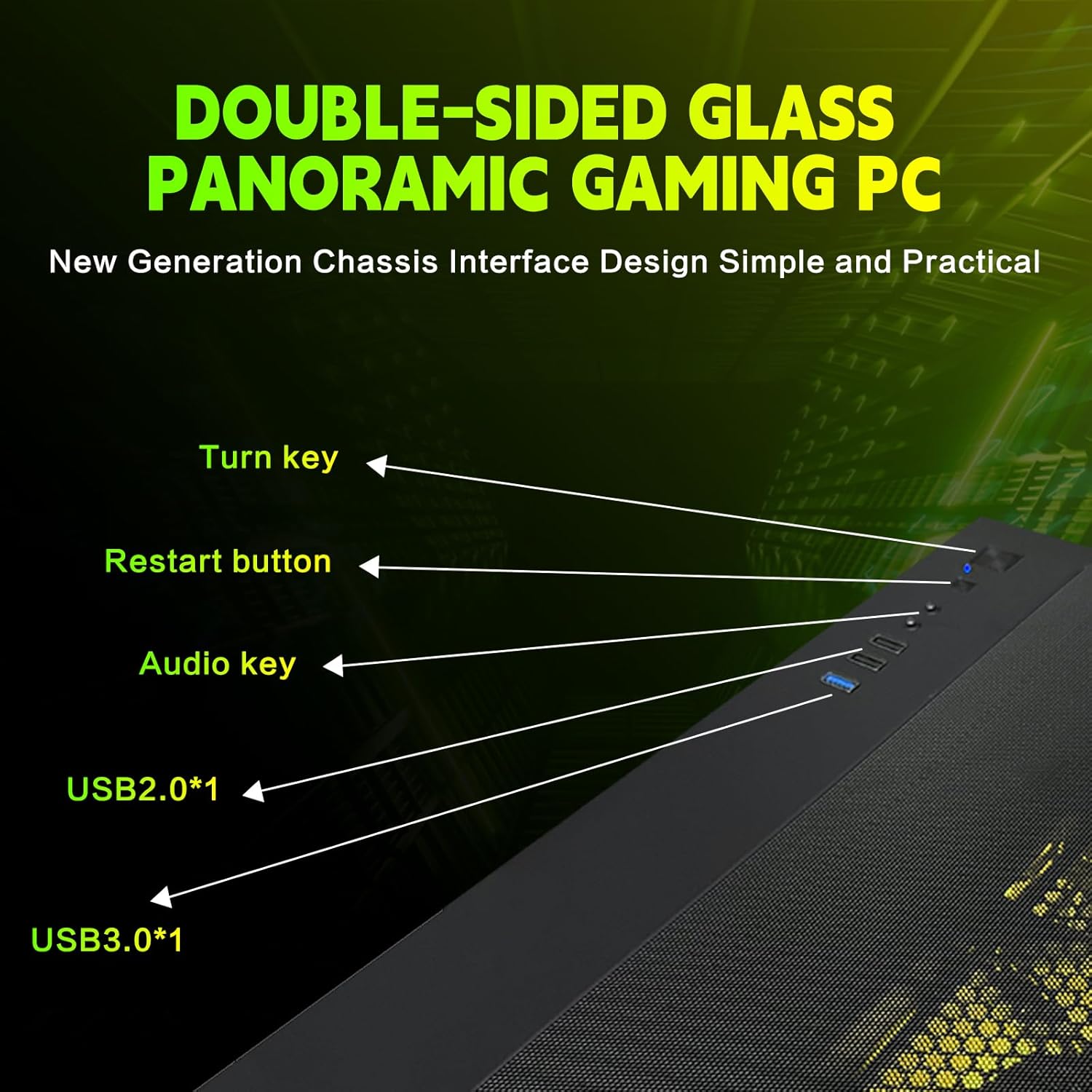
Figure 1: Front Panel Ports and Controls. This image illustrates the location of the power button, restart button, audio jacks, USB 2.0, and USB 3.0 ports on the top and front of the PC chassis.
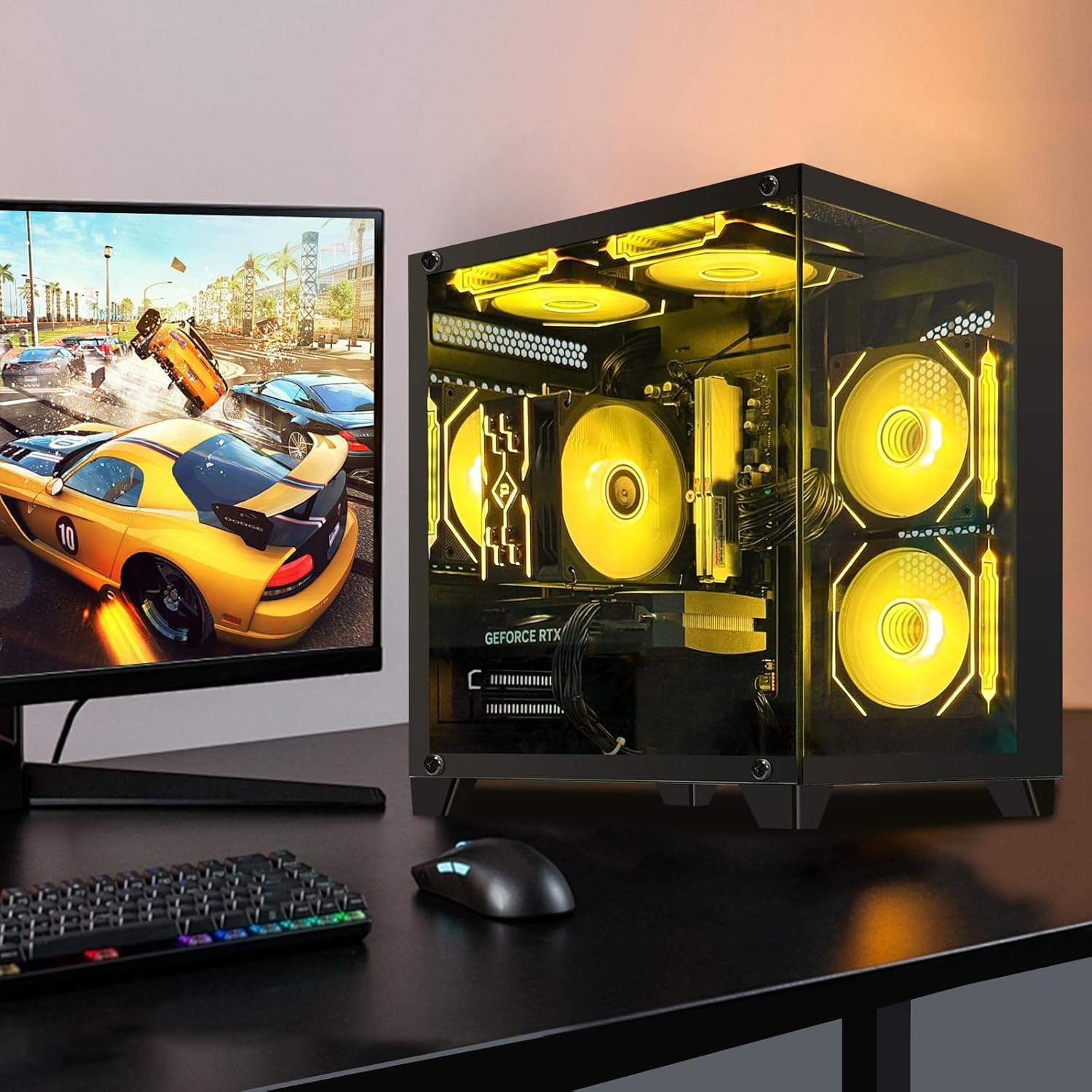
Figure 2: Typical PC Setup. This image shows the gaming PC connected to a monitor, keyboard, and mouse, ready for use.
3. Initial Power-On and Operating System Setup
- Press the power button located on the top panel of the PC.
- Follow the on-screen instructions to complete the Windows operating system setup. This typically involves selecting language, region, and creating a user account.
- If prompted for a pre-existing account, it is recommended to perform a factory reset to ensure a clean installation for your personal use.
System Overview
Your AEXPXO Gaming PC Desktop is equipped with high-performance components designed for demanding applications and gaming.
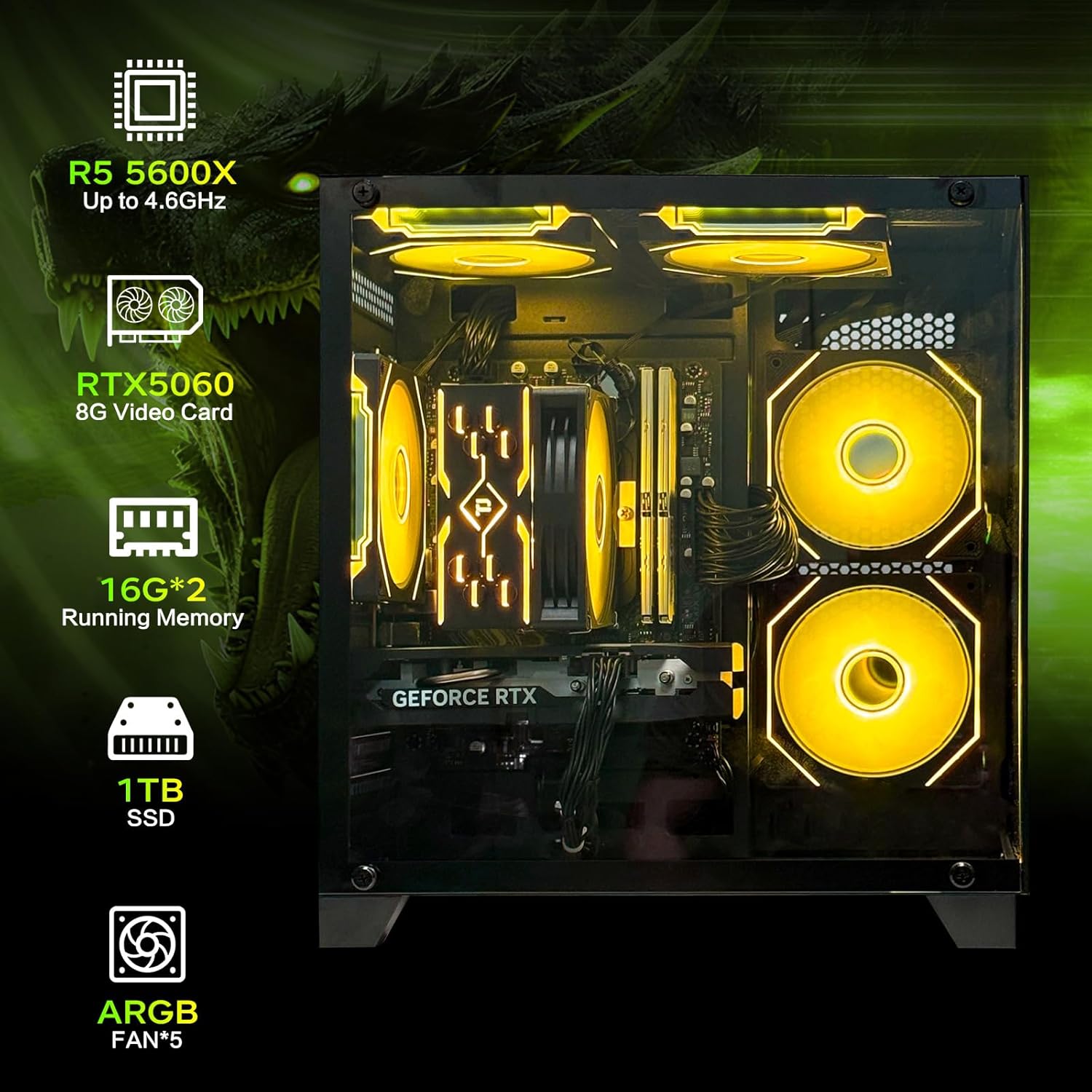
Figure 3: Key System Components. This image highlights the AMD Ryzen 5 5600X CPU, NVIDIA RTX 5060 GPU, 32GB RAM, 1TB SSD, and ARGB fans within the PC chassis.
Key Components
- Processor: AMD Ryzen 5 5600X (3.7GHz Base, up to 4.6GHz Max Boost)
- Graphics Card: NVIDIA GeForce RTX 5060 8GB GDDR7
- RAM: 32GB DDR4 3200MHz
- Storage: 1TB NVME SSD
- Cooling: ARGB four copper pipe cooling system with additional ARGB fans
- Power Supply: 550W Gold-certified

Figure 4: AEXPXO Gaming PC Desktop. A clear view of the PC's exterior and internal ARGB lighting.
ARGB Lighting Control
The integrated ARGB lighting system can be customized using the included remote control. This allows for selection of various colors and lighting effects for the internal fans and components.

Figure 5: ARGB Cooling System and Remote. This image displays the cooling solution and the remote used to control the RGB lighting effects.
Operating Your PC
Basic Operation
- Power On/Off: Use the power button on the top panel to turn the PC on or off. For proper shutdown, use the operating system's shutdown function.
- Restart: The restart button on the top panel can be used for a quick system reboot.
- Audio: Connect headphones or speakers to the audio jacks on the front or rear panel.
Performance and Usage
The AMD Ryzen 5 5600X processor and RTX 5060 graphics card are designed to handle a wide range of tasks, from everyday computing to demanding gaming and content creation.

Figure 6: Gaming Performance. This image illustrates the PC's capability to run various mainstream games.

Figure 7: Multi-purpose Functionality. The PC is suitable for various applications including office work, gaming, game development, and video editing.
Maintenance
Cleaning
- Exterior: Use a soft, dry cloth to clean the exterior surfaces. Avoid abrasive cleaners.
- Dust Filters: Periodically clean the dust filters (if present) to maintain optimal airflow.
- Internal Components: For internal cleaning, use compressed air to remove dust from fans and heatsinks. Ensure the PC is powered off and unplugged before opening the case.
Software Updates
Regularly update your operating system, graphics drivers, and other software to ensure system stability, security, and performance. Refer to the official websites of Microsoft (for Windows), AMD (for CPU drivers), and NVIDIA (for GPU drivers) for the latest updates.
Cooling System Care
The ARGB four copper pipe cooling system and additional fans are designed for efficient temperature management. Ensure the PC has adequate space around it for proper airflow and that fan vents are not obstructed.
Troubleshooting
- No Signal on Monitor:
- Ensure your monitor cable is securely connected to one of the graphics card's output ports (HDMI, DisplayPort) on the rear of the PC, not the motherboard's ports.
- Verify the monitor is powered on and set to the correct input source.
- Try a different cable or monitor if available.
- Network Connectivity Issues (Wi-Fi):
- Ensure the Wi-Fi antennas are securely attached to the rear of the PC.
- Check your router and internet connection.
- Update Wi-Fi drivers if necessary.
- PC Not Powering On:
- Verify the power cable is securely connected to both the PC and the wall outlet.
- Check the power switch on the PSU (located at the rear of the PC) is in the 'On' position.
- Test the wall outlet with another device to ensure it has power.
- Pre-installed User Account:
- If the PC boots into a pre-configured user account, it is recommended to perform a factory reset of the operating system to ensure data privacy and a fresh start. Consult Windows documentation for factory reset procedures.
Specifications
| Component | Detail |
|---|---|
| Processor | AMD Ryzen 5 5600X (3.7 GHz, up to 4.6 GHz) |
| Graphics Coprocessor | NVIDIA GeForce RTX 5060 8GB |
| RAM | 32GB DDR4 3200MHz |
| Hard Drive | 1TB NVME SSD |
| Operating System | Windows |
| Power Supply | 550W Gold-certified |
| Cooling System | ARGB Four Copper Pipe Air Cooled Radiator, 5 ARGB Fans |
| Connectivity | Wi-Fi, Bluetooth |
| USB Ports | 3 x USB 2.0, 5 x USB 3.0 |
| Max Screen Resolution | 3840 x 2160 |
| Item Weight | 23.2 pounds |
| Model Number | UR06 |

Figure 8: Product Dimensions. This image provides the approximate height, width, and depth of the PC chassis.
Warranty and Support
Warranty Information
Your AEXPXO Gaming PC Desktop comes with a 1-year warranty from the date of purchase, covering manufacturing defects and hardware malfunctions under normal use conditions.
Technical Support
AEXPXO provides free lifetime technical support for your gaming PC. For assistance with setup, troubleshooting, or any other inquiries, please contact AEXPXO customer service through their official channels. Refer to your purchase documentation or the AEXPXO brand store on Amazon for contact details.