
1. Introduction
This manual provides detailed instructions for the VECHTEL 9-inch Android 15 Car Radio. This advanced multimedia system is designed to enhance your driving experience with its powerful 8-core processor, ample memory, and a wide range of features including CarPlay, Android Auto, Bluetooth 5.0, DSP sound processing, GPS navigation, Wi-Fi connectivity, and AHD rear camera support. Please read this manual thoroughly before installation and operation to ensure proper use and optimal performance.

Figure 1.1: Key features of the VECHTEL 9-inch Android 15 Car Radio.
2. Setup & Installation
2.1 Package Contents
Verify that all items are present in the package:
- VECHTEL 9-inch Car Radio Unit
- Rear Camera
- GPS Antenna
- External Microphone
- User Manual
- Antenna Adapter
- RCA Cable
- Power Cable
- USB Cable
- Canbus Decoder

Figure 2.1: Contents of the VECHTEL Car Radio package.
2.2 Vehicle Compatibility
This car radio is compatible with various VW, SEAT, and SKODA models. It is crucial to measure your car's dashboard size and check the center console's suitability before installation. The unit includes a Canbus decoder for seamless integration with your vehicle's existing systems.
Compatible models include (but are not limited to):
- VW: Amarok, Beetle, Bora (Jetta), Caddy, EOS, Golf 5, Golf 6, Golf Plus, Jetta V, Jetta VI, Passat B6, Passat B7, Passat CC, Polo 6R, Scirocco, Magotan, Sharan, Touran, Tiguan, T5 Multivan, T5 Transporter, T5 Caravelle, Vento.
- SEAT: Alhambra, Altea, Altea XL, Leon Mk2, Toledo.
- SKODA: Fabia, Fabia Combi, Roomster, Octavia, Yeti, Superb.

Figure 2.2: Examples of compatible vehicle dashboards.
2.3 Installation Notes
Refer to the included user manual for detailed wiring diagrams and installation steps. Professional installation is recommended if you are unfamiliar with car audio system wiring. Ensure all connections are secure before powering on the device.

Figure 2.3: Important notes on dashboard fitment and connector types.
3. Operating Instructions
3.1 Basic Operation & User Interface
The unit features a 9-inch HD touch screen with a resolution of 1280*720. You can navigate through menus and applications using touch gestures. The system offers 59 different UI themes to personalize your home screen experience. Steering wheel controls are supported for convenient access to essential functions.

Figure 3.1: Customizable User Interface themes.
3.2 Smartphone Integration (CarPlay & Android Auto)
Connect your smartphone via cable to utilize CarPlay or Android Auto. This allows you to access navigation apps (e.g., Waze), control music (e.g., Spotify), manage calls and messages, and use voice assistants like Siri directly from the car radio screen. The Mirror Link function also allows mirroring your smartphone's display.

Figure 3.2: CarPlay, Android Auto, and Screen Mirroring features.
3.3 Bluetooth 5.0 Connectivity
Pair your phone via Bluetooth 5.0 for hands-free calling and wireless music streaming. The system supports music playback and allows you to answer calls safely without taking your hands off the steering wheel.

Figure 3.3: Bluetooth 5.0 interface for calls and audio.
3.4 RDS/FM Radio
The integrated RDS/FM radio provides clear reception and can display station names when available. Easily search and save your favorite radio stations.

Figure 3.4: RDS/FM Radio interface.
3.5 Digital Sound Processor (DSP)
Utilize the built-in DSP technology to fine-tune your audio experience. The system features a 36-band equalizer and 10-band equalizer options, allowing you to adjust frequency, AE, and tone patterns for optimal sound quality.

Figure 3.5: DSP sound settings and equalizer interface.
3.6 GPS Navigation & Wi-Fi/Hotspot
The unit supports both online and offline navigation. Connect to Wi-Fi or use your phone's hotspot to access online maps, download applications, and browse the internet directly from the car radio.

Figure 3.6: Wi-Fi/Hotspot connectivity and app access.
3.7 AHD Rear Camera
The included AHD rear camera provides a clear, waterproof, and night vision-enabled view. The screen automatically switches to the rear view when reversing, enhancing safety during parking maneuvers. Voice control can be used to adjust songs and volume.
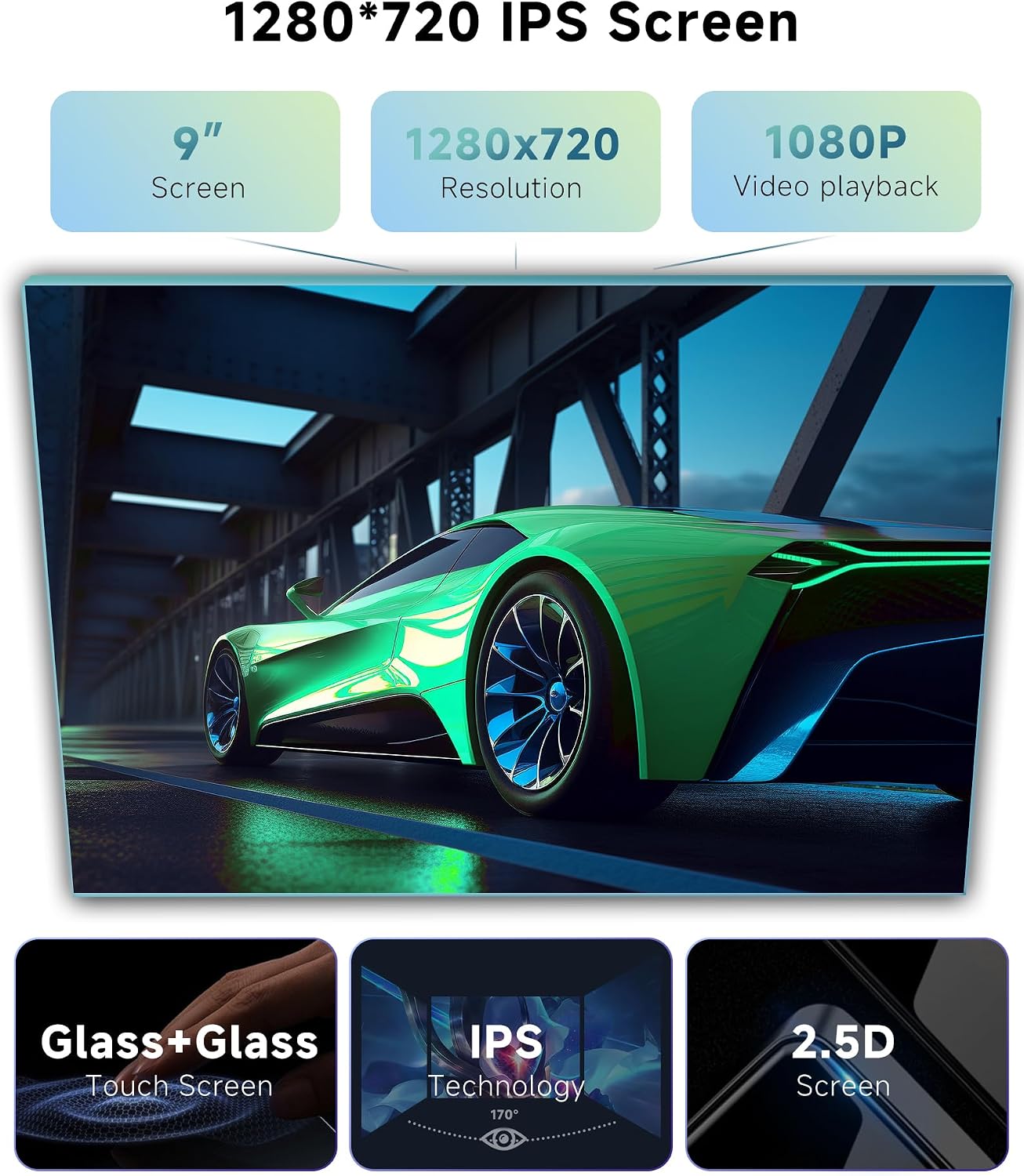
Figure 3.7: AHD Rear Camera features and display.
4. Maintenance
To ensure the longevity and optimal performance of your VECHTEL car radio, follow these maintenance guidelines:
- Screen Cleaning: Use a soft, lint-free cloth to gently wipe the touch screen. For stubborn smudges, slightly dampen the cloth with water or a screen-safe cleaner. Avoid abrasive materials or harsh chemicals.
- Software Updates: Periodically check for available software updates to ensure your system has the latest features and security enhancements. Follow the on-screen prompts for any update procedures.
- Environmental Conditions: Avoid exposing the unit to extreme temperatures, direct sunlight for prolonged periods, or excessive moisture.
- Cable Connections: Periodically check all cable connections to ensure they are secure and free from damage.
5. Troubleshooting
If you encounter issues with your VECHTEL car radio, refer to the following common problems and solutions:
| Problem | Possible Cause | Solution |
|---|---|---|
| Unit does not power on. | Loose power connection, blown fuse, vehicle battery issue. | Check power cables and fuse. Ensure vehicle battery is charged. Consult a professional if needed. |
| No sound or distorted audio. | Incorrect wiring, volume too low, DSP settings misconfigured. | Verify speaker wiring. Adjust volume. Reset DSP settings to default. |
| Radio reception is poor or unstable. | Antenna not connected, weak signal area, interference. | Ensure antenna is securely connected. Try a different location. Check for external interference. |
| CarPlay/Android Auto not connecting. | Faulty USB cable, phone software issue, incorrect settings. | Use a high-quality USB cable. Restart your phone and the car radio. Check phone settings for CarPlay/Android Auto permissions. |
| Unit is slow or unresponsive. | Too many apps running, low storage, software glitch. | Close unnecessary applications. Clear cache. Perform a system restart. |
| Unit does not fit dashboard. | Incorrect vehicle model or dashboard variant. | Double-check compatibility with your specific vehicle model and year. Refer to Section 2.2. |
If the problem persists after attempting these solutions, please contact VECHTEL customer support for further assistance.
6. Specifications
Detailed technical specifications for the VECHTEL 9-inch Android 15 Car Radio (Model A8142A3453H1MI2):
| Feature | Detail |
|---|---|
| Model Number | A8142A3453H1MI2 |
| Operating System | Android 15 |
| Processor | 8-Core |
| RAM | 6 GB |
| Internal Storage (ROM) | 128 GB |
| Screen Size | 9 inches |
| Display Type | HD IPS Touch Screen (2.5D Glass) |
| Resolution | 1280 x 720 pixels |
| CarPlay & Android Auto | Wired connectivity supported |
| Bluetooth | Bluetooth 5.0 (Music playback, hands-free calling) |
| Radio | RDS/FM Radio |
| Sound Processing | Built-in DSP (36-band EQ, 10-band EQ) |
| Navigation | GPS (Online/Offline support) |
| Connectivity | Wi-Fi, USB |
| Rear Camera Support | AHD (Waterproof, Night Vision) |
| Output Power | 45 Watts per channel (180 Watts total) |
| Audio Channels | 4.0 Surround Sound |
| Compatible Video Formats | MKV, RMVB, AVI, MP4, MDV |
| Compatible Audio Formats | AVI, WAV, WMA |
| Internet Applications | YouTube, Spotify, TikTok, Netflix |
| Product Dimensions | 7.5 x 23.1 x 13.2 cm |
| Product Weight | 1 kg |

Figure 6.1: Performance comparison of 6GB+128GB vs. 1GB+16GB configurations.

Figure 6.2: HD IPS Touch Screen resolution comparison.
7. Warranty Information
The VECHTEL 9-inch Android 15 Car Radio comes with a 3-year warranty from the date of purchase. This warranty covers manufacturing defects and malfunctions under normal use. Please retain your proof of purchase for warranty claims. The warranty does not cover damage caused by improper installation, misuse, accidents, or unauthorized modifications.
8. Customer Support
For any technical assistance, questions, or concerns regarding your VECHTEL car radio, please contact our customer support team. We offer uninterrupted technical support to ensure your satisfaction.
You can typically find contact information on the product packaging, the official VECHTEL website, or through the seller's page where you purchased the product. For direct support, you may visit the VECHTEL Brand Store on Amazon.

Figure 8.1: Steps to contact VECHTEL customer support.
