
Introduction
Thank you for choosing the KUULAA Qi2 Certified 15W MagSafe Power Bank. This portable charger is designed to provide efficient and reliable power for your compatible devices, featuring advanced Qi2 wireless charging, a high-capacity battery, and a strong magnetic connection. Please read this manual carefully to ensure proper use and optimal performance of your device.

Image: The power bank attached to an iPhone, highlighting its Qi2 15W fast charging capability, which is twice as fast as traditional 7.5W chargers.
Product Overview
The KUULAA Qi2 MagSafe Power Bank combines a 10000mAh battery with 15W Qi2 wireless charging and 20W USB-C wired charging. It features a clear LED digital display for real-time battery status and a robust magnetic attachment for secure connection to compatible devices.
- Qi2 Certified 15W Wireless Charging: Delivers fast and efficient power to MagSafe-compatible iPhones.
- 10000mAh High Capacity: Provides multiple charges for most smartphones.
- Strong Magnetic Force: Ensures a secure and stable connection to your device.
- LED Digital Display: Shows precise battery percentage.
- USB-C Port: Supports 20W wired output and 18W input for recharging.

Image: The power bank's compact design, highlighting its 10000mAh capacity, light weight (166g), and airline approval, capable of recharging an iPhone 16 up to 1.8 times.

Image: Illustration of the power bank's strong 12N magnetic force, ensuring a firm and reliable attachment to your smartphone for uninterrupted charging.
Setup
- Initial Charging of the Power Bank: Before first use, fully charge the power bank. Connect a USB-C cable to the power bank's USB-C port and the other end to a compatible USB power adapter (not included). The LED display will show the charging progress, reaching 100% when fully charged.
- Checking Battery Level: Briefly press the power button (if available) or observe the LED display, which will illuminate to show the current battery percentage.
Operating Instructions
Wireless Charging (MagSafe)
- Ensure your device is MagSafe compatible (iPhone 12 series or newer).
- Align the power bank with the back of your iPhone. The magnets will automatically snap into place, ensuring correct alignment for optimal charging.
- The LED display on the power bank will indicate active wireless charging. Your iPhone will also show the charging animation.
- For best results, use without a phone case or with a MagSafe-compatible case.

Image: Compatibility guide showing the power bank works with magnetic cases, iPhone 12-16 series, and AirPods, but not with non-magnetic phone cases.
Wired Charging (USB-C)
- Connect one end of a USB-C to USB-C cable (not included) to the power bank's USB-C port.
- Connect the other end of the cable to your device's USB-C charging port.
- The power bank will automatically begin charging your device at up to 20W. The LED display will show the power bank's remaining charge.

Image: The power bank providing 20W wired charging to an iPhone via its USB-C port, with the power bank's LED display showing full charge.
Recharging the Power Bank
- Connect a USB-C cable to the power bank's USB-C port.
- Connect the other end of the cable to a USB power adapter (e.g., wall charger, computer USB port).
- The LED display will show the charging percentage, indicating the power bank is recharging at up to 18W.

Image: The power bank's versatility, showing it can be recharged via its USB-C input (18W) while simultaneously providing wired charging to a device via its USB-C output (20W).
Maintenance
- Keep the power bank dry and away from moisture.
- Avoid exposing the device to extreme temperatures (hot or cold).
- Clean the surface with a soft, dry cloth. Do not use harsh chemicals or abrasive materials.
- Store the power bank with approximately 50% charge if not used for extended periods to prolong battery life.
Troubleshooting
| Problem | Possible Cause | Solution |
|---|---|---|
| Device not charging wirelessly. | Incorrect alignment; non-MagSafe case; power bank battery low. | Realign the power bank; remove non-MagSafe case or use a compatible one; recharge the power bank. |
| Device not charging via USB-C. | Faulty cable; power bank battery low; device not compatible. | Try a different USB-C cable; recharge the power bank; ensure your device supports USB-C charging. |
| Power bank not recharging. | Faulty USB-C cable or adapter; power bank damaged. | Try a different USB-C cable and power adapter; if issue persists, contact support. |
| Power bank gets warm during use. | Normal operation during charging; excessive heat indicates an issue. | Slight warmth is normal. If it becomes excessively hot, disconnect immediately and contact support. |
| LED display is off or unresponsive. | Power bank is fully discharged; temporary glitch. | Recharge the power bank; if still unresponsive, contact support. |
Specifications
| Model Number | YC628 |
| Battery Capacity | 10000mAh |
| Wireless Output | 15W (Qi2 Certified) |
| Wired Output (USB-C) | 20W Max |
| Wired Input (USB-C) | 18W Max |
| Battery Cell Composition | Lithium Ion |
| Product Dimensions | 10.4 x 6.75 x 1.45 cm |
| Product Weight | 220 g |
| Compatible Devices | iPhone 12/13/14/15/16/17 Series, AirPods, other USB-C devices |
| Special Features | LED Display, Qi2 Certified, MagSafe Compatible, 15W Fast Charging |
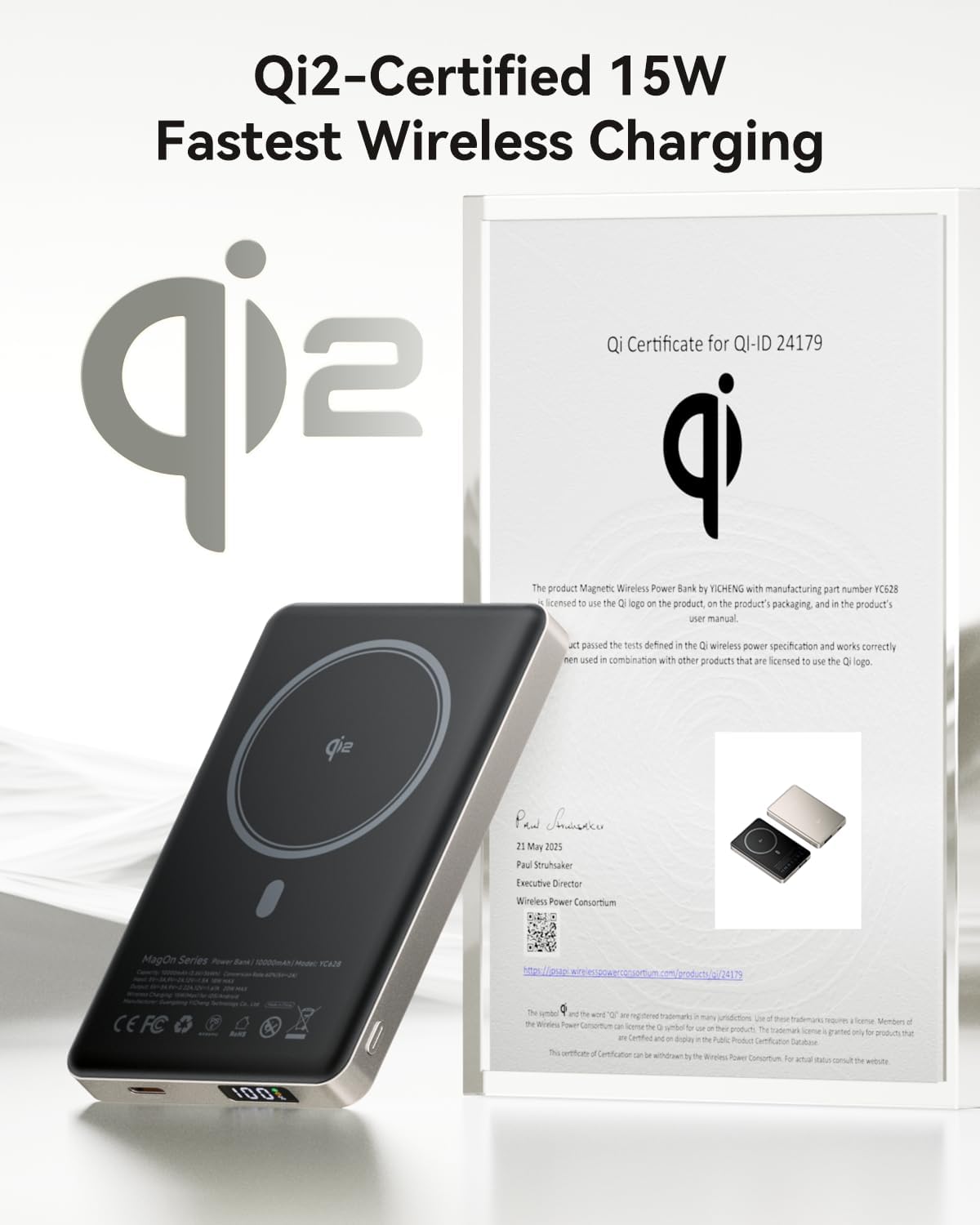
Image: The power bank displayed with its Qi2 certification, confirming its compliance with the 15W fastest wireless charging standard.
Safety Information
To ensure safe operation and prevent damage to the device or injury to yourself, please observe the following safety precautions:
- Do not disassemble, open, or shred the battery pack.
- Do not expose the power bank to heat or fire. Avoid storage in direct sunlight.
- Do not short-circuit the battery pack.
- Do not expose the power bank to mechanical shock.
- In case of a battery leak, do not allow the liquid to come into contact with skin or eyes. If contact has been made, wash the affected area with copious amounts of water and seek medical advice.
- Keep the power bank out of reach of children.
- Use only the charging cables and adapters specified by the manufacturer or certified for use with this device.
- Dispose of the power bank properly according to local regulations.

Image: An overview of the power bank's 14-layer smart protection system, detailing various safety mechanisms like charge/discharge temperature protection, short-circuit protection, and overcurrent protection.
Warranty and Support
This product comes with a manufacturer's warranty. Please refer to your purchase documentation or the retailer's website for specific warranty terms and conditions. For technical support, troubleshooting assistance, or warranty claims, please contact KUULAA customer service through their official website or the retailer where the product was purchased.
For more information, visit the official KUULAA store: KUULAA Store on Amazon


