
1. Introduction
Thank you for choosing the KUULAA Qi2 Certified MagSafe Power Bank 10000mAh (Model YC628). This portable charger is designed to provide efficient and reliable power to your compatible devices, featuring advanced wireless and wired charging capabilities. Please read this manual thoroughly to ensure proper use and optimal performance of your device.
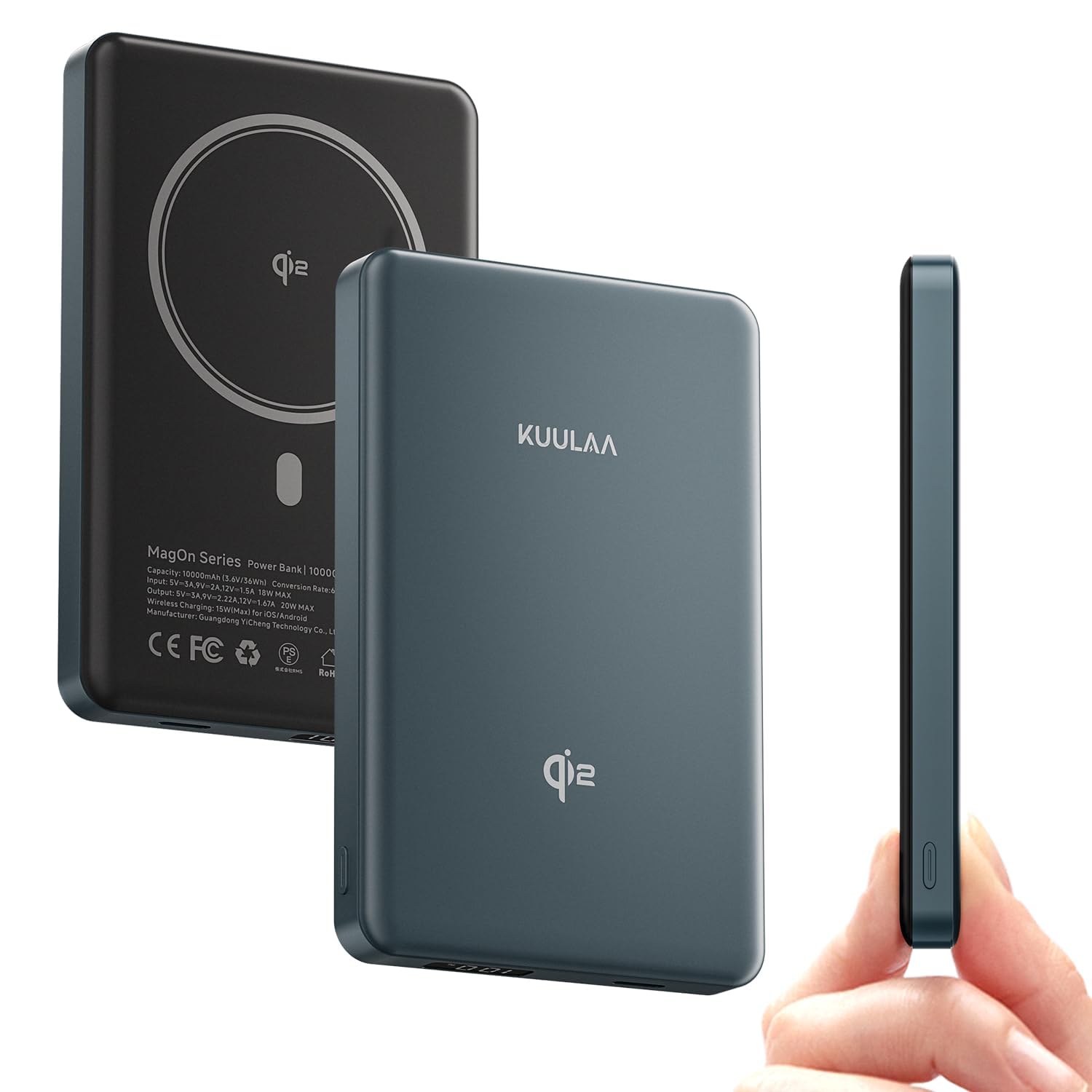
Image: The KUULAA Qi2 Certified MagSafe Power Bank 10000mAh, showcasing its compact design.
2. Product Overview & Features
The KUULAA YC628 Power Bank combines high capacity with fast charging technology in a slim, portable design. Key features include:
- Qi2 Certified 15W Fast MagSafe Charging: Delivers true Qi2 15W fast wireless charging, powering compatible iPhones to 50% in approximately 30 minutes.
- 10000mAh High-Capacity Battery Pack: Provides sufficient power to fully recharge an iPhone 15 Pro up to 1.8 times, suitable for daily use, travel, and emergencies.
- Strong Magnetic Snap: Features a powerful 12N magnetic force for secure attachment to your phone, enabling seamless snap-on charging without cables.
- LED Digital Display: Equipped with a clear LED screen that shows precise battery levels.
- Advanced Safety Protection System: Built-in smart chip offers multi-layer protection against overcharge, overcurrent, and short circuit.
- PD 20W Wired Charging: Supports fast wired charging via its USB Type-C port.

Image: The power bank displaying its Qi2 certification and 15W wireless charging capability.

Image: Illustration of the USB-C port used for both charging the power bank and other devices.

Image: Visual representation of the strong magnetic attachment to a stack of phones.

Image: The power bank attached to a phone, highlighting its 10000mAh capacity and airline approval.

Image: Demonstrating compatibility with various iPhone models (12-16 series) and AirPods, showing magnetic and non-magnetic case scenarios.
3. Setup Guide
3.1 Initial Charging of the Power Bank
- Connect the provided USB Type-C cable to the power bank's USB-C port.
- Connect the other end of the cable to a compatible USB power adapter (not included).
- The LED digital display will show the charging progress. Charge the power bank fully before first use.
3.2 Attaching to Your Device (MagSafe Compatible)
- Ensure your device is MagSafe compatible (iPhone 12 series or newer) or has a MagSafe-compatible case.
- Align the power bank with the back of your device. The strong magnets will automatically snap it into place.
- The power bank will begin wireless charging automatically.
3.3 Using the Integrated Kickstand
The power bank features a foldable ring stand for convenient hands-free viewing:
- Gently pull out the integrated ring from the bottom of the power bank.
- Adjust the ring to your desired angle to prop up your phone horizontally or vertically while charging.
Video: Demonstration of the MagSafe portable charger, including magnetic attachment and use of the integrated kickstand.
4. Operating Instructions
4.1 Wireless Charging
- Ensure the power bank is sufficiently charged.
- Attach the power bank magnetically to the back of your MagSafe-compatible device.
- The device will indicate that charging has begun. The LED display on the power bank will show its remaining charge.
4.2 Wired Charging (USB Type-C)
- Connect a USB Type-C cable to the power bank's USB-C port.
- Connect the other end of the cable to your device's charging port.
- The power bank will automatically detect the device and begin charging.
4.3 Checking Battery Level
Press the power button on the side of the power bank. The LED digital display will illuminate, showing the current battery percentage.
4.4 Simultaneous Charging
The power bank supports charging one device wirelessly via MagSafe and another device via the USB-C port simultaneously. Note that total output power may be distributed between devices.
5. Maintenance
- Keep the power bank away from water, fire, and extreme temperatures.
- Avoid dropping or subjecting the device to strong impacts.
- Clean the surface with a soft, dry cloth. Do not use harsh chemicals or abrasive materials.
- Store in a cool, dry place when not in use.
6. Troubleshooting
- Device not charging wirelessly: Ensure your device is MagSafe compatible or has a MagSafe-compatible case. Check for proper alignment between the power bank and your device.
- Slow charging: Verify that your device and cable support fast charging. Ensure the power bank itself is sufficiently charged.
- Power bank getting warm: It is normal for power banks to generate some heat during charging, especially during wireless charging, due to energy conversion. If it becomes excessively hot, discontinue use and contact support.
- LED display not working: Ensure the power bank is charged. If the issue persists, contact customer support.
7. Specifications
| Feature | Detail |
|---|---|
| Brand | KUULAA |
| Model | YC628 |
| Battery Capacity | 10000mAh |
| Wireless Charging Output | 15W (Qi2 Certified) |
| Wired Charging Output (USB-C) | 20W Power Delivery (PD) |
| Wired Charging Input (USB-C) | 18W Max |
| Compatible Devices | iPhone 12/13/14/15/16/17 Series, MagSafe compatible devices |
| Special Features | LED Display, Qi2 Certified, MagSafe Compatible, Integrated Kickstand |
| Product Dimensions | 10.4 x 6.75 x 1.45 cm |
| Weight | 210 g |
| Battery Cell Composition | Lithium Ion |
8. Warranty and Support
This product comes with a standard manufacturer's warranty. For detailed warranty information, technical support, or any inquiries regarding your KUULAA Qi2 Certified MagSafe Power Bank, please refer to the official KUULAA website or contact their customer service directly. Please retain your proof of purchase for warranty claims.


