JALUZELE Dooya DC2702 RF433 Multi-Channel Remote Control User Manual
Model: DC2702
Brand: JALUZELE
1. Introduction
This manual provides comprehensive instructions for the safe and effective use of your JALUZELE Dooya DC2702 RF433 Multi-Channel Remote Control. This device is designed to operate various Dooya electric curtains, roller blinds, and sunshade tubular motors. Please read this manual thoroughly before operation and retain it for future reference.
2. Product Overview
The Dooya DC2702 is a 15-channel single control emitter, allowing you to manage up to 15 different motorized window treatments individually. Its ergonomic design ensures comfortable handling and ease of use.

Figure 2.1: Front view of the Dooya DC2702 remote control, showing the LCD screen and control buttons.

Figure 2.2: Dimensions of the Dooya DC2702 remote control, measuring approximately 13cm (5.12 inches) in length and 4.4cm (1.73 inches) in width.

Figure 2.3: The Dooya DC2702 remote control shown alongside its included wall-mount holder for convenient storage.
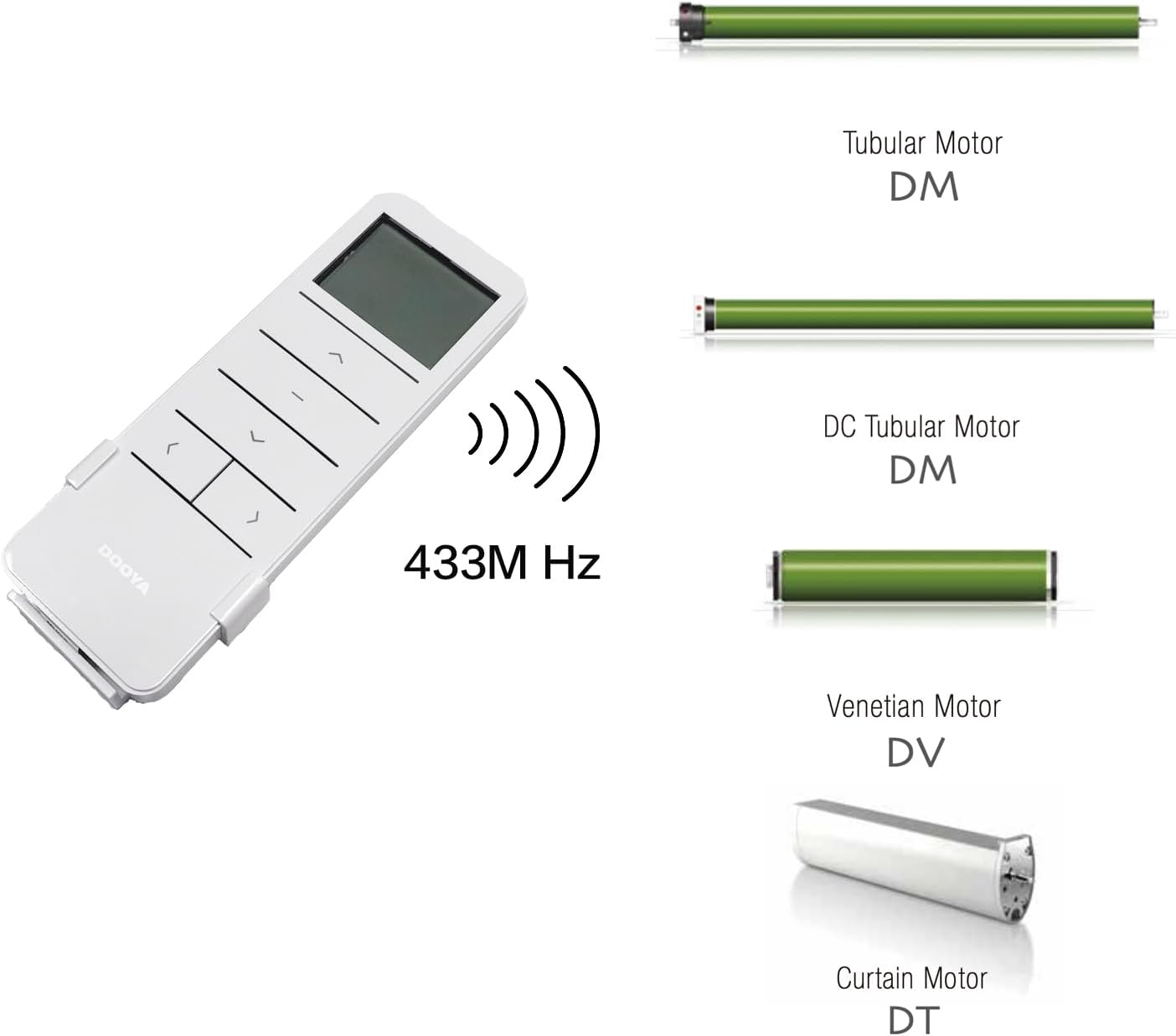
Figure 2.4: Illustration of the Dooya DC2702 remote control's compatibility with various 433MHz Dooya motors, including Tubular Motor DM, DC Tubular Motor DM, Venetian Motor DV, and Curtain Motor DT.
3. Components and Controls
The DC2702 remote control features an intuitive layout for easy operation:
- LCD Screen: Displays the currently selected channel number (1-15).
- Up Button (▲): Moves the curtain/blind upwards.
- Stop Button (−): Stops the curtain/blind movement.
- Down Button (▼): Moves the curtain/blind downwards.
- Channel Switch Button P1- (◀): Decreases the channel number.
- Channel Switch Button P1+ (▶): Increases the channel number.
- Setting Button (P2): Used for pairing and protocol switching.

Figure 3.1: Detailed diagram of the Dooya DC2702 remote control, labeling the Up, Stop, Down, Channel Switch (P1- and P1+), and Setting (P2) buttons, along with the LCD screen.
4. Specifications
- Input Voltage: 3V (CR2450 battery)
- Emission Frequency: 433.92MHz ± 100KHz
- Emission Current: 6~15mA
- Quiescent Current: <15uA
- Operating Temperature: -10℃ to 50℃
- Transmission Distance: >35m (open area)
- Material: Plastic
- Item Weight: Approximately 200g
- Compatible Devices: Dooya Electric Curtains, Roller Blinds, Sunshade Tubular Motors
- Max Number of Supported Devices: 15
- Connectivity Technology: Radio Frequency (RF)
5. Setup
5.1 Battery Installation
The remote control requires one CR2450 button cell battery.
- Locate the battery compartment cover on the back of the remote control.
- Gently slide or pry open the cover to access the battery slot.
- Insert a new CR2450 battery, ensuring the positive (+) side faces upwards.
- Replace the battery compartment cover securely.
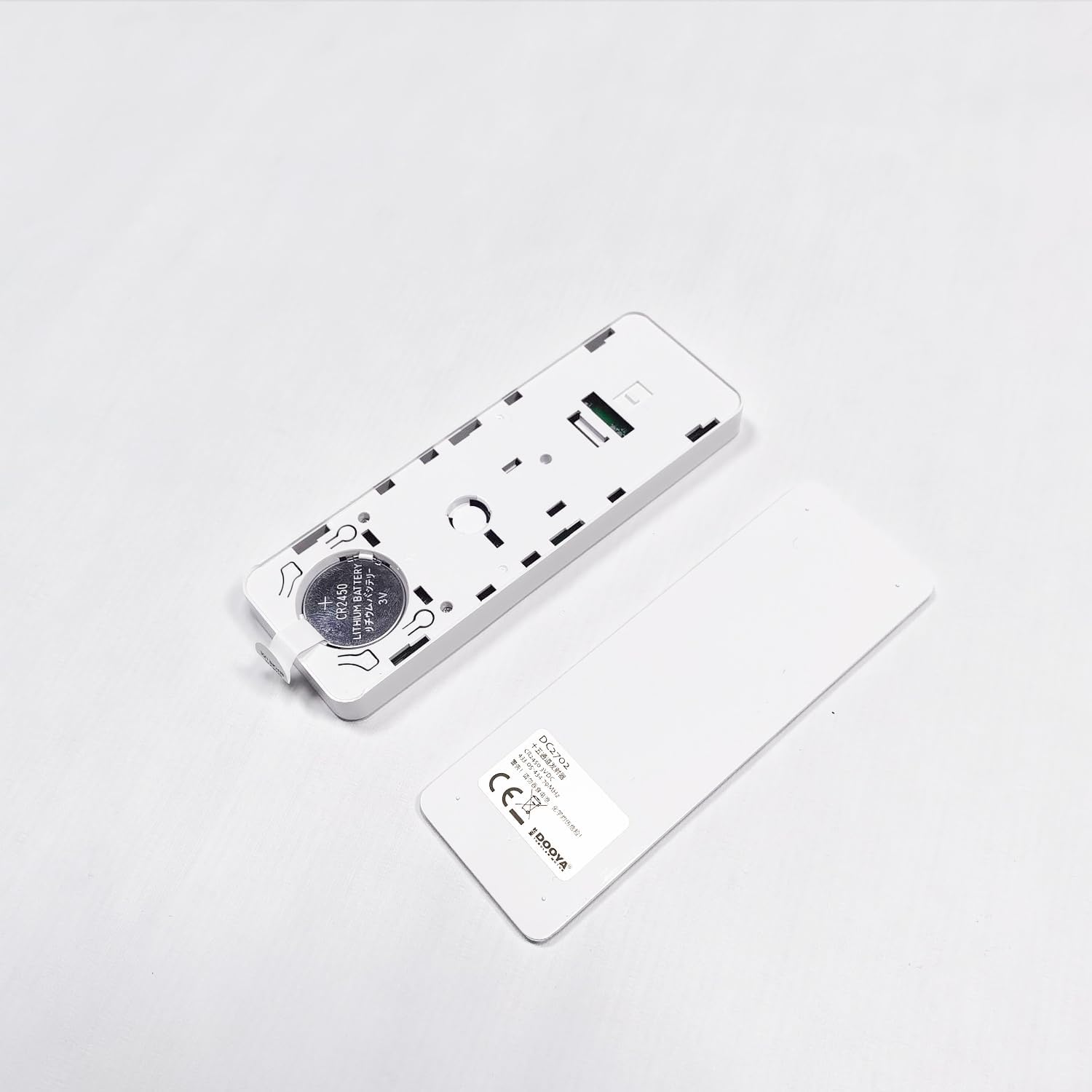
Figure 5.1: View of the Dooya DC2702 remote control with the battery compartment open, showing the slot for a CR2450 battery.
5.2 Switching Protocols
The emitter defaults to a rolling code protocol. If your motor requires the Dooya protocol, you can switch it using the following steps:
- Ensure the motor is powered off.
- Long press the Setting button (P2) on the remote control.
- While still holding P2, power on the motor.
- Release P2. The LCD display will show either "K" for rolling code protocol or "D" for Dooya protocol.
- Press P2 again to toggle between "K" and "D" until the desired protocol is displayed.
- Press the Stop button (−) to confirm the selection.
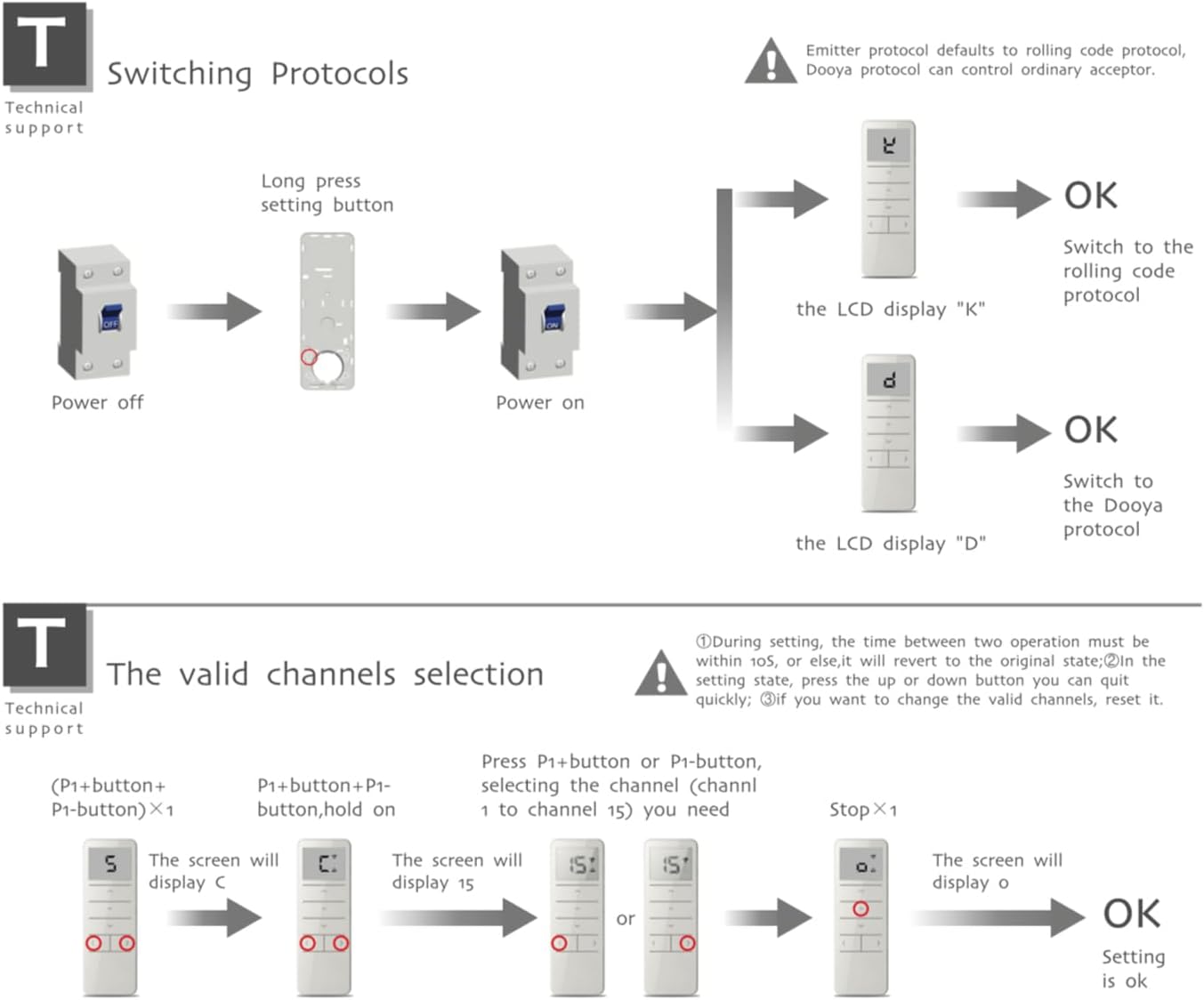
Figure 5.2: Diagram illustrating the steps to switch between rolling code and Dooya protocols on the DC2702 remote control, showing the power cycle and LCD feedback.
6. Operating Instructions
6.1 Channel Selection
The DC2702 allows control of up to 15 channels. The LCD screen displays the active channel number.
- Press the P1- button (◀) to decrease the channel number.
- Press the P1+ button (▶) to increase the channel number.
- Release the button when the desired channel number (1-15) appears on the LCD screen. This channel is now active for control.
6.2 Basic Control
Once a channel is selected, use the main control buttons:
- Press the Up button (▲) to raise or open the connected curtain/blind.
- Press the Down button (▼) to lower or close the connected curtain/blind.
- Press the Stop button (−) to halt the movement of the curtain/blind at any desired position.
7. Maintenance
7.1 Battery Replacement
If you notice a significant decrease in the remote control's emission distance or responsiveness, it is time to replace the battery. Refer to Section 5.1 for battery installation instructions. Please dispose of used batteries responsibly through recycling programs.
7.2 Care and Handling
- Avoid exposing the emitter to moisture or direct water contact.
- Protect the remote control from physical impact or dropping.
- Clean the remote control with a soft, dry cloth. Do not use abrasive cleaners or solvents.
8. Troubleshooting
- Remote not responding or short range: Replace the CR2450 battery (refer to Section 5.1). Ensure there are no significant obstructions between the remote and the motor.
- Motor not responding to commands: Verify that the correct channel is selected on the remote control. Ensure the remote control and motor are paired correctly and using the same protocol (refer to Section 5.2). Check the motor's power supply.
- LCD screen is blank: The battery may be depleted. Replace the CR2450 battery.
9. Warranty and Support
For warranty information, technical support, or service inquiries, please contact your original point of purchase or the manufacturer directly. Keep your purchase receipt as proof of purchase.


