1. Introduction
Thank you for choosing the WIWU OWS O300 Open-Ear Earbuds. These wireless earbuds are designed to provide a comfortable audio experience while maintaining situational awareness. This manual provides detailed instructions for setup, operation, maintenance, and troubleshooting to ensure optimal performance.

Image: The WIWU OWS O300 Open-Ear Earbuds in white, alongside their matching charging case.
2. Package Contents
Please verify that all items are present in your package:
- WIWU OWS O300 Open-Ear Earbuds (Left and Right)
- Charging Case
- USB-C Charging Cable
- User Manual
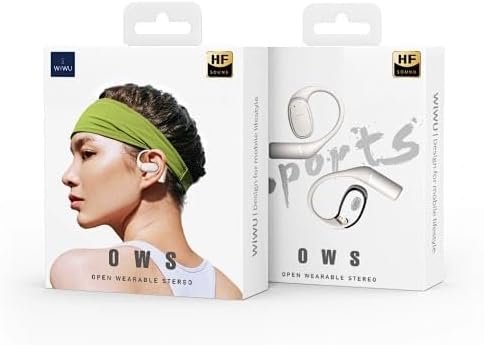
Image: The retail packaging for the WIWU OWS O300 Open-Ear Earbuds, showing the product and branding.
3. Setup
3.1 Charging the Earbuds and Case
Before first use, fully charge the earbuds and charging case.
- Place the earbuds into the charging case, ensuring they are correctly seated.
- Connect the USB-C charging cable to the charging port on the case and the other end to a power source (e.g., USB wall adapter, computer USB port).
- The indicator light on the charging case will show the charging status. A full charge typically takes approximately 1.5 hours.
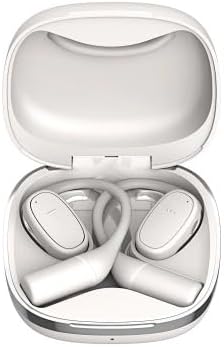
Image: The WIWU OWS O300 earbuds resting inside their open charging case, ready for charging.
3.2 Bluetooth Pairing
To connect the earbuds to your device:
- Ensure the earbuds are charged.
- Open the charging case. The earbuds will automatically enter pairing mode, indicated by a flashing light (refer to specific light patterns in the quick start guide if available).
- On your device (smartphone, tablet, etc.), enable Bluetooth and search for available devices.
- Select "WIWU OWS O300" from the list of detected devices.
- Once connected, the earbuds will indicate successful pairing (e.g., a voice prompt or solid light).
- The earbuds will automatically reconnect to the last paired device when taken out of the case, if Bluetooth is enabled on the device.
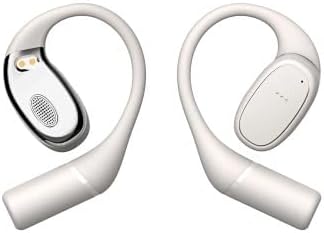
Image: The WIWU OWS O300 earbuds removed from their charging case, showcasing their design.
3.3 Wearing the Earbuds
The OWS O300 earbuds feature an open-ear design for comfort and awareness.
- Gently place each earbud over your ear, ensuring the speaker portion is positioned near your ear canal without entering it.
- Adjust the ear hook for a secure and comfortable fit.
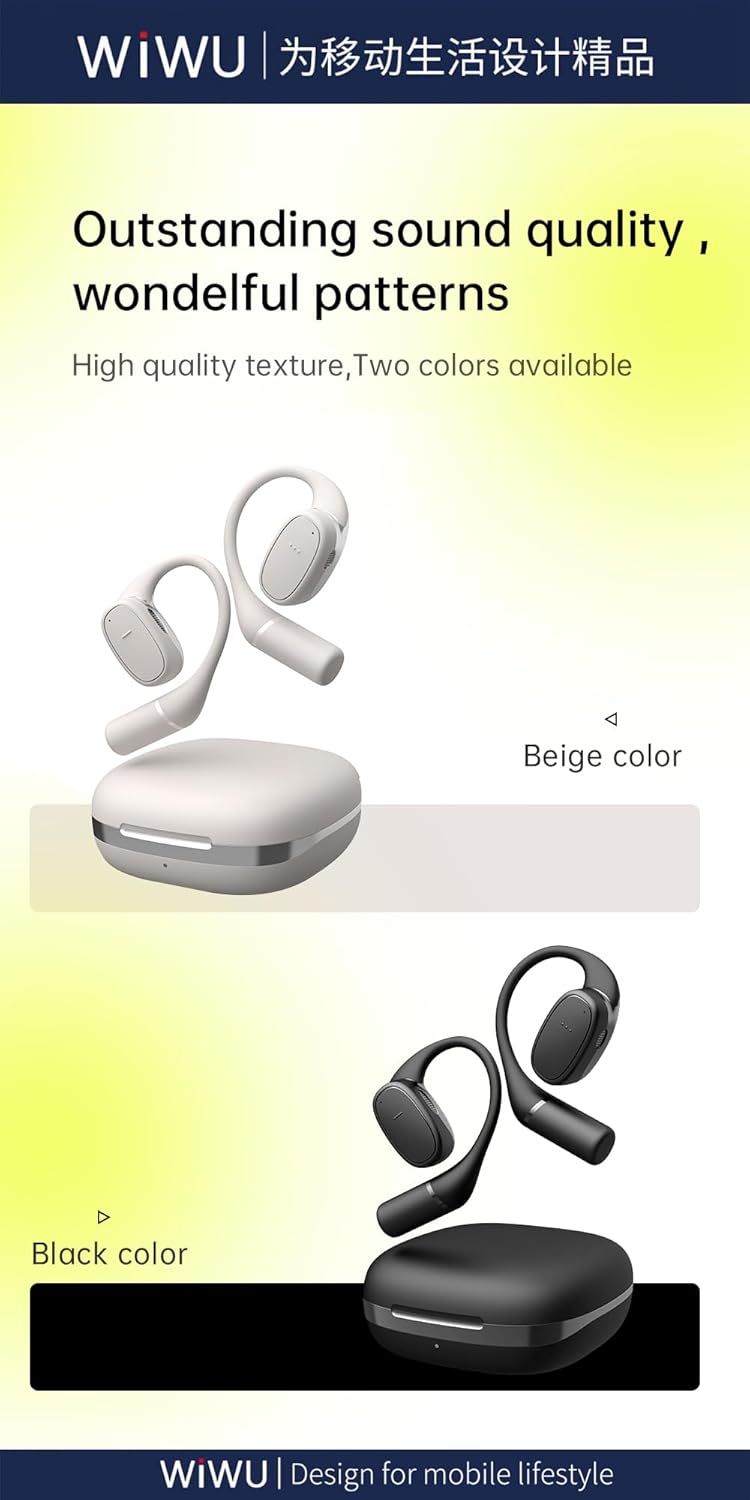
Image: A side view of the WIWU OWS O300 earbuds, highlighting their ergonomic open-ear design.

Image: A person wearing the WIWU OWS O300 earbuds while engaged in physical activity, demonstrating their secure fit.
4. Operating Instructions
4.1 Power On/Off
- Power On: The earbuds automatically power on when removed from the charging case.
- Power Off: The earbuds automatically power off and begin charging when placed back into the charging case and the lid is closed.
4.2 Music Playback
The earbuds feature touch controls for music management. Specific touch functions may vary slightly, but generally include:
- Play/Pause: Single tap on either earbud.
- Next Track: Double tap on the right earbud.
- Previous Track: Double tap on the left earbud.
- Volume Control: Volume adjustment is typically managed via your connected device.
4.3 Call Management
- Answer/End Call: Single tap on either earbud during an incoming call or an active call.
- Reject Call: Press and hold on either earbud for approximately 2 seconds during an incoming call.
5. Maintenance
Proper maintenance ensures the longevity and performance of your earbuds.
- Cleaning: Use a soft, dry, lint-free cloth to clean the earbuds and charging case. Do not use abrasive cleaners, alcohol, or chemical solvents.
- Storage: When not in use, store the earbuds in their charging case to protect them from dust and damage. Store in a cool, dry place away from direct sunlight and extreme temperatures.
- Water Exposure: The earbuds are not waterproof. Avoid exposing them to water, rain, or excessive moisture.
6. Troubleshooting
If you encounter issues with your WIWU OWS O300 earbuds, try the following solutions:
- Earbuds not pairing:
- Ensure both earbuds are charged.
- Turn off and on your device's Bluetooth.
- Forget "WIWU OWS O300" from your device's Bluetooth list and attempt to pair again.
- Place earbuds back in the case, close the lid, wait 10 seconds, then open to re-enter pairing mode.
- No sound from one earbud:
- Ensure both earbuds are charged.
- Try placing both earbuds back in the charging case, closing the lid, and then taking them out again.
- Perform a factory reset if available (refer to manufacturer's website for specific instructions if not in this manual).
- Charging issues:
- Check the USB-C cable and power adapter for damage.
- Ensure the charging port on the case is clean and free of debris.
- Verify the earbuds are correctly seated in the charging case.
- Low volume:
- Adjust the volume on your connected device.
- Ensure the earbuds are clean and free from obstructions.
7. Specifications
Detailed technical specifications for the WIWU OWS O300 Open-Ear Earbuds:
| Feature | Specification |
|---|---|
| Model | OWS O300 |
| Bluetooth Version | V5.3 |
| Bluetooth Chipset | Airohia AB1562M |
| Charging Case Battery Capacity | 400mAh |
| Earbud Battery Capacity | 50mAh (per earbud) |
| Charging Port | USB-C |
| Charging Time | Approx. 1.5 hours |
| Call Time | Up to 5 hours |
| Music Playback Time | Up to 8 hours |
| Earbuds Standby Time | 12 months |
| Total Standby Time (with case) | Up to 40 hours |
| Net Weight (solo earbud) | 7.5g ± 0.2g |
| Net Weight (charging case) | 52.6g |
| Earbud Dimensions | 16.10mm x 41.51mm x 49.60mm |
| Charging Case Dimensions | 66.71mm x 66.28mm x 28.97mm |
| Connectivity Technology | Wireless |

Image: A visual representation of the Bluetooth 5.3 chip, highlighting its advanced wireless connectivity.
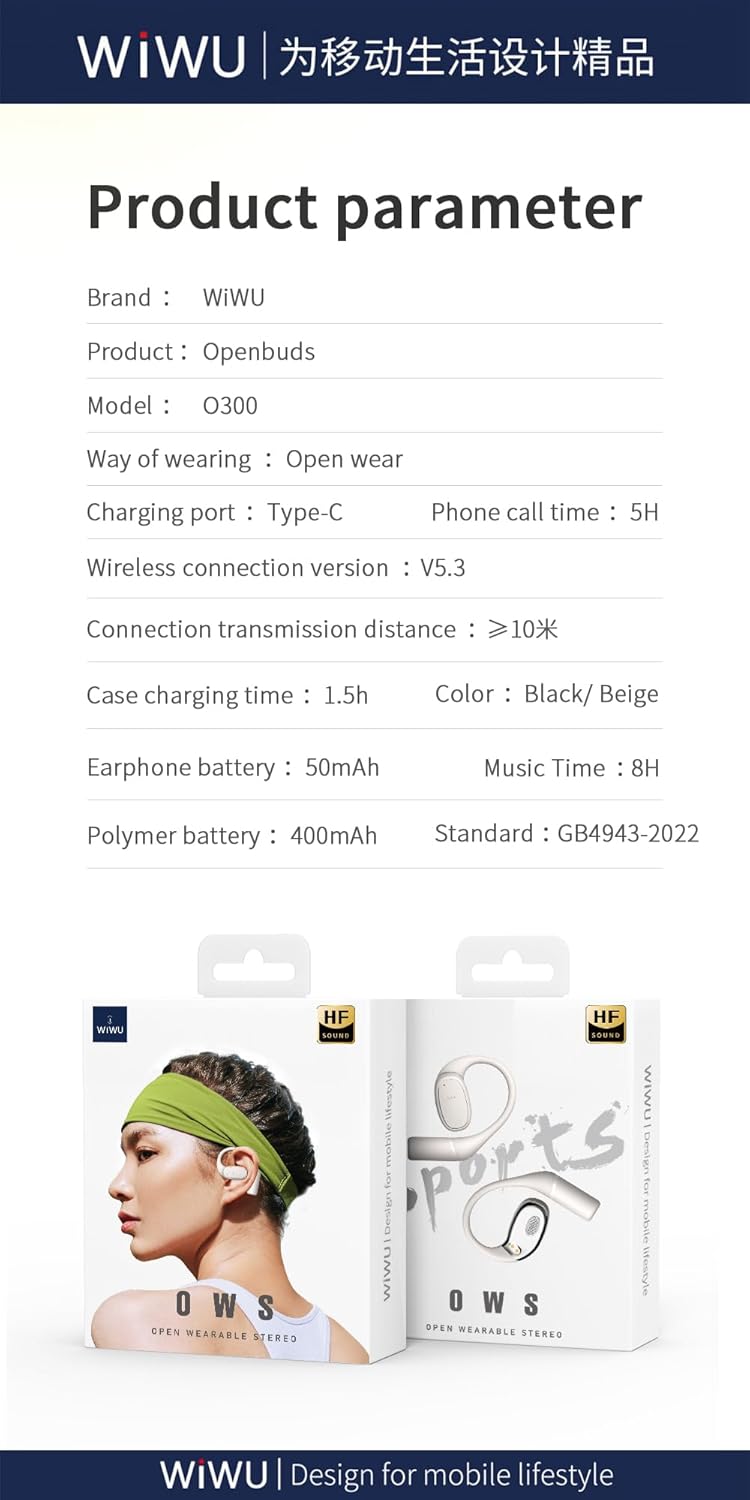
Image: A graphic displaying key product parameters and specifications for the WIWU OWS O300.
8. Warranty and Support
For warranty information and customer support, please refer to the documentation included with your purchase or visit the official WIWU website. Keep your proof of purchase for warranty claims.
If you require further assistance, please contact WIWU customer service through their official channels.


