
Introduction
Thank you for choosing the FABATO Floating King Size Bed Frame. This manual provides essential information for the safe assembly, operation, and maintenance of your new bed frame. Please read all instructions carefully before beginning assembly and retain this manual for future reference.
Safety Information
- Ensure all parts are present and undamaged before assembly. Do not use if any parts are missing or broken.
- Assemble the bed frame on a soft, clean surface (e.g., carpet) to prevent scratches.
- Tighten all bolts and screws securely. Periodically check and re-tighten fasteners to ensure stability.
- Do not exceed the maximum weight capacity of 1000 lbs (454 kg).
- Keep children and pets away from the assembly area.
- Use only the provided tools or appropriate hand tools. Do not use power tools for assembly as they may overtighten and damage fasteners.
- Ensure the bed frame is placed on a level surface to prevent instability.
Package Contents
Verify that all components listed in the included parts diagram are present before starting assembly. The package typically includes:
- Headboard components (panels, frame)
- Side rails and footboard
- Metal slat system
- Support legs
- LED light strip and remote control
- USB charging station with power cord
- Assembly hardware (bolts, screws, washers, Allen wrench)
- Instruction manual
Setup Instructions
Assembly is designed to be straightforward and typically takes less than an hour with the provided tools. It is recommended to have two people for easier assembly.
- Unpack and Identify Parts: Lay out all components on a clean, soft surface. Refer to the parts list in the included manual to identify each piece.
- Assemble the Headboard: Attach the headboard panels to the headboard frame using the specified hardware. Ensure the LED light channel is correctly oriented.
- Attach Side Rails: Connect the side rails to the assembled headboard using the provided bolts. Do not fully tighten yet.
- Install Footboard: Attach the footboard to the other end of the side rails. Ensure all connections are aligned.
- Install Center Support: Assemble and attach any central support beams and legs as indicated in the detailed instructions.
- Insert Slats: Place the metal slats into the designated slots or attach them to the side rails. Ensure they are evenly spaced and secured to provide proper mattress support. The frame is designed to prevent mattress sliding.
- Install Hidden Legs: The bed frame features a floating design with hidden legs. Ensure these are securely attached and positioned as per the instructions to create the suspended visual effect.
- Final Tightening: Once all components are in place and aligned, securely tighten all bolts and screws. Do not overtighten.
- Install LED Lights and Charging Station: Adhere the LED light strip to the designated area on the headboard. Connect the USB charging station to its port on the headboard and plug the power cord into a wall outlet.

Figure 1: Illustration of easy assembly, solid construction, and mattress anti-slip features.

Figure 2: The hidden leg design creates a floating aesthetic and reduces tripping hazards.
Operating Instructions
1. LED Lighting System
The integrated RGB LED lighting system in the headboard can be controlled using the provided remote control.
- Power On/Off: Press the power button on the remote to turn the lights on or off.
- Color Selection: Choose from 20 static colors by pressing the corresponding color buttons.
- Dynamic Modes: Select from 22 dynamic modes (e.g., flash, fade, strobe) to create different ambient effects.
- Brightness Adjustment: Use the brightness up/down buttons to adjust the intensity of the lights.
- Speed Adjustment: For dynamic modes, use the speed buttons to increase or decrease the effect speed.

Figure 3: The LED lighting system offers multiple colors and dynamic modes, controlled by a remote.
2. USB Charging Station
The headboard includes a detachable charging station with multiple ports for convenient device charging.
- Power Outlets: Two 120V/12A AC outlets are available for standard electrical devices.
- USB Ports: One 5V/2A USB-A port and one Type-C port are provided for charging mobile phones, tablets, and other USB-powered devices.
- Usage: Simply plug your device's charging cable into the appropriate port. Ensure the bed frame's power cord is connected to a live wall outlet.

Figure 4: The detachable charging station provides convenient power access for various devices.
3. Headboard Storage Shelf
The headboard features a functional shelf, approximately 3.9 inches deep, ideal for storing small items.
- Usage: Place books, mobile phones, glasses, or decorative items on the shelf for easy access.
- Capacity: Avoid placing excessively heavy items on the shelf to prevent damage.

Figure 5: The headboard shelf offers convenient storage for small personal items.
Maintenance
- Cleaning: Wipe the metal frame and headboard surfaces with a soft, damp cloth. Avoid harsh chemicals or abrasive cleaners.
- Fastener Check: Periodically (every 3-6 months) check all bolts and screws to ensure they are tight. Re-tighten if necessary to maintain stability and prevent creaking.
- LED Lights: If LED lights malfunction, check the power connection and remote control battery.
- Charging Station: Ensure the charging station's power cord is securely plugged into both the headboard and the wall outlet.
Troubleshooting
| Problem | Possible Cause | Solution |
|---|---|---|
| Bed frame is wobbly or creaking. | Loose fasteners. Uneven floor. | Check and tighten all bolts and screws. Ensure the bed is on a level surface. |
| LED lights not working. | Loose power connection. Remote control battery dead. LED strip damaged. | Ensure the LED power cable is securely connected. Replace remote battery. Contact customer support if the strip is damaged. |
| USB ports or AC outlets not charging. | Charging station power cord unplugged. Device cable faulty. | Verify the charging station's power cord is fully plugged into the headboard and a live wall outlet. Try a different charging cable or device. |
Specifications
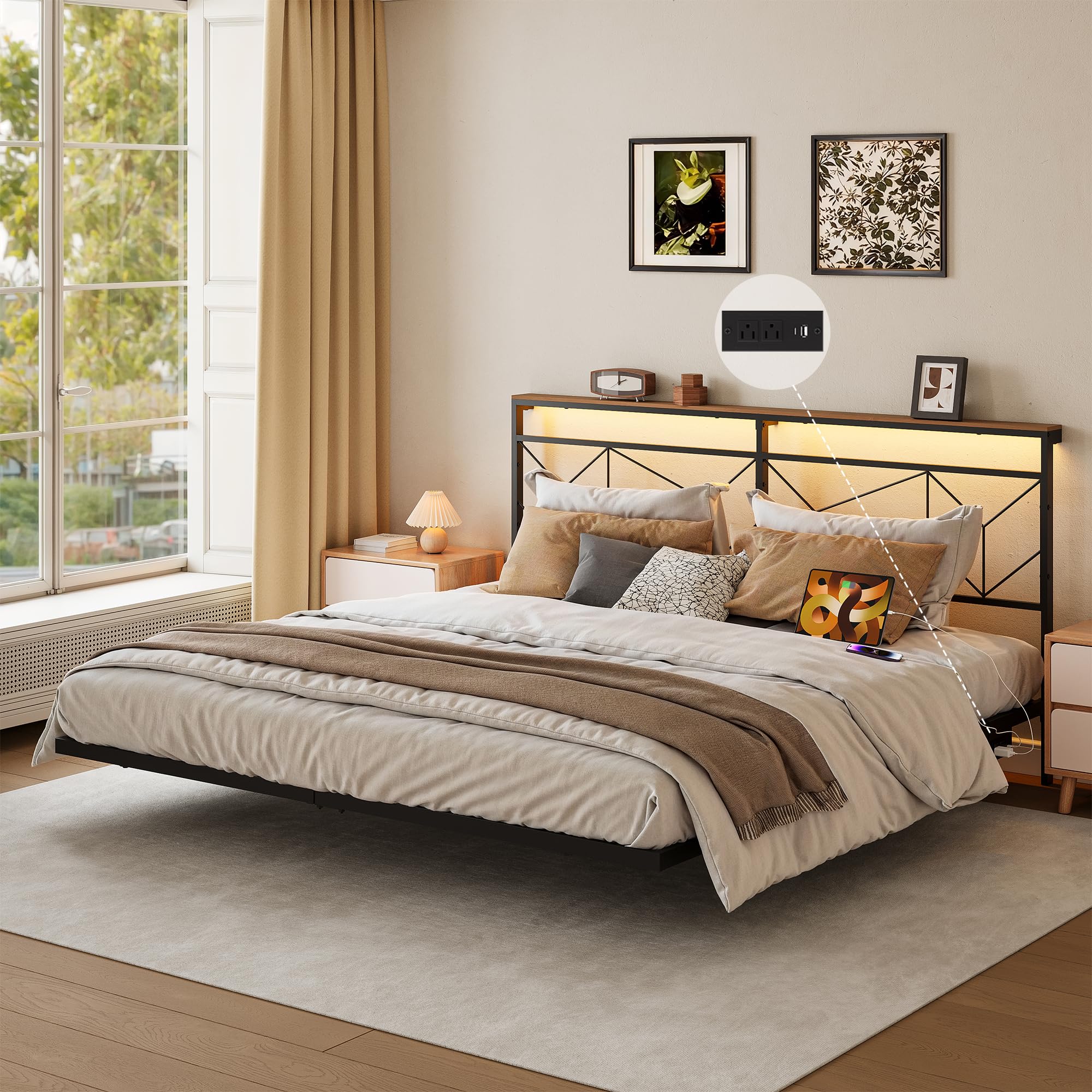
Figure 6: King Size Bed Frame Dimensions and Key Features.
- Model: HB090
- Size: King Size
- Overall Dimensions (L x W x H): Approximately 83.9" x 76.0" x 40.6" (213.2 cm x 193 cm x 103.2 cm)
- Under-bed Clearance: Approximately 9.8" (24.9 cm)
- Headboard Shelf Depth: Approximately 3.9"
- Material: Metal frame, MDF headboard shelf
- Color: Black
- Weight Capacity: Up to 1000 lbs (454 kg)
- LED Lighting: RGB, 20 static colors, 22 dynamic modes, adjustable brightness and speed. LED strip length: 3.0 ft (0.9 m).
- Charging Station:
- 2 x 120V/12A AC Outlets
- 1 x 5V/2A USB-A Port
- 1 x Type-C Port
- Power Cord Length: 4.9 ft (1.5 m)
- Assembly Required: Yes

Figure 7: Mattress thickness recommendations.
Mattress Recommendation: For optimal fit and support, use a mattress with a thickness of 8-10 inches. This applies whether using a mattress alone or a mattress with a low-profile box spring.
Warranty Information
FABATO products are manufactured with quality and care. This product comes with a limited warranty against manufacturing defects. Please refer to the warranty card included in your package or contact customer support for detailed warranty terms and conditions. Keep your purchase receipt as proof of purchase.
Customer Support
If you have any questions, require assistance with assembly, or need to report missing/damaged parts, please contact FABATO customer support. Our team is available to help you.
- Online Support: Visit the official FABATO website for FAQs and support resources.
- Email: Refer to your product packaging or warranty card for customer service email address.
- Phone: Refer to your product packaging or warranty card for customer service phone number.
Please have your model number (HB090) and purchase date ready when contacting support.