Introduction
The Victrola Harmony turntable system combines classic mid-century design with premium stereo sound, offering a rich and immersive listening experience. This system features a full-size, belt-driven turntable and matching stereo bookshelf speakers, designed to deliver warm, detailed vinyl playback with deep bass and crisp highs. It also includes versatile connectivity options such as VINYLSTREAM Bluetooth output for wireless streaming to external speakers or headphones, Bluetooth input for streaming from your devices, RCA output, and a 3.5mm auxiliary input. The turntable is equipped with an Audio-Technica ATN3600L moving magnet cartridge for clear and precise sound reproduction. A removable dust cover is included to protect your turntable and records.

Image: The Victrola Harmony Turntable System in a natural wood finish, featuring the main turntable unit and two matching bookshelf speakers. The clear dust cover is open, revealing a vinyl record on the platter.
What's in the Box
- Record Player
- Speakers (2)
- Speaker Cables
- Dust Cover
- 46 RPM Adaptor
Setup
- Unpacking: Carefully remove all components from the packaging. Retain packaging for future transport or storage.
- Placement: Place the turntable on a stable, level surface. Position the two bookshelf speakers on either side of the turntable, ensuring they are at an appropriate distance for optimal stereo sound.
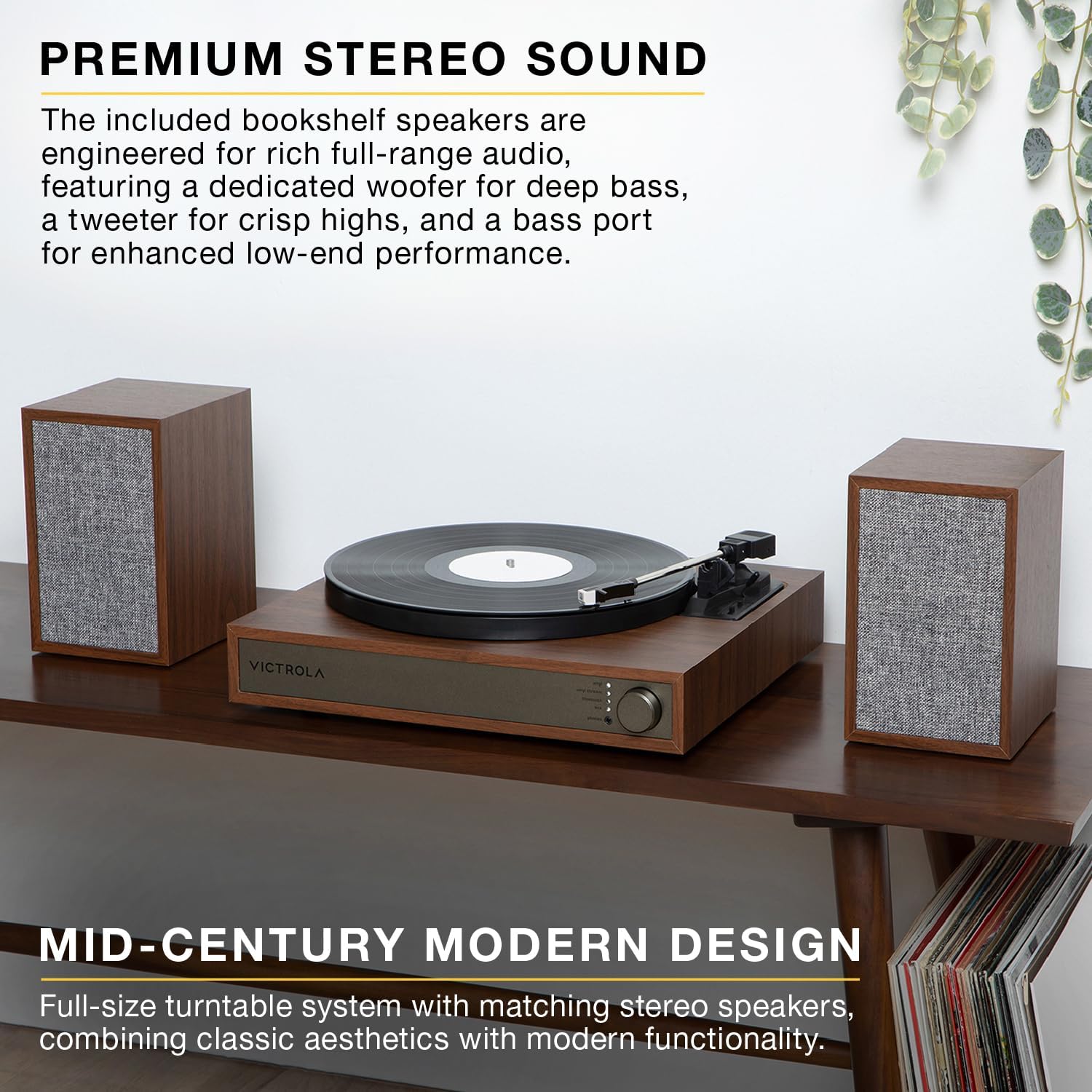
Image: Side view of the Victrola Harmony Turntable System, showing the turntable unit and one speaker, highlighting its compact design suitable for various placements.
- Connect Speakers: Connect the included speaker cables from the speaker output ports on the back of the turntable to the input terminals on the back of each speaker. Ensure correct polarity (positive to positive, negative to negative).
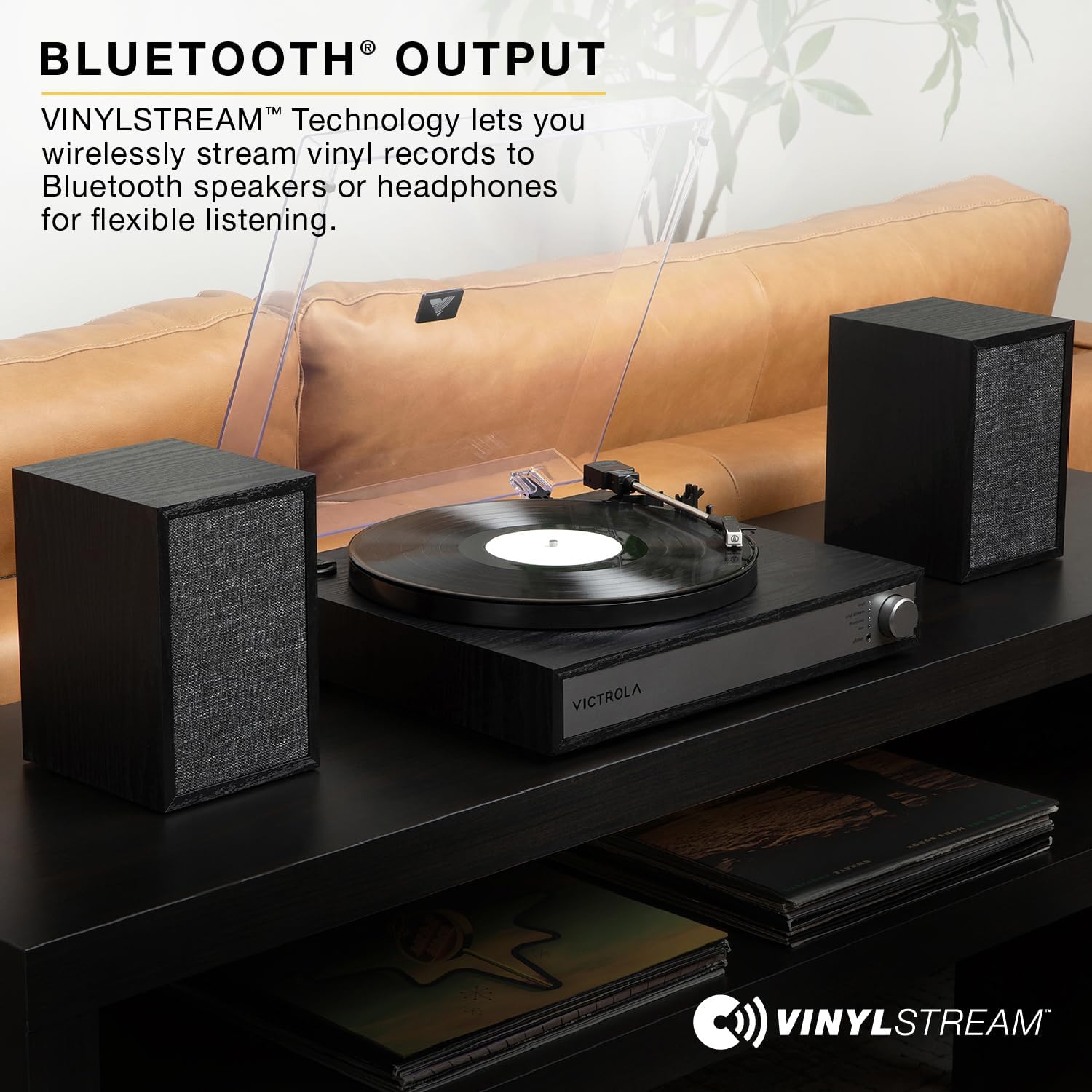
Image: Rear view of the Victrola Harmony Turntable System, displaying the RCA output, 3.5mm auxiliary input, and speaker connection terminals.
- Power Connection: Connect the power adapter to the DC input on the turntable and then plug it into a wall outlet.
- Dust Cover Installation: Attach the clear dust cover to the hinges on the back of the turntable.
- Remove Stylus Protector: Before playing a record, carefully remove the clear plastic stylus protector from the needle.
Operating Instructions
Playing Vinyl Records
- Power On: Turn the power/volume knob clockwise to power on the unit.
- Select Mode: Set the function switch to "VINYL".
- Place Record: Place a vinyl record on the turntable platter. If playing a 45 RPM single, use the included 46 RPM adaptor.
- Select Speed: Select the appropriate speed (33 1/3, 45, or 78 RPM) using the speed selector switch.
- Start Playback: Lift the tone arm using the cue lever and gently move it over the desired track on the record. Lower the tone arm slowly using the cue lever. The record will begin playing.

Image: A close-up view of the Audio-Technica ATN3600L moving magnet cartridge positioned over a vinyl record, illustrating the precision component responsible for sound reproduction.
- Adjust Volume: Adjust the volume using the power/volume knob.
- Auto-Stop: The turntable features an auto-stop function that will stop the platter rotation when the record reaches its end. To stop playback manually, lift the tone arm and return it to its rest.
Bluetooth Input (Streaming to Turntable)
- Select Mode: Set the function switch to "BLUETOOTH". The Bluetooth indicator light will flash.
- Pair Device: Enable Bluetooth on your external device (smartphone, tablet, etc.) and select "Victrola Harmony" from the list of available devices. Once paired, the indicator light will stop flashing and remain solid.

Image: The Victrola Harmony Turntable System in a natural wood finish, with the Bluetooth logo indicating its wireless connectivity feature for streaming music from external devices.
- Play Music: Begin playing music on your paired device. Audio will stream through the Victrola Harmony speakers.
VINYLSTREAM Bluetooth Output (Streaming from Turntable)
The VINYLSTREAM feature allows you to wirelessly stream your vinyl playback to external Bluetooth speakers or headphones.
- Enable Pairing Mode: Ensure your external Bluetooth speaker or headphones are in pairing mode.
- Activate VINYLSTREAM: Set the function switch on the turntable to "VINYL STREAM". The VINYLSTREAM indicator light will flash.
- Connect: The turntable will automatically search for and connect to the nearest Bluetooth audio device in pairing mode. Once connected, the VINYLSTREAM indicator light will stop flashing and remain solid.

Image: The Victrola Harmony Turntable System in a black finish, with the VINYLSTREAM logo highlighting its capability to wirelessly stream vinyl audio to external Bluetooth devices.
- Play Vinyl: Begin playing a vinyl record as described above. The audio will now play through your external Bluetooth device.
Auxiliary Input
Connect external audio devices (e.g., MP3 players, CD players) via the 3.5mm AUX IN port on the back of the turntable.
- Connect Cable: Plug one end of a 3.5mm audio cable (not included) into the AUX IN port on the turntable and the other end into the headphone or line-out jack of your external audio device.
- Select Mode: Set the function switch to "AUX".
- Play Audio: Begin playing audio on your external device. The sound will play through the Victrola Harmony speakers.
Maintenance
- Cleaning the Unit: Wipe the turntable and speakers with a soft, dry cloth. Do not use abrasive cleaners or solvents.
- Cleaning the Stylus: Use a soft brush (not included) to gently clean the stylus from back to front. Do not use excessive force.
- Dust Cover: Keep the dust cover closed when not in use to protect the turntable from dust and debris.
- Record Care: Keep your records clean and free of dust. Store them vertically in their sleeves to prevent warping.
Troubleshooting
| Problem | Possible Cause | Solution |
|---|---|---|
| No power | Power cord not connected; Power outlet not active | Ensure power cord is securely plugged in; Try a different outlet. |
| No sound from speakers | Volume too low; Speakers not connected properly; Incorrect function mode selected | Increase volume; Check speaker cable connections; Select correct mode (VINYL, BLUETOOTH, AUX). |
| Turntable platter rubbing or making noise | Platter not seated correctly; Debris under platter; Turntable not level | Carefully lift the platter and reseat it, ensuring it sits flush. Check for any foreign objects or debris underneath the platter. Ensure the turntable is placed on a completely flat and stable surface. If the issue persists, contact customer support. |
| Bluetooth pairing issues | Device too far; Bluetooth not enabled on external device; Incorrect mode selected | Move device closer to turntable; Ensure Bluetooth is enabled and in pairing mode on your device; Select "BLUETOOTH" or "VINYL STREAM" mode as appropriate. |
Specifications
- Model Name: Harmony
- Model Number: VTS-1300-NAT
- Brand: Victrola
- Connectivity Technology: Bluetooth
- Material: Engineered Wood
- Turntable Speeds: 33 1/3, 45, 78 RPM
- Cartridge: Audio-Technica ATN3600L Moving Magnet
- Outputs: RCA, Headphone
- Inputs: 3.5mm Aux-in, Bluetooth
- Product Dimensions (Turntable): Approximately 14.9" (380mm) W x 14.5" (369mm) D x 4.6" (117mm) H
- Speaker Dimensions (Each): Approximately 5.9" (150mm) W x 5.11" (130mm) D x 7.95" (202mm) H
- Item Weight: 15.98 pounds
- Manufacturer: Innovative Technology Electronics LLC

Image: A diagram showing the dimensions of the Victrola Harmony Turntable System, including the main unit and the two speakers, with measurements in both inches and millimeters.
Warranty and Support
For detailed warranty information and customer support, please refer to the full product manual included with your purchase or visit the official Victrola website. You can also find support resources and frequently asked questions on the manufacturer's website.
For further assistance, please contact Victrola Customer Service.


