
PHILIPS TAS1400
PHILIPS Audio TAS1400 Wireless Bluetooth Speaker User Manual
Model: TAS1400
Introduction
Thank you for choosing the PHILIPS Audio TAS1400 Wireless Bluetooth Speaker. This manual provides essential information for setting up, operating, and maintaining your speaker. Please read it carefully before use and retain it for future reference.
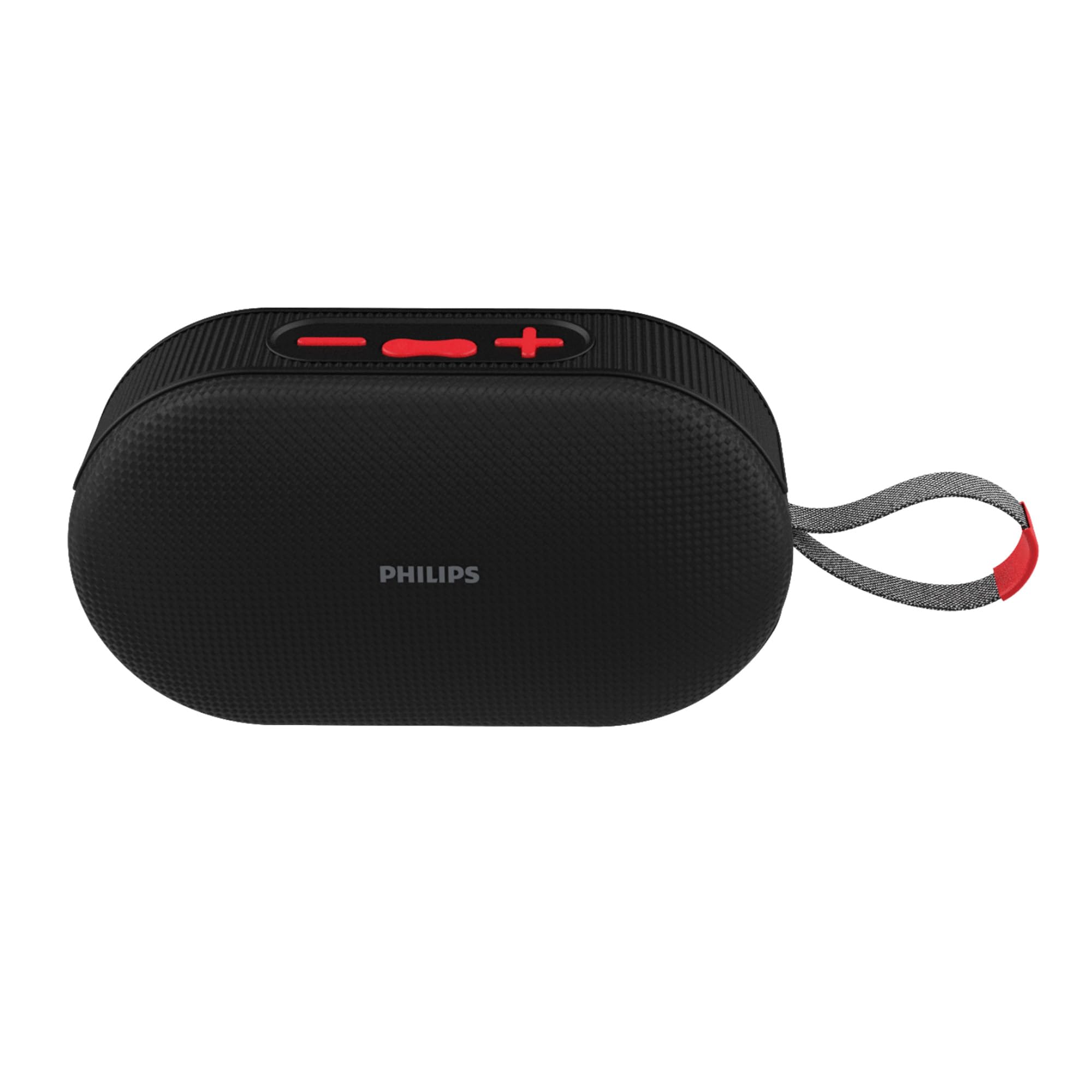
Image: The PHILIPS TAS1400 Bluetooth Speaker in black, showcasing its compact design.
What's in the Box
Upon unpacking, ensure all items listed below are present:
- 1 x PHILIPS Audio TAS1400 Wireless Bluetooth Speaker
- 1 x USB-C Charging Cable
- 1 x User Manual (this document)
Important Safety Information
- Do not expose the speaker to extreme temperatures or direct sunlight.
- Avoid dropping or subjecting the speaker to strong impacts.
- Keep the speaker away from water and liquids. While it has IPX4 splash resistance, it is not fully waterproof and should not be submerged.
- Use only the provided USB-C cable for charging.
- Do not attempt to disassemble or repair the speaker yourself. Contact authorized service personnel.
Product Overview
Familiarize yourself with the speaker's components and controls.

Image: Top view of the PHILIPS TAS1400 speaker, showing the control buttons (Power, Volume Up/Next, Volume Down/Previous, Play/Pause/Mode) and RGB light strip.
Controls and Indicators:
- Power Button: Press and hold to power ON/OFF. Short press to change RGB light modes.
- Volume Up / Next Track Button: Short press for Volume Up. Long press for Next Track.
- Volume Down / Previous Track Button: Short press for Volume Down. Long press for Previous Track.
- Play / Pause / Mode Button: Short press to Play/Pause. Long press to switch between Bluetooth, TF Card, and USB modes.
- RGB Light Strip: Indicates various light modes and charging status.
- USB-C Charging Port: For charging the speaker.
- TF Card Slot: For playing music from a MicroSD card.
- USB Port: For playing music from a USB drive.
Setup
1. Charging the Speaker
Before first use, fully charge the speaker. Connect the provided USB-C cable to the speaker's charging port and the other end to a USB power adapter (not included) or a computer's USB port.
- The RGB light will indicate charging status.
- A full charge takes approximately 2-3 hours.
- Battery life is approximately 10 hours at moderate volume.
2. Powering On/Off
Press and hold the Power Button for 3 seconds to turn the speaker ON or OFF. A sound prompt will confirm the action.
Operating Instructions
1. Bluetooth Pairing
- Ensure the speaker is powered ON and in Bluetooth mode (indicated by a flashing blue light or voice prompt). If not, long press the Play/Pause/Mode Button to switch to Bluetooth mode.
- On your device (smartphone, tablet, etc.), enable Bluetooth and search for available devices.
- Select "PHILIPS TAS1400" from the list.
- Once paired, the speaker will emit a confirmation sound, and the Bluetooth indicator light will become solid blue.
- The speaker will automatically reconnect to the last paired device when powered on, if within range.
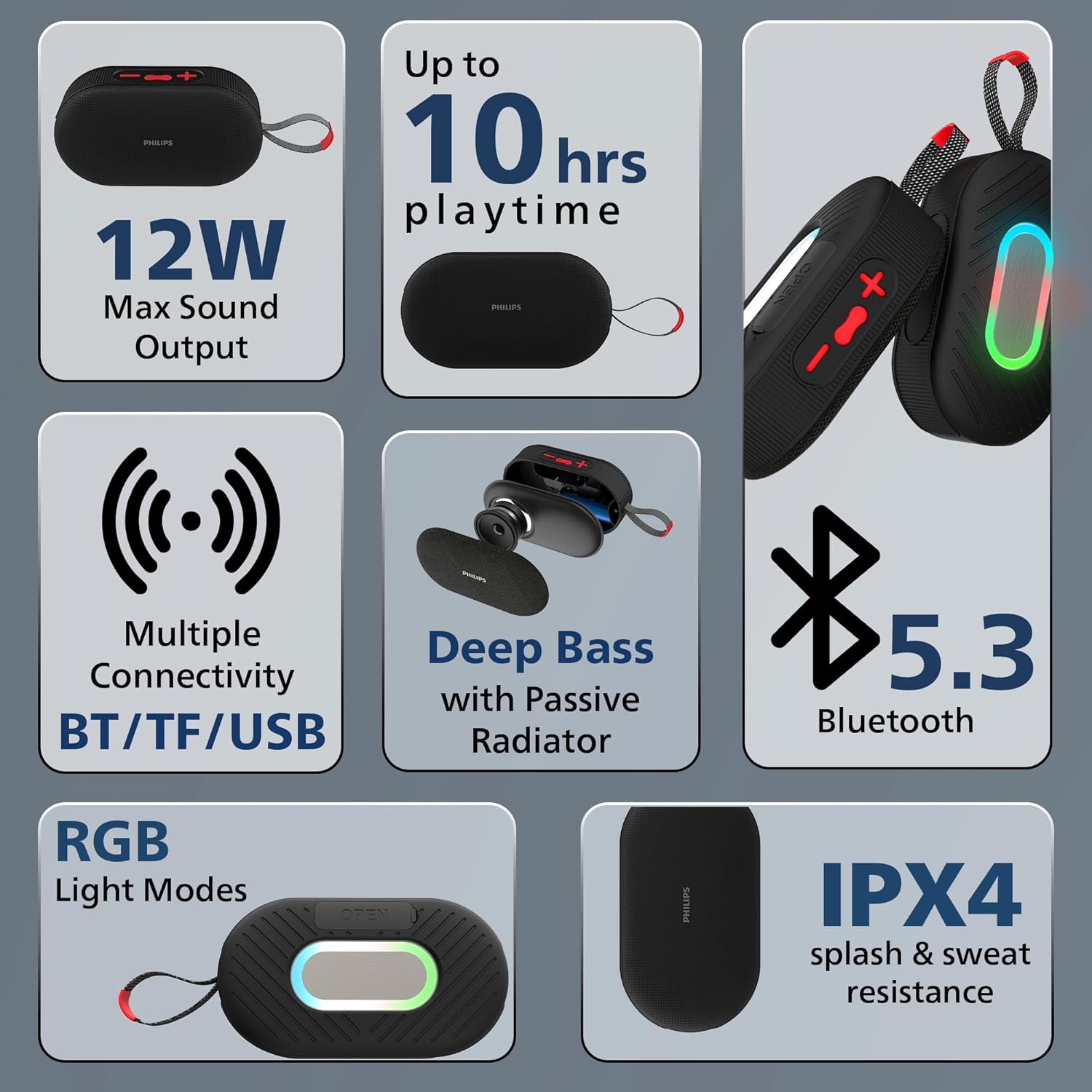
Image: Diagram illustrating Bluetooth 5.3 connectivity and other features like 12W sound output and 10 hours playtime.
2. Playing Music from TF Card / USB Drive
- Insert a TF (MicroSD) card or USB drive into the respective slot on the speaker.
- The speaker will automatically detect the storage device and switch to TF Card or USB mode, beginning playback.
- If it does not switch automatically, long press the Play/Pause/Mode Button to cycle through modes until the correct mode is selected.
3. Adjusting Volume and Track Control
- Volume Up: Short press the Volume Up (+) Button.
- Volume Down: Short press the Volume Down (-) Button.
- Next Track: Long press the Volume Up (+) Button.
- Previous Track: Long press the Volume Down (-) Button.
- Play/Pause: Short press the Play/Pause/Mode Button.
4. RGB Light Modes
Short press the Power Button to cycle through different RGB light modes. The speaker features multiple dynamic lighting effects.

Image: The PHILIPS TAS1400 speaker displaying its active RGB light modes, enhancing the listening experience.
Maintenance
- Cleaning: Use a soft, dry cloth to clean the speaker's surface. Do not use abrasive cleaners or solvents.
- Storage: When not in use for extended periods, store the speaker in a cool, dry place.
- Battery Care: To prolong battery life, avoid fully discharging the battery frequently. Charge the speaker regularly, even if not in use.
Troubleshooting
| Problem | Possible Cause | Solution |
|---|---|---|
| Speaker does not turn on. | Low battery. | Charge the speaker fully. |
| Cannot pair via Bluetooth. | Speaker not in pairing mode; device Bluetooth off; too far from device. | Ensure speaker is in Bluetooth pairing mode. Turn device Bluetooth off and on. Move speaker closer to device. |
| No sound. | Volume too low; incorrect mode selected; device not playing. | Increase speaker and device volume. Long press Mode button to select correct input. Ensure device is playing audio. |
| Sound distortion. | Volume too high; low battery. | Reduce volume on speaker and device. Charge the speaker. |
| TF card/USB not playing. | Incorrect file format; card/drive not inserted correctly; speaker not in correct mode. | Ensure audio files are in a compatible format (e.g., MP3). Reinsert card/drive. Long press Mode button to select TF/USB mode. |
Specifications
| Model Number | TAS1400 |
| Brand | PHILIPS |
| Sound Output | 12 Watts (Max) |
| Connectivity | Bluetooth v5.3, TF Card, USB |
| Bluetooth Range | Up to 10 meters (33 feet) |
| Battery Capacity | 1200 mAh |
| Playtime | Up to 10 hours (at moderate volume) |
| Charging Port | USB-C |
| Water Resistance | IPX4 (Splash and sweat resistant) |
| Enclosure Material | Acrylonitrile Butadiene Styrene (ABS) |
| Dimensions (D x W x H) | 16.4 x 5.9 x 8.7 cm |
| Weight | 288.61 Grams |
| Special Features | Deep Bass with Passive Radiator, RGB Light Modes |
Warranty Information
The PHILIPS Audio TAS1400 Wireless Bluetooth Speaker comes with a 1-Year Limited Warranty from the date of purchase. This warranty covers manufacturing defects and workmanship under normal use.
The warranty does not cover:
- Damage caused by misuse, abuse, neglect, or accident.
- Damage caused by unauthorized repair or modification.
- Normal wear and tear.
- Cosmetic damage.
Please retain your purchase receipt as proof of purchase for warranty claims.
Support and Service
For technical support, warranty claims, or service inquiries, please contact PHILIPS customer support:
- Customer Service Hotline: 18004256396
- Email Support: India.Callcentre@tpv-tech.com
- Service Centers: Over 400 service centers available across India.
Working Hours:
- Monday - Saturday: 10:00 AM - 09:00 PM
- Sunday: 10:00 AM - 06:00 PM

Image: The PHILIPS TAS1400 speaker positioned in a snowy outdoor environment next to a backpack, highlighting its portability.
Ask a question about this manual
Ask about setup, troubleshooting, compatibility, parts, safety, or missing instructions. Manuals+ will review the question and use this page’s manual context to help answer it.