
GPD GPD Win Max 2
Contents
GPD Win Max 2 Handheld Gaming PC User Manual
Model: GPD Win Max 2
Introduction
This manual provides essential instructions for setting up, operating, maintaining, and troubleshooting your GPD Win Max 2 handheld gaming PC. Please read this manual thoroughly before using the device to ensure optimal performance and longevity.
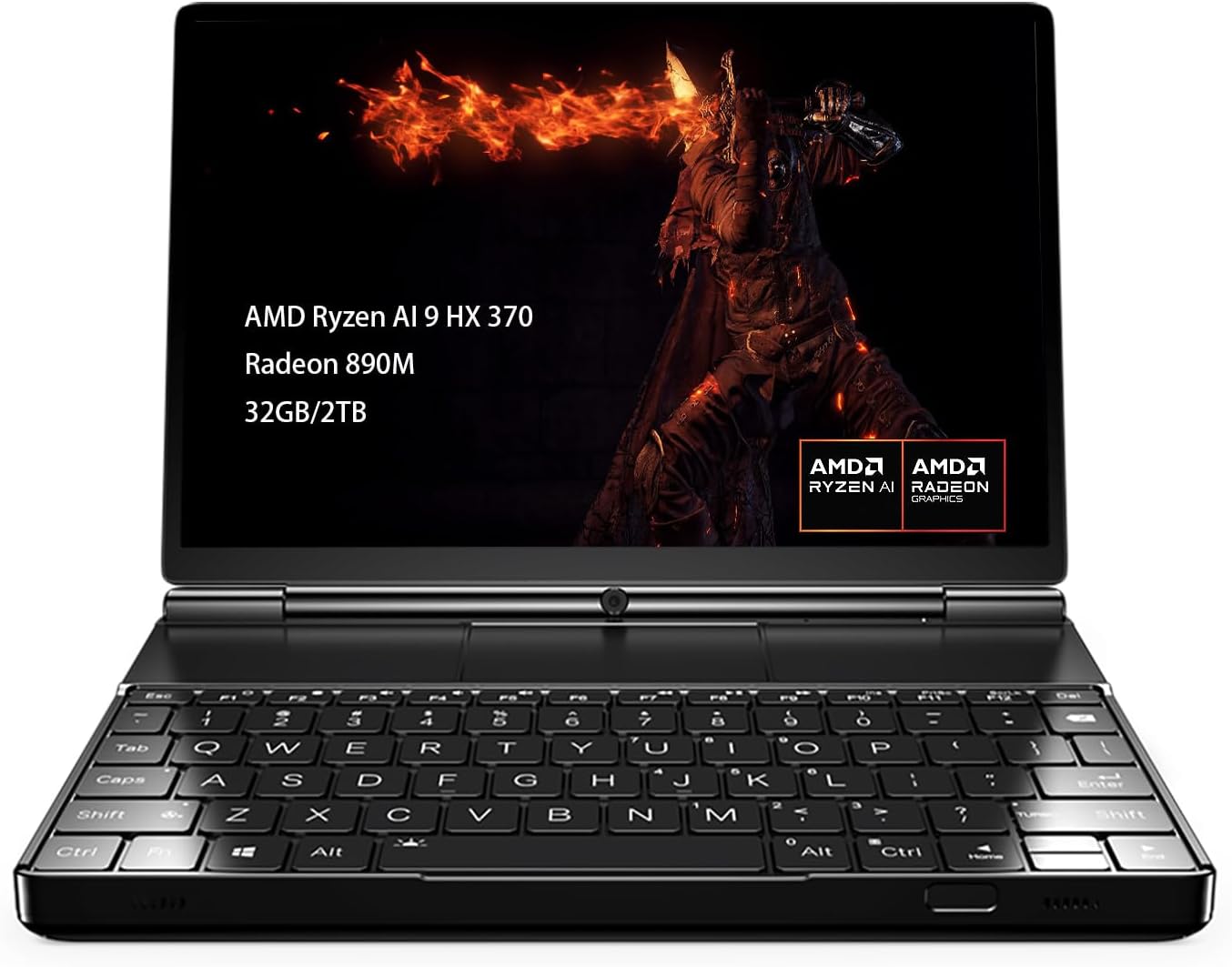
Image: The GPD Win Max 2 handheld gaming PC, showcasing its 10.1-inch screen and keyboard, with key specifications like AMD Ryzen AI 9 HX 370, Radeon 890M, 32GB RAM, and 2TB SSD visible on the display.
Setup
1. Initial Charging
Before first use, fully charge the GPD Win Max 2 using the provided power adapter. Connect the adapter to a power outlet and the device's USB-C port (supporting 100W PD fast charge).
2. Power On
Press and hold the power button, located on the side of the device, until the screen illuminates. The power button also features a fingerprint sensor for secure login.
3. Operating System Setup
Follow the on-screen prompts to complete the Windows 11 initial setup, including language selection, network connection, and user account creation.
Operating Instructions
Display and Touchscreen
The GPD Win Max 2 features a 10.1-inch eye-care full-screen display with a native landscape orientation and ultra-narrow bezels. It supports 10-point touch input and 4096 levels of pressure sensitivity (MPP 2.0 protocol).

Image: Display specifications including 450 nit brightness, 2560x1600 resolution, 90% screen ratio, LTPS technology, Delta E < 1 color accuracy, 299 PPI Retina Display, NTSC/sRGB color gamut coverage, and 1000:1 contrast ratio.
Gamepad Controls
The device integrates gamepad controls for an enhanced gaming experience. These include:
- Analog Triggers: Supports 256 levels of feedback for immersive gaming, simulating gun triggers or throttle pedals.
- Dual Vibration Motors: Provides realistic feedback with adjustable intensity (Off, Weak, Strong) via software control.
- Mappable Back Buttons: Two customizable buttons on the back for flexible control or software shortcuts. These can be configured using the WinControls tool.

Image: A user holding the GPD Win Max 2, demonstrating its use as a handheld gaming device with integrated controls.
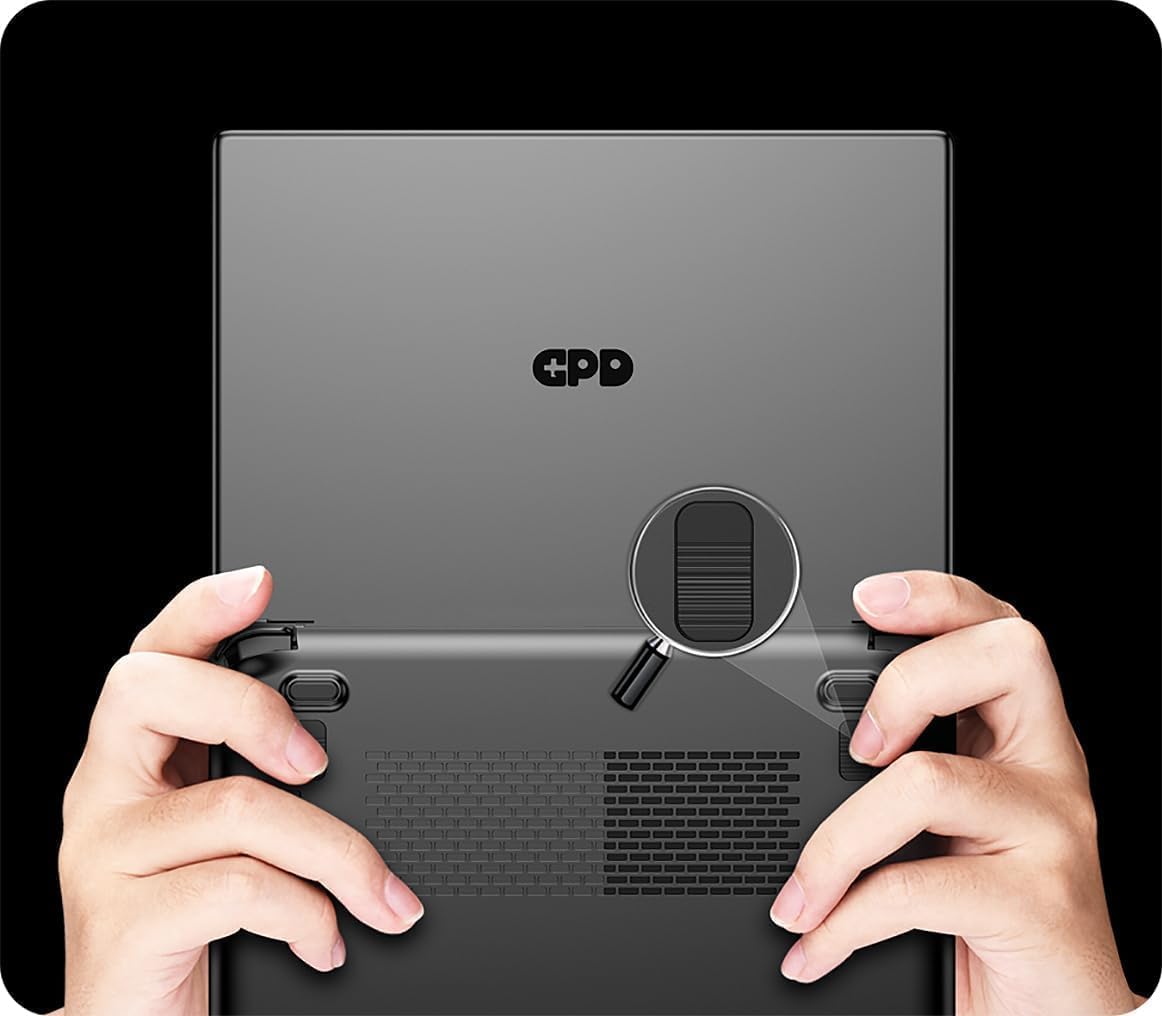
Image: Close-up of the back of the GPD Win Max 2, highlighting the two mappable back buttons.
Keyboard and Touchpad
The GPD Win Max 2 features a full QWERTY keyboard and a precision touchpad for traditional laptop functionality.
Ports and Connectivity
The device offers a variety of ports for connectivity:
- USB Ports: Multiple USB 3.2 Gen2 Type A ports and USB4 ports (supporting 100W PD fast charge).
- HDMI 2.1: For connecting to external displays.
- Oculink (SFF-8612) Female Port: For high-speed external peripheral connections.
- Card Slots: Dedicated microSD and SD card slots for expanded storage.
- 3.5mm Headset & Microphones Jack: For audio input and output.

Image: Side view of the GPD Win Max 2, showing the USB4, HDMI, and Oculink ports.

Image: Diagram illustrating the various ports and their labels on the GPD Win Max 2, including 3.5mm Headset & Microphones, Oculink, HDMI 2.1, USB4/100W PD fast charge, Air Outlet, microSD Slot, SD Slot, Reset button, Loudspeakers, Power button with fingerprint sensor, and USB 3.2 Gen2 Type A ports.
The device can be connected to an external monitor for a larger display experience.

Image: The GPD Win Max 2 connected to an external monitor and an external GPU enclosure, demonstrating its capability for desktop-like gaming.
Storage
The GPD Win Max 2 includes dual M.2 slots (PCIe 4.0 2280 / 2230) and comes with a 2TB M.2 NVMe 2280 SSD. Additional storage can be installed in the available slot.
Audio and Camera
The device features an upgraded audio amplifier IC with a built-in 4-channel smart amplifier and four ultra-linear speakers for surround sound. It also includes a built-in 2MP ultra-wide-angle camera with a 118-degree field of view.
Maintenance
- Cleaning: Use a soft, dry cloth to clean the exterior. For the screen, use a microfiber cloth specifically designed for electronics. Avoid harsh chemicals.
- Storage: Store the device in a cool, dry place away from direct sunlight and extreme temperatures.
- Battery Care: To prolong battery life, avoid fully discharging the battery frequently. Charge the device regularly.
- Software Updates: Regularly check for and install operating system and driver updates to ensure optimal performance and security.
Troubleshooting
Device Does Not Power On
- Ensure the device is fully charged. Connect it to the power adapter and wait a few minutes before attempting to power on again.
- Press and hold the power button for 10-15 seconds to perform a hard reset.
Screen Remains Black or Does Not Display
- Connect the device to an external monitor via the HDMI port to check if the issue is with the internal display or the system itself.
- If an external monitor works, the internal display may require service.
- Try restarting the device. If the issue persists after a restart, especially after a period of use, it may indicate a hardware issue.
Performance Issues
- Close unnecessary background applications.
- Ensure the device has adequate ventilation and is not overheating.
- Update graphics drivers and the operating system.
Gamepad Controls Not Responding
- Check in-game settings to ensure gamepad input is enabled.
- Verify that the gamepad mode is active (if applicable, refer to GPD software for specific settings).
- Restart the device.
Specifications
| Feature | Detail |
|---|---|
| Model Name | GPD Win Max 2 |
| Screen Size | 10.1 Inches |
| Resolution | 2560x1600 |
| CPU Model | AMD Ryzen AI 9 HX 370 |
| RAM Memory Installed Size | 32 GB |
| Hard Drive Size | 2 TB NVMe M.2 2280 SSD |
| Operating System | Windows 11 |
| Graphics Card Description | Integrated (Radeon 890M) |
| Total USB Ports | 4 (USB4, USB 3.2 Gen2 Type A) |
| Connectivity | HDMI 2.1, Oculink (SFF-8612), microSD, SD |
| Batteries | 1 Lithium Ion battery (included) |
| Item Weight | 4 Pounds (approx. 1.81 kg) |
| Package Dimensions | 10.5 x 7.87 x 2.9 inches |

Image: Size comparison of the GPD Win Max 2 (227mm x 160mm) with a Steam Deck (298mm x 117mm).
Warranty and Support
For warranty information and technical support, please refer to the official GPD website or contact your retailer. Keep your proof of purchase for warranty claims.
Documents and downloads
Ask a question about this manual
Ask about setup, troubleshooting, compatibility, parts, safety, or missing instructions. Manuals+ will review the question and use this page’s manual context to help answer it.