Introduction
Welcome to the user manual for your CHOYONG Voyager A9 Bluetooth Speaker and Wireless Internet Radio. This compact and versatile device combines a high-fidelity speaker with extensive internet radio and podcast capabilities, offering global connectivity through Wi-Fi and 4G networks. This manual provides detailed instructions to help you set up, operate, and maintain your device, ensuring an optimal audio experience.

Figure 1: CHOYONG Voyager A9 Speaker in hand.
What's in the Box
Upon unboxing your CHOYONG Voyager A9, please ensure all the following items are present:
- CHOYONG Voyager A9 Speaker
- USB Type-C Charging Cable
- Owner's Manual (this document)
Setup
1. Charging the Battery
The Voyager A9 is powered by a 1200mAh rechargeable lithium battery. Before first use, or when the battery is low, connect the supplied USB Type-C cable to the device and a compatible USB power adapter (not included). The battery indicator on the screen will show charging status. A full charge provides approximately 5 hours of playback, though actual time may vary with volume and screen brightness.
Note: Do not use a computer or iPad for charging, as the voltage may not meet the speaker's requirements (should not exceed 3.85V).
2. Powering On/Off
To power on the speaker, press and hold the power button (usually located on the top or side) for 2 seconds. To power off, press and hold the same button until the screen shuts down. If the device becomes unresponsive, hold the power button for 5 seconds until a white screen appears to force a restart.
3. Network Connectivity (Wi-Fi / 4G)
The Voyager A9 supports both 2.4GHz Wi-Fi and 4G network connectivity for accessing internet radio and podcasts. This allows for flexible listening whether you are at home or on the go.

Figure 2: Key features of the Voyager A9, including Wi-Fi and 4G connectivity.
Connecting to Wi-Fi:
- From the main interface, navigate to 'Settings'.
- Select 'Wi-Fi' from the options.
- Turn Wi-Fi 'ON' and select 'Available Wi-Fi Networks'.
- Choose your desired network and enter the password if prompted.
Using 4G (eSIM / Physical SIM):
The device supports 4G networks globally. You can either use the built-in eSIM or insert a physical SIM card (if available) for mobile data connectivity. This ensures you can listen to content even without Wi-Fi access.
4. Bluetooth Pairing
The Voyager A9 features Bluetooth 5.3 for fast and stable connections with your smartphone, tablet, or other Bluetooth-enabled devices.
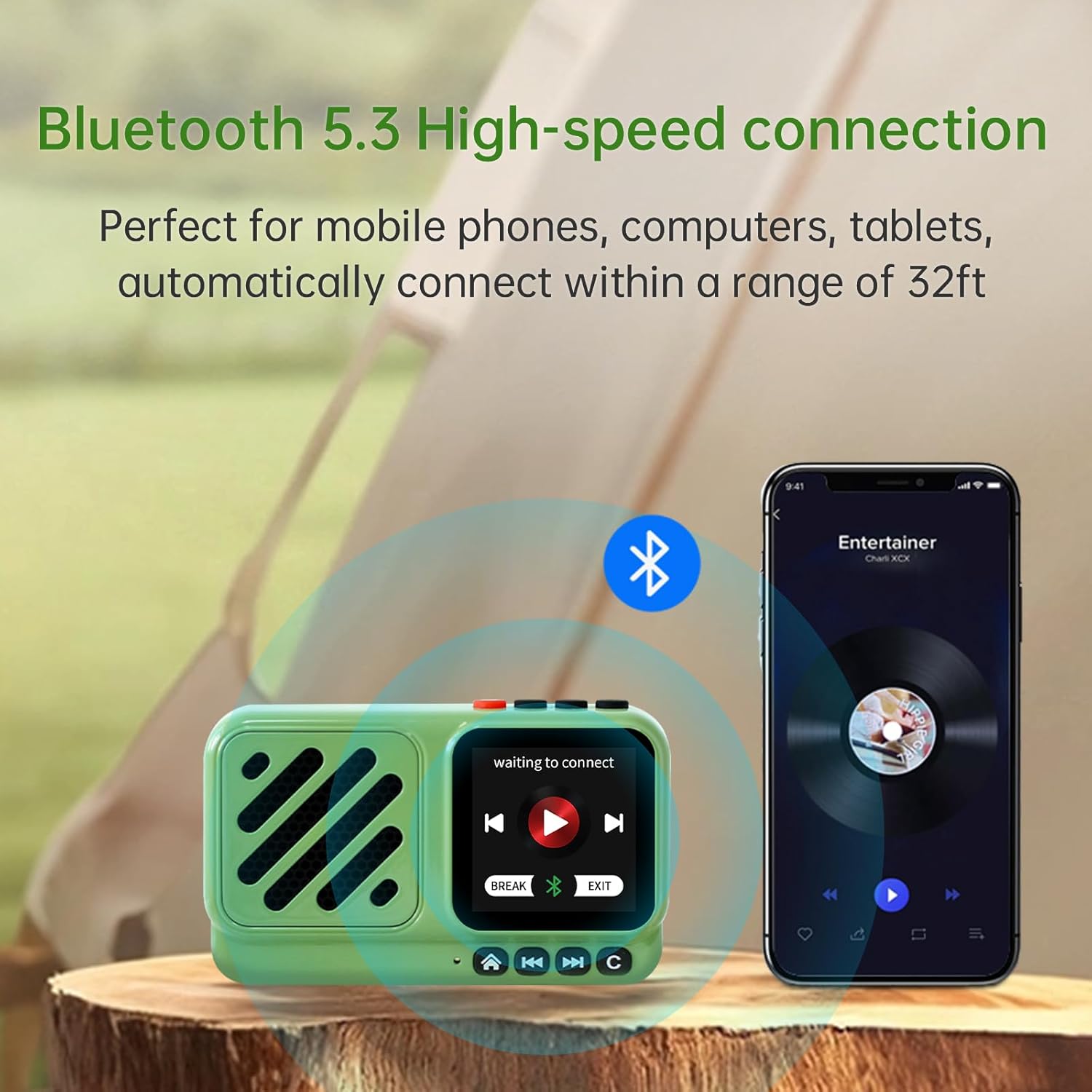
Figure 3: Bluetooth 5.3 high-speed connection.
- From the main interface, navigate to the 'Bluetooth' mode.
- On your external device (e.g., smartphone), enable Bluetooth and search for available devices.
- Select 'Voyager' from the list of found devices to pair.
- Once paired, you can stream audio from your device to the Voyager A9.
Operating Instructions
1. User Interface and Controls
The Voyager A9 features a high-definition touchscreen and physical buttons for intuitive navigation and control.

Figure 4: High Definition Touch Screen and connectivity ports.
Touchscreen Navigation:
Swipe left/right or up/down on the touchscreen to navigate through menus and options. Tap to select items.
Physical Buttons:
- Power Button: Press and hold to power on/off. Short press for screen on/off.
- Volume +/-: Adjusts the audio output level.
- Home Key: Short press to return to the main interface.
- Previous/Next Key: Skips to the previous/next song or channel.
- Pause/Voice Search Key: Short press to pause/play. Long press to activate voice search.
- Return Key: Returns to the previous menu level.
2. Internet Radio and Podcasts
Access over 40,000 internet radio stations and 10 million podcast episodes from around the world.

Figure 5: Access to global internet radio and podcasts.
Browsing and Listening:
From the main interface, select 'Internet Radio' or 'Podcasts'. You can browse by continent, country, genre, or popularity. You can also bookmark your favorite stations for quick access.
Voice Search (GPT Integration):
The Voyager A9 is equipped with GPT for direct voice on-demand. Long press the Voice Search Key and speak your request (e.g., "Play jazz radio," "Find podcasts about technology"). The device will automatically search and present relevant content.

Figure 6: Fast and accurate voice GPT search.
Adding Custom Stations:
You can independently add radio stations by entering a valid URL directly on the radio. The device supports all audio formats such as MP3, AAC, M3U8, etc.
Sound Quality
Despite its compact size, the Voyager A9 delivers a surprisingly full and clear audio experience. It is equipped with a high-fidelity full-range speaker and a 5-watt high-power amplifier, ensuring lossless wireless sound. The acoustic design includes a precisely engineered inverting tube that enhances sound reproduction, providing decent bass response, clear mids, and crisp vocals.

Figure 7: Pleasant sound from full-range multimedia speakers.
Portability and Design
The Voyager A9 is designed for portability, weighing only 4.4 ounces (125 grams) and measuring 3.62 x 1.42 x 2.24 inches. Its compact and lightweight form factor makes it an ideal companion for various occasions, including travel, outdoor activities, or simply moving around your home.

Figure 8: Compact and portable design for outdoor use.
Specifications
| Feature | Detail |
|---|---|
| Model Number | A9 |
| Product Dimensions | 3.62 x 1.42 x 2.24 inches |
| Item Weight | 4.4 ounces (125 Grams) |
| Connectivity Technology | Bluetooth 5.3, 2.4GHz Wi-Fi, 4G Network |
| Tuner Technology | Internet Radio |
| Speaker Output Power | 5 Watts |
| Battery | 1200mAh Nonstandard Lithium Battery (included) |
| Special Features | Portable, Global network radio station, Addable internet radio stations, Voice search (GPT) |
| Color | Green |
Maintenance
To ensure the longevity and optimal performance of your CHOYONG Voyager A9, follow these maintenance guidelines:
- Cleaning: Use a soft, dry cloth to wipe the exterior of the device. Avoid using abrasive cleaners or solvents.
- Storage: Store the speaker in a cool, dry place away from direct sunlight and extreme temperatures.
- Battery Care: If storing for an extended period, charge the battery to approximately 50% every few months to prevent deep discharge.
- Avoid Water: The device is not waterproof. Avoid exposure to water or high humidity.
Troubleshooting
If you encounter issues with your CHOYONG Voyager A9, refer to the following common troubleshooting steps:
- Device Not Powering On: Ensure the battery is charged. Connect to a power source and try again. If unresponsive, perform a force restart (hold power button for 5 seconds).
- No Wi-Fi Connection: Check if Wi-Fi is enabled on the device and your router is working. Ensure you have entered the correct Wi-Fi password. Try restarting both the speaker and your router.
- Bluetooth Pairing Issues: Ensure the speaker is in Bluetooth mode and discoverable. Turn Bluetooth off and on again on both devices. Make sure the devices are within the 33-foot range.
- No Sound: Check the volume level on the speaker and the connected device (if using Bluetooth). Ensure the correct audio source is selected.
- Voice Search Not Responding: Ensure the device has an active internet connection. Speak clearly and directly into the device.
Official Product Video
Watch the official introduction video for the CHOYONG Voyager A9 speaker to learn more about its features and operation.
Video: The introduction of Choyong Voyager speaker. This video provides a comprehensive overview of the speaker's design, features, and connectivity options, including its unique suitcase-inspired design, touchscreen interface, 4G/Wi-Fi capabilities, and internet radio/podcast functions.
Warranty and Support
For warranty information and technical support, please refer to the manufacturer's official website or contact their customer service. The manufacturer is Shenzhen Chaoyuan Technology Co., Ltd. Please retain your proof of purchase for any warranty claims.