1. Introduction
Thank you for choosing the RockShine R1 Open-Ear Sport Headphones. These headphones are designed to provide a comfortable and safe listening experience for active individuals. Featuring an open-ear design, they allow you to remain aware of your surroundings while enjoying high-quality audio. The R1 headphones are sweat-resistant, offer a secure fit, and deliver deep bass without vibration, making them ideal for running, cycling, workouts, and daily use.
2. What's in the Box
- RockShine R1 Open-Ear Sport Headphones
- Magnetic Charging Cable
- User Manual (this document)
3. Product Overview
The RockShine R1 headphones are engineered for comfort and performance. Key features include:
- Open-Ear Design: Allows ambient sound awareness for safety during outdoor activities.
- ROCK Dynamic Audio: Delivers clear, balanced sound with enhanced bass and no vibration.
- Lightweight & Ergonomic: Weighs only 31g with a soft silicone finish and flexible memory wire for a secure, comfortable fit.
- IPX5 Water Resistance: Protects against sweat, rain, and splashes.
- Long Battery Life: Up to 12 hours of continuous playtime.
- Dual-Device Connection: Seamlessly switch between two connected devices.
- Physical Buttons: Sealed, responsive buttons for easy control.

Image 3.1: The RockShine R1 Open-Ear Sport Headphones in black, showcasing their sleek design.

Image 3.2: Various angles of the RockShine R1 headphones, including a view of the black and red variants, highlighting the flexible neckband and ear hooks.
4. Setup
4.1 Charging the Headphones
Before first use, fully charge your R1 headphones.
- Connect the magnetic charging cable to the charging port on the headphones.
- Connect the USB end of the cable to a standard USB power adapter (not included) or a computer's USB port.
- The LED indicator on the headphones will show charging status. A full charge takes approximately 2 hours.
- Once fully charged, the LED indicator will change (refer to LED status in specifications). Disconnect the charging cable.

Image 4.1: The RockShine R1 headphones connected to their magnetic charging cable, illustrating the fast charging capability and all-day performance with 12 hours playback.
4.2 Pairing with Your Device
The R1 headphones use Bluetooth 5.3 for a stable connection.
- Ensure the headphones are turned off.
- Press and hold the Power button until the LED indicator flashes blue and red, indicating pairing mode.
- On your device (smartphone, tablet, laptop), enable Bluetooth and search for available devices.
- Select "ROCKSHINE R1" from the list of devices.
- Once connected, the LED indicator will flash blue slowly or turn solid blue (refer to LED status in specifications).
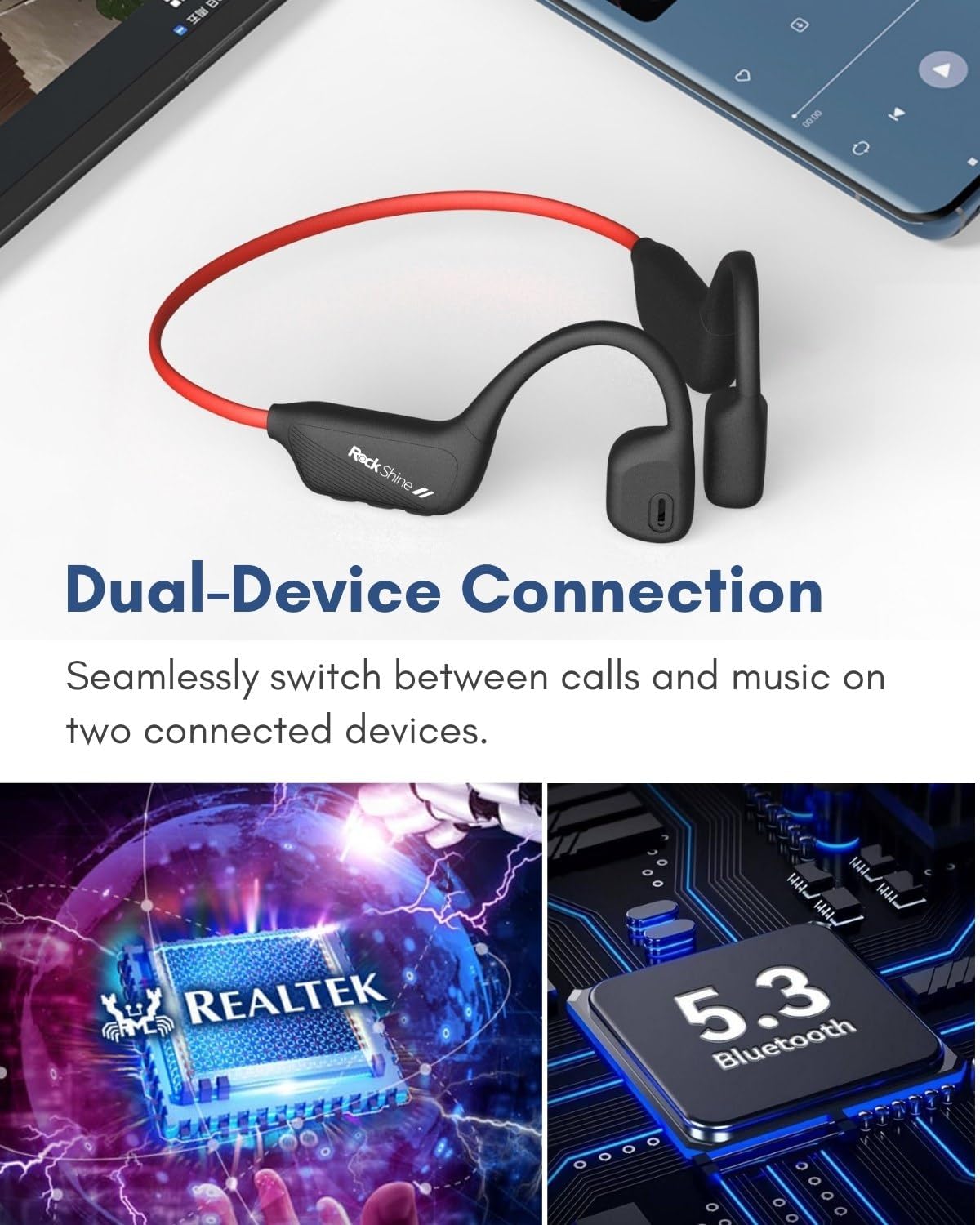
Image 4.2: An illustration demonstrating the dual-device connection feature of the RockShine R1 headphones, highlighting the Realtek chip and Bluetooth 5.3 technology.
5. Operating Instructions
5.1 Wearing the Headphones
Place the headphones over your ears with the ear hooks resting securely behind your ears and the transducers positioned in front of your ear canals, allowing for open-ear listening.

Image 5.1: A close-up view of the RockShine R1 headphone positioned on an ear model, demonstrating the open-ear placement and ergonomic fit.
5.2 Button Functions
The R1 headphones feature sealed physical buttons for easy control:
- Power Button:
- Press and hold for 3 seconds to Power On/Off.
- Press once to Play/Pause music.
- Press once to Answer/End calls.
- Press and hold for 2 seconds to Reject calls.
- Double-press to activate voice assistant.
- Volume + / Previous Track Button:
- Press once to increase volume.
- Press and hold for 2 seconds to go to the previous track.
- Volume - / Next Track Button:
- Press once to decrease volume.
- Press and hold for 2 seconds to go to the next track.
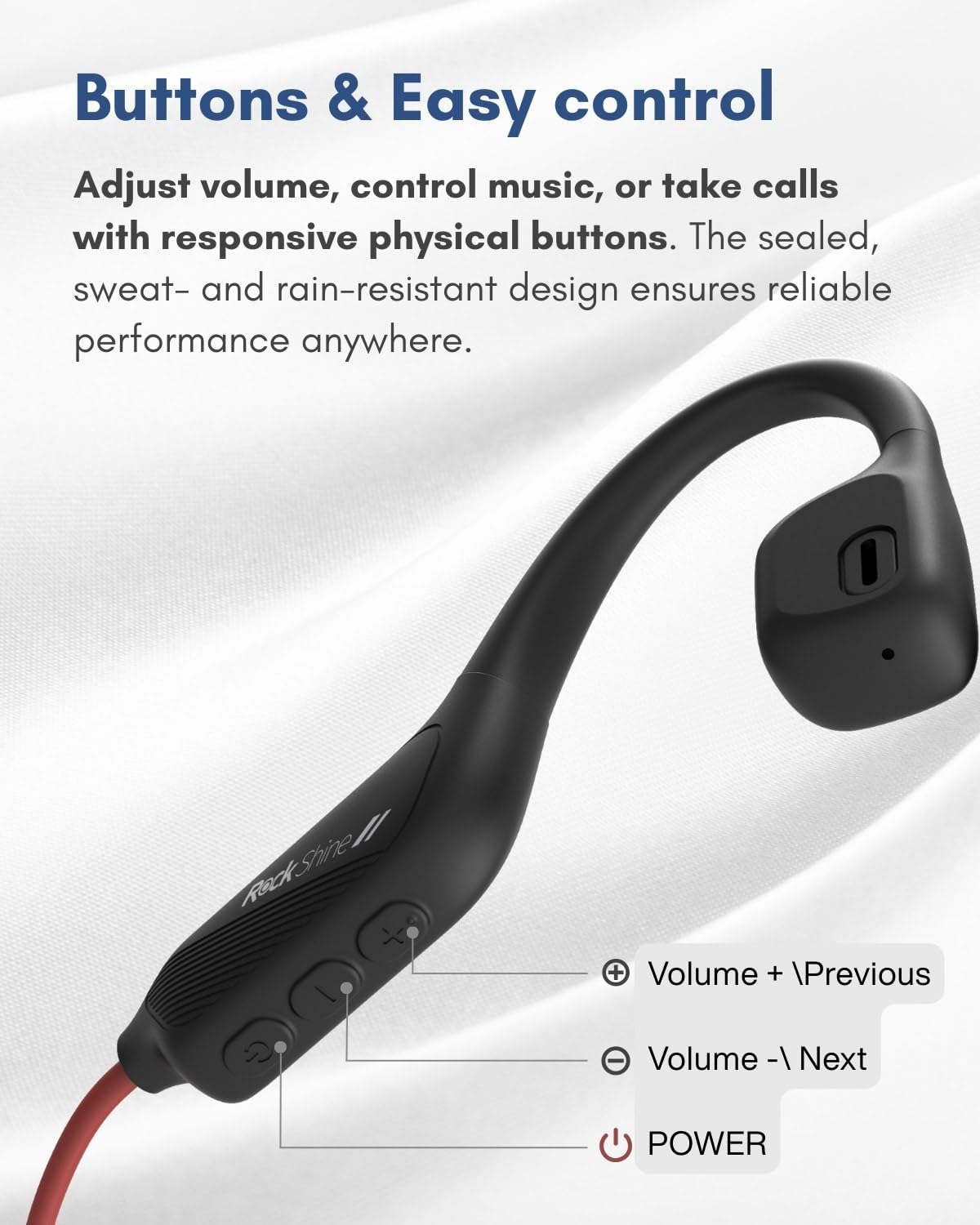
Image 5.2: A detailed view of the control buttons on the RockShine R1 headphones, indicating the functions for volume, track control, and power.
5.3 Dual-Device Connection
The R1 headphones can connect to two Bluetooth devices simultaneously.
- Pair the headphones with the first device as described in Section 4.2.
- Turn off Bluetooth on the first device.
- Put the headphones back into pairing mode and pair with the second device.
- Once the second device is connected, re-enable Bluetooth on the first device. The headphones should automatically connect to both devices.
- You can now seamlessly switch between audio sources (e.g., take a call on your phone while listening to music on your laptop).
6. Maintenance
6.1 Water Resistance
The R1 headphones are IPX5 water-resistant, meaning they can withstand sweat, light rain, and splashes. They are not designed for submersion in water. After exposure to liquids, ensure the headphones are completely dry before charging or storing.

Image 6.1: The RockShine R1 headphones shown with an IPX5 water resistance icon and water splashes, indicating their durability against sweat and rain.
6.2 Cleaning
To clean your headphones, gently wipe them with a soft, damp cloth. Do not use abrasive cleaners or immerse them in water. Ensure the charging port is free of debris.
7. Troubleshooting
- Headphones won't turn on: Ensure the headphones are fully charged.
- Cannot pair with device:
- Ensure the headphones are in pairing mode (LED flashing blue and red).
- Make sure Bluetooth is enabled on your device.
- Move the headphones closer to your device.
- Try unpairing and re-pairing the headphones from your device's Bluetooth settings.
- No sound or low volume:
- Check the volume levels on both the headphones and your connected device.
- Ensure the headphones are properly connected to your device.
- If using dual-device connection, ensure the correct device is actively playing audio.
- Charging issues:
- Ensure the magnetic charging cable is securely connected to both the headphones and the power source.
- Try a different USB power adapter or port.
- Check the charging port for any debris.
8. Specifications
| Feature | Specification |
|---|---|
| Model Name | ROCKSHINE R1 |
| Connectivity Technology | Wireless (Bluetooth) |
| Wireless Communication Technology | Bluetooth 5.3 |
| Bluetooth Range | 15 Meters |
| Ear Placement | Open Ear |
| Form Factor | OPEN Ear |
| Water Resistance Level | IPX5 (Water Resistant) |
| Charging Time | 2 Hours |
| Battery Life | Up to 12 hours playtime |
| Battery Type | 1 Lithium Polymer (included) |
| Item Weight | 6.7 ounces (approx. 31g) |
| Control Method | Push Button |
| Audio Driver Type | Dynamic Driver |
| Impedance | 32 Ohm |
| Compatible Devices | Phone, Laptop |
9. Warranty and Support
RockShine products are manufactured with high-quality standards. For warranty information, please refer to the warranty card included with your product packaging or visit the official RockShine website. For technical support, troubleshooting assistance, or any inquiries, please contact RockShine customer service through the contact information provided on the official website or your purchase platform.


