
XTRONS B0F8VS1TS4
XTRONS 10.25 Inch Android 14 Car Stereo User Manual
Model: B0F8VS1TS4
1. Introduction
This manual provides detailed instructions for the installation, operation, and maintenance of your XTRONS 10.25 Inch Android 14 Car Stereo. Please read this manual thoroughly before using the product to ensure proper functionality and to prevent damage.
The XTRONS 10.25 Inch Android 14 Car Stereo is designed to enhance your in-car entertainment and navigation experience, integrating seamlessly with your vehicle's existing systems.
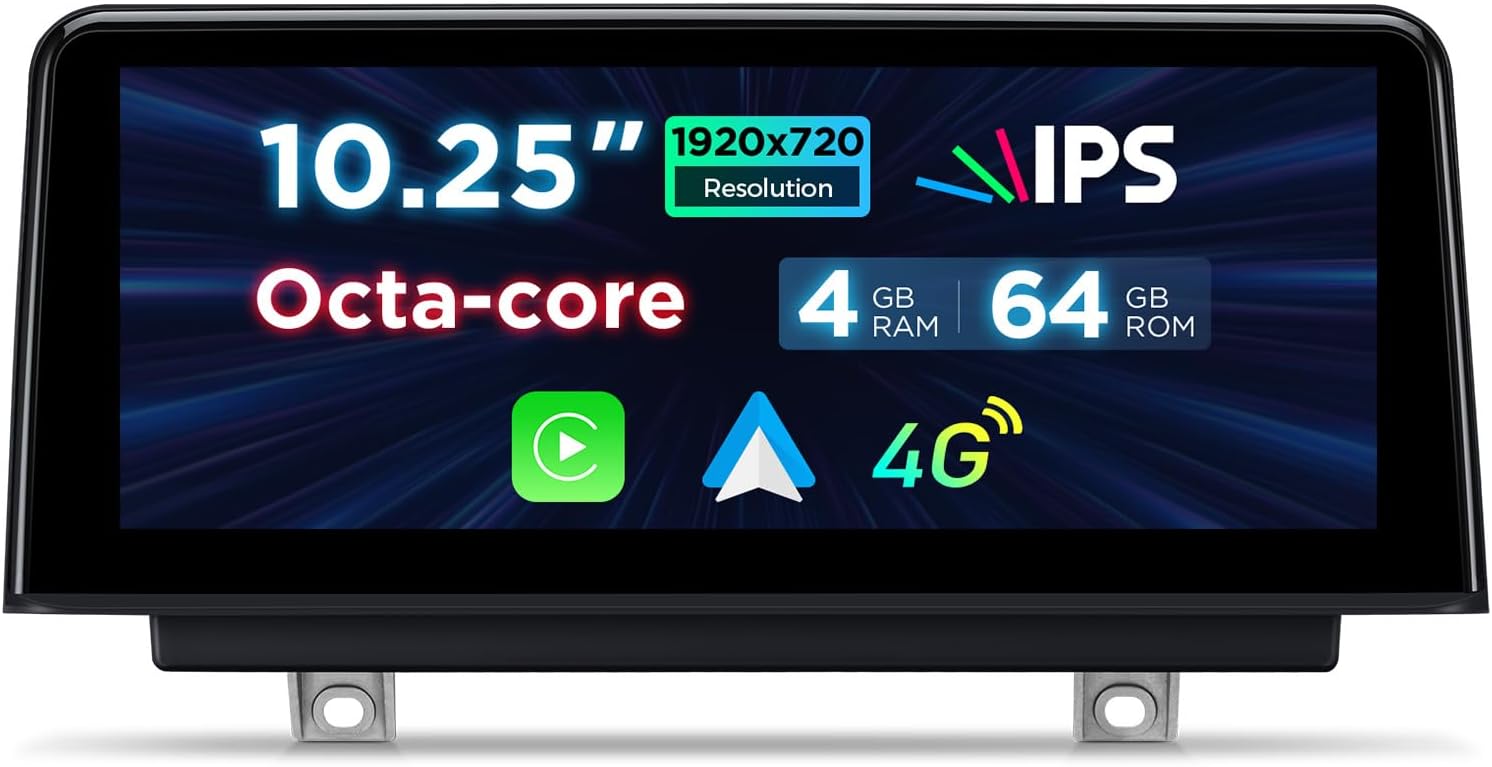
Image 1.1: Front view of the XTRONS 10.25 Inch Android 14 Car Stereo unit, highlighting its 10.25-inch IPS display, Octa-core processor, 4GB RAM, 64GB ROM, and 4G connectivity.
2. Applicable Models and System Compatibility
This car stereo is compatible with specific BMW models equipped with the NBT System and designed for Left Hand Driving vehicles.
- BMW 1 Series F20 / F21: Model years 2011-2016
- BMW 2 Series F22 / F23: Model years 2013-2017
Important: Ensure your vehicle has the NBT System. This unit is not compatible with CCC or CIC systems.

Image 2.1: Comparison showing the original BMW dashboard display (Before) and the XTRONS 10.25-inch unit installed (After), demonstrating the integrated appearance.

Image 2.2: Visual guide to identifying the NBT system, including the 6 PIN LVDS Port, NBT interface, media button, and touch pad controller, distinguishing it from incompatible CCC and CIC systems.
3. Setup and Installation
The XTRONS car stereo is designed for a direct fit. For detailed installation steps, please refer to the dedicated Installation Instructions document included in your package. Professional installation is recommended.
3.1 Included Accessories
Verify that all the following accessories are included in your package:
- 1 × ISO Wiring Harness
- 1 × USB Cable
- 1 × 4G Antenna
- 1 × GPS Antenna
- 1 × Tweezers
- 1 × Mini Speaker
- 1 × Installation Instructions (Separate Document)
- 1 × User Manual (This Document)

Image 3.1: Diagram illustrating the dimensions of the XTRONS car stereo unit and a visual representation of the included accessories: ISO Wiring Harness, USB Cable, 4G Antenna, GPS Antenna, Mini Speaker, Tweezers, Installation Instruction, and User Manual.
4. Operating Instructions
4.1 Basic Operation and Display
The unit features a 10.25-inch IPS touchscreen with 1920x720 resolution, offering a 178° viewing angle for clear visibility. Navigate the system by touching the icons and menus on the screen.

Image 4.1: Close-up of the XTRONS 10.25-inch IPS touchscreen, highlighting its G+G touch screen, IPS technology, and 1920x720 resolution for a premium visual experience.
4.2 Retaining Original Car Functions
The XTRONS unit is designed to retain key original BMW functions, ensuring a seamless integration:
- iDrive System Control: Full functionality of the iDrive controller is maintained in both the original system and the Android system.
- Amplifier System: Retains the original fiber optic sound system.
- Original Radio, CD, and Bluetooth: These functions remain accessible.
- Backup Camera Display: If your vehicle has an original backup camera, its display will be integrated.
- Steering Wheel Control: Original steering wheel controls for audio and calls are retained.
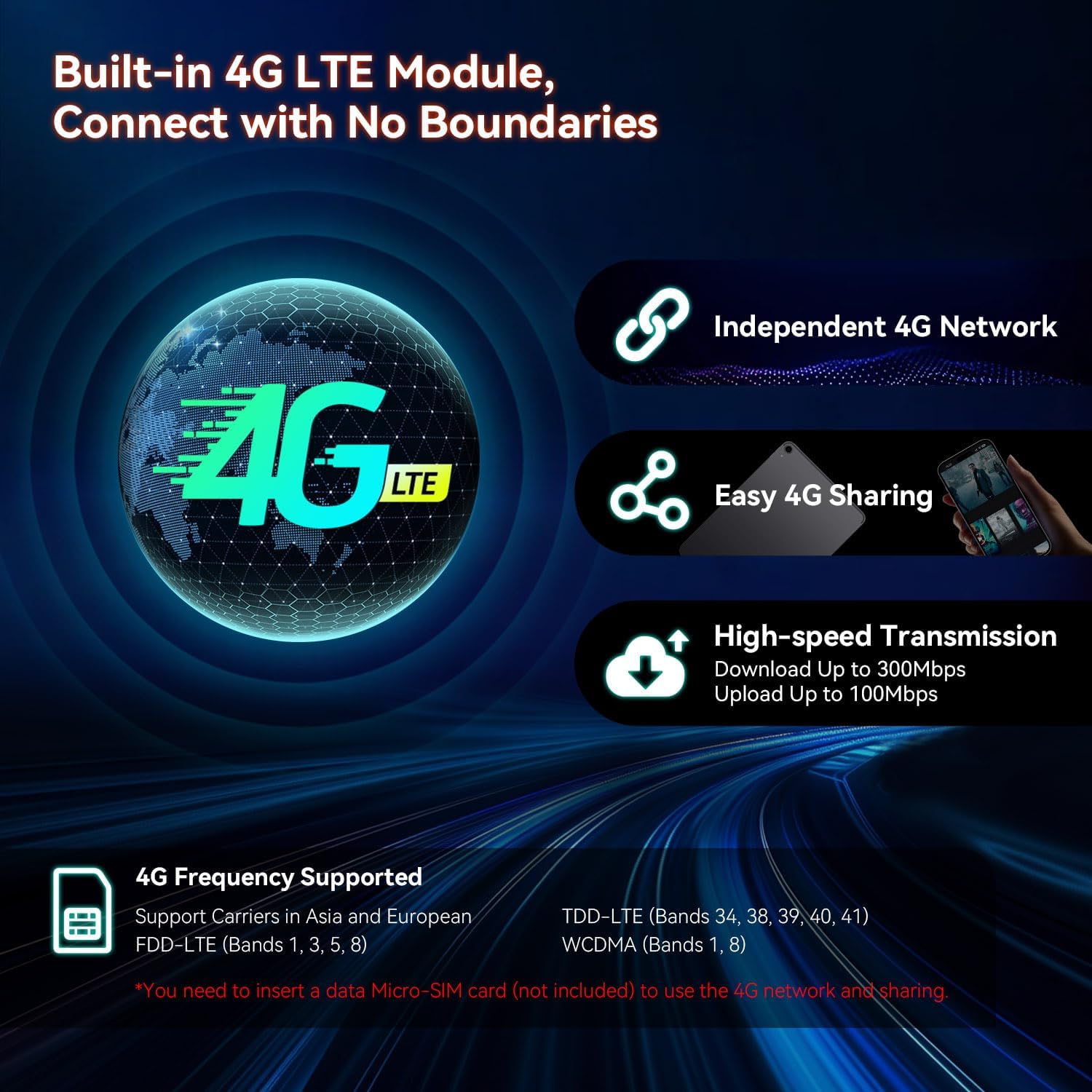
Image 4.2: Visual representation of the XTRONS unit's ability to retain original BMW features, including iDrive system control, amplifier system, original radio, CD, Bluetooth, backup camera display, and steering wheel controls.

Image 4.3: The XTRONS display showing original car information such as speed, engine speed, remaining fuel, temperature, parking brake status, and seat belt reminder, demonstrating full integration with vehicle data.
4.3 Connectivity
- Bluetooth 5.0: Connect your smartphone for hands-free calls, number dialing, contact searching, and audio streaming.
- Dual Wi-Fi Band: Supports both 2.4GHz and 5GHz Wi-Fi networks for faster data transfer and a stable internet connection.
- Global 4G LTE: Insert a Micro-SIM card (not included) to access 4G mobile broadband connection with download speeds up to 300Mbps. Supports 99% of carriers worldwide.
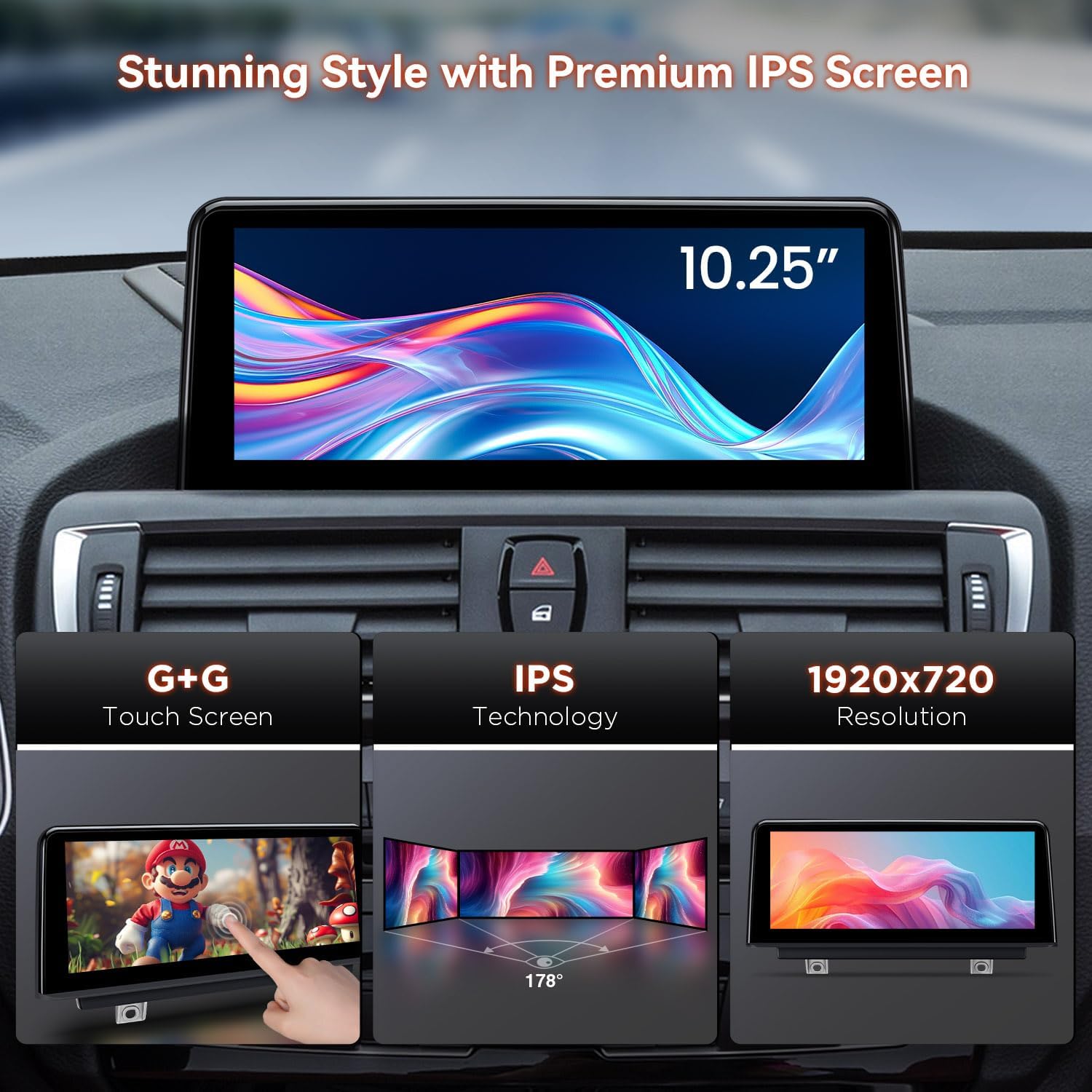
Image 4.4: Diagram illustrating the built-in 4G LTE module, highlighting independent 4G network access, easy 4G sharing, and high-speed transmission (up to 300Mbps download, 100Mbps upload). Also lists supported 4G frequency bands.
4.4 Navigation and Multimedia
- GPS Navigation: Supports popular navigation software compatible with Android OS, such as Google Maps, Sygic, and Waze.
- 1080P Video Playback: The latest video decoder chipset supports playing videos up to 1080P format.
- Split-Screen Mode: Allows simultaneous use of two applications, such as navigation and music playback.
4.5 Smart Integration (CarPlay / Android Auto)
- Built-in Wireless CarAutoPlay: Compatible with iPhone 5 and newer models (iOS 8 and above).
- Wired Android Auto: Compatible with Android phones (Android 4.3 and above).
- Access GPS, calls, music, Google Assistant, and Siri directly from your mobile phone interface on the car stereo.
Image 4.5: Display showing the optimized driving experience with Wireless CarPlay, Android Auto (Wireless/Wired), Screen Mirroring for wireless connection, and Bluetooth functionality.
4.6 User Interface (UI) Themes
Multiple user interface themes are available, including XTRONS Q series special and BMW Style UI, allowing for personalization of the display's appearance.
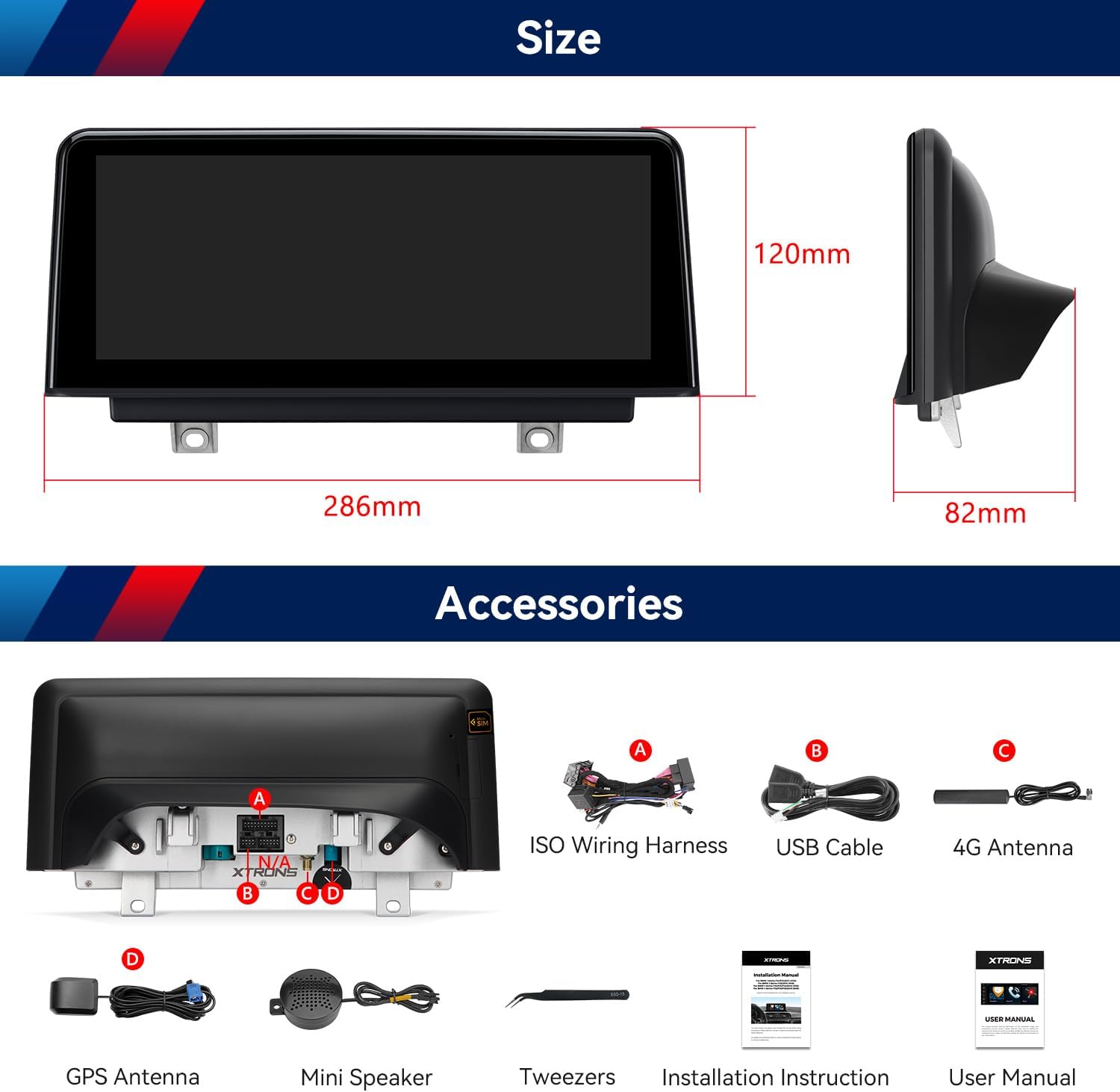
Image 4.6: Examples of various user interface themes that can be selected on the XTRONS car stereo, offering customization options for the display's aesthetic.
5. Maintenance
To ensure the longevity and optimal performance of your XTRONS car stereo, follow these general maintenance guidelines:
- Cleaning the Screen: Use a soft, lint-free cloth to gently wipe the touchscreen. Avoid abrasive cleaners or solvents that could damage the display.
- Software Updates: Periodically check for and install available software updates to ensure the system runs efficiently and securely.
- Environmental Conditions: Avoid exposing the unit to extreme temperatures, direct sunlight for prolonged periods, or excessive moisture.
- Cable Connections: Ensure all cables are securely connected. Loose connections can lead to intermittent issues.
6. Troubleshooting
If you encounter issues with your XTRONS car stereo, refer to the following common troubleshooting steps:
- No Power: Check all power connections and fuses. Ensure the vehicle's ignition is on.
- No Sound: Verify speaker connections. Check volume settings on both the car stereo and your connected device. Ensure the original amplifier system is functioning correctly.
- Touchscreen Unresponsive: Try restarting the unit. If the issue persists, a factory reset might be necessary (refer to the system settings).
- GPS Signal Loss: Ensure the GPS antenna is properly installed and has a clear view of the sky.
- Bluetooth/Wi-Fi Connectivity Issues: Ensure Bluetooth/Wi-Fi is enabled on both the stereo and your device. Try unpairing and re-pairing devices. Check Wi-Fi network settings.
- Original Functions Not Working: Verify all wiring harness connections, especially those related to iDrive and CANBUS integration.
For persistent issues, contact XTRONS customer support or consult a qualified technician.
7. Specifications
| Feature | Specification |
|---|---|
| Display Size | 10.25 Inches |
| Screen Resolution | 1920x720 |
| Touch Screen Type | In-Cell |
| Operating System | Android 14 |
| Memory Storage Capacity | 64 GB |
| Connectivity Technology | Bluetooth 5.0, USB, Wi-Fi (2.4GHz & 5GHz), 4G LTE |
| Special Features | Bluetooth, Touchscreen, Wireless CarPlay, Wired Android Auto, GPS Navigation, Split-Screen Mode, 1080P Video Support |
| Mounting Type | Panel Mount |
| Vehicle Service Type | Car |
| Manufacturer | XTRONS |
8. Warranty and Support
8.1 Warranty Information
The XTRONS 10.25 Inch Android 14 Car Stereo comes with a 1 Year Manufacturer Warranty from the date of purchase. This warranty covers defects in materials and workmanship under normal use.
Please retain your proof of purchase for warranty claims.
8.2 Customer Support
For technical assistance, troubleshooting, or warranty inquiries, please contact XTRONS customer support through their official website or the retailer where the product was purchased.
Related documentsB0F8VS1TS4


Ask a question about this manual
Ask about setup, troubleshooting, compatibility, parts, safety, or missing instructions. Manuals+ will review the question and use this page’s manual context to help answer it.