
AKALULI L816-gray
AKALULI AI Voice Recorder User Manual
Model: L816-gray
Your intelligent companion for capturing and processing audio.
1. Introduction
The AKALULI AI Voice Recorder is an advanced audio recording device designed to enhance productivity through its integrated AI capabilities. Powered by OpenAI's Whisper STT model and ChatGPT-4o, it offers real-time transcription, one-click text summaries, and support for over 100 languages. This manual provides detailed instructions for setting up, operating, and maintaining your device to ensure optimal performance.
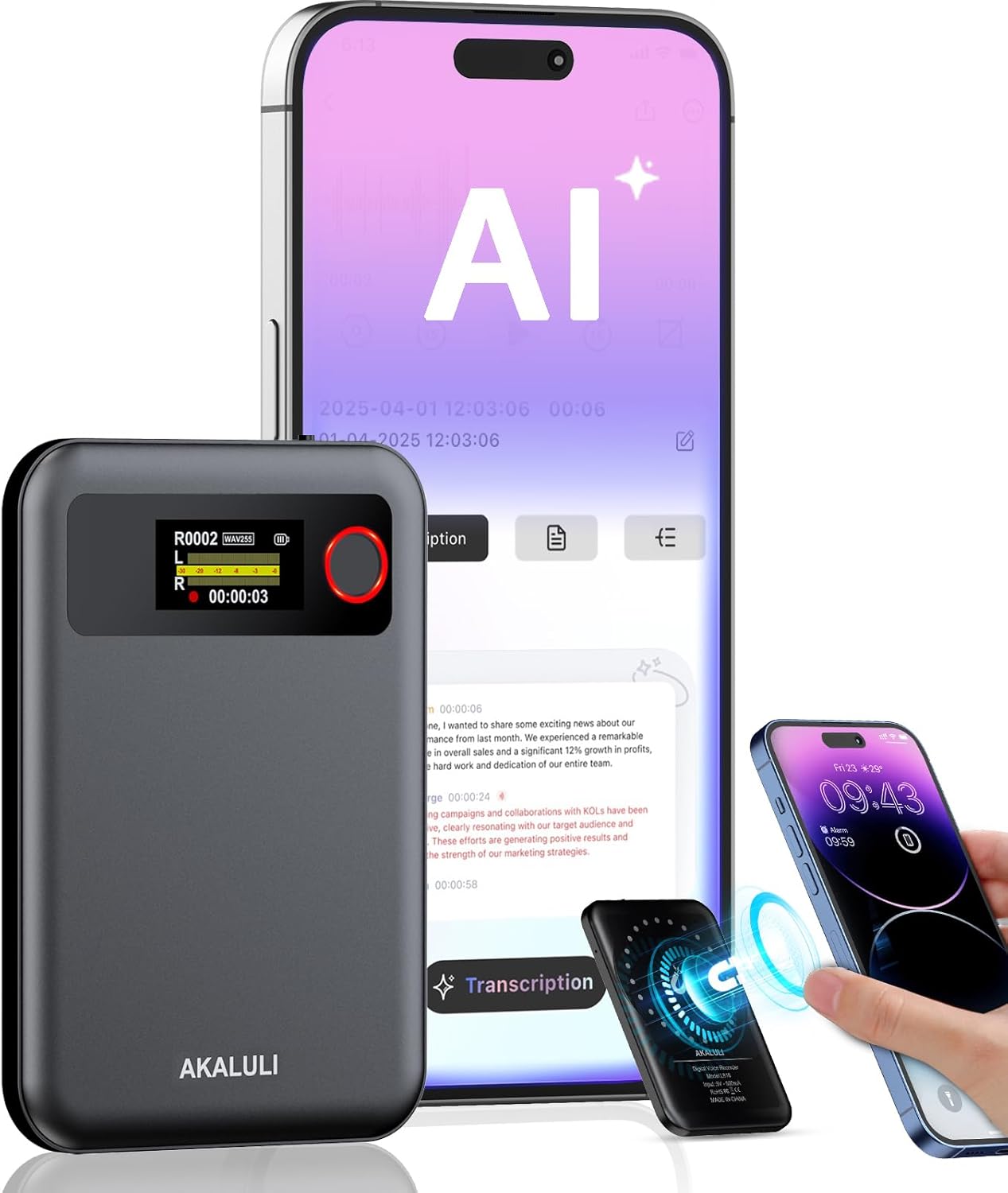
Image: The AKALULI AI Voice Recorder shown alongside a smartphone, illustrating its app control and AI transcription features.
2. What's in the Box
Please check the package contents upon unboxing:
- AI Voice Recorder (Built-in Magnetic)
- Charging Cable
- User Manual
- Usage Guide Card
- A-to-C Adapter
- Magnetic Ring

Image: A visual representation of all items included in the AKALULI AI Voice Recorder package.
3. Product Overview
3.1 Physical Characteristics
- Dimensions: 0.12 x 2.36 x 3.34 inches (0.12"D x 2.36"W x 3.34"H)
- Item Weight: 5.3 ounces
- Design: Extremely portable, 0.29 inches thick, weighing only 0.12 pounds. Features a magnetic design for easy attachment to mobile devices.
3.2 Key Features
- AI-Powered Transcription & Summarization: Utilizes OpenAI's Whisper STT model and ChatGPT-4o for real-time transcription and one-click text summaries.
- High Quality Accurate Recording: Dual microphones and advanced voice enhancement technology reduce over 90% background noise, ensuring 98% transcription accuracy.
- Phone Call Recording: Innovative Vibration Conduction Sensors (VCS) enable clear recording of phone calls.
- Privacy-First Storage: All recordings and transcribed data are securely stored locally and encrypted. Processing occurs only with user authorization.
- Long Battery Life: Up to 30 hours of continuous recording on a single charge.
- Ample Storage: 64GB internal memory, supporting up to 480 hours of audio.
- Multi-Language Support: Supports transcription and summarization in over 100 languages.

Image: The AKALULI AI Voice Recorder demonstrating its integration with a smartphone app for comprehensive AI features.

Image: Visual representation of the recorder's compact size, lightweight design, 64GB storage, 30-hour battery life, and privacy-first local data encryption.
4. Setup
4.1 Charging the Device
Before first use, fully charge your AKALULI AI Voice Recorder. Connect the provided charging cable to the device's USB-C port and a power source (e.g., computer USB port, wall adapter). A full charge takes approximately 2 hours and provides up to 30 hours of continuous recording.
4.2 App Download and Connection
To unlock the full AI capabilities, download the companion app:
- For iPhone: Search for "AI DVR Link" in the App Store.
- For Android: Search for "AI DVR Link" in the Google Play Store.
Once installed, open the app and follow the on-screen instructions to pair your AKALULI AI Voice Recorder via Bluetooth. Ensure Bluetooth is enabled on your smartphone.

Image: The AKALULI AI Voice Recorder shown with iPhone and Android logos, indicating app compatibility and the process to download and register the app.
5. Operating Instructions
5.1 Basic Recording (One-Press Record)
The AKALULI AI Voice Recorder features a simple one-press recording function:
- To start recording, press the designated record button (usually indicated by a red circle). The device's screen will show recording status and time.
- To stop recording, press the record button again. The recording will be saved automatically.
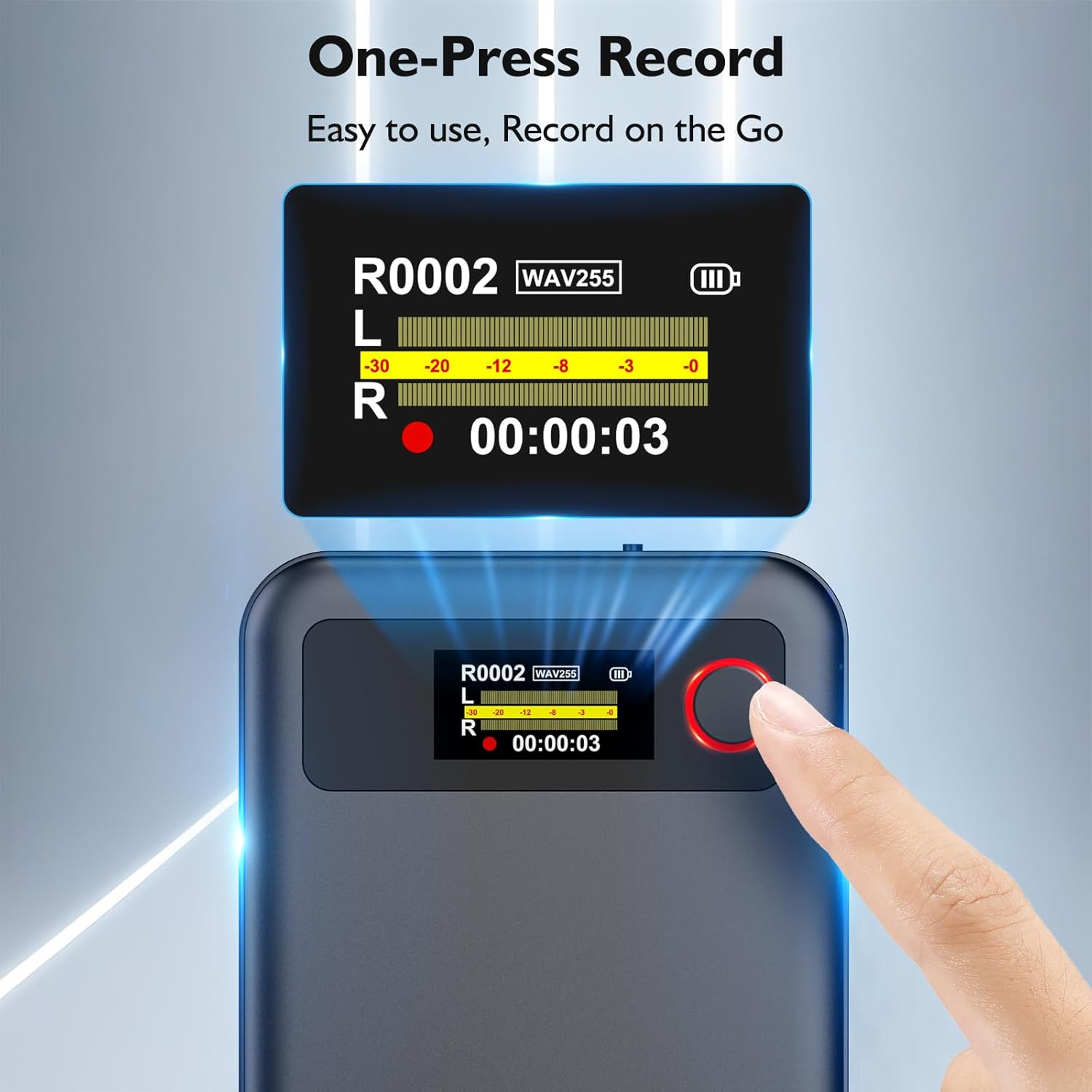
Image: A close-up of the AKALULI AI Voice Recorder highlighting the one-press record button and its display.

Image: Illustrates the simplicity of one-press recording, followed by app interfaces for transcription and accessing summaries.
5.2 Dual Mode Recording
The device supports two primary recording modes:
- Normal Recording: For capturing ambient sound in meetings, lectures, interviews, etc.
- Phone Call Recording: Utilizes Vibration Conduction Sensors (VCS) to clearly record phone conversations when the device is magnetically attached to your smartphone.
Note: A 9.8 feet recording distance is recommended for optimal audio capture.

Image: Depicts the two recording modes: normal recording for general environments and phone call recording when attached to a phone.

Image: Further illustrates the dual recording modes, showing a user in a normal recording scenario and another user recording a phone call.
5.3 AI Features via App Control
After recording, transfer your audio files to the "AI DVR Link" app for advanced processing:
- Transcription: Convert audio to text with up to 98% accuracy, supporting over 100 languages.
- Summarization: Generate concise summaries of your recordings using ChatGPT-4o. The app offers 17+ professional summary templates (27+ with Pro Plan).
- Online Translation: Translate transcribed text into various languages.
- Mind Map Visualization: Create visual mind maps from your summarized content.
- AI Speech Enhancement: Improve audio clarity for better transcription.
- Speaker Labels: Differentiate between speakers in transcribed text.

Image: Highlights the quick and accurate transcription feature, showing a user interacting with the app's transcription interface.

Image: Demonstrates the transcription accuracy and multi-language support, showing people using the device in various professional settings.

Image: Showcases the free AI summary feature, detailing 17 scenarios to boost efficiency, with an example of a summarized text on a phone screen.
5.4 Membership Plans
The AKALULI AI Voice Recorder offers flexible plans for transcription and summarization services:
- Starter Plan (Free): Includes 400 minutes of transcription and summarization per month.
- Pro Plan ($29.99/year): Offers 800 minutes of AI transcription and summary generation per month, plus more professional summary templates (27+), custom summary templates, Ask AI feature, and unlimited cloud storage.
You can upgrade to the Pro Plan or purchase additional transcription time directly within the "AI DVR Link" app.

Image: A comparison table detailing the features and benefits of the Starter Plan and Pro Plan, along with an image of the app's subscription interface.
5.5 Privacy Protection
AKALULI prioritizes your privacy. All recordings and transcribed data are securely stored locally on the device and encrypted. Data upload and processing only occur with your explicit authorization, ensuring your information remains private.

Image: Illustrates the privacy protection measures, including local data encryption and user authorization for data processing.
6. Maintenance
To ensure the longevity and optimal performance of your AKALULI AI Voice Recorder, follow these maintenance guidelines:
- Cleaning: Use a soft, dry cloth to wipe the device. Avoid using abrasive cleaners or solvents.
- Storage: Store the device in a cool, dry place away from direct sunlight and extreme temperatures.
- Battery Care: For long-term storage, charge the battery to about 50% every few months to prevent deep discharge.
- Avoid Drops: Handle the device with care to prevent damage from drops or impacts.
- Software Updates: Regularly check the "AI DVR Link" app for firmware updates to ensure your device has the latest features and bug fixes.
7. Troubleshooting
If you encounter issues with your AKALULI AI Voice Recorder, refer to the following common problems and solutions:
| Problem | Possible Cause | Solution |
|---|---|---|
| Device does not turn on. | Low battery; device malfunction. | Charge the device for at least 30 minutes. If it still doesn't turn on, contact customer support. |
| Cannot connect to the app. | Bluetooth off; app not updated; device not in pairing mode. | Ensure Bluetooth is enabled on your phone. Restart both the device and the app. Check for app updates. |
| Poor recording quality. | Excessive background noise; device too far from source; microphone obstructed. | Record in a quieter environment. Ensure the device is within 9.8 feet of the audio source. Check that microphones are not covered. |
| Transcription accuracy is low. | Poor audio quality; strong accents; multiple speakers. | Improve recording conditions. Ensure clear speech. Consider using the AI Speech Enhancement feature in the app. |
| App features (summarization, translation) not working. | No internet connection; insufficient transcription minutes; app bug. | Ensure stable internet connection. Check your remaining transcription minutes in the app. Restart the app. |
8. Specifications
| Feature | Detail |
|---|---|
| Model Number | L816-gray |
| Product Dimensions | 0.12 x 2.36 x 3.34 inches |
| Item Weight | 5.3 ounces |
| Memory Storage Capacity | 64 GB (up to 480 hours audio) |
| Battery Life | 30 Hours (continuous recording) |
| Battery Type | 1 C battery (included) |
| Charging Time | Approx. 2 hours for full charge |
| Microphone Form Factor | Built-In Dual Microphones |
| Audio Format | WAV |
| Hardware Interface | USB 3.0 Type C |
| Headphones Jack | 3.5 millimeters |
| Compatible Devices | Smartphone (iPhone & Android) |
| Transcription Accuracy | 98% |
| Supported Languages | 100+ |
9. Warranty and Support
AKALULI products are designed for reliability and performance. For warranty information, please refer to the warranty card included in your product packaging or visit the official AKALULI website.
For technical support, troubleshooting assistance, or any inquiries regarding your AKALULI AI Voice Recorder, please contact AKALULI customer service through the contact information provided in the app or on the official AKALULI website.
Manufacturer: AKALULI
Ask a question about this manual
Ask about setup, troubleshooting, compatibility, parts, safety, or missing instructions. Manuals+ will review the question and use this page’s manual context to help answer it.