
1. Introduction
This manual provides essential instructions for the safe operation, setup, and maintenance of your Toladrone TD31LCD RC Drone. Please read this manual thoroughly before operating the device to ensure optimal performance and user safety. The TD31LCD drone features a foldable design, a remote control with a built-in LCD screen for real-time digital image transmission, powerful brushless motors, and user-friendly controls suitable for both beginners and experienced pilots.
2. What's in the Box
Verify that all components listed below are present in your package:
- 1x TD31LCD Drone
- 1x Remote Control with LCD Screen
- 1x Modular Battery (3.7V 1800mAh)
- 8x Propellers (4 pre-installed, 4 spare)
- 1x Screwdriver
- 2x Charging Cables (USB Type-A and USB Type-C)
- 1x Instruction Manual
- 1x Carrying Case

Figure 1: Packaging list showing the drone, remote control, battery, propellers, charging cables, screwdriver, and carrying case.
3. Setup
3.1 Charging the Battery
Before first use, fully charge the drone's modular battery and the remote control. The drone battery is a 3.7V 1800mAh Lithium Polymer battery. Charging time for the drone battery is approximately 180 minutes. The remote control also requires charging via its USB-C port.
- Remove the modular battery from the drone by gently pulling it out from the rear compartment.
- Connect the appropriate charging cable to the battery and a USB power source.
- Connect the USB Type-C charging cable to the remote control and a USB power source.
- Ensure both are fully charged before proceeding.
3.2 Unfolding the Drone
The TD31LCD drone features a foldable design for portability. To prepare for flight:
- Gently unfold the front arms of the drone until they lock into position.
- Unfold the rear arms of the drone until they also lock into position.
- Ensure all propellers are securely attached and free from obstruction.

Figure 2: The TD31LCD drone shown in both its compact, folded state and its ready-to-fly, unfolded configuration.
4. Operating Instructions
4.1 Remote Control Overview
The remote control features a built-in LCD screen for real-time digital image transmission, eliminating the need for a smartphone application. Familiarize yourself with the controls:

Figure 3: Remote control layout with labeled buttons for speed control, 3D flip, levers for movement, power switch, fine-tuning, camera controls, headless mode, one-key takeoff/landing, file recording, and signal connection.
- Speed Control Key: Adjusts flight speed (3 modes: slow, medium, high).
- 3D Flip: Initiates a 360-degree flip.
- Rise/Fall/Left Turn/Right Turn Lever: Controls vertical movement and rotation.
- Forward/Backward/Left Fly/Right Fly Joystick: Controls horizontal movement.
- Power Switch: Turns the remote control on/off.
- Fine-tuning Key: Adjusts drone stability to correct drift.
- Camera Up/Down: Adjusts the camera angle.
- Headless Mode: Simplifies flight by orienting the drone relative to the pilot.
- One-Key Take-off/Landing: Automates takeoff and landing procedures.
- Previous/Next File Recording: Navigates recorded media.
- Take Photo/Record Video: Captures images or starts/stops video recording.
- Play/Pause: Controls media playback.
- Signal Connection: Initiates drone-remote pairing.
4.2 First Flight Procedure
- Place the drone on a flat, level surface.
- Turn on the drone by pressing and holding the power button on its top. The drone's lights will flash.
- Turn on the remote control. The remote will automatically attempt to pair with the drone. Once paired, the drone's lights will become solid, and the remote's LCD screen will display the live camera feed.
- Perform gyroscope calibration: Push both joysticks to the bottom-right corner simultaneously until the drone lights flash rapidly and then become solid again.
- For automatic takeoff, press the One-Key Take-off/Landing button. The drone will ascend and hover at a stable altitude.
- Alternatively, for manual takeoff, push both joysticks to the bottom-left corner to arm the motors, then slowly push the left joystick up to ascend.
4.3 Key Features and Functions
- Digital Image Transmission: View live footage directly on the remote's LCD screen. No app required.

Figure 4: Real-time image transmission from the drone to the remote control's LCD screen.
- Powerful Brushless Motors: Ensures quiet, efficient, and stable flight.

Figure 5: Illustration of the powerful brushless motor providing stable and quiet flight.
- SD Card Support: The remote control has a built-in SD card slot (supports up to 32GB, not included) to store photos and videos.

Figure 6: Remote control with SD card slot for recording photos and videos.
- Fine-Tuning Function: If the drone drifts, use the fine-tuning keys on the remote control to adjust its balance for stable hovering.
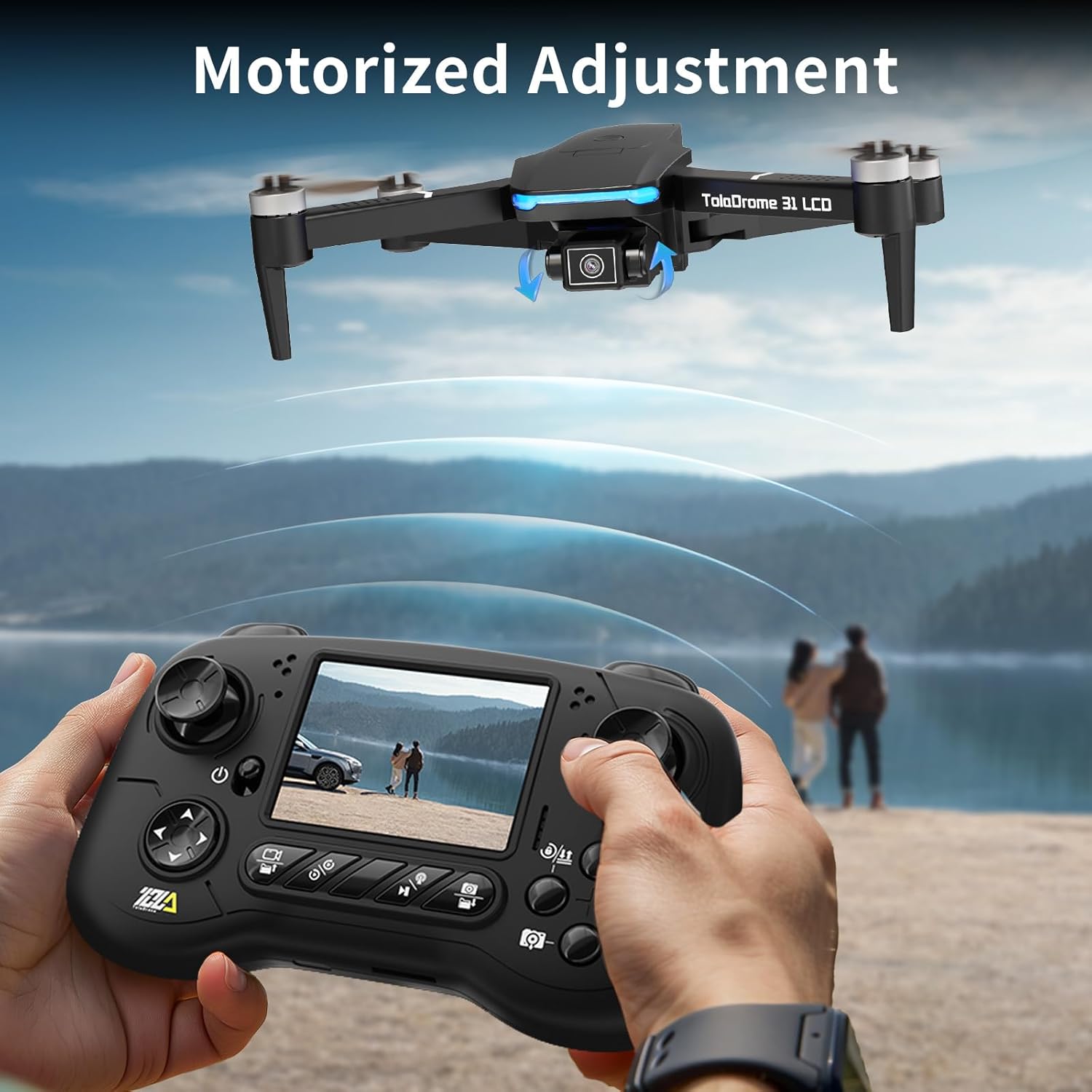
Figure 7: Fine-tuning the drone's flight for stability.
- 3 Speed Adjustments: Choose between slow, medium, and high speeds to match your skill level and environment.

Figure 8: The drone offers three distinct speed modes for varied flight experiences.
- One-Key Take-off/Landing: Simplifies starting and ending flights with a single button press.

Figure 9: One-Key Take-off/Landing feature in action.
4.4 Official Product Videos
TD31LCD Drone Introduction Video
Video 1: An introductory video showcasing the key features and design of the Toladrone TD31LCD drone.
TD31LCD Drone Operation Video
Video 2: A demonstration video detailing the operational aspects and flight controls of the Toladrone TD31LCD drone.
5. Maintenance
- Regularly inspect propellers for damage. Replace any bent or chipped propellers using the provided spares and screwdriver.
- Keep the drone and remote control clean and free from dust and debris. Use a soft, dry cloth.
- Store the drone in its carrying case in a cool, dry place when not in use.
- Ensure batteries are charged periodically even during long storage to maintain battery health.
6. Troubleshooting
- Drone Drifts During Flight: Perform gyroscope calibration as described in Section 4.2. Use the fine-tuning keys on the remote control to adjust stability.
- No Live Video Feed: Ensure the drone and remote are properly paired. Check that the SD card is correctly inserted if recording.
- Short Flight Time: Ensure the battery is fully charged. Flight time can vary based on flight style (e.g., aggressive maneuvers, high speed).
- Drone Unresponsive: Check battery levels of both drone and remote. Re-pair the drone and remote control.
7. Specifications
| Feature | Detail |
|---|---|
| Brand | Toladrone |
| Model | TD31LCD |
| Battery Capacity | 1800 Milliamp Hours |
| Battery Cell Composition | Lithium Polymer |
| Material | Plastic |
| Optical Sensor Technology | CMOS, CCD |
| Product Dimensions | 8.5"L x 7.3"W x 2.4"H |
| Item Weight | 1.37 pounds |
| SD Card Support | Up to 32GB (not included) |
8. Warranty and Support
Toladrone is committed to providing dedicated support and assistance for all your drone-related queries and issues. For any questions, technical support, or warranty claims, please contact our customer service team.
Contact Email: Toladrone_support@163.com
Please refer to your purchase documentation for specific warranty terms and conditions.