
1. Product Overview
This document provides essential instructions for the PROYAMA Blade Replacement, Model PR-24HD-BD. These blades are specifically designed for use with the PROYAMA PHT26 Hedge Trimmer. The set includes a pair of high-carbon steel blades, each measuring 60cm in cut length and featuring 17 teeth, ensuring efficient and precise trimming performance.
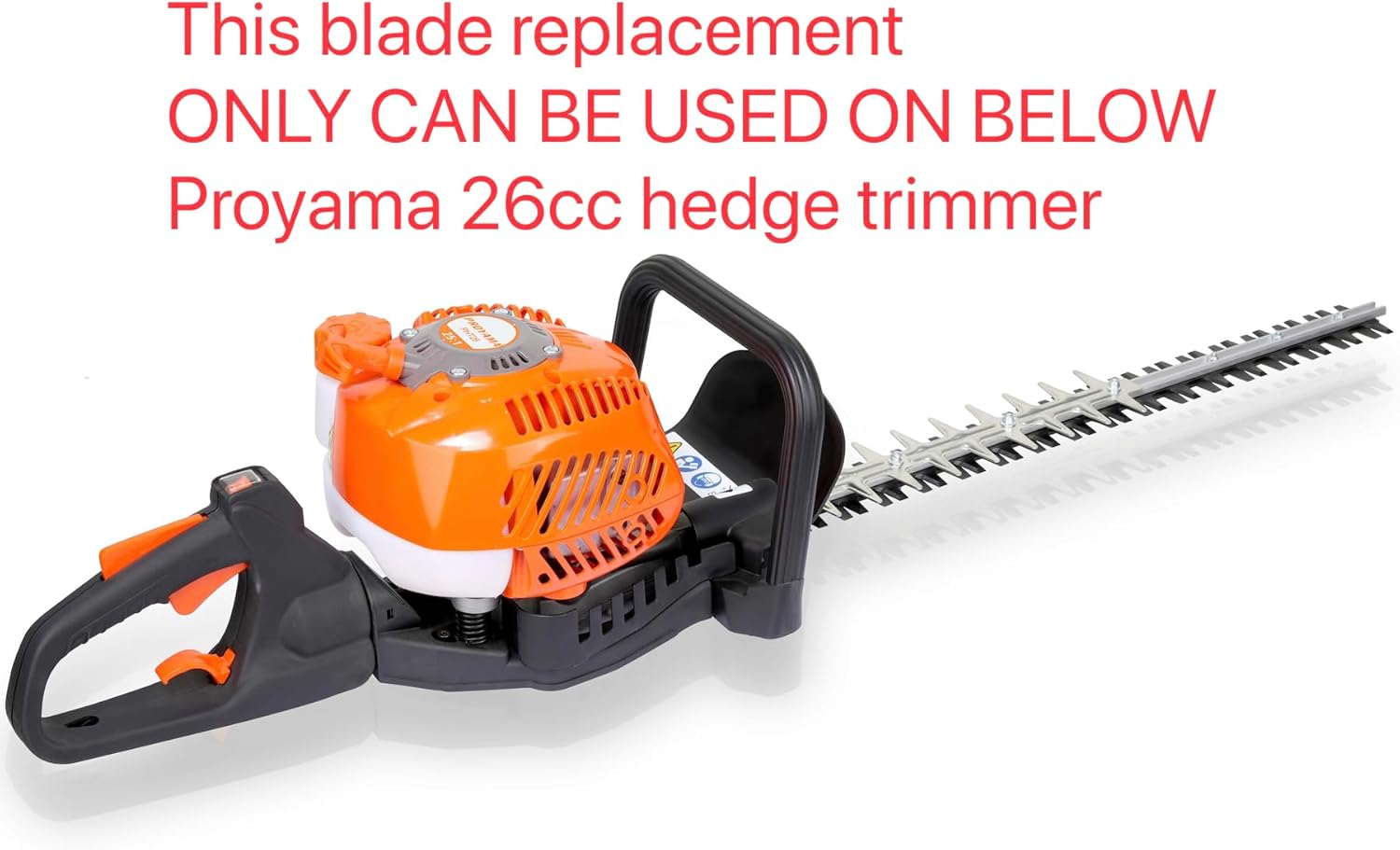
This image displays the PROYAMA PHT26 hedge trimmer, illustrating the type of equipment these replacement blades are designed for. It emphasizes that these blades are exclusively compatible with the PHT26 model.
2. Important Safety Information
Always prioritize safety when handling sharp blades and operating power tools. Failure to follow these safety guidelines may result in serious injury.
- Disconnect Power: Before attempting any blade replacement or maintenance, ensure the hedge trimmer's engine is off and the spark plug cap is disconnected (for gasoline models) or the battery is removed (for cordless electric models), or the power cord is unplugged (for corded electric models).
- Wear Protective Gear: Always wear heavy-duty work gloves to protect your hands from sharp blade edges. Eye protection (safety glasses or goggles) is also recommended.
- Stable Work Surface: Perform blade replacement on a stable, flat surface to prevent the trimmer from moving unexpectedly.
- Handle Blades Carefully: Blades are extremely sharp. Avoid direct contact with the cutting edges.
- Keep Bystanders Away: Ensure no one is in the immediate work area during blade replacement.
- Use Correct Tools: Use appropriate tools for loosening and tightening fasteners to prevent damage to components.
3. Package Contents
Verify that all items are present and undamaged upon opening the package.
- 1 Pair of PROYAMA Hedge Trimmer Blades (2 individual blades)
4. Blade Replacement (Installation)
Follow these steps carefully to replace the blades on your PROYAMA PHT26 Hedge Trimmer.
- Prepare the Trimmer: Ensure the hedge trimmer is turned off and completely cooled. Disconnect the spark plug cap (gasoline models) or remove the battery/unplug the power cord (electric models) to prevent accidental startup.
- Position the Trimmer: Place the hedge trimmer on a stable, flat surface with the blades facing upwards for easy access.
- Remove Old Blades:
- Identify the bolts or screws securing the blades to the trimmer's gearbox or blade bar.
- Using the appropriate wrench or screwdriver, carefully loosen and remove these fasteners. Keep track of all washers and nuts.
- Gently lift and remove the old blades. Be extremely cautious as they may still be sharp.
- Clean the Area: Clean any debris, sap, or rust from the blade mounting area on the trimmer. This ensures a proper fit for the new blades.
- Install New Blades:
- Align the new PROYAMA replacement blades with the mounting holes on the trimmer. Ensure the cutting edges are oriented correctly according to the trimmer's design (refer to your original PHT26 manual if unsure).
- Insert the fasteners (bolts/screws) through the blades and into the mounting points.
- Hand-tighten all fasteners initially.
- Tighten Fasteners: Using the appropriate tools, securely tighten all fasteners. Do not overtighten, but ensure they are firm enough to prevent blade movement during operation. Refer to your PHT26 manual for specific torque specifications if available.
- Test Movement: Manually move the blades (with gloves on) to ensure they move freely and smoothly without obstruction.
- Reconnect Power: Once the blades are securely installed and checked, reconnect the spark plug cap or reinsert the battery/plug in the power cord.
5. Operating with New Blades
After installing the new PROYAMA blades, operate your PHT26 hedge trimmer according to its original instruction manual. The new blades are designed to provide optimal cutting performance. Always ensure the blades are clean and free of debris before and after each use.
6. Maintenance
Proper maintenance extends the life of your blades and ensures consistent cutting quality.
- Cleaning: After each use, clean sap, leaves, and debris from the blades using a stiff brush and a suitable cleaning solution (e.g., warm soapy water or a specialized blade cleaner). Ensure the trimmer is disconnected from its power source before cleaning.
- Lubrication: Apply a light coat of machine oil or blade lubricant to the blades after cleaning to prevent rust and ensure smooth operation.
- Storage: Store the hedge trimmer with clean, lubricated blades in a dry, secure location, out of reach of children. Consider using a blade cover for added protection.
- Inspection: Regularly inspect the blades for signs of damage, dullness, or bending. Replace blades if they are severely damaged or excessively dull, as this can strain the trimmer's motor and reduce cutting efficiency.
7. Troubleshooting
If you experience issues after blade replacement, consider the following:
- Poor Cutting Performance: Ensure blades are clean and free of sap or debris. Check if all fasteners are securely tightened. Verify that the blades are installed in the correct orientation.
- Excessive Vibration: This could indicate improperly tightened blades or an imbalance. Recheck all blade fasteners for proper torque. If vibration persists, inspect blades for any bending or damage.
- Blades Not Moving Freely: Ensure no debris is obstructing blade movement. Check if fasteners are overtightened, which can restrict motion.
If problems persist, consult the original PROYAMA PHT26 Hedge Trimmer manual or contact PROYAMA customer support.
8. Specifications
| Brand | PROYAMA |
| Model Number (Blades) | PR-24HD-BD |
| Compatibility | PROYAMA PHT26 Hedge Trimmer ONLY |
| Blade Length | 60 cm (23.6 inches) |
| Number of Teeth | 17 Teeth |
| Material Type | High Carbon Steel |
| Item Weight (Pair) | 1.5 pounds (approx.) |
| UPC | 684514446280 |
9. Warranty and Support
For information regarding warranty coverage or technical support for your PROYAMA Blade Replacement or PHT26 Hedge Trimmer, please refer to the documentation provided with your original hedge trimmer or visit the official PROYAMA website. You may also contact PROYAMA customer service directly for assistance.
PROYAMA Official Store: Visit PROYAMA Store on Amazon