Introduction
This manual provides essential information for the safe and effective use of your Beast GO Cordless Portable Blender. Please read it thoroughly before first use and retain it for future reference.
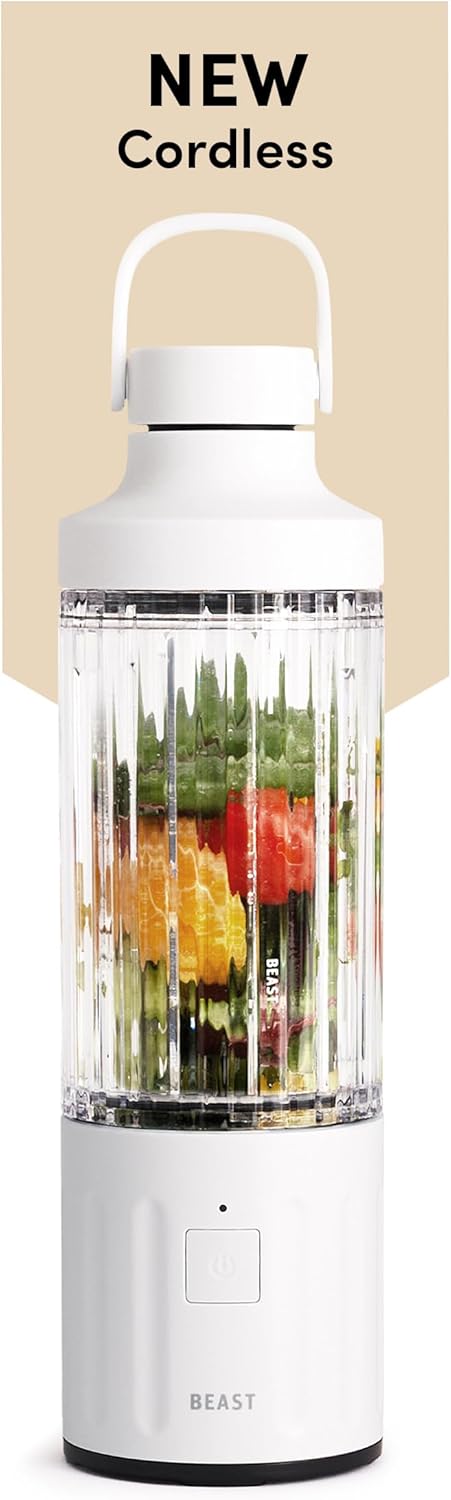
Image: The Beast GO Cordless Portable Blender in Cloud White, showcasing its compact design and a clear vessel filled with colorful fruits, ready for blending.
Product Components
Familiarize yourself with the parts of your Beast GO blender:
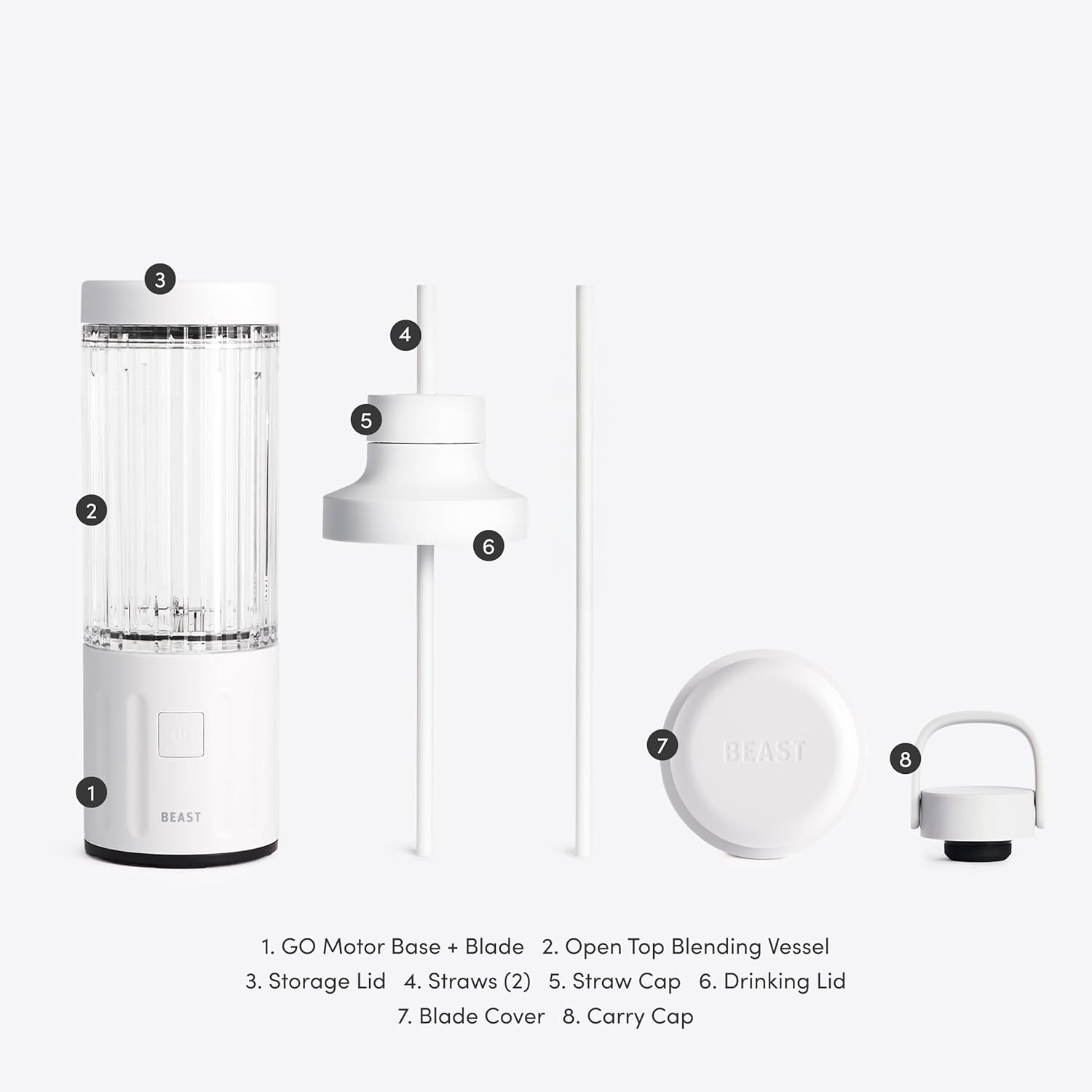
Image: An exploded view of the Beast GO Cordless Portable Blender components, clearly labeling each part for easy identification. The components include the motor base + blade, open top blending vessel, storage lid, straws, straw cap, drinking lid, blade cover, and carry cap.
- GO Motor Base + Blade
- Open Top Blending Vessel (22oz/670mL capacity)
- Storage Lid
- Straws (2)
- Straw Cap
- Drinking Lid
- Blade Cover
- Carry Cap
Setup
Before first use, ensure all components are clean and dry. The unit comes with a partial charge, but it is recommended to fully charge the battery before initial operation.
Charging the Battery
The Beast GO is equipped with a rechargeable USB-C battery. A full charge provides approximately 13 blending cycles.
- Locate the USB-C charging port on the motor base.
- Connect the provided USB-C cable to the port and plug the other end into a compatible USB power adapter (not included).
- The indicator light on the motor base will illuminate to show charging status.
- Once fully charged, disconnect the cable.

Image: The Beast GO Cordless Portable Blender's motor base connected to a USB-C charging cable, demonstrating the charging process. The image highlights the USB-C port and the compact design of the base.
Operating Instructions
Preparing to Blend
- Ensure the motor base is fully charged.
- Place the blending vessel onto the motor base, ensuring it is securely attached.
- Add your desired ingredients to the blending vessel. Do not overfill past the maximum fill line.
- Securely attach the drinking lid or straw cap system to the blending vessel.

Image: A four-panel collage illustrating the user experience: 1) Loading ingredients into the vessel, 2) Securing the vessel onto the motor base, 3) Activating the blend cycle, and 4) Enjoying the blended drink directly from the vessel with the straw system.
Blending Functions
The Beast GO features a simple one-button operation with two speeds: blend and pulse.
- To activate a 30-second blending cycle: Press and hold the power button for more than 1 second, then release. The blender will run for 30 seconds and automatically stop.
- To pulse: Press and release the power button quickly. The blender will operate as long as the button is pressed.
- To deactivate travel lock: Press and hold the power button.

Image: A detailed close-up of the Beast GO Cordless Portable Blender's power button, illustrating its single-button operation for blending and pulsing functions.
For best results, ensure ingredients are cut into small pieces, especially frozen fruits and ice. Do not blend hot liquids.
Maintenance and Cleaning
Proper maintenance ensures the longevity and performance of your Beast GO blender.
Cleaning the Blending Vessel and Lids
- After each use, rinse the blending vessel, lids, and straws immediately.
- All removable parts (vessel, lids, straws) are dishwasher safe (top rack only) or can be washed by hand with warm, soapy water.
- For thorough cleaning, you can add a drop of dish soap and warm water to the vessel, attach it to the motor base, and run a short blend cycle. Rinse thoroughly afterward.
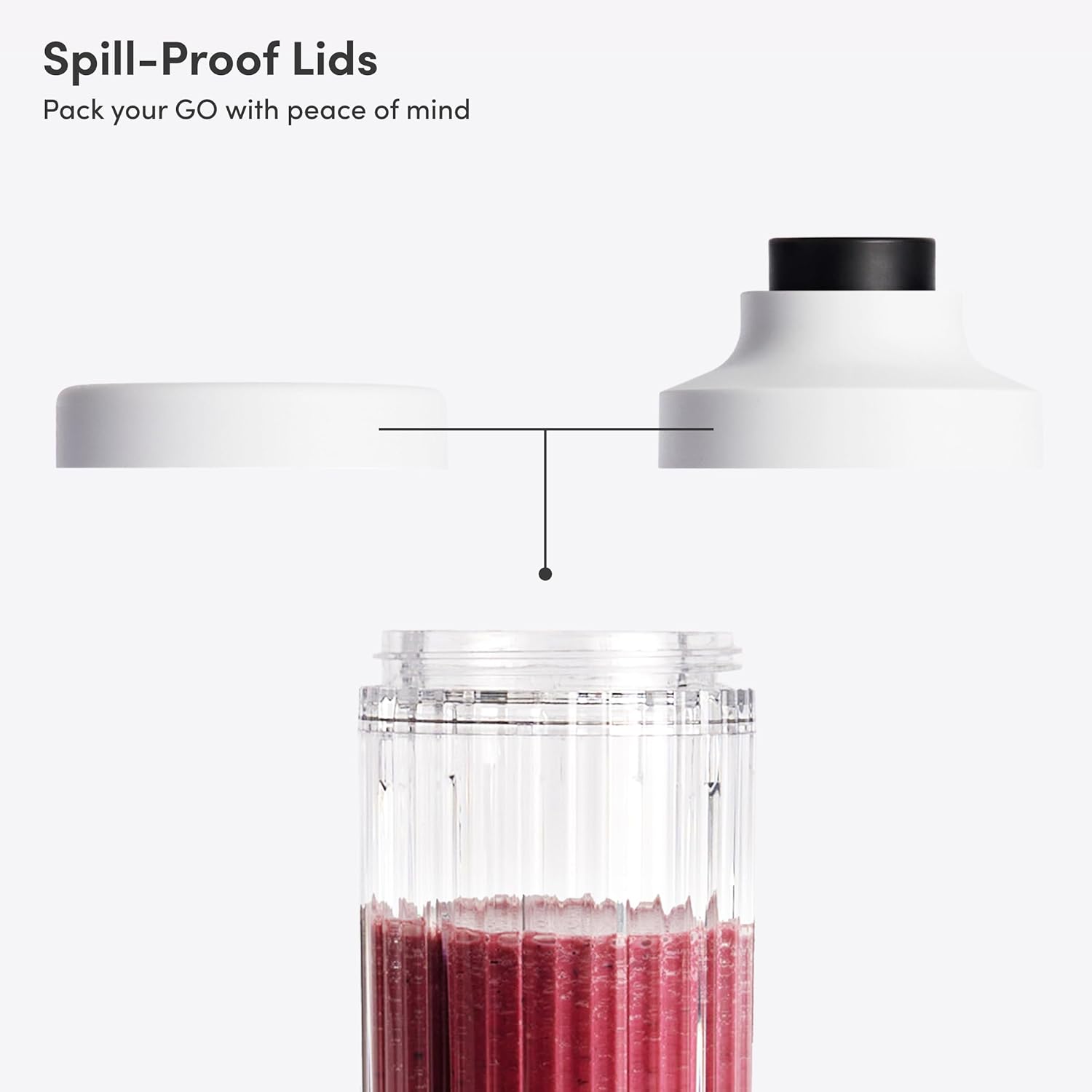
Image: The Beast GO Cordless Portable Blender's spill-proof lids, demonstrating how they securely seal the blending vessel for travel and storage, ensuring peace of mind.
Cleaning the Motor Base and Blades
- The motor base should never be submerged in water or other liquids.
- Wipe the motor base with a damp cloth to clean.
- The blade assembly is integrated into the motor base. Use a brush to clean around the blades carefully.
- Always use the blade cover for safe transport and storage of the motor base.

Image: A close-up of the Beast GO Cordless Portable Blender's Grade 301 Stainless Steel blades and the protective blade cover, emphasizing safe storage and the quality of materials.
Storage
Store the blender in a clean, dry place. Ensure the blade cover is on the motor base when not in use.
Troubleshooting
| Problem | Possible Cause | Solution |
|---|---|---|
| Blender does not turn on. | Battery is low or depleted. | Charge the blender fully using the USB-C cable. |
| Blender stops mid-cycle. | Overloaded with ingredients. | Reduce the amount of ingredients. Cut larger items into smaller pieces. |
| Blender stops mid-cycle. | Ingredients are too dense or frozen solid. | Add more liquid. Allow frozen fruit to thaw slightly. Use the pulse function to break up large pieces. |
| Leaking from vessel. | Lid not securely attached. | Ensure the lid is tightly screwed onto the blending vessel. |
| Unusual noise during blending. | Foreign object in vessel or motor base. | Immediately stop blending. Disassemble and inspect for any foreign objects. |
Specifications
- Model: B3CO-WT-US
- Brand: BEAST
- Color: Cloud White
- Special Features: Automatic Cleaning, Cordless, Portable, Single Serve, USB Rechargeable
- Capacity: 670 Milliliters (22oz)
- Product Dimensions: 3.4"D x 3.4"W x 9.8"H
- Power Source: USB-C Rechargeable 11.1V Battery
- Number of Speeds: 2 (Blend, Pulse)
- Blade Material: Grade 301 Stainless Steel
- Item Weight: 2 pounds
- UPC: 850071177411
Warranty and Support
The Beast GO Cordless Portable Blender comes with a 2 Year Limited Warranty from the date of purchase.
This warranty covers defects in materials and workmanship under normal use. It does not cover damage resulting from misuse, accident, alteration, neglect, or unauthorized repair.
For warranty claims or technical support, please contact Beast Health customer service through their official website or the retailer where the product was purchased. Please have your model number (B3CO-WT-US) and proof of purchase ready.
For more information, visit the official BEAST Store on Amazon.


