
Introduction
This manual provides detailed instructions for the assembly, operation, and maintenance of your DEVAISE 55-Inch L-Shaped Gaming Desk. Please read this manual thoroughly before assembly and use to ensure proper function and safety. Keep this manual for future reference.

Overview of the DEVAISE 55-Inch L-Shaped Gaming Desk in a modern office environment.
Safety Information
Your safety is paramount. Please adhere to the following safety guidelines:
- Always assemble the desk according to the provided instructions.
- Ensure the desk is properly anchored to the floor to prevent tipping, especially when heavy items are placed on it.
- Be cautious when using the built-in power outlets and LED lights to avoid electrical hazards.
- Keep the desk and its components away from heat sources and liquids.
- Do not use the desk if it appears damaged or if any of its components are missing or broken.
Setup and Assembly
Your DEVAISE L-Shaped Gaming Desk is designed for straightforward assembly. Please ensure all parts are present before beginning. Refer to the included assembly instructions for a step-by-step guide. The desk can be configured in two primary layouts: a straight configuration or an L-shape, to best suit your space.

This image illustrates the two possible configurations for the L-shaped desk: a straight layout and a corner L-shape, demonstrating its versatility for various room sizes and setups.
The desk features adjustable non-slip footpads to ensure stability on uneven surfaces and protect your flooring.

Close-up view of the adjustable non-slip footpads, which can be rotated to stabilize the desk on uneven floors and prevent scratches.
Operating Instructions
LED Lights Operation
The DEVAISE L-Shaped Gaming Desk includes integrated LED lights to enhance your gaming or work environment. These lights can be controlled via a smart controller or a dedicated app, offering 31 modes and 60,000 colors.
This video demonstrates the various features of the DEVAISE L-Shaped Gaming Desk, including the LED lighting effects, power outlets, and overall design in a gaming setup.

An image showing the smart controller interface for the LED lights, highlighting options for 31 light modes and colors, palette switch, music rhythm, and timer functions, along with app control.

This image details the functions of the LED light controller: a single short press to turn on or change color, and a long press for 3 seconds to turn off.
Power Outlets Usage
The desk is equipped with a recessed power stripe for convenient charging and power access. It includes 2 AC outlets (125V/12A) and 2 USB ports (5V/2.1A), connected by a 4.9-foot power cord.
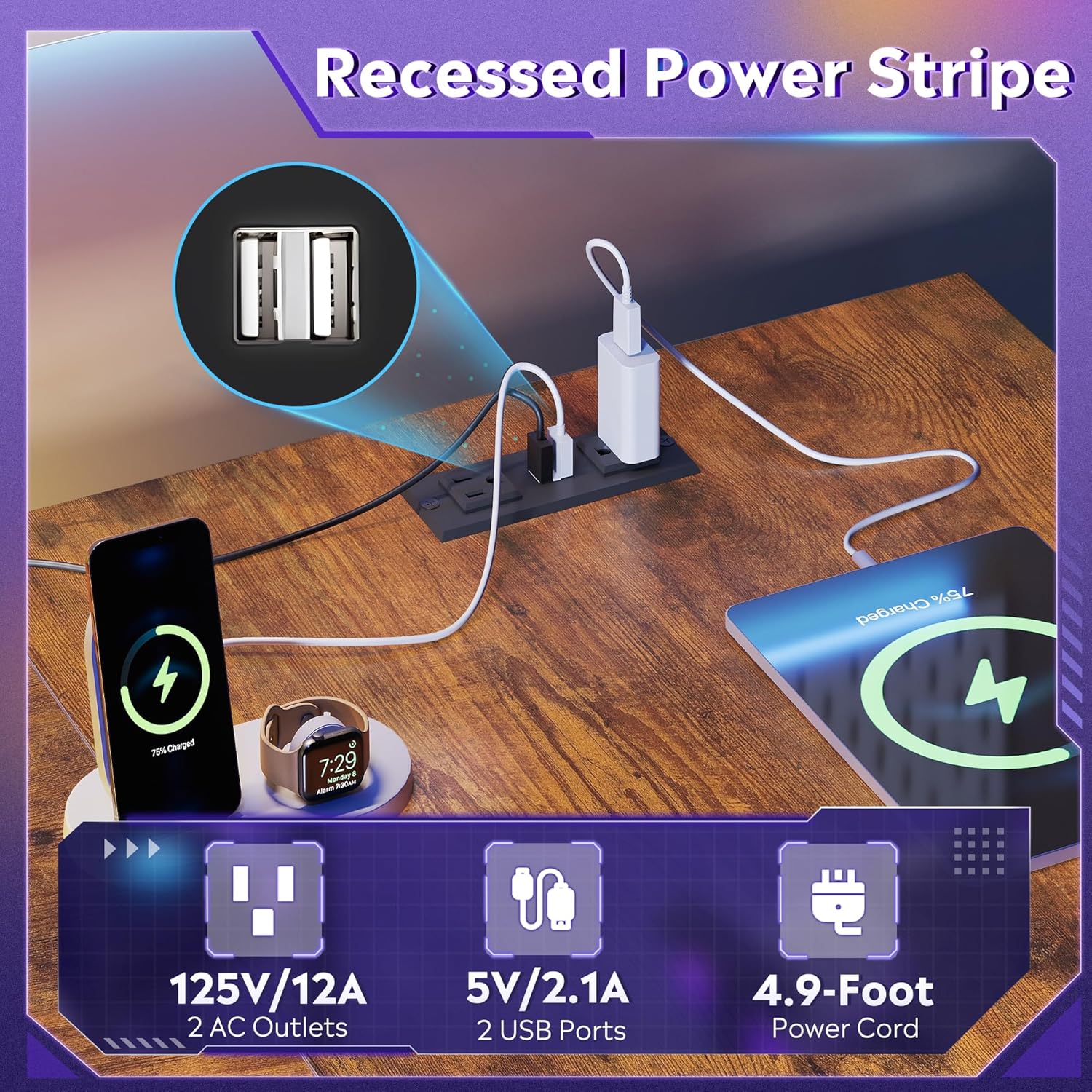
A close-up of the recessed power stripe integrated into the desk, showing two AC outlets and two USB ports in use, with a 4.9-foot power cord.
Monitor Stand
An ergonomic monitor stand is integrated into the desk design to promote better posture and reduce neck and back strain during extended use. This raised stand elevates your screen to eye level.
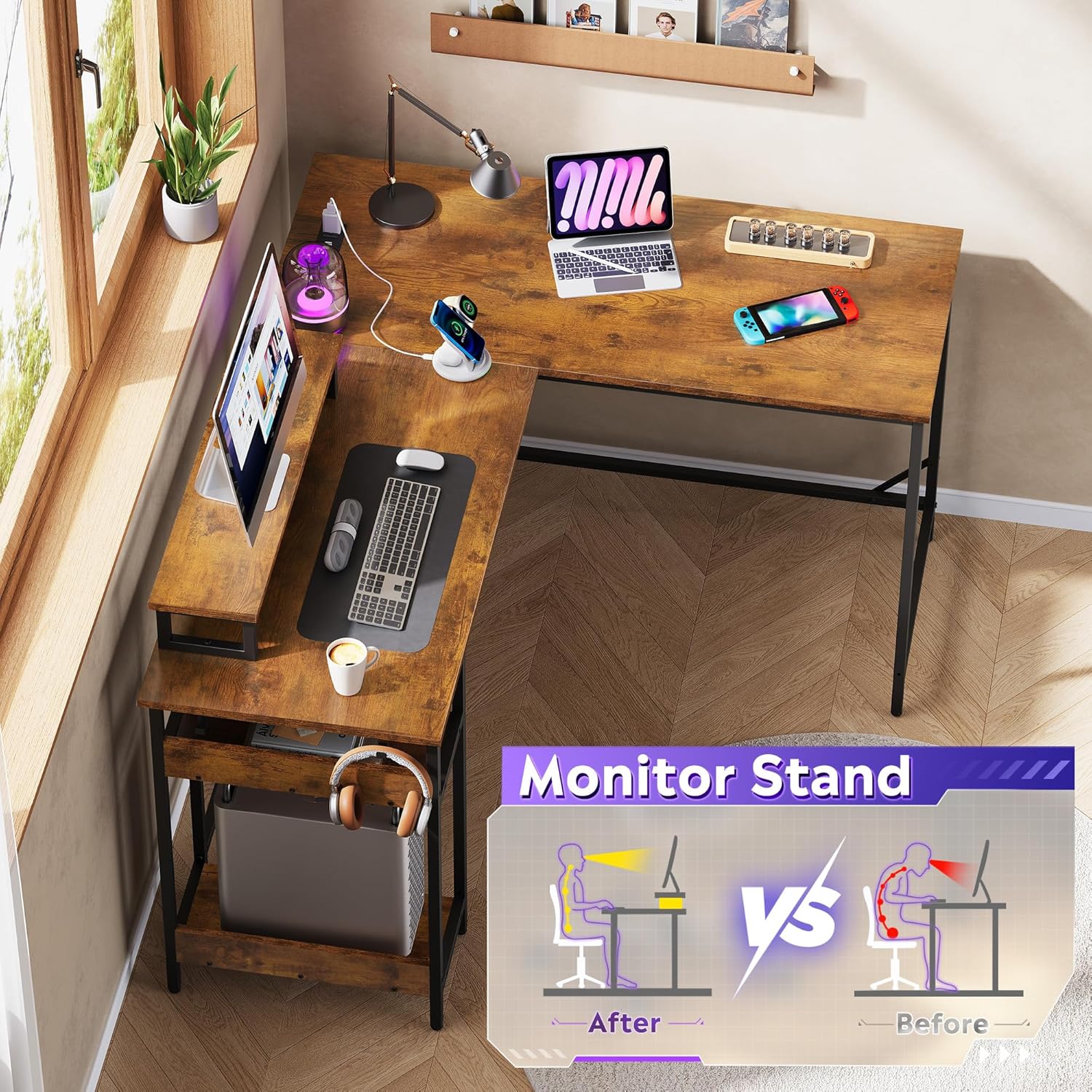
Illustration demonstrating the ergonomic benefits of the built-in monitor stand, showing improved posture ('After') compared to sitting without a raised screen ('Before').
Integrated Storage
The desk includes a 2-tier under-desk shelf system, providing ample space for storing your CPU, books, and other gear, helping to keep your workspace organized.

An image highlighting the 2-tier under-desk storage shelves, designed to accommodate a CPU tower and other items, contributing to a clutter-free workspace.
Maintenance
To maintain the appearance and longevity of your DEVAISE L-Shaped Gaming Desk, follow these guidelines:
- Cleaning: Wipe surfaces with a soft, damp cloth. Avoid harsh chemicals or abrasive cleaners.
- Spills: Immediately wipe up any spills to prevent damage to the laminated surface.
- Weight Distribution: Distribute weight evenly across the desk surface and shelves. Do not exceed the maximum weight recommendation of 220 pounds.
- Electrical Components: Ensure power outlets and LED lights are kept dry. Disconnect power before cleaning electrical components.
Troubleshooting
This section provides general troubleshooting tips for common issues. For more complex problems, please contact customer support.
- Wobbling Desk: Check that all screws are tightened securely. Adjust the non-slip footpads to ensure the desk is level on uneven floors.
- LED Lights Not Working: Verify that the power cord for the LED lights is properly connected to the power outlet and the desk's power stripe. Check the smart controller or app settings.
- Power Outlets Not Functioning: Ensure the desk's power cord is plugged into a working wall outlet. Check for any tripped circuit breakers.
- Assembly Difficulties: Double-check the assembly instructions and ensure all parts are correctly oriented. Do not force parts together.
Specifications
The following table outlines the key specifications for the DEVAISE 55-Inch L-Shaped Gaming Desk:
| Feature | Detail |
|---|---|
| Brand | DEVAISE |
| Model Number | AMGZ |
| Shape | L-Shape |
| Product Dimensions (D x W x H) | 46.5" x 59" x 29.4" |
| Color | Rustic Brown |
| Style | Rustic |
| Material | Engineered Wood, Metal |
| Finish Type | Laminated |
| Special Features | Monitor Stand, Built-in Outlet, LED Lights |
| Maximum Weight Recommendation | 220 Pounds |
| Number Of Shelves | 2 |
| Item Weight | 55.8 Pounds |
| Assembly Required | Yes |
Warranty Information
DEVAISE products typically come with a manufacturer's warranty. Please refer to the warranty card included with your product or visit the official DEVAISE website for detailed warranty terms and conditions. Keep your purchase receipt as proof of purchase for any warranty claims.
Customer Support
For any questions, assistance with assembly, or to report missing/damaged parts, please contact DEVAISE customer support.
- Online Support: Visit the official DEVAISE website for FAQs and contact options.
- Email: Please refer to your product packaging or the official DEVAISE website for contact email.
- Phone: Please refer to your product packaging or the official DEVAISE website for contact phone number.
- You can also visit the DEVAISE store on Amazon: DEVAISE Amazon Store